1. Giriş
Thank you for choosing the Mesqool Vibrating Alarm Clock. This device is designed to provide a reliable and customizable wake-up experience, particularly beneficial for heavy sleepers, individuals with hearing impairments, or those who prefer a silent alarm. Featuring a powerful vibration, dual alarm settings, and a long-lasting rechargeable battery, this cordless alarm clock is suitable for both home and travel use.
2. Paket İçeriği
- Mesqool Vibrating Alarm Clock (Purple)
- USB-C Şarj Kablosu
- Bilek Kayışı
- Kullanıcı Kılavuzu

Image: Contents of the Mesqool Vibrating Alarm Clock package, showing the purple alarm clock, a USB-C charging cable, a purple wrist strap, and the user manual.
3. Ürün Bittiview

Resim: Ön view of the Mesqool Vibrating Alarm Clock, showcasing its digital display with time, AM indicator, battery level, and alarm icons.
Temel Özellikler:
- Kablosuz Çalışma: Enjoy freedom of placement without being tethered by cables.
- Şarj Edilebilir Pil: Equipped with a 3000mAh high-capacity battery, providing up to six months of use on a single charge.
- Ayarlanabilir Titreşim: Three vibration levels (Low, Medium, High) to suit individual preferences.
- Çift Alarm: Set two independent alarms for different schedules, with options for weekday, weekend, or all 7 days.
- Çoklu Alarm Modları: Choose between Vibration Only, Alarm Only (audible), or both Vibration and Alarm.
- Ayarlanabilir Alarm Sesi: Audible alarm volume ranges from 56db to 105db.
- Kompakt ve Taşınabilir: Mini size (3.35"W x 3.35"H x 1.06"D) makes it ideal for travel.
- 9 Dakikalık Erteleme: Allows for a brief delay before the alarm reactivates.
- Saat Formatı Seçenekleri: Switch between 12-hour and 24-hour time display.
- DST İşlevi: Yaz saati uygulamasına geçiş.
- Kilit Fonksiyonu: Prevents accidental button presses during sleep or travel.
4. Kurulum
4.1 İlk Şarj
Before first use, fully charge the alarm clock. Connect the provided USB-C cable to the charging port on the side of the device and plug the other end into a standard USB power adapter (not included) or a computer USB port. The battery indicator on the display will show charging status and full charge.

Image: The Mesqool alarm clock being charged via its USB-C port, with the charging cable connected to a power source.

Image: A close-up diagram highlighting the battery indicator on the display and the Type-C charging port on the side of the alarm clock.
4.2 Bileklik Kayışının Takılması
Thread the provided wrist strap through the small loop hole on the side of the alarm clock. This can help prevent losing the clock, especially when used under a pillow.
5. Kullanım Talimatları
5.1 Düğme Fonksiyonları
Familiarize yourself with the buttons located on the top and side of the alarm clock:
- TIME/SNOOZE Button: Press to enter time setting mode; press during alarm to activate snooze.
- ALARM 1 Button: Press to set Alarm 1.
- ALARM 2 Button: Press to set Alarm 2.
- '+' Düğmesi: Increase value during setting; adjust volume/vibration level.
- '-' Düğme: Decrease value during setting; adjust volume/vibration level.
- KİLİT Anahtarı: Slide to lock/unlock buttons.
- VIBRATION/ALARM Mode Switch: Select alarm mode (Vibration Only, Alarm Only, Both).
- 12/24H & DST Switch: Toggle between 12-hour and 24-hour time format, and activate/deactivate DST.

Resim: Ayrıntılı view of the top control panel of the alarm clock, indicating the functions of the TIME/SNOOZE, ALARM 1, ALARM 2, '+' and '-' buttons.

Resim: Bir taraf view of the alarm clock, illustrating the position and function of the lock switch, vibration/alarm mode switch, and 12/24H & DST switch.
5.2 Saati Ayarlama
- Ensure the LOCK switch is in the unlocked position.
- Basılı tutun TIME/SNOOZE button for 3 seconds. The hour digits will flash.
- Kullanın '+' or '-' Saati ayarlamak için düğmeler.
- Basın TIME/SNOOZE Saati onaylamak ve dakika ayarına geçmek için düğmeye tekrar basın. Dakika rakamları yanıp sönecektir.
- Kullanın '+' or '-' Dakikayı ayarlamak için düğmeler.
- Basın TIME/SNOOZE button again to confirm the minute and move to day setting. The day indicator will flash.
- Kullanın '+' or '-' buttons to select the current day (MON, TUE, WED, THU, FRI, SAT, SUN).
- Basın TIME/SNOOZE button one last time to save all settings and exit time setting mode.
5.3 Alarmların Ayarlanması (Alarm 1 ve Alarm 2)
The clock supports two independent alarms. The setting process is identical for both.
- Ensure the LOCK switch is in the unlocked position.
- Basılı tutun ALARM 1 or ALARM 2 button for 3 seconds. The alarm hour digits will flash.
- Kullanın '+' or '-' alarm saatini ayarlamak için düğmeler.
- Karşılık gelen ALARM Saati onaylamak ve dakika ayarına geçmek için düğmeye tekrar basın. Alarm dakika rakamları yanıp sönecektir.
- Kullanın '+' or '-' Alarm dakikasını ayarlamak için düğmeler.
- Karşılık gelen ALARM button again to confirm the minute and move to alarm frequency setting. The day indicators will flash.
- Kullanın '+' or '-' buttons to select the alarm frequency:
- PZT-CUM: Weekday alarm.
- CUMARTESİ-PAZAR: Hafta sonu alarmı.
- Pazartesi-Pazar: Everyday alarm.
- Karşılık gelen ALARM button one last time to save all settings and exit alarm setting mode.
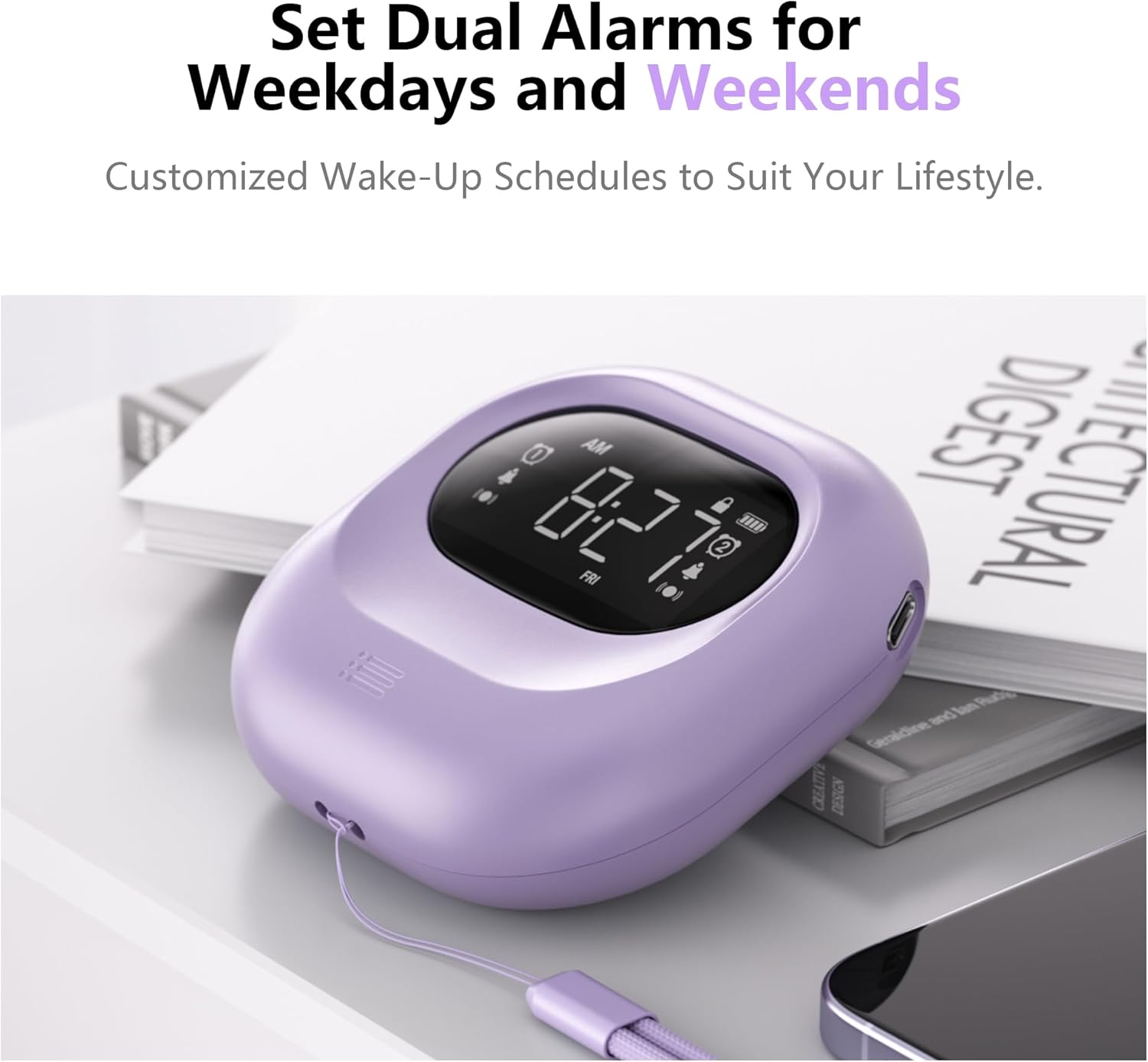
Image: The alarm clock positioned on a bedside table, showing the digital display with two alarm icons activated, indicating the dual alarm functionality.

Image: A visual representation of the dual alarm feature, demonstrating how to set alarms for weekdays, weekends, or all seven days.
5.4 Adjusting Vibration Levels
The alarm clock offers three vibration intensity levels: Low, Medium, and High. To adjust:
- Bulun VIBRATION/ALARM Mode Switch cihazın yan tarafında.
- Slide the switch to the desired vibration level (L, M, H).

Image: A person sleeping with the alarm clock placed under their pillow, demonstrating its use for silent, vibrating wake-up. The image also shows icons for Low, Middle, and High vibration settings.

Image: A graphic representation of the three adjustable vibration levels: Low, Middle, and High, indicating increasing yoğunluğu.
5.5 Adjusting Alarm Volume and Mode
The audible alarm volume can be adjusted, and you can select the alarm mode.
- To adjust volume: While the alarm is sounding, press the '+' or '-' buttons to increase or decrease the volume (56db to 105db).
- To select alarm mode: Use the VIBRATION/ALARM Mode Switch on the side of the device to choose between:
- VIB: Sadece Titreşim
- Vızıltı: Audible Alarm Only
- VIB+BUZZ: Both Vibration and Audible Alarm
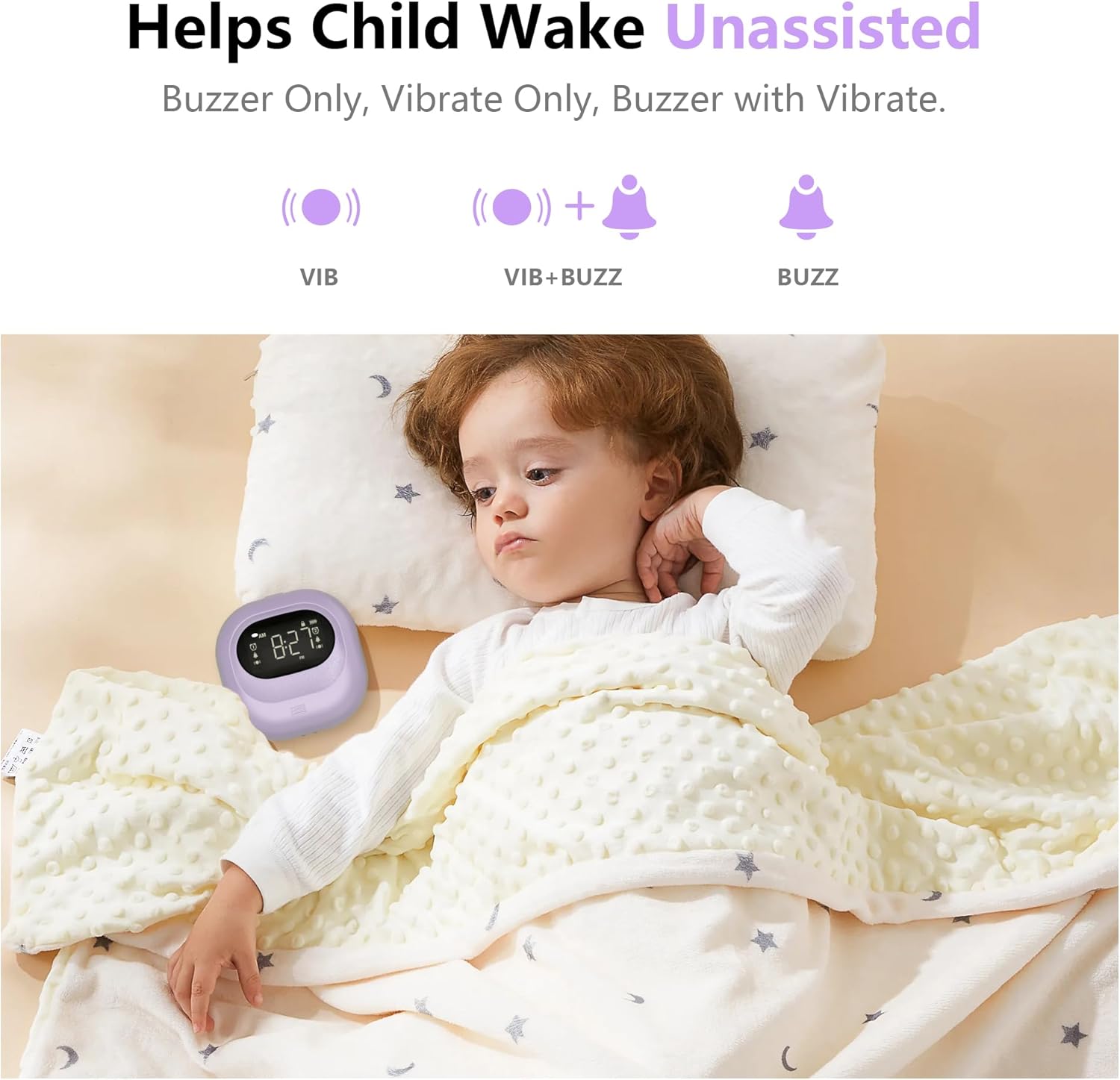
Image: A child sleeping peacefully with the alarm clock placed near their head, illustrating the various alarm modes available: Vibration Only, Vibration with Buzzer, and Buzzer Only.

Image: A graphic illustrating the three alarm modes (Vibration, Vibration + Buzzer, Buzzer) and the adjustable volume range for the audible alarm, from 56db to 105db.
5.6 Erteleme İşlevi
Alarm çaldığında, tuşuna basın. TIME/SNOOZE button to activate the 9-minute snooze function. The alarm will temporarily stop and sound again after 9 minutes. To cancel snooze and turn off the alarm, press any other button.
5.7 12/24H Time Format and DST
Kullanın 12/24H & DST Switch on the side of the device to toggle between 12-hour (with AM/PM indicator) and 24-hour time formats. This switch also allows you to activate or deactivate Daylight Saving Time (DST) if needed.
5.8 Kilitleme Fonksiyonu
To prevent accidental changes to settings or unintended alarm deactivation, slide the KİLİT switch on the side of the device to the locked position. This will disable all buttons except for the snooze function (if an alarm is active). Slide it back to the unlocked position to adjust settings.
Image: A close-up of the side of the alarm clock, highlighting the lock switch and its function to prevent accidental operations.
6. Şarj ve Pil
The Mesqool Vibrating Alarm Clock is equipped with a 3000mAh rechargeable battery. A full charge can provide up to six months of operation, depending on usage frequency and vibration intensity. When the battery is low, a battery indicator will appear on the display. Connect the USB-C cable to recharge the device.
7. Bakım
- Cihazı yumuşak ve kuru bir bezle temizleyin. Aşındırıcı temizleyiciler veya çözücüler kullanmayın.
- Avoid exposing the alarm clock to extreme temperatures, direct sunlight, or moisture.
- Cihazı sökmeye çalışmayın, aksi takdirde garanti geçersiz olur.
8. Sorun Giderme
| Sorun | Olası Neden | Çözüm |
|---|---|---|
| Alarm çalmıyor/titreşmiyor. | Alarm ayarlanmamış, alarm modu yanlış veya pil zayıf. | Ensure alarm is set correctly (Section 5.3). Check the VIBRATION/ALARM Mode Switch (Section 5.5). Charge the device (Section 6). |
| Düğmeler yanıt vermiyor. | LOCK switch is engaged. | Slide the LOCK switch to the unlocked position (Section 5.8). |
| Ekran soluk veya boş. | Pil zayıf veya bitmiş. | Charge the device (Section 6). |
| Yanlış saat gösteriliyor. | Time was not set correctly or DST is active/inactive incorrectly. | Reset the time (Section 5.2). Check the DST setting (Section 5.7). |
9. Özellikler
| Özellik | Detay |
|---|---|
| Marka | meskûl |
| Model Numarası | CR1027 |
| Renk | Mor |
| Görüntü Türü | Dijital |
| Ürün Boyutları | 3.35"G x 3.35"Y x 1.06"D |
| Ürün Ağırlığı | 6.7 ons |
| Güç Kaynağı | Pille Çalışan (Şarj Edilebilir) |
| Pil Kapasitesi | 3000mAh |
| Malzeme | Akrilonitril Bütadien Stiren (ABS Plastik) |
| Alarm Sesi Aralığı | 56db - 105db |
| Özel Özellikler | Adjustable Vibration, Battery Indicator, Cordless, Dual Alarms, Snooze, 12/24H, DST, Lock Function |
10. Garanti ve Destek
10.1 Garanti Bilgileri
This Mesqool Vibrating Alarm Clock comes with an extended warranty. Please refer to the warranty card included in your package or contact Mesqool customer support for specific details regarding warranty coverage and duration.
10.2 Müşteri Desteği
For any questions, technical assistance, or support needs, please contact Mesqool customer service. Contact information can typically be found on the product packaging, the official Mesqool websiteyi veya garanti belgesini inceleyin.


