giriiş
This manual provides detailed instructions for the setup, operation, and maintenance of your KEFEYA S6 15.6-inch Portable Monitor. Please read this manual thoroughly before using the product to ensure proper functionality and to maximize your user experience. Keep this manual for future reference.

Image: KEFEYA S6 Portable Monitor in a triple-screen configuration with a laptop.
Paket İçeriği
Aşağıda listelenen tüm ürünlerin paketinizde mevcut olduğundan emin olun. Eksik veya hasarlı bir ürün varsa, lütfen müşteri hizmetleriyle iletişime geçin.
Image: KEFEYA S6 Portable Monitor and its main components.
- Triple Screen Monitor
- Taşıma Çantası
- Hızlı Başlangıç Kılavuzu
- Kullanıcı Kılavuzu
- Ekran standı
- HDMI to TYPE-C Cable (for video only) x 1
- TYPE-C to TYPE-C Cable x 2
- USB-A to TYPE-C Cable x 2
Ürün Bittiview
The KEFEYA S6 Portable Monitor is designed to extend your laptop's display, offering enhanced productivity and versatility. It features a 15.6-inch FHD 1080P IPS display with 120% sRGB color gamut, providing vibrant and accurate visuals.
Temel Özellikler:
- Yüksek Kaliteli Ekran: 15.6-inch FHD (1920x1080) IPS panel with 120% sRGB color coverage, 300 nits brightness, and 1000:1 contrast ratio.
- Flexible and Portable Design: Supports 11 DIY configurations, horizontal/vertical rotation, and a foldable stand for stability and easy transport.
- Ergonomik Kontroller: Multifunctional adjustment button for brightness, tint, and volume.
- Çoklu Ekran Modları: Supports copy, extend, and mirror modes for various multitasking needs.
- Evrensel Uyumluluk: Plug and Play with Windows, macOS, Chrome, Xbox, PS5, Switch via HDMI, USB-C, and USB-A.

Image: Display specifications of the KEFEYA S6 Portable Monitor.

Image: Flexibility and stability features of the monitor, showing rotation capabilities.

Image: Detachable monitor feature, allowing for single or dual screen use.

Image: Enhanced productivity with the KEFEYA S6 Portable Monitor.
Kurulum ve Bağlantı
Follow these steps to connect your KEFEYA S6 Portable Monitor to your device.
Installation for All Laptop Sizes:
The monitor is designed for easy installation. Simply stretch the portable display to match the width of your laptop and attach it. No permanent fixation is required on your laptop.

Image: Installation guide for attaching the monitor to a laptop.
Bağlantı Yöntemleri:
The KEFEYA S6 supports various connection types for broad compatibility.
Image: Connection setup for the KEFEYA S6 Portable Monitor.
- For Laptops with 2 Full Function Type-C Ports: Use the provided Type-C to Type-C cables to connect directly from your laptop's Type-C ports to the monitor's Type-C ports. This typically provides both video and power.
- For Laptops with HDMI and USB-A/USB-C:
- Connect one screen to the monitor using a Type-C cable (if your laptop has a full-featured Type-C port).
- Connect the other screen using an HDMI to Type-C cable for video, and a USB-A to Type-C cable for power.
- Not: Ensure the HDMI cable is connected to the USB-C and DP ports on the extender for proper functionality.
The monitor is Plug & Play, meaning no additional drivers are typically required for most operating systems (Windows, macOS, Chrome OS).
Kullanım Talimatları
The KEFEYA S6 offers various display modes and adjustable settings to optimize your viewDeneyim.
Görüntüleme Modları:
Enhance your workflow with multiple display configurations:
- Mirror Display: Duplicates your laptop's screen content on the portable monitor.
- Extended Display: Masaüstünüzü birden fazla ekrana yayarak daha fazla çalışma alanı sağlar.
- Portrait Display: Rotate the monitor to a vertical orientation for tasks like coding, document review, or social media feeds.
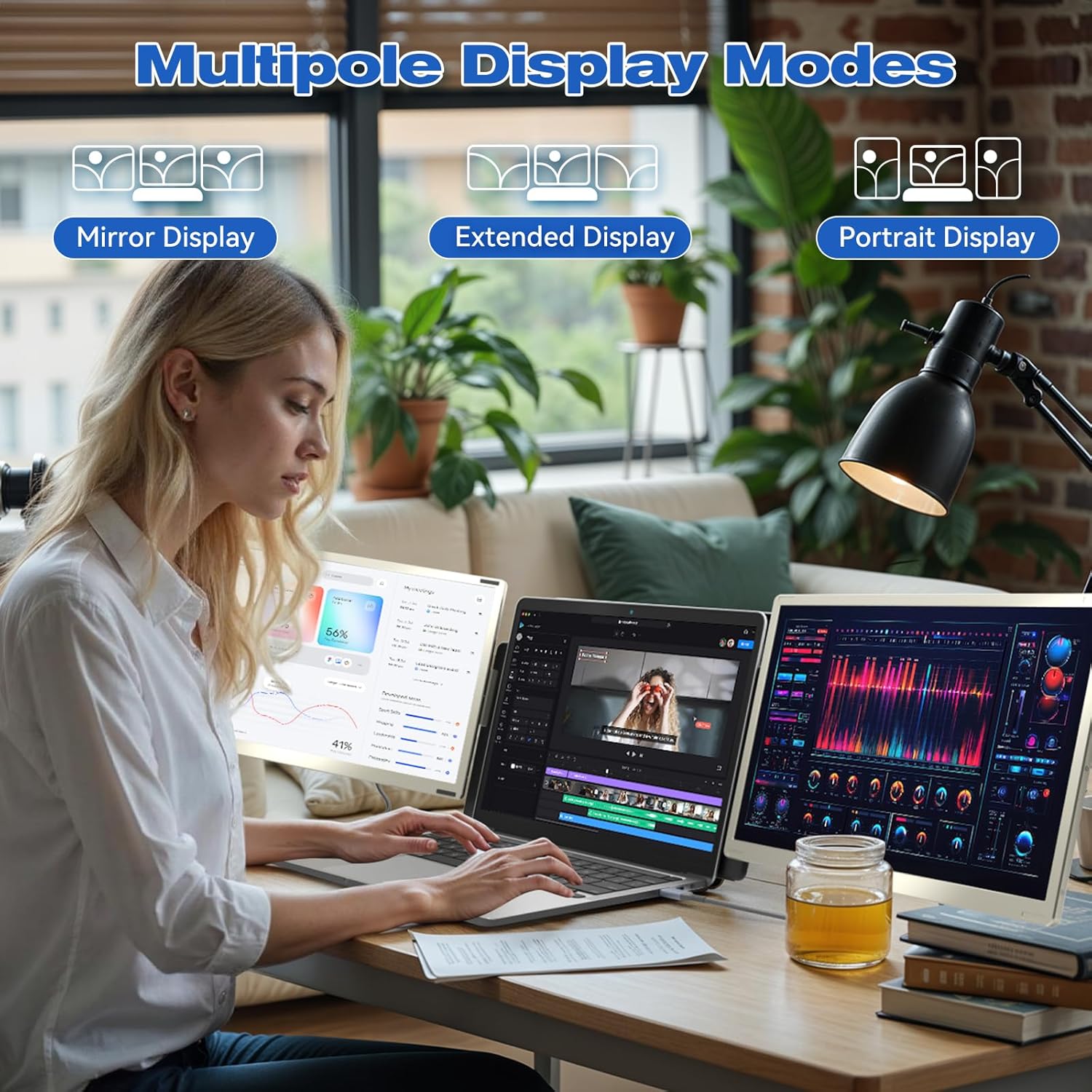
Resim: Eskiamples of Mirror, Extended, and Portrait display modes.

Image: Multiple configurations for different usage scenarios.

Image: Usage scenarios for the KEFEYA S6 Portable Monitor.
Ayarlamalar:
Use the multifunctional adjustment button on the monitor to customize settings:
- Parlaklık: Adjust the screen's luminance for optimal viewçeşitli aydınlatma koşullarında.
- renk tonu: Fine-tune color balance.
- Hacim: Control the audio output if the monitor's built-in speakers are used.
Bakım
To ensure the longevity and optimal performance of your KEFEYA S6 Portable Monitor, follow these maintenance guidelines:
- Temizlik: Ekranı ve dış yüzeyi yumuşak, tüy bırakmayan bir bezle nazikçe silin. İnatçı lekeler için hafifçe silin.ampBezi su veya ekran temizleyicisiyle silin. Sert kimyasallardan veya aşındırıcı malzemelerden kaçının.
- Depolamak: When not in use, store the monitor in its provided carrying bag to protect it from dust, scratches, and impacts.
- İşleme: Handle the monitor with care. Avoid dropping it or subjecting it to excessive force.
- Çevre: Operate and store the monitor in a dry environment, away from extreme temperatures, direct sunlight, and high humidity.
Sorun giderme
If you encounter issues with your KEFEYA S6 Portable Monitor, refer to the following common solutions:
- Sinyal Yok / Siyah Ekran:
- Ensure all cables (USB-C, HDMI, USB-A for power) are securely connected to both the monitor and your laptop.
- Verify that your laptop's display settings are configured to detect and extend/mirror to an external display.
- If using HDMI, ensure the USB-C cable is also connected for power.
- Try connecting to a different port on your laptop or a different device to rule out port or device issues.
- Compatibility Issues (e.g., MacBook M1/M2/M3):
- MacBook M1/M2/M3 models may require a docking station or a compatible H5-T hub cable for dual-screen functionality. Contact customer support for assistance with compatible accessories.
- Image Quality Issues (Flickering, Distorted Colors):
- Kablo bağlantılarında gevşeklik veya hasar olup olmadığını kontrol edin.
- Adjust the monitor's settings (brightness, contrast, tint) using the multifunctional button.
- Dizüstü bilgisayarınızın grafik sürücülerinin güncel olduğundan emin olun.
- Ses Yok:
- Increase the monitor's volume using the adjustment button.
- Check your laptop's audio output settings to ensure the monitor is selected as the playback device.
Bu adımlar sorunu çözmezse, daha fazla yardım için lütfen Garanti ve Destek bölümüne bakın.
Özellikler
| Özellik | Şartname |
|---|---|
| Marka | KEFEYA |
| Model Numarası | S6 |
| Ekran Boyutu | 15.6 inç |
| Ekran Türü | LCD veya LED |
| Çözünürlük | 1920 x 1080 (FHD 1080p) |
| En Boy Oranı | 16:9 |
| Kontrast Oranı | 1000:1 |
| Tepki Süresi | 2 milisaniye |
| Yenileme Hızı | 60 Hz |
| Renk Gamı | %120 sRGB |
| Parlaklık | 300 nit |
| Donanım Arayüzü | HDMI, USB, USB Type C |
| HDMI Port Sayısı | 1 |
| USB 3.0 Port Sayısı | 2 |
| Bağlayıcı Türü | HDMI, USB Type A, USB Type C |
| Uyumlu Cihazlar | Dizüstü bilgisayar |
| Boyutlar (U x G x Y) | 36 x 21.6 x 4.5 santimetre |
| Ürün Ağırlığı | 2.39 Kilogram |
| Özel Özellikler | 120% sRGB, Energy Efficiency, Blue Light Filter, Anti-glare Screen |
Garanti ve Destek
The KEFEYA S6 Portable Monitor comes with a one-year warranty from the date of purchase. For any product-related inquiries, technical assistance, or warranty claims, please contact KEFEYA customer support.
We offer 24/7 online assistance to resolve compatibility issues, signal problems, or dual-screen configurations. If you require specific accessories like the H5-T cable, please reach out to our customer service team.
Destek için lütfen resmi sayfamızı ziyaret edin. website or contact us via the details provided in your Quick Start Guide.


