1. Giriş
The EazeID M950 is a versatile label maker designed for home, office, and school use. It offers two primary printing modes: direct input via its integrated QWERTY keyboard and wireless control through the 'Print Master' mobile application via Bluetooth. Featuring a rechargeable battery and a backlit LCD screen, the M950 provides convenience and clarity for all your labeling needs. This manual provides detailed instructions for setting up, operating, and maintaining your device.
2. Paket İçeriği
Lütfen aşağıda listelenen tüm öğelerin paketinizde yer aldığından emin olun:
- 1 x EazeID M950 Label Maker
- 1 x 3M21 Black on White Label tape (12mm*4M)
- 1 x Tip-C Veri Kablosu
- 1 x Paketleme kutusu
- 1 x Kullanım Kılavuzu (bu belge)

Figure 2.1: EazeID M950 Label Maker package contents.
3. Ürün Bittiview
The EazeID M950 Label Maker features a compact design with an integrated QWERTY keyboard and a backlit LCD screen for ease of use. It utilizes thermal printing technology, eliminating the need for ink or toner.

Şekil 3.1: Ön view of the EazeID M950 Label Maker and accessories.

Figure 3.2: Key features and components of the EazeID M950 Label Maker.
4. Kurulum
4.1 Cihazı Şarj Etme
The M950 Label Maker is equipped with a built-in 1200mAh rechargeable lithium battery. Before first use, or when the battery is low, charge the device using the provided Type-C USB cable.
- Connect the Type-C end of the cable to the charging port on the side of the label maker.
- Connect the USB-A end of the cable to a 5V-2A charging adapter (not included) or a compatible USB port.
- The device will indicate charging status on the LCD screen. A full charge typically takes 1-2 hours.
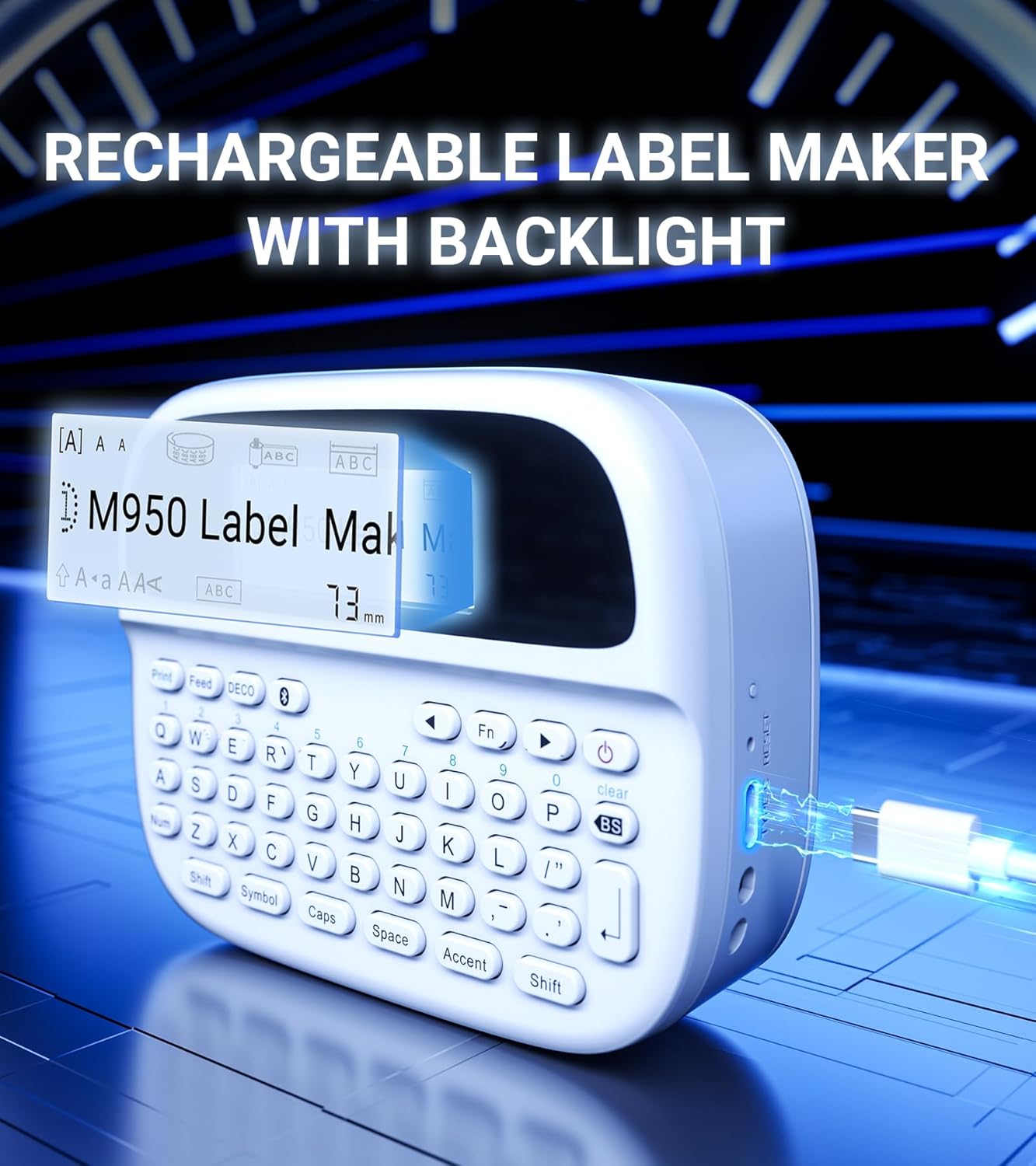
Figure 4.1: Charging the EazeID M950 Label Maker.
4.2 Etiket Bandının Takılması
To install or replace the label tape cassette:
- Etiket yazıcısının kapalı olduğundan emin olun.
- Locate the tape compartment cover on the top of the device. Gently open the cover.
- Insert the label tape cassette into the compartment, ensuring it clicks into place. The tape should feed smoothly out of the slot.
- Kaset bölmesinin kapağını sıkıca kapatın.

Şekil 4.2: Dahili view of the M950 label maker showing tape cassette placement.
5. Kullanım Talimatları
5.1 Açma/Kapatma
- Açmak için: tuşuna basın ve basılı tutun Güç LCD ekran ışığı yanana kadar (genellikle güç sembolüyle işaretlenmiş) düğmeye basılı tutun.
- Kapatmak için: tuşuna basın ve basılı tutun Güç Ekran kapanana kadar düğmeye tekrar basın.
5.2 Direct Printing via QWERTY Keyboard
The M950 features an ergonomic QWERTY keyboard for direct label creation.
- Güç Açık: Etiket yazıcısını açın.
- Input Text: Use the QWERTY keyboard to type your desired label text. The text will appear on the backlit LCD screen.
- Formatting Options: Use the function keys (e.g., Fn, Sembol, Kapaklar, Aksan) to access various fonts, sizes, symbols, and other formatting options.
- Yazdır: Basın Yazdır button to generate the label.
- Kesmek: Use the built-in cutter to cleanly separate the printed label from the tape roll.

Figure 5.1: Using the QWERTY keyboard for direct label printing.
5.3 Bluetooth App Printing (Print Master App)
For advanced features and customization, connect your M950 to the 'Print Master' app via Bluetooth.
- İndir uygulaması: Download the 'Print Master' app from your device's app store (available on Android and iOS).
- Power On & Bluetooth: Turn on the label maker and ensure Bluetooth is enabled on both the label maker and your smartphone.
- Bağlamak: Open the 'Print Master' app. The app will search for nearby EazeID label makers. Select 'EazeID M950' from the list to connect.
- Design Label: Use the app's interface to create your label. The app offers a vast library of customizable templates, over 1000 patterns, 100+ frames, 100+ fonts, barcodes, and QR codes.
- Yazdır: Once your label is designed, tap the 'Print' icon in the app.
- Kesmek: Use the built-in cutter on the label maker to separate the printed label.

Figure 5.2: The EazeID M950 supports both keyboard and Bluetooth app printing modes.

Figure 5.3: Connecting to the 'Print Master' app via Bluetooth.
6. Bakım
6.1 Cihazın Temizlenmesi
To ensure optimal performance and longevity of your label maker:
- Temizlemeden önce cihazı kapatın.
- Etiket yazıcısının dış yüzeyini yumuşak, kuru bir bezle silin.
- For the print head, gently wipe with a cotton swab lightly dampİzopropil alkolle durulayın. Kullanmadan önce tamamen kurumasını bekleyin.
- Aşındırıcı temizleyiciler veya çözücüler kullanmayınız.
6.2 Pil Bakımı
Pil ömrünü en üst düzeye çıkarmak için:
- Pilin sık sık tamamen boşaltılmasından kaçının.
- Cihazınızı sürekli kullanmasanız bile düzenli olarak şarj edin.
- Uzun süre kullanılmayacaksa cihazı serin ve kuru bir yerde saklayın.
7. Sorun Giderme
If you encounter issues with your EazeID M950 Label Maker, refer to the following common problems and solutions:
| Sorun | Olası Neden | Çözüm |
|---|---|---|
| Cihaz açılmıyor | Düşük pil; Cihaz arızası | Cihazı en az 30 dakika şarj edin. Hala yanıt vermiyorsa, destek ekibiyle iletişime geçin. |
| Baskı yok veya silik baskı | Tape installed incorrectly; Print head dirty; Low battery | Reinstall tape cassette. Clean the print head. Charge the device. |
| Bluetooth bağlantısı başarısız oluyor | Bluetooth off; App not updated; Device too far | Ensure Bluetooth is enabled on both devices. Update 'Print Master' app. Move label maker closer to smartphone. Restart both devices. |
| Labels are difficult to peel | Specific label tape characteristic | Ensure you are using genuine EazeID label tape. Try bending the label backing slightly to separate. |
8. Özellikler
Technical specifications for the EazeID M950 Label Maker:
- Model Adı: EazeID M950 Label Maker
- Baskı Teknolojisi: Termal
- Baskı Çözünürlüğü: 203 DPI
- Bağlantı: Bluetooth, USB Tip C
- Maksimum Medya Boyutu: 12 mm (0.47 inç)
- Pil: 1200mAh Lityum İyon (şarj edilebilir, dahildir)
- Kontrol Yöntemi: App (Print Master), QWERTY Keyboard
- Özel Özellikler: Backlit LCD Screen, Built-in Cutter, Portable
- Ürün Ölçüleri: Yaklaşık 1 x 1 x 1 inç
- Ürün Ağırlığı: 1.06 pound
- Dahil Bileşenler: Label maker, tape, USB-C cable, user manual

Figure 8.1: EazeID M950 Label Maker dimensions and key features.
9. Garanti ve Destek
The EazeID M950 Label Maker comes with a limited warranty. For specific warranty terms and conditions, please refer to the warranty card included in your product packaging or visit the official EazeID webalan.
For technical support, troubleshooting assistance, or inquiries about replacement parts and accessories, please contact EazeID customer service through the contact information provided on the official websiteniz veya satın alma platformunuz.


