giriiş
This manual provides essential information for the safe and efficient operation, maintenance, and troubleshooting of your SENCOR SRV 9185BK Robot Vacuum and Mop. Please read this manual thoroughly before using the product and retain it for future reference. The SENCOR SRV 9185BK is designed for comprehensive floor cleaning, featuring powerful suction, mopping capabilities, LiDAR navigation, and an automatic emptying station.
Paket İçeriği
Before setup, ensure all components are present in the package:
- 1x SENCOR SRV 9185BK main unit (including battery)
- 1x Automatic Emptying Station
- 1x Mopping cloth holder (part of the robot)
- 1x Mopping cloth
- 1x Şarj adaptörü
- 1x Filtre
- 1x Dust reservoir
- 1x Uzaktan kumanda
Kurmak
1. Positioning the Automatic Emptying Station
Place the automatic emptying station against a wall in an open area, ensuring there are no obstacles within 1 meter to the front and 0.5 meters to the sides. Connect the charging adapter to the station and plug it into a power outlet.

The SENCOR SRV 9185BK robot vacuum and mop, shown with its automatic emptying station, ready for operation.
2. İlk Şarj
Place the robot onto the charging station. Ensure the charging contacts on the robot align with those on the station. The robot will begin charging automatically. A full charge takes approximately 3 hours. The battery indicator on the robot will show charging status.
3. Uygulama Bağlantısı (İsteğe Bağlı)
For advanced control and scheduling, download the SENCOR Home app from your smartphone's app store. Follow the in-app instructions to connect your SRV 9185BK robot. This allows for scheduling cleaning times, selecting suction strengths, and choosing mopping levels.
Kullanım Talimatları
1. Temizleme Döngüsünü Başlatma
- Tek Tuşla İşlem: Otomatik temizleme döngüsünü başlatmak için robot üzerindeki güç düğmesine bir kez basın.
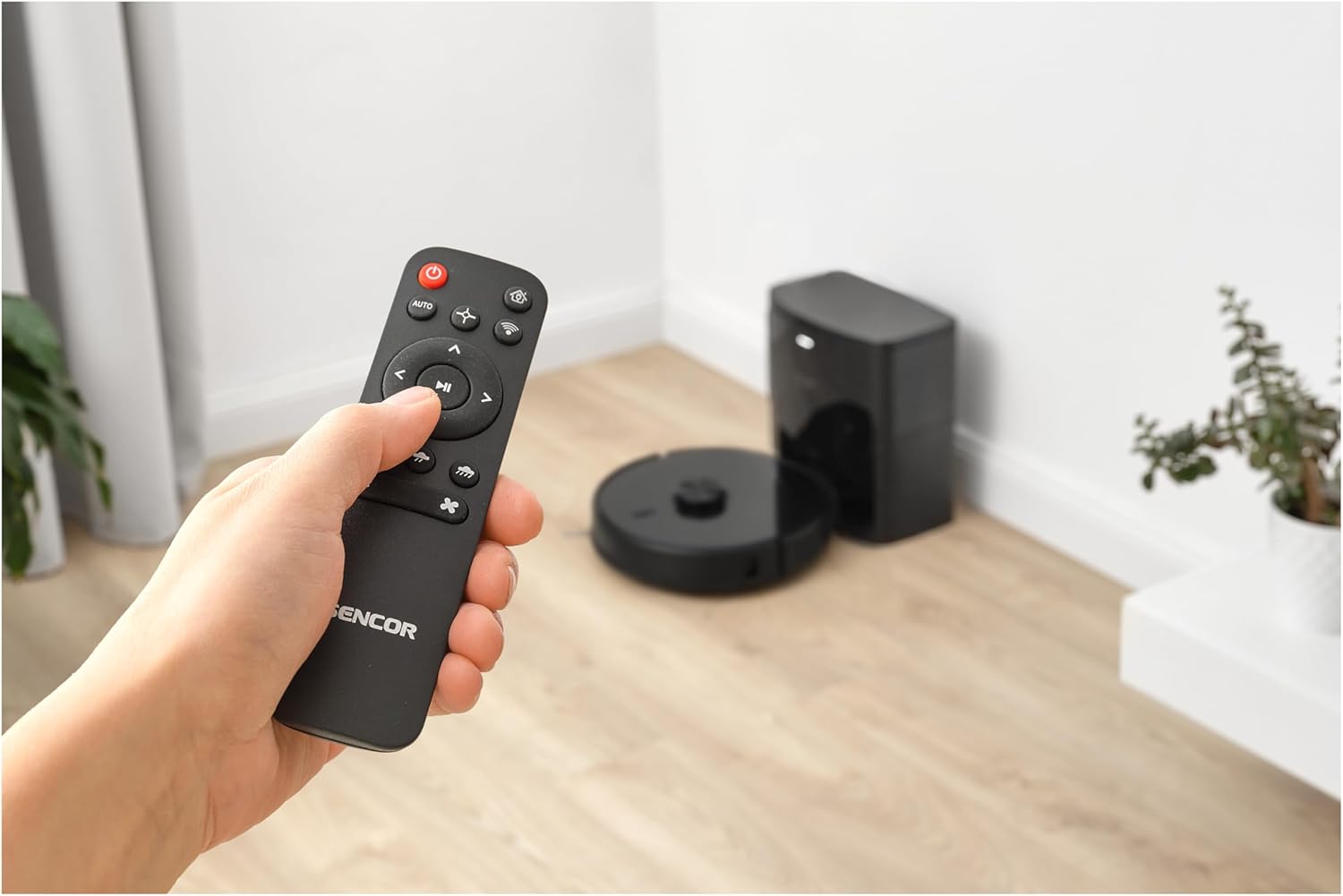
- Uzaktan kumanda: Use the included remote control to start, stop, or direct the robot.
- SENCOR Home App: Use the app to initiate cleaning, select specific modes, or set schedules.
The SENCOR SRV 9185BK robot vacuum cleaning a living room, with blue lines indicating its systematic LiDAR-guided cleaning pattern.
2. Temizleme Modları
- Vakumlama: The robot utilizes its 3000Pa suction power and dual rotating side brushes to effectively clean various floor types, including carpets and hard floors.
- Paspaslama: Attach the mopping cloth holder with the special antistatic mopping cloth. The robot will then vacuum and mop simultaneously. Adjust mopping levels via the app.

The SENCOR SRV 9185BK robot vacuum actively cleaning a floor, showing its effectiveness in picking up dirt and debris.
3. Navigasyon ve Engelden Kaçınma
The SRV 9185BK uses LiDAR navigation to map your home and optimize cleaning routes. It is equipped with sensors to prevent falls and intelligently avoids obstacles. The robot can navigate over thresholds up to 1 cm high (without the mopping cloth attached).

The SENCOR SRV 9185BK robot vacuum demonstrating its ability to navigate over thresholds up to 20mm high.
4. Automatic Emptying
Upon returning to its station, the robot automatically transfers collected debris into a 3-liter bag within the emptying station, providing up to 60 days of hands-free dust disposal.
Bakım
Regular maintenance ensures optimal performance and extends the lifespan of your SENCOR SRV 9185BK.
1. Emptying the Dust Reservoir
Although the robot features an automatic emptying station, the internal dust reservoir (200 ml capacity) should be checked and manually emptied periodically, especially if the automatic emptying function is not used or if large debris is collected.
2. HEPA Filtresini Temizleme
The HEPA filter captures 99.9% of allergens and fine particles. Tap the filter gently to remove dust or use a small brush. Replace the filter every 3-6 months, depending on usage.
3. Cleaning Side Brushes and Main Wheels
Regularly remove hair and debris from the two rotating side brushes and the main wheels. The main wheels are detachable for easier cleaning. This prevents blockages and ensures smooth movement.
4. Cleaning the Mopping Cloth
After each mopping cycle, remove the mopping cloth and wash it thoroughly. Allow it to air dry completely before reattaching.
5. Replacing the Automatic Emptying Station Dust Bag
When the 3-liter dust bag in the automatic emptying station is full (indicated by the app or station light), replace it with a new one.

A user demonstrating the process of replacing the 3-liter dust bag within the automatic emptying station of the SENCOR SRV 9185BK robot vacuum.
Sorun giderme
If you encounter issues with your SENCOR SRV 9185BK, refer to the following common problems and solutions:
- Robot başlamıyor: Ensure the robot is fully charged. Check if the power button is pressed correctly.
- Robot şarj olmuyor: Verify the charging contacts on both the robot and the station are clean and aligned. Ensure the charging adapter is properly connected to the station and power outlet.
- Zayıf temizleme performansı: Empty the dust reservoir, clean or replace the HEPA filter, and remove any tangled hair from the side brushes and main brush.
- Robot sık sık takılıyor: Clear obstacles from the cleaning path. Ensure the robot can pass over thresholds (max 1 cm without mopping cloth). Clean the anti-fall sensors.
- Anormal ses: Check for any foreign objects caught in the brushes or wheels. Ensure all components are correctly assembled.
- Automatic emptying not working: Check if the 3L dust bag in the station is full and needs replacement. Ensure the robot is correctly docked.
- Uygulama bağlantı sorunları: Wi-Fi ağınızın kararlı olduğundan ve robotun kapsama alanında olduğundan emin olun. Gerekirse robotu ve yönlendiricinizi yeniden başlatın.
For issues not covered here, please refer to the SENCOR Home app for further diagnostics or contact customer support.
Özellikler
| Özellik | Şartname |
|---|---|
| Model Numarası | SRV 9185BK |
| Marka | SENCOR |
| Emiş Gücü | 3000 Pa |
| Pil Türü | 2600 mAh Li-ion |
| Pil Ömrü | 140 dakikaya kadar |
| Şarj Süresi | Yaklaşık 3 saat (tam şarj) |
| Dust Reservoir Capacity (Robot) | 200 ml |
| Automatic Emptying Station Bag Capacity | 3 Litre (60 güne kadar) |
| Gürültü Seviyesi | 63 dB (operating) |
| Gezinme Türü | LiDAR |
| Threshold Climbing Ability | Up to 1 cm (without mopping cloth) |
| Filtre Türü | HEPA |
| Kontrol Yöntemleri | SENCOR Home App, Remote Control, On-device button, Amazon Alexa |
| Ürün Boyutları (Robot) | 35 cm Uzunluk x 35 cm Genişlik x 9.8 cm Yükseklik |
| Ağırlık | 7.4 kilo |
Not: Teknik özellikler önceden haber verilmeksizin değiştirilebilir.
Garanti ve Destek
SENCOR offers a 30-day "Satisfaction or Money Back" guarantee for this product. For warranty claims, technical support, or further assistance, please refer to the contact information provided with your purchase documentation or visit the official SENCOR webalan.


