1. Giriş
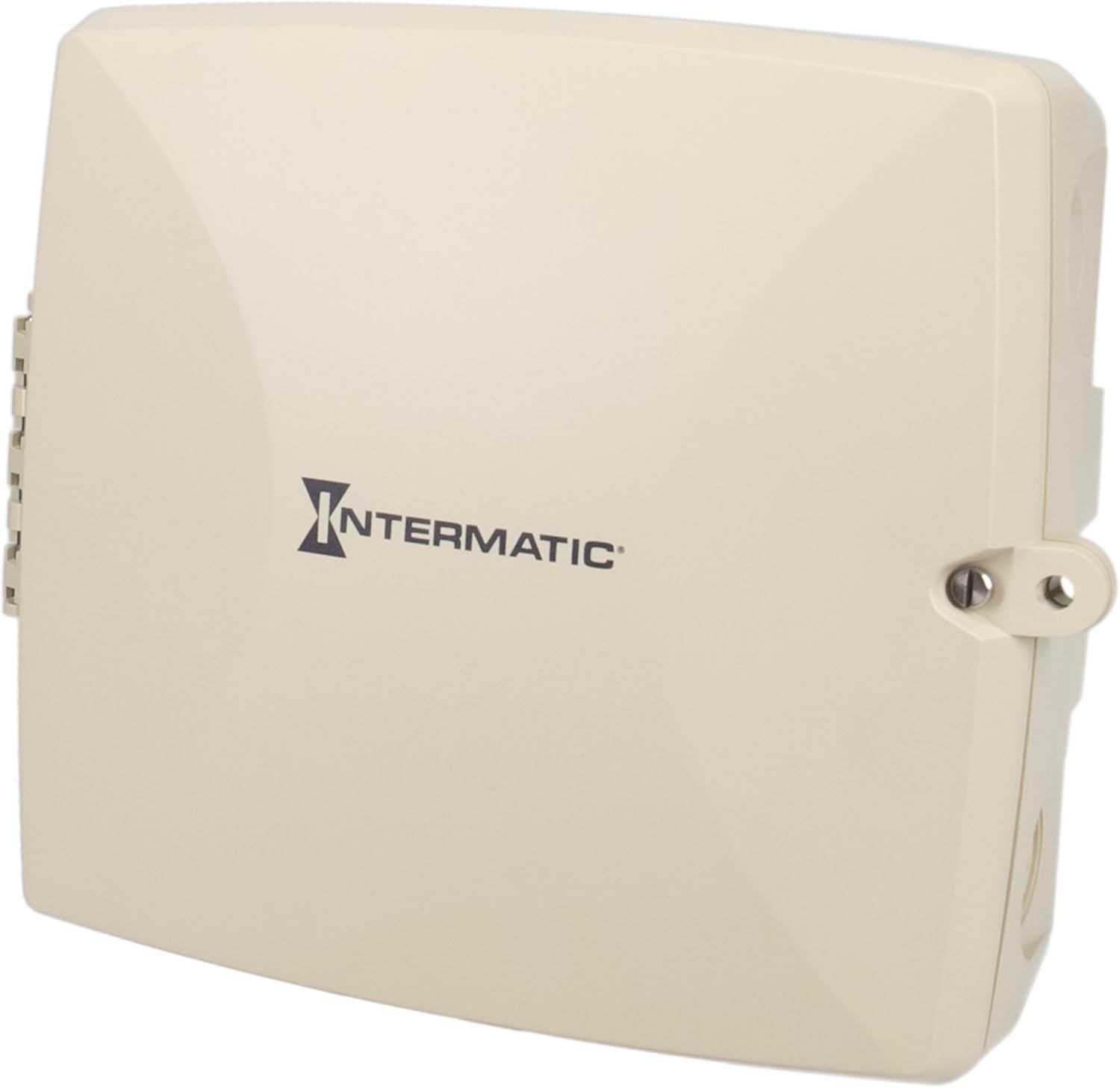
The Intermatic PE723P is a 7-day electronic Wi-Fi pool timer designed for automated control of pool and spa equipment. This device allows for precise scheduling of pumps, lighting, sanitizers, and auxiliary devices across two independent circuits. Remote management is available via the Intermatic Connect mobile application and voice control integration. The PE723P features a durable, weather-resistant enclosure and automatic voltage detection for versatile installation.
2. Önemli Güvenlik Bilgileri
WARNING: Risk of Electric Shock. Disconnect power at the circuit breaker or disconnect switch before installing or servicing this device.
- Kurulum, tüm yerel ve ulusal elektrik yönetmeliklerine uygun olarak kalifiye bir elektrikçi tarafından yapılmalıdır.
- Cihazın doğru şekilde topraklandığından emin olun.
- Do not operate if the enclosure is damaged.
- Keep the enclosure door closed and secured when not servicing.
- This device is intended for outdoor use and is rated Type 3R for protection against rain, sleet, and external ice formation.
3. Paket İçeriği
Kuruluma başlamadan önce tüm bileşenlerin mevcut olduğundan emin olun:
- Intermatic PE723P Wi-Fi Pool Timer Unit
- Montaj Donanımı (vidalar, dübeller)
- Kullanım Kılavuzu (bu belge)
4. Ürün Özellikleri
- 7-Day Digital Programming: Allows for up to 96 ON/OFF events per day.
- Wi-Fi Bağlantısı: Remote control and scheduling via the Intermatic Connect mobile app.
- Ses Kontrolü: Compatible with Amazon Alexa for convenient operation.
- 2-Circuit Control: Independently manage two 30A circuits for various pool/spa equipment.
- Otomatik Sestage Tespiti: Automatically adjusts to 120–277 VAC (50/60 Hz) input.
- Dayanıklı Muhafaza: Type 3R plastic enclosure for outdoor environments, operating from -40°F to 158°F.
- Geçici Olmayan Bellek: Retains programmed schedules during power outagee.
- LED Durum Göstergeleri: Provides real-time feedback on device status and network connectivity.
5. Kurulum
5.1 Muhafazanın Montajı
The PE723P is designed for wall mounting. Select a suitable location near the pool/spa equipment, ensuring it is accessible for wiring and operation, and protected from direct sunlight if possible to prolong component life.
- Muhafaza kapısını açın.
- Mark the desired mounting points on the wall using the pre-drilled holes on the back of the enclosure as a template.
- Drill pilot holes and insert appropriate anchors if mounting into masonry or drywall.
- Secure the enclosure to the wall using the provided mounting screws.

Şekil 1: Arka view of the PE723P enclosure, illustrating the mounting points for wall installation.
5.2 Wiring the Timer
WARNING: Ensure power is disconnected at the main breaker before proceeding with any wiring.
The PE723P features two independent circuits and auto-voltage detection. Refer to the internal wiring diagram and terminal block for correct connections.
- Route electrical conduits into the appropriate knockouts on the enclosure.
- Connect the incoming power supply (120-277 VAC) to the designated LINE terminals.
- Connect the load wires for Circuit 1 (e.g., pump) to the CIRCUIT 1 terminals.
- Connect the load wires for Circuit 2 (e.g., lights) to the CIRCUIT 2 terminals.
- Tüm bağlantıların sıkı ve güvenli olduğundan emin olun.
- Çit kapısını kapatın ve emniyet kemerini bağlayın.

Şekil 2: Dahili view of the PE723P, showing the terminal block for power and load connections, along with control buttons and LED indicators.
Şekil 3: Ayrıntılı view of the PE723P's internal control panel, highlighting the MODE button, SERVICE, MANUAL, AUTO, and NETWORK LEDs, RESET button, and circuit control buttons.
6. İlk Kurulum ve Wi-Fi Bağlantısı
6.1 Açma
After completing all wiring, restore power to the timer at the circuit breaker. The timer will power on and the LED indicators will illuminate.
6.2 Intermatic Connect App Installation
- İndir Intermatic Connect Uygulamayı mobil cihazınızın uygulama mağazasından (iOS veya Android) indirin.
- Bir hesap oluşturun veya zaten bir hesabınız varsa giriş yapın.
6.3 Wi-Fi'ye Bağlanma
Follow the in-app instructions to add your PE723P timer to your Wi-Fi network. This typically involves:
- Placing the timer in pairing mode (often by pressing and holding the MODE button or a combination of buttons).
- Selecting your Wi-Fi network and entering the password within the app.
- The NETWORK LED on the timer will indicate connection status (e.g., blinking during pairing, solid green when connected).
The PE723P supports long-range Wi-Fi connectivity up to 180 ft (line of sight).
7. Operasyon
7.1 Programlama Takvimleri
All scheduling and programming are managed through the Intermatic Connect mobile app. The app allows you to:
- Set up to 96 ON/OFF events daily for each of the two circuits.
- Create custom 7-day schedules.
- Adjust schedules remotely from anywhere with an internet connection.
7.2 Manuel Kontrol
The PE723P offers manual control options directly on the unit:
- MOD Düğmesi: Press the MODE button to cycle through operating modes: SERVICE, MANUAL, and AUTO.
- Circuit Buttons (1 and 2): In MANUAL mode, press the corresponding circuit button to toggle the connected equipment ON or OFF.
7.3 LED Göstergeleri
The LEDs on the control panel provide status information:
- HİZMET: Indicates service mode.
- KULLANIM KILAVUZU: Indicates manual operation mode.
- OTO: Indicates automatic schedule operation mode.
- AĞ: Indicates Wi-Fi connection status (e.g., solid for connected, blinking for pairing/disconnected).
8. Bakım
The Intermatic PE723P is designed for minimal maintenance. Regular checks can help ensure optimal performance:
- Periyodik muayene: Annually inspect the enclosure for any signs of damage or wear.
- Temizlik: Keep the exterior of the enclosure clean and free of debris. Use a soft, damp Temizlik için bez kullanın; aşındırıcı temizleyiciler veya çözücüler kullanmayın.
- Terminal Bağlantıları: Periodically check electrical terminal connections to ensure they remain tight. Dahili bileşenleri incelemeden önce daima gücü kesin.
9. Sorun Giderme
| Sorun | Olası Neden | Çözüm |
|---|---|---|
| Timer does not power on. | No power supply; tripped breaker; loose wiring. | Check circuit breaker. Verify power connections. Consult a qualified electrician. |
| Equipment does not turn ON/OFF as scheduled. | Incorrect programming; timer in MANUAL or SERVICE mode; Wi-Fi disconnected. | Verify schedules in the app. Ensure timer is in AUTO mode. Check Wi-Fi connection. |
| NETWORK LED is blinking or OFF. | No Wi-Fi connection; incorrect Wi-Fi credentials; router issue. | Re-attempt Wi-Fi pairing via the app. Check router status and signal strength. Ensure correct Wi-Fi password. |
| Cannot control via app. | No internet connection on phone or timer; app issue. | Check phone's internet connection. Verify timer's NETWORK LED is solid. Restart app or phone. |
| Elektrik kesintisi sonrasında zamanlayıcı ayarları kayboluyor.tage. | This should not occur. The PE723P has non-volatile memory. | If settings are lost, contact Intermatic customer support. |
For further assistance, refer to the Intermatic Connect app's help section or contact customer support.
10. Özellikler
| Bağlanmak | Değer |
|---|---|
| Model Numarası | PE723P |
| Marka | Intermatik |
| Cilttage | 120-277 VAC, 50/60 Hz (Auto-Voltage) |
| Yük Kapasitesi | Devre başına 30A |
| Devre Sayısı | 2 |
| Muhafaza Türü | Type 3R Outdoor Plastic |
| Çalışma Sıcaklığı | -40°F ila 158°F (-40°C ila 70°C) |
| Ürün Boyutları | 11"D x 14"G x 10.75"Y |
| Ürün Ağırlığı | 4.59 pound |
| Malzeme | Plastik |
| Renk | Gri |
| Bağlantı | Wi-Fi, Voice Control (Alexa) |
11. Garanti ve Müşteri Desteği
For warranty information, please refer to the documentation included with your product or visit the official Intermatic website. If you encounter any issues or require technical assistance, please contact Intermatic customer support:
- Intermatik Webalan: www.intermatic.com
- Müşteri Hizmetleri: Şuna bakın: website for current contact information (phone, email, or online support portal).


