giriiş
Thank you for choosing the MangoKit MP1S Portable DAB/DAB+ and FM Radio. This compact and lightweight radio is designed for personal listening, offering crystal-clear digital and analog radio reception. With its built-in rechargeable battery and included earphones, it's perfect for on-the-go use. This manual provides detailed instructions to help you get the most out of your device.

Image: The MangoKit MP1S portable radio shown with its included earphones, highlighting its compact design and readiness for personal listening.
Paket İçeriği
Lütfen paketi aşağıdaki öğeler açısından kontrol edin:
- MangoKit MP1S Portable DAB/DAB+ and FM Radio
- Stereo Earphones (with integrated antenna)
- USB Type-C Şarj Kablosu
- Kullanım Kılavuzu (bu belge)
- Hızlı Başlangıç Kılavuzu
Ürün Bittiview
Familiarize yourself with the radio's controls and features:

Resim: Yakın çekim view of the MangoKit MP1S radio, displaying its LCD screen and control buttons, including DAB/FM, MENU/INFO, SCAN, PRESETS, volume controls, and select/navigation buttons.
Temel Özellikler:
- DAB/DAB+ ve FM Radyo: Çok çeşitli dijital ve analog radyo istasyonlarına erişin.
- Pocket-Sized and Lightweight: Extremely compact (90mm x 51mm x 16mm) and light (65g) for ultimate portability.
- Dahili Şarj Edilebilir Pil: 1100mAh capacity provides over 8 hours of playback.
- Personal Listening: Includes stereo earphones that double as an antenna.
- 20 Önceden Ayarlanmış İstasyon: Store 10 DAB and 10 FM favorite stations for quick access.
- Kilitlenebilir Düğmeler: Prevents accidental button presses during activity.
- LCD Ekran: Clear screen for station information and settings.
Kurmak
1. Pilin Şarj Edilmesi
Before first use, fully charge the radio. Connect the supplied USB Type-C cable to the radio's charging port and the other end to a USB power adapter (not included) or a computer's USB port.
- The charging indicator on the radio will illuminate during charging.
- Charging typically takes a few hours. The indicator will change or turn off when fully charged.
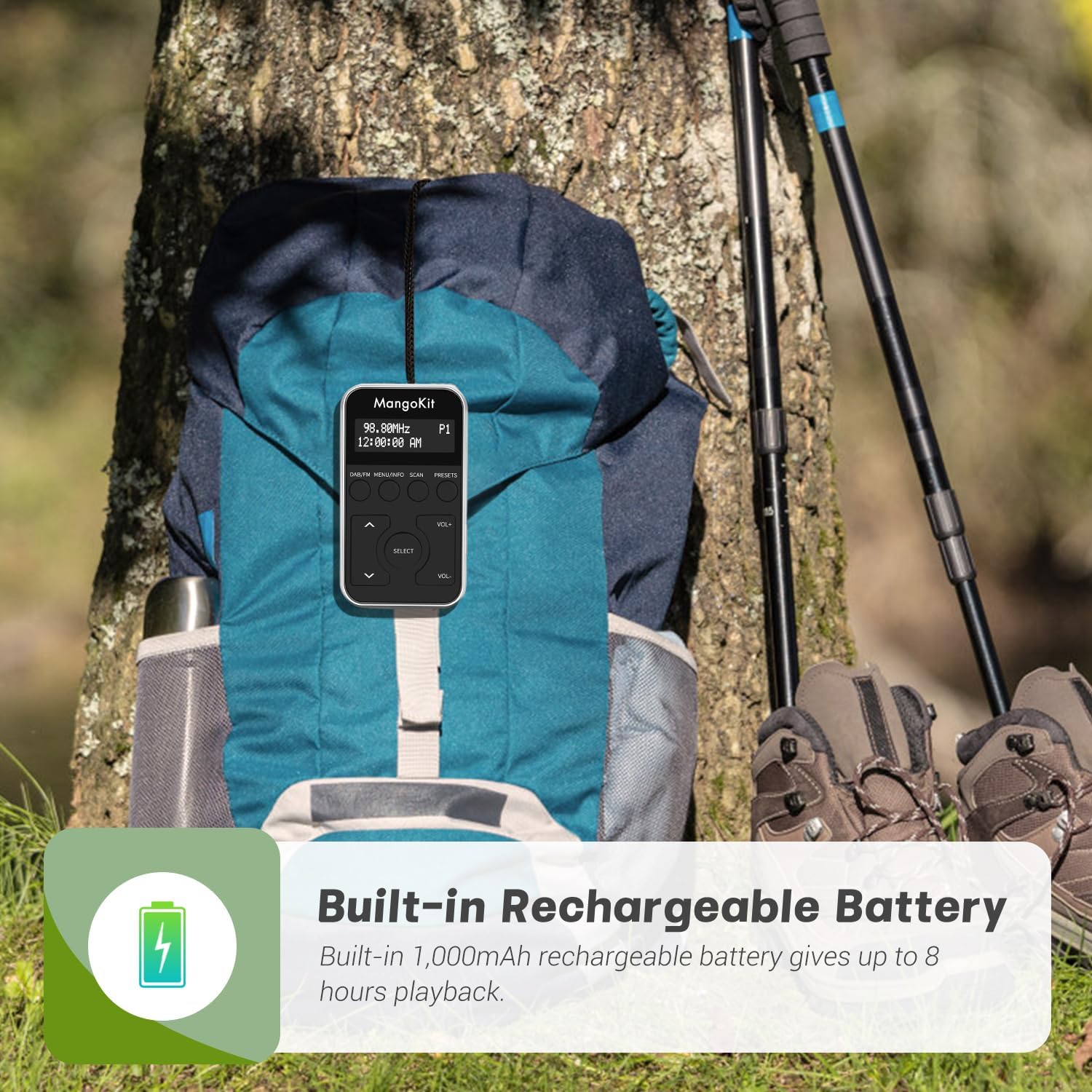
Image: The MangoKit MP1S radio resting on a backpack, illustrating its suitability for outdoor activities and emphasizing its built-in rechargeable battery for extended use.
2. Kulaklık Bağlama
The included stereo earphones serve as the radio's antenna for both DAB/DAB+ and FM reception. It is essential to connect them for optimal signal reception.
- Insert the 3.5mm jack of the earphones into the headphone port on the radio.
- Bağlantının güvenli olduğundan emin olun.
3. Initial Power On and Auto-Scan
When you power on the radio for the first time, it will automatically scan for available DAB/DAB+ stations.
- Güç düğmesini "AÇIK" konumuna getirin.
- The radio will display "Scanning..." and search for stations. This process may take a few minutes.
- Tarama işlemi tamamlandıktan sonra, radyo ilk müsait istasyona ayarlanacaktır.
Kullanım Talimatları
Temel Kontroller:
| Düğme | İşlev |
|---|---|
| DAB/FM | Switches between DAB/DAB+ and FM radio modes. |
| MENÜ/BİLGİ | Accesses the menu options or displays station information. |
| TARAMA | Initiates an automatic scan for available stations in the current mode. |
| PRESETS | Accesses preset station list; long press to save current station. |
| VOL + / VOL- | Ses seviyesini ayarlar. |
| Yukarı / Aşağı Oklar | Navigates through station lists or menu options. |
| SEÇME | Confirms a selection in the menu or tunes to a selected station. |
| Kilit Anahtarı | Locks all buttons to prevent accidental operation. Located on the side of the radio. |
İstasyonlara Ayarlama:
DAB/DAB+ Modu:
- Basın DAB/FM DAB modunu seçmek için düğmesine basın.
- Kullanın Yukarı/Aşağı Oklar to browse through the list of available DAB stations.
- Basmak SEÇME İstenilen istasyona ayarlamak için.
- To perform a full scan for new DAB stations, press the TARAMA düğme.
FM Modu:
- Basın DAB/FM FM modunu seçmek için düğmesine basın.
- Basın TARAMA button to automatically scan and store available FM stations.
- Alternatif olarak, şunu kullanın: Yukarı/Aşağı Oklar to manually tune the frequency.
Saving and Recalling Preset Stations:
The radio allows you to save up to 10 DAB and 10 FM stations as presets.

Image: A four-step diagram illustrating how to store favorite radio stations on the MangoKit MP1S. It shows selecting a station, pressing and holding the PRESETS button, selecting a preset slot, and confirming the save.
- Bir İstasyonu Kurtarmak İçin:
- Tune to the desired DAB or FM station.
- Basılı tutun PRESETS Ekranda "Ön Ayar Kaydet" görünene kadar düğmeye basın.
- Kullanın Yukarı/Aşağı Oklar Önceden belirlenmiş bir sayı (1-10) seçmek için.
- Basmak SEÇME İstasyonu onaylamak ve kaydetmek için.
- Bir İstasyonu Geri Çağırmak İçin:
- Basın PRESETS button (short press) to enter the preset recall mode.
- Kullanın Yukarı/Aşağı Oklar to navigate through your saved stations.
- Basmak SEÇME to tune to the selected preset station.
Using the Lock Switch:
The lock switch prevents accidental button presses, ideal for when the radio is in your pocket or during physical activity.
- Slide the lock switch (located on the side of the radio) to the "LOCK" position to disable all buttons.
- Slide it back to the "UNLOCKED" position to enable button functionality.

Image: A person holding the MangoKit MP1S radio while playing basketball, illustrating its use as a sports listening device and the benefit of its lockable buttons during active use.
Bakım
Temizlik:
- Radyoyu yumuşak, kuru bir bezle silin.
- Do not use abrasive cleaners, waxes, or solvents as they may damage the surface.
- Herhangi bir açıklıktan içeriye nem girmesini önleyin.
Pil Bakım:
- Pil ömrünü uzatmak için pili sık sık tamamen boşaltmaktan kaçının.
- Charge the radio regularly, even if not in use for extended periods.
- Radyo kullanılmadığı zaman serin ve kuru bir yerde saklanmalıdır.
Sorun giderme
| Sorun | Olası Neden | Çözüm |
|---|---|---|
| No sound or poor reception. | Earphones not connected or not fully inserted. Weak signal in current location. | Ensure earphones are securely connected. Try repositioning the radio or moving to an area with better reception. Perform a new scan. |
| Radyo açılmıyor. | Battery is depleted. Lock switch is engaged. | Charge the battery. Check the lock switch and ensure it is in the "UNLOCKED" position. |
| Düğmeler yanıt vermiyor. | Kilitleme şalteri devrede. | Slide the lock switch to the "UNLOCKED" position. |
| Cannot find desired station. | Station not available in your area (DAB/DAB+ coverage varies). Weak signal. | Perform a full scan. Check DAB/DAB+ coverage maps for your region. Try moving to a different location. |
Özellikler
| Özellik | Detay |
|---|---|
| Marka | Mango Kiti |
| Model Numarası | MP1+ |
| Renk | Siyah/Gümüş |
| Ayarlama Teknolojisi | DAB/DAB+/FM |
| Bağlantı | USB (Type-C for charging), Aux (3.5mm for earphones) |
| Özel Özellikler | Portable, Lightweight, Rechargeable, Lockable Buttons |
| Pil Bileşimi | Lityum iyon |
| Pil Kapasitesi | 1100mAh (approx. 8+ hours playback) |
| Boyutlar (U x G x Y) | 90mm x 51mm x 16mm (yaklaşık 3.54 x 2.01 x 0.63 inç) |
| Ağırlık | 65g (yaklaşık 2.29 ons) |
| Bileşenler Dahil | Radio, Earphones, USB Type-C Cable, User Manual, Quick Start Guide |
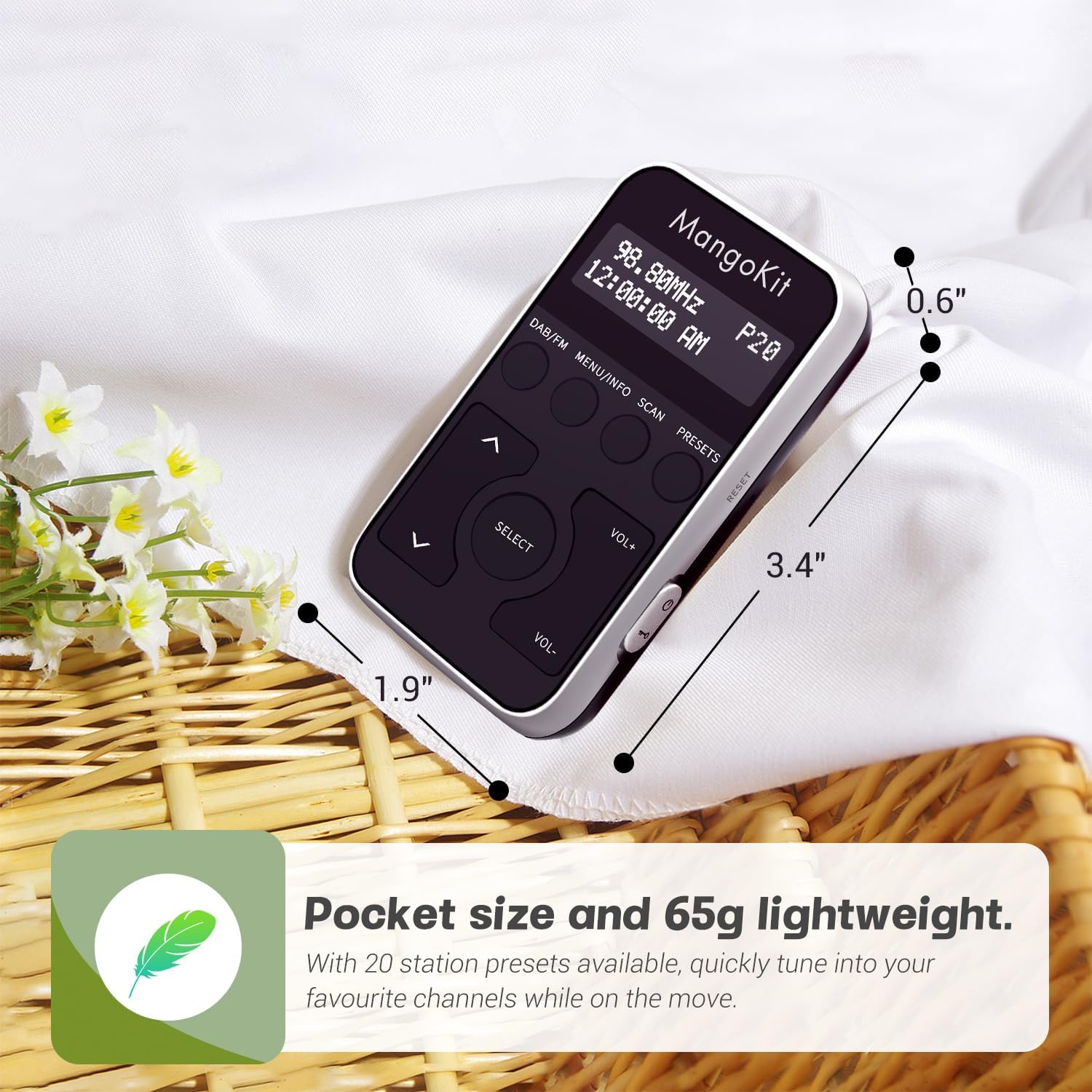
Image: The MangoKit MP1S radio displayed with its key dimensions (1.9", 3.4", 0.6") highlighted, emphasizing its compact and pocket-friendly size.
Garanti ve Destek
For warranty information and customer support, please refer to the documentation provided with your purchase or visit the official MangoKit website. This manual does not contain specific warranty terms or direct support contact details.
You can visit the MangoKit store on Amazon for more information: MangoKit Amazon Store


