Kullanıcı Kılavuzu
Multi Plug Wall Outlet Surge Protector with USB Ports
Model: CPATS00-040
Brand: CIAO TECH
giriiş
This manual provides essential information for the safe and efficient operation of your CIAO TECH Multi Plug Wall Outlet Surge Protector. This device is designed to expand a single wall outlet into multiple power points, offering both AC outlets and USB charging ports, while providing surge protection for connected electronics.
Lütfen ürünü kullanmadan önce bu kılavuzu dikkatlice okuyun ve ileride başvurmak üzere saklayın.
Güvenlik Bilgileri
To reduce the risk of electric shock, fire, or injury, always follow basic safety precautions when using electrical products. This device is for indoor use only. Do not expose to liquids, moisture, or extreme temperatures.
- Aşırı gerilim koruyucusunun elektrik değerlerini aşmayın.
- Cihazı sökmeyin veya üzerinde değişiklik yapmayın.
- Çocuklardan ve evcil hayvanlardan uzak tutunuz.
- Islak ortamlarda veya su yakınında kullanmayınız.
- Ensure the device is properly plugged into a grounded wall outlet.
- If the surge protector is damaged, discontinue use immediately.
WARNING: Risk of Electric Shock. Do not plug into another relocatable power tap.
Paket İçeriği
- 1 x CIAO TECH Multi Plug Wall Outlet Surge Protector (Model: CPATS00-040)
- 1 x Kullanım Kılavuzu
Ürün Bittiview
The CIAO TECH Multi Plug Wall Outlet Surge Protector features a compact design that integrates multiple power options into a single unit.

Şekil 1: Ön view of the CIAO TECH Multi Plug Wall Outlet Surge Protector, showing two AC outlets, one USB-A port, and one USB-C port, with a blue indicator light.
- AC Çıkışları (x2): Standard 3-prong grounded outlets for electrical appliances.
- USB-A Bağlantı Noktası (x1): 2.4A output for charging USB-compatible devices.
- USB-C Bağlantı Noktası (x1): 3.0A output for fast charging USB-C enabled devices.
- Aşırı Gerilim Koruma Göstergesi: A blue LED light indicates that the surge protection is active and functioning.
Kurmak
- Bir duvar prizi bulun: Choose a standard, grounded 3-prong wall outlet that is easily accessible.
- Cihazı Takın: Insert the surge protector directly into the wall outlet. Ensure it is firmly seated. The blue surge protection indicator light should illuminate, confirming that the surge protection is active.
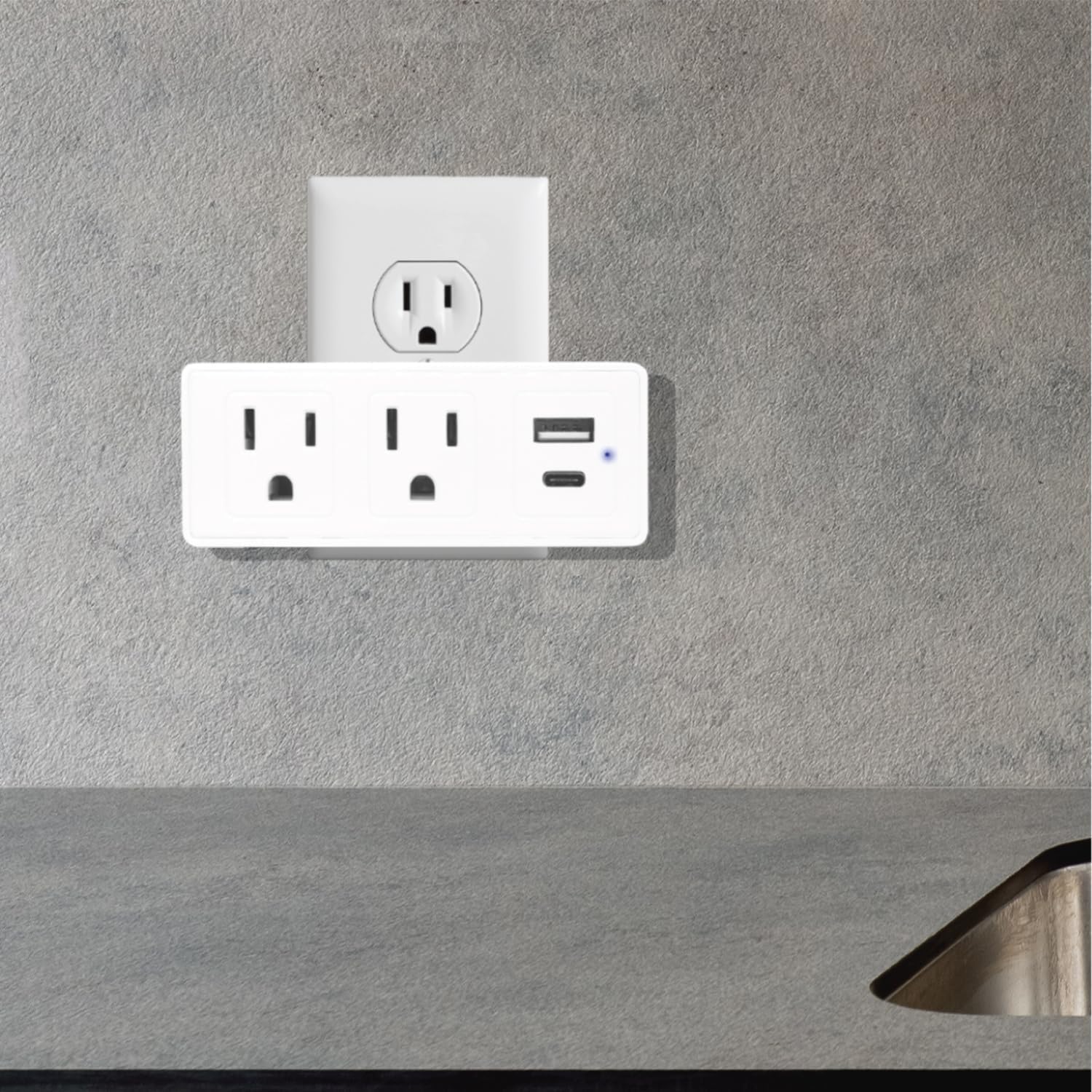
Figure 2: The surge protector securely plugged into a standard wall outlet, ready for use.
- Gösterge Işığını Doğrulayın: Confirm that the blue LED indicator light on the device is on. This light signifies that the surge protection feature is active. If the light is off, the surge protection may be compromised, and the device should be replaced.
Kullanım Talimatları
Once the surge protector is properly installed, you can begin connecting your devices.
- AC Cihazlarını Bağlama: Plug your electrical appliances directly into the two AC outlets on the surge protector. The adapter-spaced design allows for larger plugs without blocking adjacent outlets.
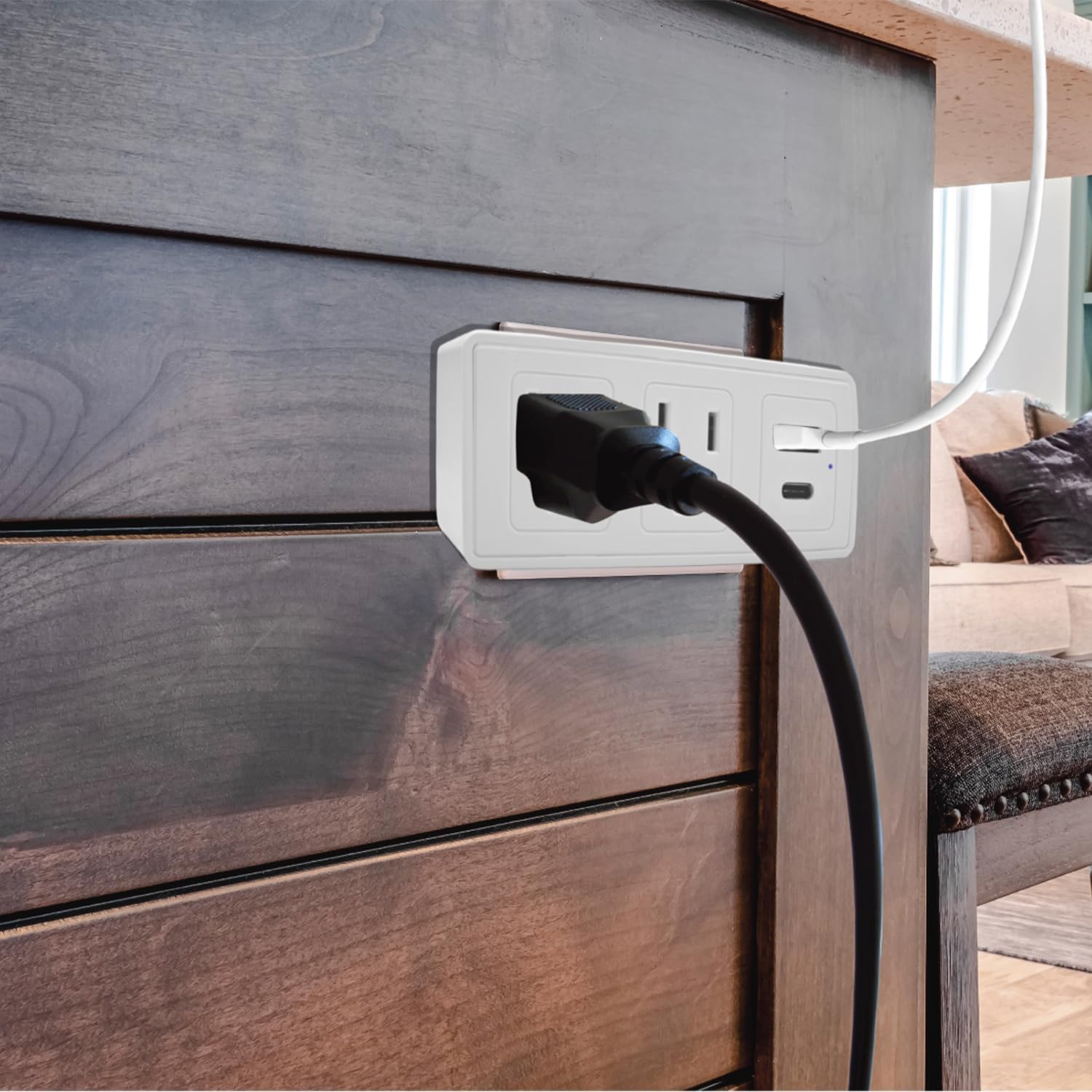
Şekil 3: Eski sevgiliample of a power cord plugged into one of the AC outlets on the surge protector.
- USB Cihazlarını Bağlama: Use a compatible USB cable to connect your USB-A or USB-C devices to the respective USB ports on the surge protector.
- For standard USB devices, use the USB-A port (2.4A).
- For fast-charging USB-C devices, use the USB-C port (3.0A).
- Aşırı Gerilim Koruması: The built-in 300J surge protection safeguards your connected devices from power surges and voltage spikes. The blue indicator light confirms its active status.
Bakım
Proper maintenance ensures the longevity and safe operation of your surge protector.
- Temizlik: Temizlemeden önce aşırı gerilim koruyucuyu prizden çıkarın. Dış yüzeyini silmek için yumuşak ve kuru bir bez kullanın. Sıvı temizleyici veya sprey kullanmayın.
- Denetleme: Periodically inspect the device for any signs of damage, such as cracks, frayed wires, or discoloration. If damage is observed, discontinue use and replace the unit.
- Aşırı Gerilim Koruma Durumu: Regularly check the blue surge protection indicator light. If it is off, the surge protection has been consumed or is no longer functional, and the unit should be replaced to ensure continued protection for your devices.
Sorun giderme
| Sorun | Olası Neden | Çözüm |
|---|---|---|
| No power from AC outlets or USB ports. |
|
|
| Blue surge protection indicator light is off. |
|
|
| USB şarjı yavaş veya çalışmıyor. |
|
|
Özellikler
| Model Numarası | CPATS00-040 |
| Marka | CIAO TEKNOLOJİSİ |
| AC Çıkışları | 2 (3 uçlu topraklı) |
| USB-A Çıkışı | 5V / 2.4A |
| USB-C Çıkışı | 5V / 3.0A |
| Aşırı Gerilim Koruması | 300 Joule |
| Ürün Boyutları | 4 x 2 x 0.1 inç (U x G x Y) |
| Ürün Ağırlığı | 8.2 ons |
| Malzeme | Plastik |
| Renk | Beyaz |
| Sadece İç Mekanda Kullanılabilir | Evet |
Garanti ve Destek
For warranty information or technical support, please contact CIAO TECH customer service. Details can typically be found on the product packaging or the official CIAO TECH webalan.
Please have your model number (CPATS00-040) and purchase information ready when contacting support.
Üretici: Lifeware Group LLC


