giriiş
Thank you for choosing the TELEFUNKEN TE40750B45I2K Smart TV. This manual provides essential information for setting up, operating, and maintaining your television. Please read these instructions carefully before using your TV and retain them for future reference.
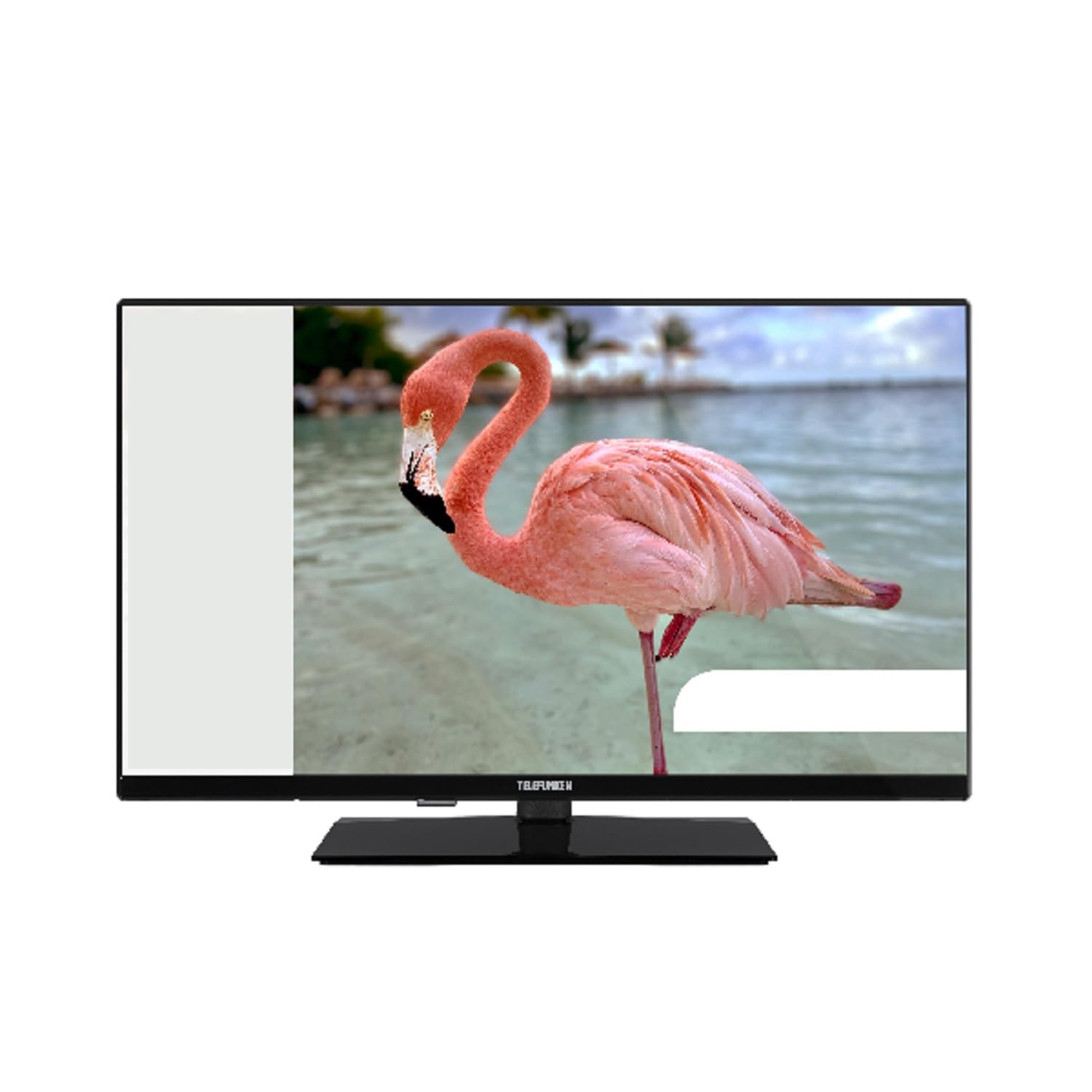
This image shows the TELEFUNKEN TE40750B45I2K Smart TV, a 40-inch model with a sleek black finish and its included stand. The screen displays a vibrant image, highlighting its Full HD LED display capabilities.
Kurmak
1. Ambalajdan Çıkarma ve Stand Montajı
- Televizyonu ambalajından dikkatlice çıkarın.
- Attach the included base to the television using the provided screws. Ensure it is securely fastened to prevent the TV from tipping.
2. Gücü Bağlama
- Connect the power cord to the TV's power input, then plug it into a 220-240V AC, 50 Hz electrical outlet.
3. Harici Cihazları Bağlama
Televizyonunuz harici cihazlar için çeşitli bağlantı noktaları sunmaktadır:
- HDMI: For high-definition audio and video devices like Blu-ray players, game consoles, or set-top boxes.
- USB BAĞLANTI: Medya oynatmak için USB depolama aygıtlarını bağlamak için files.
- Ethernet: Kablolu internet bağlantısı için.
- Component Input (YPbPr via VGA): Bileşen video kabloları kullanarak cihazları bağlamak için.
- Composite Video/Audio Input: Kompozit video ve stereo ses kablolarını kullanarak eski cihazları bağlamak için.
- Kulaklık Çıkışı: Kulaklık bağlamak için.
4. İlk Kurulum
- Upon first power-on, the On-Screen Display (OSD) will guide you through the initial setup process.
- Bir performans gerçekleştirin Otomatik Arama to find available digital channels (DVB-T2/C/C S2). The TV supports HEVC (H.265) decoding.
- Connect to your Wi-Fi network or use the Ethernet port for internet access to enable Smart TV features.
Kullanım Talimatları
Temel Fonksiyonlar
- Güç: Use the remote control or the TV's power button to turn the TV on or off.
- Kanal Seçimi: Use the channel up/down buttons or enter channel numbers directly.
- Ses Kontrolü: Sesi yukarı/aşağı tuşlarını kullanarak ses seviyesini ayarlayın.
Smart TV Features (Android OS)
Your TELEFUNKEN Smart TV runs on Android OS, providing access to a variety of applications and online services.
- İnternet Hizmetleri: Access popular streaming platforms such as Netflix, Hulu, and Amazon Prime Video directly from your TV.
- Wi-Fi Bağlantısı: Connect to your home network wirelessly for seamless internet access.
Medya Oynatma
- USB Medya Oynatıcı: Insert a USB storage device into the USB port to play supported media files. The TV supports MP3, WMA, MPG, MPEG, MP4, MOV, AVI, JPG, PNG, and GIF formats.
Gelişmiş Özellikler
- Elektronik Program Rehberi (EPG): View program schedules for digital channels.
- Timer Sleep Function: Televizyonun otomatik olarak kapanması için bir zamanlayıcı ayarlayın.
- Fast Text - TeleText: Access TeleText services on compatible channels.
- Ebeveyn kilidi: Set restrictions on channels or programs.
- Hotel Mode (Passive): A specialized mode for hotel environments.
- Yakınlaştırma Modu: Adjust the screen display to zoom in on content.
- Ses Ayarları: Customize your audio experience with Dolby Audio support, a 5-band equalizer, and DOLBY DIGITAL PLUS audio mode.
Bakım
TV'yi temizleme
- Televizyonu temizlemeden önce mutlaka fişini çekin.
- Ekranı ve kasayı silmek için yumuşak, kuru bir bez kullanın. İnatçı lekeler için hafifçe silin.ampBezi suyla veya elektronik cihazlar için özel olarak tasarlanmış, aşındırıcı olmayan hafif bir temizleyiciyle silin.
- Televizyonun yüzeyine zarar verebileceğinden alkol, benzen, tiner veya diğer uçucu maddeleri kullanmaktan kaçının.
Yazılım Güncellemeleri
- Periodically check for available software updates through the TV's settings menu to ensure optimal performance and access to the latest features.
- Information regarding guaranteed software update periods is not available.
Sorun giderme
Televizyonunuzla ilgili sorunlarla karşılaşırsanız, destek ekibiyle iletişime geçmeden önce lütfen aşağıdaki yaygın çözümlere göz atın.
- Güç Yok: Ensure the power cord is securely plugged into both the TV and the wall outlet. Check if the outlet is functional.
- Görüntü/Ses Yok: Verify that the correct input source is selected. Check all cable connections to external devices. For no sound, ensure volume is not muted or too low.
- Kötü Görüntü Kalitesi: Anten veya kablo bağlantılarını kontrol edin. TV menüsünden görüntü ayarlarını yapın.
- Uzaktan Kumanda Çalışmıyor: Pilleri değiştirin. Uzaktan kumanda ile televizyonun kızılötesi sensörü arasında herhangi bir engel olmadığından emin olun.
- Ağ Bağlantı Sorunları: For Wi-Fi, ensure the router is on and within range. For Ethernet, check the cable connection. Try restarting your router and TV.
- Akıllı TV Uygulamaları Çalışmıyor: Ensure a stable internet connection. Try restarting the app or the TV. Check for app updates.
If the problem persists after trying these steps, please contact TELEFUNKEN customer support.
Özellikler
| Model Adı | TE40750B45I2K |
| Marka | TELEFON KUTUSU |
| Ekran Boyutu | 40 inç (100 cm) |
| Ekran Teknolojisi | NEDEN OLMUŞ |
| Panel Tipi | D-LED |
| Çözünürlük | 1920x1080 (Tam HD) |
| Akıllı TV | Yes (Android Operating System) |
| Desteklenen İnternet Hizmetleri | Netflix, Hulu, Amazon Prime Video |
| Kontrast Oranı | 208.33:1 |
| Parlaklık | 250 cd/m² |
| Tepki Süresi | 9.5 ms |
| Tuner Türü | HD DVB-T2/C/C S2 |
| HEVC (H.265) Kod Çözücü | Evet |
| Program Depolama Kapasitesi (Dijital S/S2) | 200 kanal |
| Program Depolama Kapasitesi (Dijital T/T2/C) | 1000 kanal |
| Bağlantı | HDMI, USB, Ethernet, Wi-Fi, Component (YPbPr via VGA), Composite Video/Audio, Headphone Output |
| Toplam USB Bağlantı Noktaları | 1 |
| Ses Çıkış Gücü (RMS) | 2x8W RMS (10% THD) |
| Dolby Ses | Evet |
| DTS Kod Çözücü | HAYIR |
| Ekolayzer | 5 bant |
| Ses Modu | DOLBY DİJİTAL PLUS |
| Media Player Supported Files (USB) | MP3, WMA, MPG, MPEG, MP4, MOV, AVI, JPG, PNG, GIF |
| Güç Kaynağı | 220-240V AC 50 Hz |
| Dimensions (without base, WxDxH) | 90.2x5.3/8.7x51.7 cm |
| Dimensions (with base, WxDxH) | 90.2x23.5x57 cm |
| Net ağırlığı | 6.65 kilo |
| VESA Boyutları | M4 100x100 |
Garanti ve Destek
For warranty information, please refer to the documentation provided with your purchase or contact your retailer. For technical support, please visit the official TELEFUNKEN websitesine gidin veya müşteri hizmetleriyle iletişime geçin.
- Information regarding the availability of spare parts is not provided.
- Information regarding guaranteed software update periods is not available.


