1. Giriş
CHasing CanFish CamX is an advanced underwater fishing camera designed to enhance your fishing experience by providing clear visual insights into the underwater environment. This device features high-definition video recording, a wide-angle lens, robust waterproofing, and intelligent recording capabilities, making it a valuable tool for anglers.

CHasing CanFish CamX camera shown alongside a smartphone displaying its underwater view.
2. Kutuda Neler Var?
Paketinizde tüm öğelerin mevcut olduğundan emin olun:
- Chasing Fishing CamX underwater fishing camera host
- Kablosuz şarj istasyonu
- Şarj kablosu (Tip-C)
- Yüzdürme halkası
- Data bag
- Kullanım kılavuzu (bu belge)
3. Kurulum
3.1 İlk Şarj
Before first use, fully charge the Chasing CanFish CamX using the provided wireless charging station and Type-C cable. Place the camera onto the charging station to initiate charging. Ensure the charging station is connected to a power source.
The camera on its wireless charging station, illustrating the charging process.
3.2 Uygulama Kurulumu ve Bağlantısı
Resmi Ch dosyasını indirin.asing CanFish app from your smartphone's app store. Follow the in-app instructions to connect your camera via Wi-Fi. This connection is essential for reviewfoo kaydedilditage and managing camera settings.
3.3 Attaching the Buoyancy Ring
For optimal camera orientation and stability in water, attach the buoyancy ring as needed. This accessory helps control the camera's position and angle during deployment.
4. Operasyon
4.1 Powering On/Off and Recording
The camera features automatic recording upon startup. Motion sensing controls allow for Wi-Fi and recording to be turned on or off. Refer to the app for specific controls and settings.
4.2 Underwater ViewKaydetme ve Kaydetme
The CanFish CamX captures 1080HD video with a 136° ultra-wide-angle lens, providing a clear view of underwater activity. The camera is waterproof up to 200 meters (656 feet) and includes two fill lights for improved visibility in low-light conditions.

The camera's fill lights provide illumination for clear underwater footage at depths up to 656 feet.
4.3 Segmented Intelligent Recording
The camera automatically segments video streams into 3-minute chunks by default, or into user-defined intervals. This feature simplifies footage yenidenview ve düzenleme.
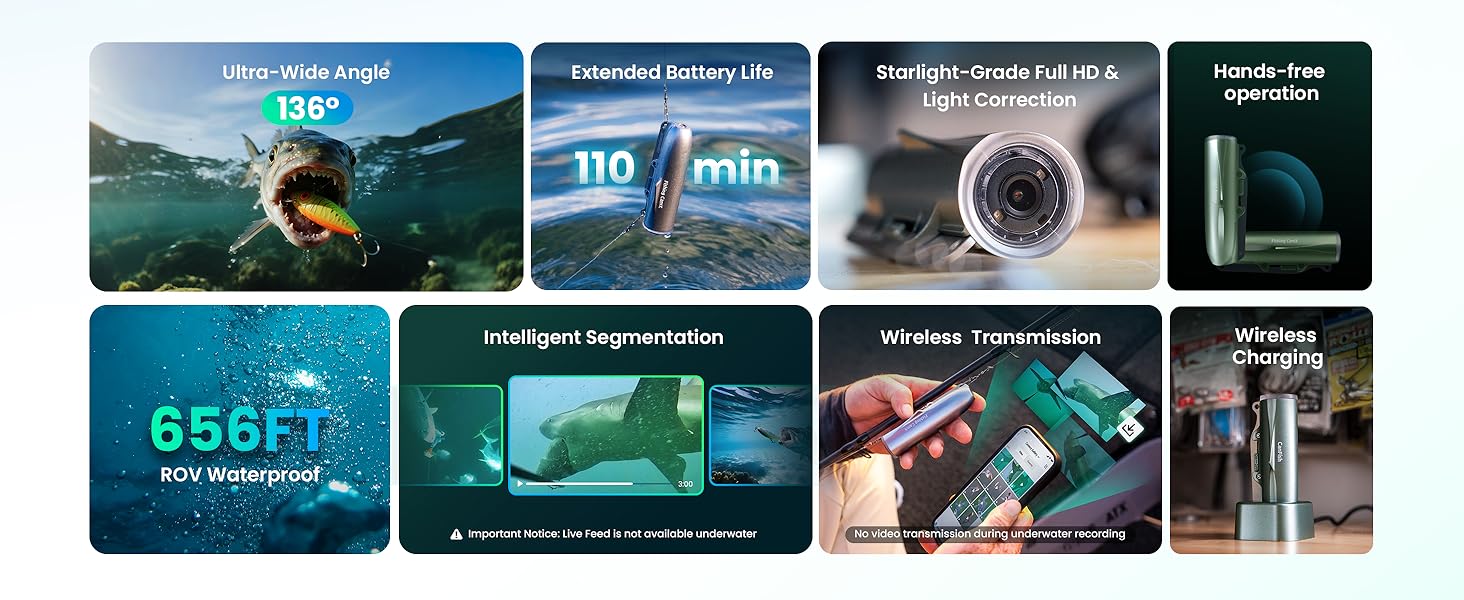
Reviewing segmented video clips on the companion smartphone app.
4.4 Post-Recording Review ve Paylaşım
The camera does not support real-time live streaming underwater. After recording, connect to your smartphone via the app to review footage. The application supports one-click sharing to various social media platforms.
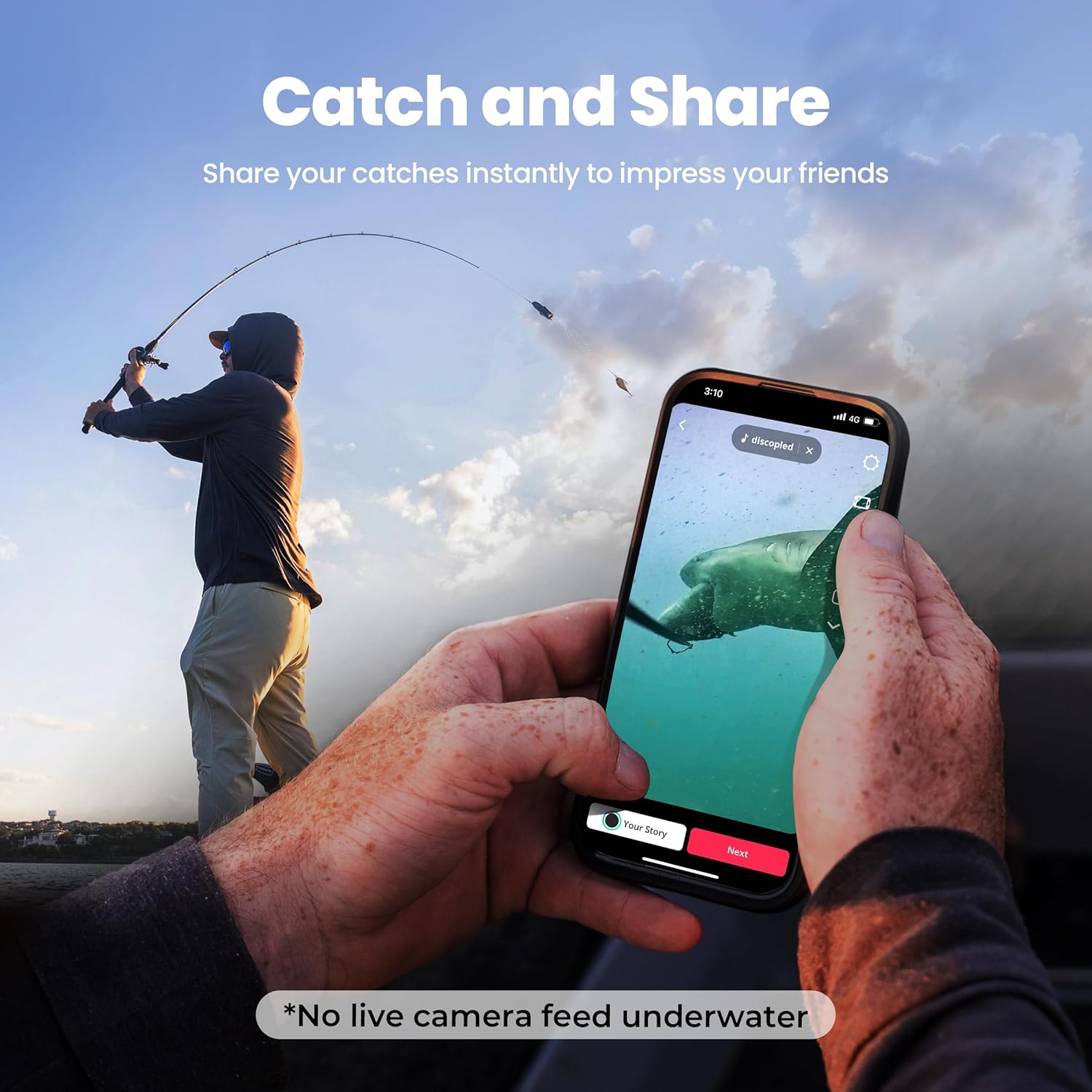
Sharing captured underwater moments directly from the app.
4.5 Fin Design for Stability
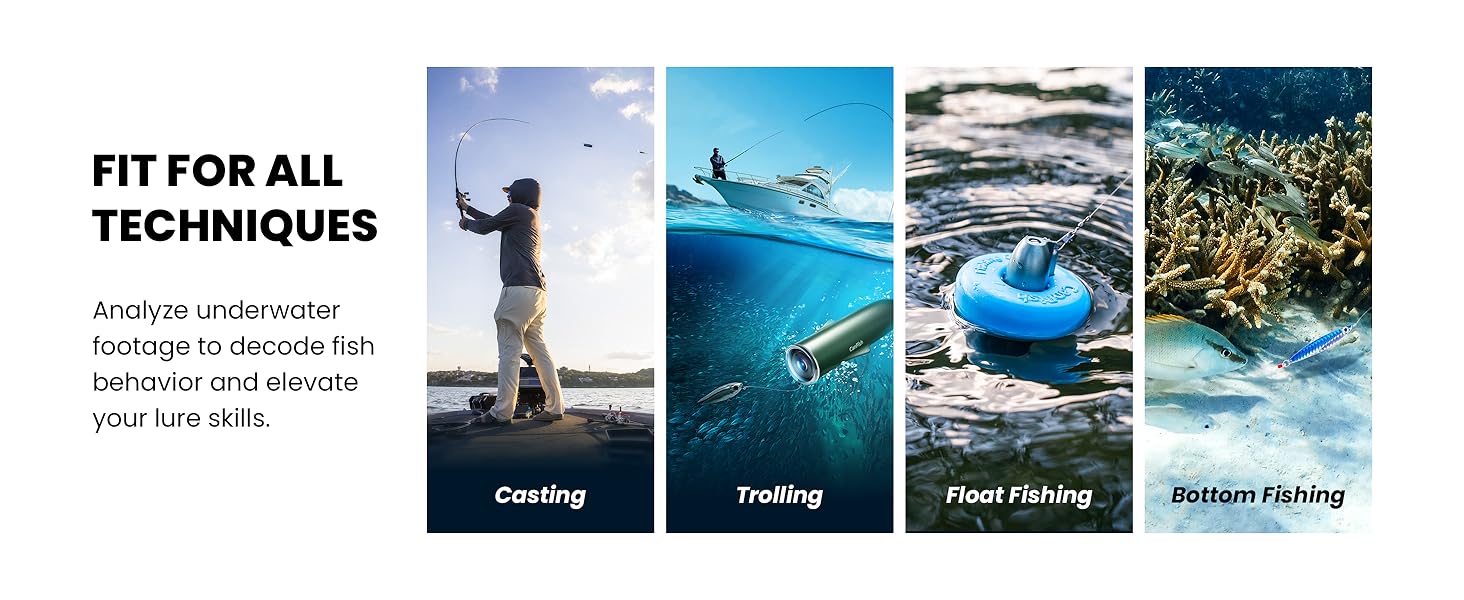
The camera's unique fish fin design is engineered for stable shooting results across different fishing methods, including casting, trolling, float fishing, and bottom fishing.

The camera's design supports stable footage across multiple fishing techniques.
4.6 Resmi Ürün Videosu
An official video from CHASING Direct showcasing the CanFish CF1 Underwater Fishing Camera Kit, demonstrating its features and use.
5. Bakım
5.1 Temizlik
After each use, especially in saltwater, rinse the camera thoroughly with fresh water. Gently wipe the lens and body with a soft, clean cloth. Do not use abrasive cleaners or solvents.
5.2 Depolama
Store the camera in a cool, dry place away from direct sunlight and extreme temperatures. Ensure the camera is fully dry before storing. Keep it in the provided data bag for protection.
5.3 Pil Bakımı
To prolong battery life, avoid fully discharging the camera frequently. Charge the battery regularly, even if not in use for extended periods. Store the camera with a partial charge (around 50%) if storing for several months.
6. Sorun Giderme
6.1 Düşük Görüntü Kalitesi
- Su Berraklığı: Underwater picture quality is significantly influenced by water clarity. In murky or turbid water, visibility will be reduced.
- Aydınlatma Koşulları: Ensure adequate natural light or utilize the camera's fill lights in darker environments.
- Lens Temizliği: Check if the camera lens is clean and free from smudges or debris.
6.2 Bağlantı Sorunları
- Uygulama Bağlantısı: Ensure the camera's Wi-Fi is activated and your smartphone is within range. Restart both the camera and the app if connection fails.
- Underwater Transmission: Note that wireless transmission for live feed is not supported underwater. Footage must be reviewed after retrieval.
6.3 Recording Problems
- Hafıza: The camera has 16GB internal memory. Ensure sufficient storage space is available. If you encounter "memory is corrupted" or "no memory card inserted" messages, try formatting the device via the app (this will erase all data).
- Pil Seviyesi: Ensure the camera has adequate battery charge for recording. Low battery can interrupt recording.
7. Özellikler
| Özellik | Detay |
|---|---|
| Model Numarası | Balık Tutma KamerasıX |
| Video Yakalama Çözünürlüğü | 1080p |
| Ultra-Wide-Angle | 136° |
| Suya Dayanıklı Derinlik | 200 metreye (656 feet) kadar |
| Pil Ömrü | Up to 138 minutes (continuous recording) |
| Dahili Bellek | 16 GB |
| Şarj etme | Kablosuz Şarj |
| Ürün Boyutları | 7.4 x 4.7 x 9 inç |
| Ürün Ağırlığı | 1.06 pound |
| Makro Odak Aralığı | EFL 3.2mm |
| Çekim Modları | Automatic, Underwater |
| Pozlama Kontrol Türü | Otomatik |
| Renk | Gri |
8. Garanti ve Destek
Senin Chasing CanFish CamX comes with a user manual and friendly customer service. For warranty information, technical support, or any inquiries, please refer to the contact details provided in your product packaging or visit the official Chasing webalan.


