giriiş
Thank you for choosing the HyperGear Halo Waterproof LED Wireless Speaker. This manual provides essential information for setting up, operating, and maintaining your speaker to ensure optimal performance and longevity. The Halo speaker combines powerful HD sound with a vibrant 360° multicolor LED light show, designed for both indoor and outdoor use. Its IPX6 waterproof rating makes it suitable for various environments, from poolside parties to everyday listening.
Kutuda Neler Var?
- HyperGear Halo Waterproof LED Wireless Speaker
- USB-C Şarj Kablosu
- 3.5mm Aux Cord
Kurulum Kılavuzu
1. Hoparlörü Şarj Etme
Before first use, fully charge your Halo speaker. Connect the included USB-C charging cable to the speaker's charging port and the other end to a USB power adapter (not included). The LED indicator will show charging status and turn off when fully charged.
2. Açma/Kapama
Press and hold the Power button on the speaker's top panel to turn it on or off. A sound prompt will indicate the power status.
3. Bluetooth Eşleştirme
- Hoparlörün açık ve Bluetooth eşleştirme modunda olduğundan emin olun (yanıp sönen bir LED ile gösterilir).
- Cihazınızda (akıllı telefon, tablet, bilgisayar) Bluetooth'u etkinleştirin ve kullanılabilir cihazları arayın.
- Select "HyperGear Halo" from the list.
- Eşleştirme işlemi tamamlandığında, hoparlör bir onay sesi çıkaracak ve LED ışığı yanıp sönmeyi durduracaktır.
Hoparlör, menzil içinde olması koşuluyla, açıldığında en son eşleştirilen cihaza otomatik olarak yeniden bağlanacaktır.

The top panel of the HyperGear Halo speaker, showing controls and its connection to a smartphone via Bluetooth.
Kullanım Talimatları
Temel Kontroller
| Düğme/İşlev | Aksiyon |
|---|---|
| Güç Düğmesi | Press and hold to Power On/Off |
| Oynat/Duraklat | Press once to Play/Pause music |
| Sesi Aç (+) | Sesi artırmak için bir kez basın |
| Sesi kıs (-) | Sesi azaltmak için bir kez basın |
| Sonraki Parça | Press and hold Volume Up (+) |
| Önceki Parça | Press and hold Volume Down (-) |
| Cevapla/Çağrıyı Sonlandır | Press Play/Pause button once |
| Çağrıyı Reddet | Press and hold Play/Pause button |
| Işık Modu Düğmesi | 6 LED ışık modu arasında geçiş yapmak için basın |
Party Mode (Stereo Pairing)
To achieve immersive stereo sound, you can pair two HyperGear Halo speakers together:
- Ensure both Halo speakers are powered on and not connected to any other Bluetooth device.
- On one speaker (this will be the primary speaker), double-press the Power button. It will enter pairing mode for Party Mode.
- İki hoparlör otomatik olarak birbirine bağlanacaktır. Başarılı eşleştirme gerçekleştiğinde bir onay sesi duyulacaktır.
- Now, connect your device to the primary speaker via Bluetooth as described in the 'Bluetooth Pairing' section. Both speakers will play synchronized audio and light shows.

Two HyperGear Halo speakers paired together for Party Mode, offering synchronized audio and light effects.
Alternative Playback Modes

The side panel of the HyperGear Halo speaker, revealing the AUX, microSD, and USB-C ports for versatile connectivity.
- Yardımcı Giriş: Connect your device using the included 3.5mm Aux cord to the speaker's AUX port for a wired audio connection.
- Mikro SD kart: Insert a microSD card loaded with audio files into the designated slot. The speaker will automatically play music from the card.
Özelliklerview
- IPX6 Su Geçirmezlik Derecesi: Designed to withstand splashes, rain, and spills, making it ideal for outdoor adventures and poolside use.
- Powerful 5W Front-Firing Sound: Equipped with a 52mm full-range driver for rich, dynamic audio with pulse-pounding bass. The front-firing design ensures clearer sound projection.
- 360° Multicolor LED Lights: Features a vibrant light ring that synchronizes with your music, offering 6 different lighting modes to enhance your listening experience.
- Dahili Mikrofon: Eller serbest görüşme imkanı sağlar.
- Bluetooth 5.3 Teknolojisi: Provides a stable, stutter-free wireless connection with a range of up to 33 feet.
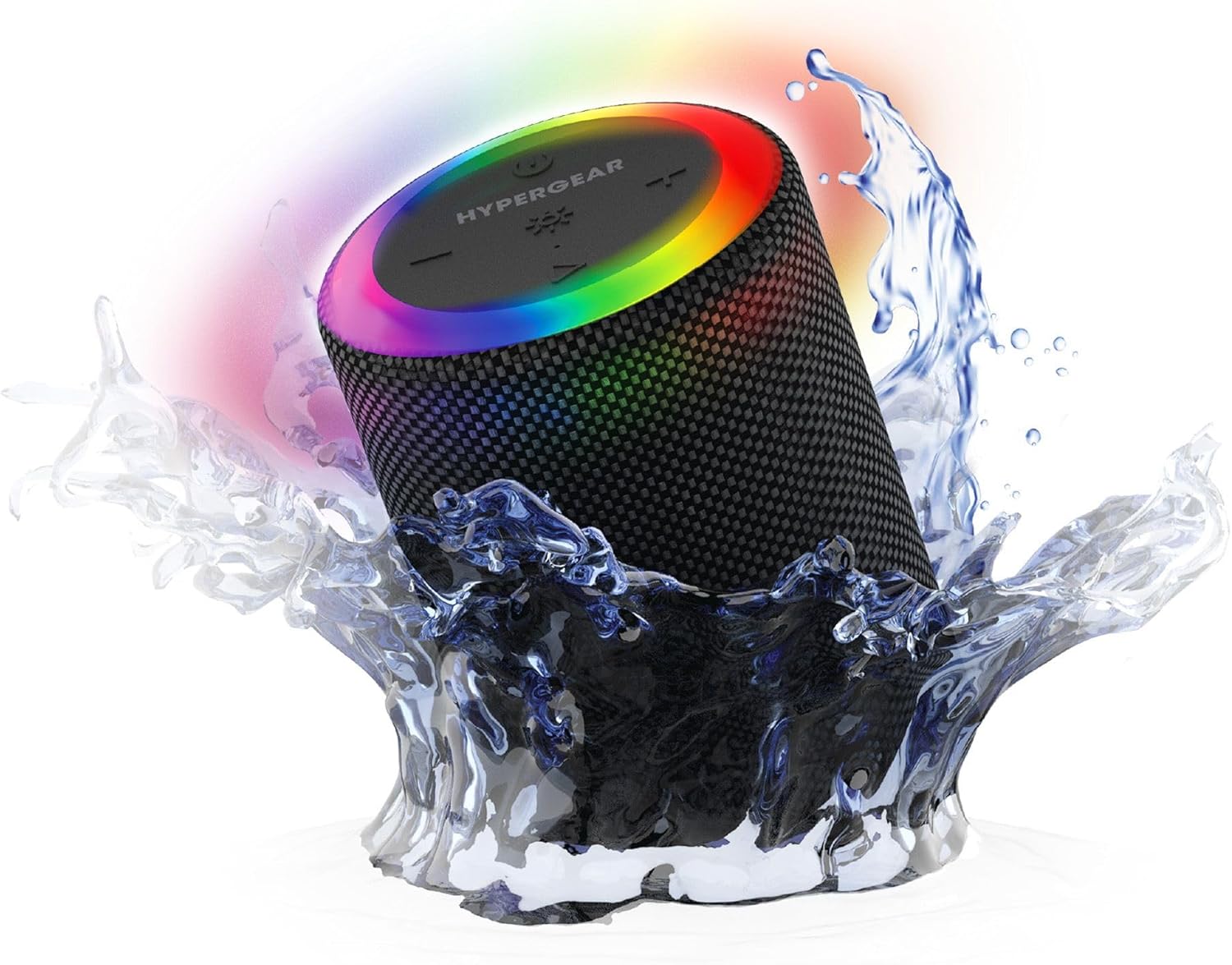
The HyperGear Halo speaker immersed in water, highlighting its robust waterproof design.

Visual representation of the HyperGear Halo speaker's powerful audio features, including its 5W output and 52mm driver.

The HyperGear Halo speaker showcasing its beat-synced 360° multicolor LED light ring with various lighting modes.
Özellikler
| Özellik | Detay |
|---|---|
| Model Adı | Halo Waterproof LED Wireless Speaker |
| Hoparlör Tipi | Multimedya |
| Bağlantı Teknolojisi | Bluetooth 5.3 |
| Ses Çıkışı Modu | Mono (Stereo with Party Mode) |
| Hoparlör Maksimum Çıkış Gücü | 5 Watt |
| Ses Sürücüsü Boyutu | 52 Milimetre |
| Su Direnç Seviyesi | IPX6 Su Geçirmez |
| Ürün Boyutları | 3.27"D x 3.27"G x 4.13"Y |
| Ürün Ağırlığı | 1.05 pound |
| Güç Kaynağı | Pil ile çalışır |
| Dahil Bileşenler | USB-C Charging Cable, 3.5mm Aux Cord |
| Kontrol Yöntemi | Düğme |
| UPC | 633755158858 |
Bakım
- Temizlik: Hoparlörü yumuşak bir bezle silin.amp bez. Sert kimyasallar veya aşındırıcı temizleyiciler kullanmayın.
- Depolamak: Hoparlörü serin, kuru ve doğrudan güneş ışığından ve aşırı sıcaklıklardan uzak bir yerde saklayın.
- Pil Bakım: Pil ömrünü korumak için hoparlörü sık sık tamamen boşaltmaktan kaçının. Uzun süre kullanılmasa bile düzenli olarak şarj edin.
- Su Geçirmez Mühür: Ensure the silicone cover for the charging and AUX ports is securely closed when near water to maintain its IPX6 rating.
Sorun giderme
| Sorun | Olası Çözüm |
|---|---|
| Hoparlör açılmıyor. | Hoparlörün şarjlı olduğundan emin olun. Bir güç kaynağına bağlayın ve tekrar deneyin. |
| Bluetooth cihazıyla eşleştirilemiyor. | Make sure the speaker is in pairing mode (flashing LED). Turn off and on Bluetooth on your device. Ensure no other devices are connected to the speaker. Move speaker closer to your device. |
| Hoparlörden ses gelmiyor. | Check volume levels on both the speaker and your device. Ensure the correct input mode (Bluetooth, Aux, MicroSD) is selected. If using Aux, ensure the cable is fully inserted. |
| Party Mode not working. | Ensure both speakers are fully charged and not connected to any other Bluetooth devices. Try resetting both speakers by powering them off and on, then re-attempt Party Mode pairing. |
| LED ışıklar çalışmıyor. | Press the Light Mode button to cycle through modes. Ensure the speaker is powered on. |
Garanti ve Destek
The HyperGear Halo Waterproof LED Wireless Speaker comes with a Sınırlı Garanti. For specific details regarding warranty coverage, duration, and claims, please refer to the warranty card included with your product or visit the official HyperGear website. For technical support or further assistance, please contact HyperGear customer service through their official channels.


