1. Giriş
Thank you for choosing the MARVO HG9086W-BK Wireless RGB Gaming Headset. This manual provides essential information for setting up, operating, and maintaining your headset to ensure optimal performance and longevity. Please read this guide thoroughly before use.
2. Paket İçeriği
Paketinizde tüm öğelerin mevcut olduğundan emin olun:
- 1 x MARVO HG9086W-BK Wireless RGB Gaming Headset
- 1 x USB Kablosuz Alıcı
- 1 x Ayrılabilir Mikrofon
- 1 x Şarj Kablosu (USB-C)
- 1 x Kullanım Kılavuzu
3. Ürün Bittiview
The MARVO HG9086W-BK is a lightweight, ergonomic gaming headset designed for comfort during extended use. It features 40mm drivers for immersive sound, dynamic RGB lighting, and a versatile tri-mode connection system.
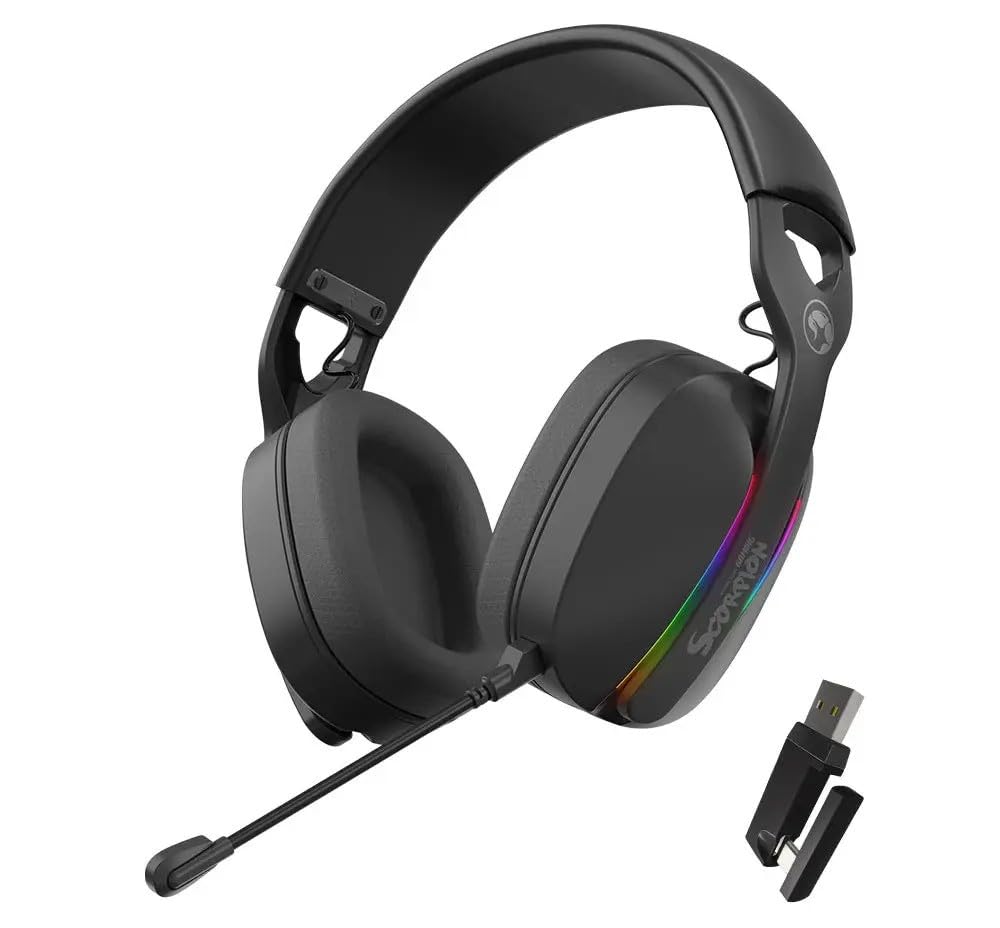
Şekil 3.1: Ön view of the MARVO HG9086W-BK Gaming Headset, showcasing its overall design and earcups.

Şekil 3.2: Left earcup of the headset, showing control buttons for power, volume, and mode selection.
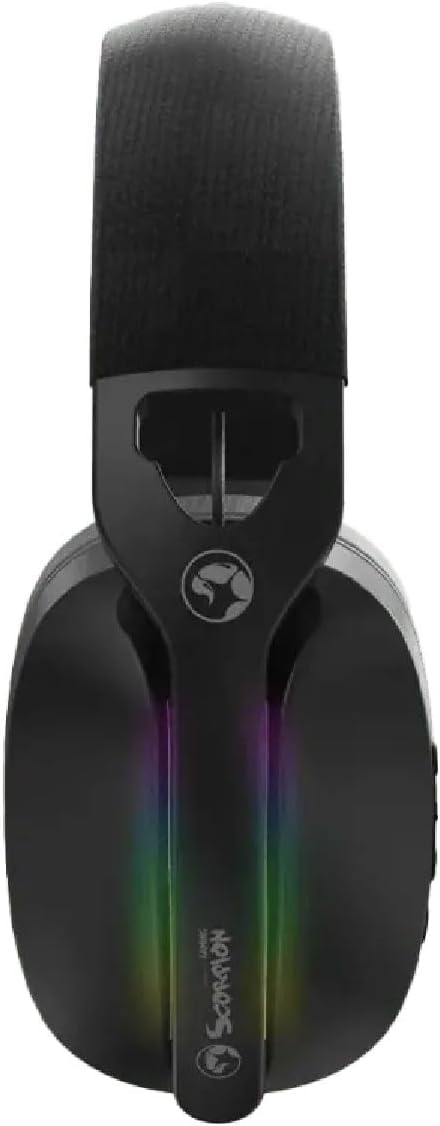
Şekil 3.3: Tepe view of the headset, highlighting the adjustable headband and the integrated RGB lighting strip on the earcups.
4. Kurulum ve Bağlantı
The HG9086W-BK headset offers three connection modes: 2.4G Wireless, Bluetooth 5.3, and Wired.
4.1. 2.4G Kablosuz Bağlantı (Oyun için Önerilir)
- Insert the USB wireless receiver into an available USB port on your PC or compatible device.
- Güç düğmesine gösterge ışığı yanana kadar basılı tutarak kulaklığı açın.
- The headset will automatically connect to the receiver. The indicator light will turn solid blue when connected.
- Ensure the headset is selected as the default audio input and output device in your device's sound settings.
4.2. Bluetooth 5.3 Bağlantısı
- Kulaklığı açın.
- Press and hold the Mode button (or a dedicated Bluetooth button if available) until the indicator light flashes blue rapidly, indicating pairing mode.
- On your device (smartphone, tablet, etc.), go to Bluetooth settings and search for "MARVO HG9086W-BK".
- Select the headset to pair. The indicator light will turn solid blue upon successful connection.
4.3. Kablolu Bağlantı
For wired use, connect a 3.5mm audio cable (not included) from the headset's audio jack to your device's 3.5mm audio port. The headset will function as a passive wired headset. Note that RGB lighting and some wireless functions may not be available in wired mode.
5. Kullanım Talimatları
5.1. Güç Açma/Kapatma
- Güç Açık: Güç düğmesini yaklaşık 3 saniye basılı tutun.
- Kapat: Güç düğmesini yaklaşık 3 saniye basılı tutun.
5.2. Ses Kontrolü
- Sesi aç: Sesi Açma tuşuna basın.
- Sesi kıs: Sesi Azalt tuşuna basın.
5.3. Mikrofon Kullanımı
- Mikrofonu takın: Insert the detachable microphone into the designated port on the left earcup.
- Sessiz/Sesi Aç: Use the microphone mute button located on the earcup or the microphone itself.
- Adjust the flexible microphone boom for optimal voice pickup.
5.4. RGB Aydınlatma
The headset features dynamic RGB lighting. The lighting typically activates automatically when the headset is powered on. Specific controls for changing RGB modes or turning them off may be available via a dedicated button or software (if applicable). Refer to the product's official website for any software downloads.
6. Şarj Etme
The MARVO HG9086W-BK headset is equipped with a durable battery for extended gameplay. When the battery is low, the indicator light may flash red or an audible alert may sound.
- Connect the included USB-C charging cable to the charging port on the headset.
- Kablonun diğer ucunu bir USB güç kaynağına (örneğin, bilgisayarın USB portu, USB duvar adaptörü) bağlayın.
- Şarj sırasında gösterge ışığı genellikle kırmızı yanar ve tamamen şarj olduğunda söner veya rengi değişir.
Not: Avoid using the headset while charging for optimal battery health, though it may be possible depending on the device.
7. Bakım
Doğru bakım, kulaklığınızın uzun ömürlü olmasını ve performansını garanti eder.
- Temizlik: Kulaklığı silmek için yumuşak, kuru bir bez kullanın. Kulaklık kapakları için hafifçe kuru bir bez yeterlidir.amp bez kullanılabilir, ancak hoparlör ızgaralarına nem girmemesine dikkat edin.
- Depolamak: Kulaklığınızı serin, kuru ve doğrudan güneş ışığından ve aşırı sıcaklıklardan uzak bir yerde saklayın.
- Sıvılardan Kaçının: Kulaklığı suya veya diğer sıvılara maruz bırakmayın.
- Dikkatli Kullanın: Kulaklığı düşürmekten veya sert darbelere maruz bırakmaktan kaçının.
8. Sorun Giderme
Kulaklığınızla ilgili sorunlarla karşılaşırsanız aşağıdaki yaygın çözümlere başvurun:
| Sorun | Olası Çözüm |
|---|---|
| Kulaklıktan ses gelmiyor |
|
| Mikrofon çalışmıyor |
|
| Kulaklık bağlanmıyor. |
|
| RGB aydınlatma çalışmıyor |
|
9. Özellikler
| Özellik | Şartname |
|---|---|
| Marka | MARVO |
| Model Adı | HG9086W-BK |
| Bağlantı Teknolojisi | Wireless (2.4G, Bluetooth 5.3), Wired (3.5mm) |
| Form Faktörü | Kulak Üstü |
| Sürücü Boyutu | 40mm |
| Mikrofon | Integrated, Detachable, Omnidirectional |
| Aydınlatma | Dinamik RGB |
| Ürün Ağırlığı | 12.7 ons (yaklaşık 360g) |
| Paket Boyutları | 7.8 x 7.09 x 3.31 inç |
| Renk | Siyah |
10. Garanti ve Destek
MARVO products are designed for quality and reliability. For warranty information and technical support, please refer to the warranty card included with your product or visit the official MARVO webSite. Satın alma belgenizi herhangi bir garanti talebi için saklayın.
For further assistance, you may contact MARVO customer support through their official channels.


