giriiş
Thank you for choosing the VTech ES2051 Digital Cordless Phone. This manual provides comprehensive instructions for setting up, operating, and maintaining your new phone system. The ES2051 is designed for ease of use, featuring a digital answering machine, call blocking capabilities, volume amplification, and an antibacterial plastic construction for enhanced hygiene.
Please read this manual thoroughly before using your phone to ensure proper operation and to take full advantage özelliklerinden.
Güvenlik Bilgileri
Yangın, elektrik çarpması ve kişilerin yaralanma riskini azaltmak için bu ürünü kullanırken her zaman temel güvenlik önlemlerine uyun.
- Bu ürünü suya yakın yerlerde veya ıslakken kullanmayın.
- Şimşekli fırtına sırasında telefon kullanmaktan kaçının. Yıldırımdan kaynaklanan elektrik çarpması riski (çok düşük de olsa) olabilir.
- Bu ürünü, sızıntının yakınında bir gaz sızıntısı bildirmek için kullanmayın.
- Use only the power adapter and batteries provided with this product.
- Pilleri ateşe atmayın. Patlayabilirler. Özel imha talimatları için yerel yönetmeliklere bakın.
- Temizlemeden önce bu ürünü duvar prizinden çıkarın. Sıvı veya aerosol temizleyiciler kullanmayın. Reklam kullanınamp temizlik bezi.
Paket İçeriği
Paketinizde tüm öğelerin mevcut olduğundan emin olun:
- Main Base Unit with Digital Answering Machine
- Cordless Handset(s) (typically two for this model)
- Handset Charger(s) (for additional handsets)
- Güç Adaptörü(leri)
- Telefon Hattı Kablosu
- NiMH AAA Rechargeable Batteries (4 included)
- Kullanım Kılavuzu (bu belge)
Kurmak
1. Temel Ünitenin Bağlanması
- Plug the small end of the power adapter into the power jack on the back of the base unit.
- Güç adaptörünün büyük ucunu, duvardaki bir anahtarla kontrol edilmeyen bir duvar prizine takın.
- Plug one end of the telephone line cord into the telephone jack on the back of the base unit.
- Telefon hattı kablosunun diğer ucunu duvardaki telefon prizine takın.
2. Installing and Charging Batteries
- Telefonunuzun arka tarafındaki pil yuvasının kapağını açın.
- Insert the supplied NiMH AAA batteries, observing the correct polarity (+ and -).
- Pil bölmesinin kapağını kapatın.
- Place the handset in the base unit or charger to charge. The handset will beep, indicating it is charging.
- Allow the handset to charge for at least 16 hours before initial use. For optimal battery performance, keep the handset in the charger when not in use.

Image: The VTech ES2051 Digital Cordless Phone system, showing the main base with one handset and a charging cradle for the second handset, ready for setup.
Kullanım Talimatları
Çağrı Yapma ve Alma
- Telefon çağrısı yapmak: Basmak KONUŞ/FLAŞ or KONUŞMACIArdından telefon numarasını çevirin.
- Bir Aramayı Cevaplamak için: Basmak KONUŞ/FLAŞ or KONUŞMACI telefon çaldığında.
- Aramayı Bitirmek İçin: Basmak KAPALI/TEMİZ or place the handset back in the base/charger.
Dijital Cevaplama Makinesi
The integrated digital answering machine can record up to 30 minutes of messages. It automatically answers calls when you are unavailable.
- Mesajları Oynat: Basmak OYNAT/DURDUR ana ünite üzerinde.
- Mesajların Silinmesi: Basmak SİLMEK Mesaj dinlenmesi sırasında.
- Recording an Announcement: Follow the instructions in the full manual for custom outgoing message recording.

Image: A woman interacting with the VTech ES2051 phone, highlighting the digital message counter on the base unit, which indicates the number of new messages.
Çağrı Engelleyici
The selective call blocking feature allows you to block up to 100 unwanted numbers, preventing them from ringing your phone.
- Bir numarayı engellemek için: During a call or from the Caller ID log, press the ÇAĞRI ENGELLEME button (often represented by a specific icon) and follow the on-screen prompts to add the number to the blacklist.
- Managing Blocked Numbers: Access the call block list through the handset menu to review or remove blocked numbers.

Image: A visual representation of the call blocker feature, showing a family in a kitchen setting with an icon indicating unwanted calls are being blocked.
Hacim Ampcankurtaran
Hacim amplification feature enhances incoming sounds and voices, improving clarity and volume in the handset earpiece. This is particularly useful for users with hearing impairments or those who prefer a louder audio experience.
- Activating/Adjusting: During a call, press the dedicated SES DÜZEYİ ARTIRILMASI button (often indicated by a speaker icon with a plus sign) or use the volume up/down keys to increase the earpiece volume.
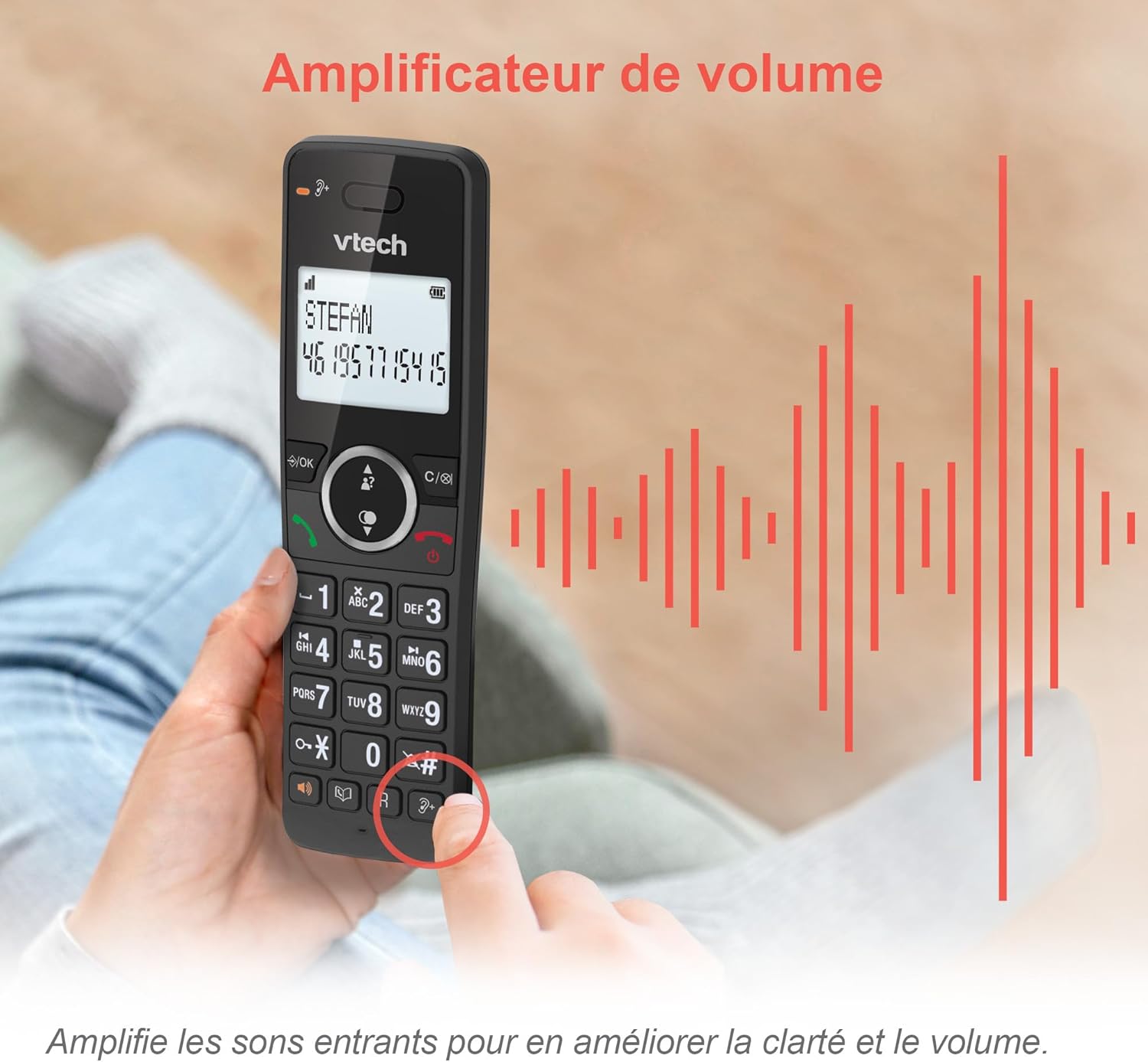
Image: A hand holding the VTech ES2051 handset, with graphic sound waves emanating from the earpiece, illustrating the volume amplification feature.
Conference Function
The conference function allows multiple users to participate in a single conversation. You can set up a three-way conference call with two internal callers (handsets) and one external caller.
- Konferans Görüşmesi Başlatma: Refer to the detailed instructions in the full manual for specific steps on how to add a third party to an ongoing call.

Image: Three people engaged in a conversation, visually representing the three-way conference call capability of the VTech ES2051 phone system.
İnterkom İşlevi
The intercom feature allows you to communicate between handsets within your home without using the landline. This is useful for calling family members in different rooms.
- Intercom'u Kullanma: Basın INTERCOM button (if available) or access the intercom function through the handset menu, then select the desired handset to call.
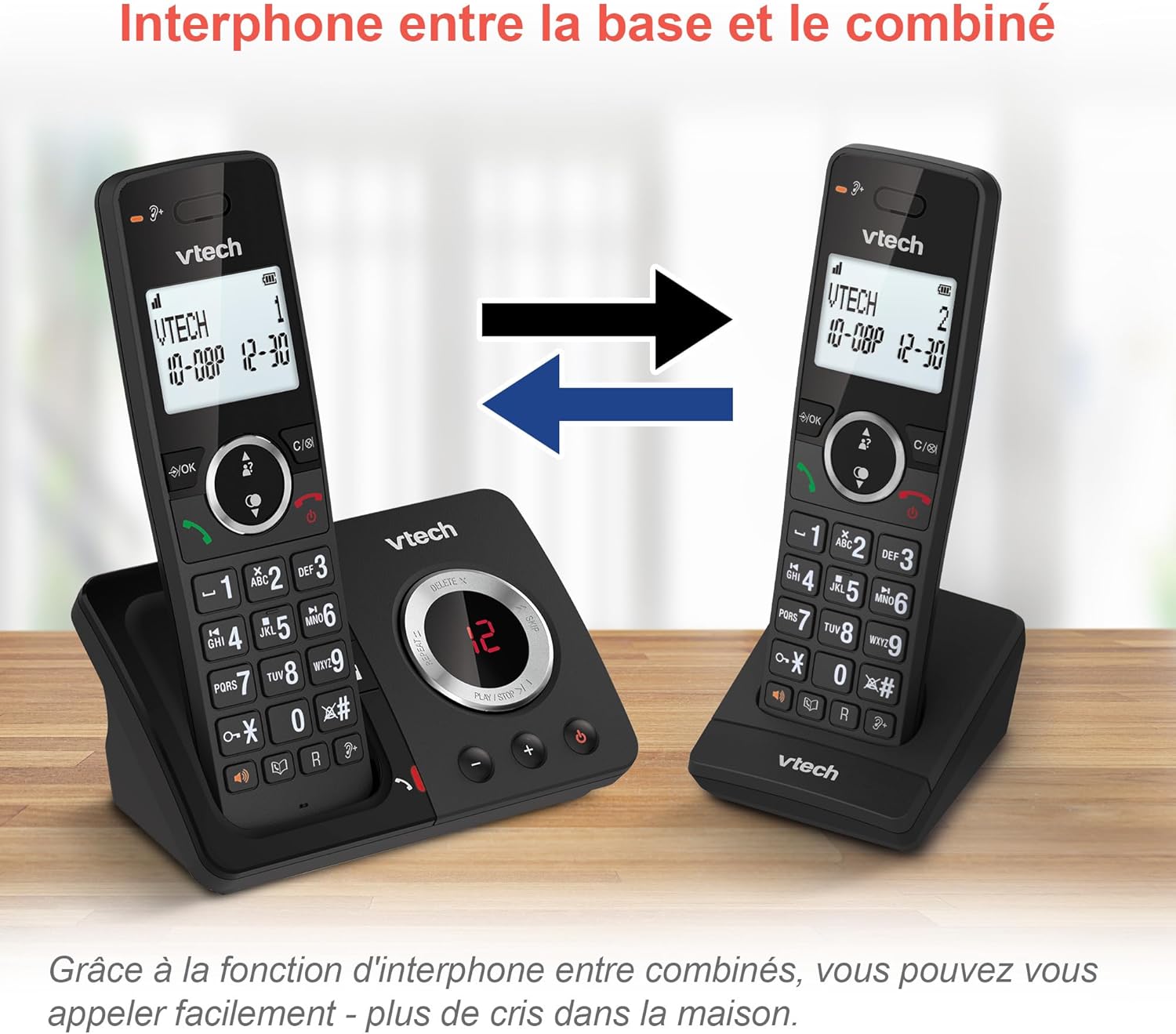
Image: A diagram showing two VTech ES2051 handsets with arrows indicating communication between them, illustrating the intercom feature.
Phonebook and Call Features
The phone includes a 100-name and number phonebook, 8 speed dial keys, and a backlit screen and keypad for easy visibility.
- Kişileri Saklama: Navigate to the phonebook menu to add, edit, or delete contacts.
- Hızlı arama: Assign frequently called numbers to the 8 speed dial keys for quick access.
- Arayan Kimliği Kaydı: Review the last 20 incoming calls with Caller ID information.
- Tekrar arama: Access the list of the last 10 dialed numbers for quick redialing.

Görsel: Çeşitli görsellerden oluşan bir kolajasing various VTech ES2051 phone features, including the 100-entry phonebook, call display, redial function, and an 18-hour talk time battery life indicator.
ECO Modu
The ECO mode automatically adjusts and minimizes the radio frequency power based on the distance between the handset and the base unit. This feature helps conserve energy and reduce power consumption.
Bakım
Telefonu Temizleme
The VTech ES2051 is made with antibacterial plastic and features a seamless, easy-to-clean design. To clean your phone:
- Unplug the base unit from the wall outlet and telephone line.
- Wipe the phone surfaces with a soft, damp kumaş. Sıvı veya aerosol temizleyiciler kullanmayın.
- Ensure the phone is completely dry before plugging it back in.
Pil Bakımı
- Use only the supplied rechargeable NiMH AAA batteries.
- Pilleri ateşe atmayın.
- Telefon uzun süre kullanılmayacaksa, sızıntıyı önlemek için pilleri çıkarın.
Sorun giderme
If you experience any issues with your VTech ES2051 phone, try the following troubleshooting steps:
| Sorun | Çözüm |
|---|---|
| Çevir sesi yok | Ensure the telephone line cord is securely plugged into both the base unit and the wall jack. Check if other phones on the same line are working. |
| Arama yapılamıyor veya alınamıyor. | Check the power connection to the base unit. Ensure the handset batteries are charged. If using a DSL service, you may need a DSL filter. |
| Handset displays "Out of Range" or "No Power at Base" | Move the handset closer to the base unit. Ensure the base unit's power adapter is securely plugged in. |
| Sesli yanıt makinesi mesajları kaydetmiyor. | Check if the answering machine is turned ON. Ensure there is enough recording time available (max 30 minutes). |
| Zayıf ses kalitesi veya statik | Move the handset closer to the base unit. Avoid placing the base unit near other electronic devices (e.g., microwaves, Wi-Fi routers) that may cause interference. |
If the problem persists after trying these steps, please refer to the VTech support webDaha fazla yardım için siteyi ziyaret edin veya müşteri hizmetleriyle iletişime geçin.
Özellikler
| Özellik | Detay |
|---|---|
| Marka | VTech |
| Model Numarası | ES2051 |
| Renk | siyah |
| Telefon Türü | Kablosuz |
| Yanıtlama Sistemi Türü | Dijital |
| Cevaplama Makinesi Kayıt Süresi | 30 dakikaya kadar |
| Uyumlu Cihazlar | Landlines, Answering Machine |
| Piller | 4 adet AAA pil dahildir. |
| Pil Bileşimi | NiMH |
| Güç Kaynağı | Pil ile çalışır |
| Malzeme | Plastic (Antibacterial) |
| Çevirici Türü | Basit Tuş Takımı |
| Ürün Boyutları (U x G x Y) | 18.3 x 13.5 x 11 santimetre |
| Menşei ülke | Çin |
Garanti ve Destek
VTech products are manufactured to high-quality standards. For information regarding warranty coverage, please refer to the warranty card included with your product or visit the official VTech webBölgeniz için site.
For technical support, frequently asked questions, or to download the full user manual, please visit the VTech support section online or contact their customer service helpline. Contact details can typically be found on the VTech websitede veya ürün ambalajında yer almamaktadır.


