1. Giriş
Thank you for choosing the Airdog X3D Black Air Purifier. This manual provides essential information for the safe and efficient operation, maintenance, and troubleshooting of your device. Please read this manual thoroughly before use and retain it for future reference.

Şekil 1: Ön view of the Airdog X3D Black Air Purifier.
2. Güvenlik Bilgileri
To reduce the risk of electric shock, fire, or injury, always follow basic safety precautions when operating electrical appliances. This device is for indoor use only.
- Üniteyi suya veya diğer sıvılara batırmayın.
- Güç kablosunu sıcak yüzeylerden uzak tutun.
- Üniteyi hasarlı bir kablo veya fişle çalıştırmayın.
- Hava giriş ve çıkışlarının tıkalı olmadığından emin olun.
- Herhangi bir temizlik veya bakım işlemi yapmadan önce cihazın fişini çekin.
- Çocukların ve evcil hayvanların erişemeyeceği yerde saklayınız.
3. Paket İçeriği
Paketin içinde tüm öğelerin mevcut olduğundan emin olun:
- Airdog X3D Black Air Purifier Unit
- Güç Adaptörü
- Uzaktan kumanda
- Kullanım Kılavuzu (bu belge)
4. Ürün Bittiview
The Airdog X3D features a compact design with advanced air purification technology, including a TPA filter system, light sensor, human sensor, and a 3-way wide-angle exhaust system for efficient air circulation.
4.1. Ana Ünite Bileşenleri
- Kontrol Paneli/Ekran: Shows air quality index (AQI) and operational status.
- Hava girişi: Located on the sides and back of the unit.
- Hava çıkışı: Top of the unit, designed for 3-way wide-angle exhaust.
- TPA Filter System: Internal, washable filter components.
- Sensörler: Integrated light and human presence sensors.
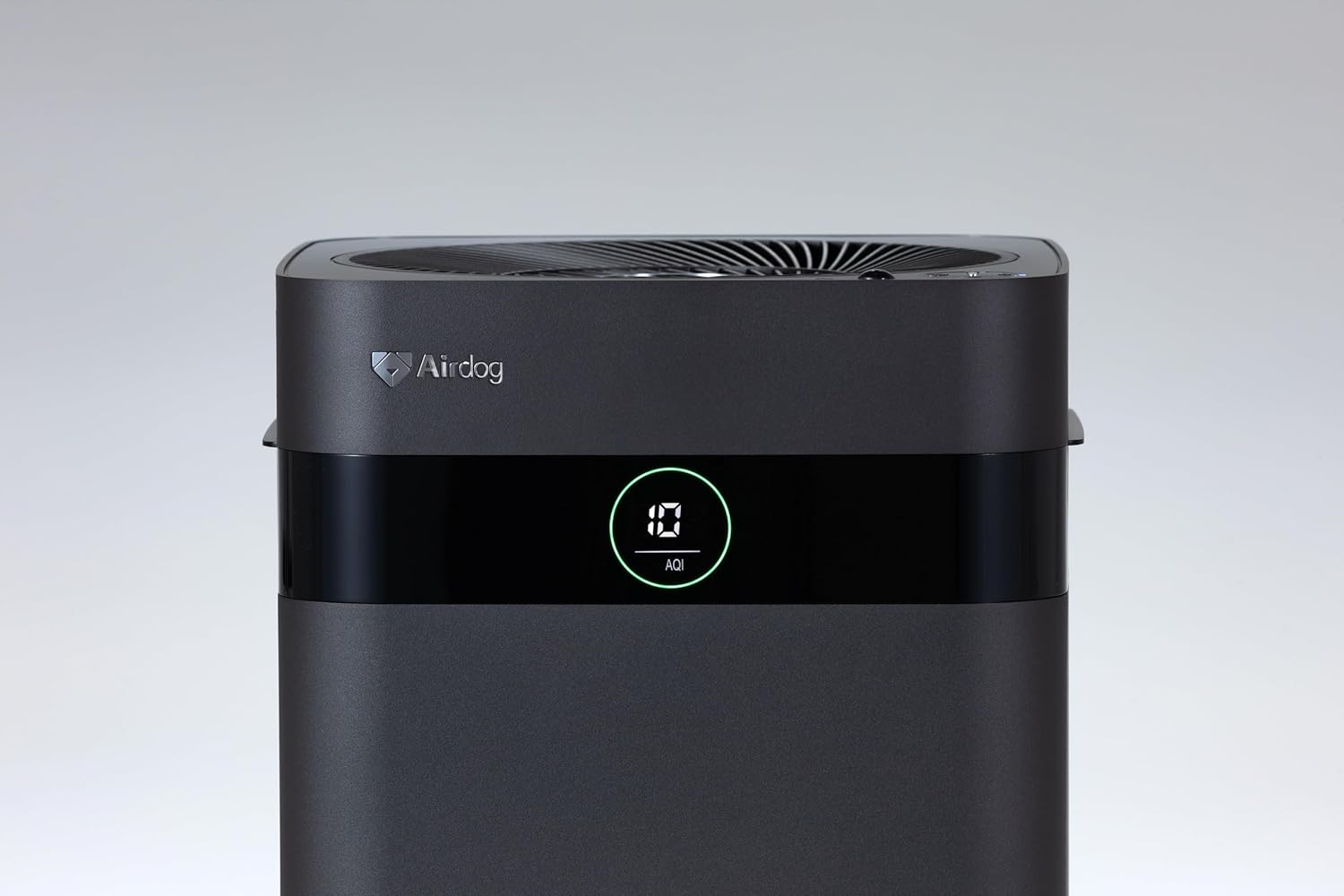
Figure 2: Close-up of the control panel and AQI display.

Şekil 3: Üst view illustrating the air outlet design.

Figure 4: The bottom light indicator provides visual feedback on air quality.
5. Kurulum
5.1. Paketten çıkarma
- Hava temizleyicinizi ambalajından dikkatlice çıkarın.
- Remove all protective films and packaging materials from the unit.
- Bölüm 3'te listelenen tüm bileşenlerin mevcut olduğundan emin olun.
5.2. Yerleşim
Place the air purifier on a flat, stable surface. For optimal performance, ensure there is adequate space around the unit for air circulation. Avoid placing it directly against walls or furniture that might obstruct the air inlets or the 3-way wide-angle exhaust.

Şekil 5: Ör.ample placement in a kitchen area.

Şekil 6: Ör.ample placement in a living room.
5.3. Güç Bağlantısı
Connect the power adapter to the power input port on the back of the unit, then plug the adapter into a suitable electrical outlet.
6. Kullanım Talimatları
6.1. Güç Açma/Kapatma
Press the power button on the control panel or the remote control to turn the unit on or off. The display will illuminate when the unit is active.
6.2. Mod Seçimi
The Airdog X3D offers various operating modes:
- Otomatik mod: The unit automatically adjusts fan speed based on detected air quality (AQI).
- Manuel Mod: İstediğiniz fan hızını manuel olarak seçmenize olanak tanır.
- Uyku modu: Operates at the lowest fan speed with reduced display brightness for quiet operation.
Use the mode button on the control panel or remote control to cycle through the available modes.
6.3. Sensor Functions
- Işık Sensörü: Automatically adjusts display brightness based on ambient light conditions.
- Human Sensor: Detects human presence to optimize operation, potentially saving energy when the room is unoccupied.
6.4. Uzaktan Kumanda
The included remote control allows for convenient operation from a distance. Point the remote control directly at the unit's sensor. Note that the effective range of the remote control may be limited (approximately 1 meter).
7. Bakım
Regular maintenance ensures the longevity and optimal performance of your Airdog X3D air purifier.
7.1. TPA Filter Cleaning
The TPA filter system is washable and reusable. Refer to the detailed instructions in the full user manual for specific cleaning procedures. Generally, the collector plates should be cleaned regularly to maintain purification efficiency.
- Turn off and unplug the unit before opening the filter compartment.
- Remove the collector plates and wash them with water and mild detergent.
- Ensure all filter components are completely dry before reinserting them into the unit.
7.2. Dış Temizlik
Ünitenin dışını yumuşak bir bezle silin.amp bezle silin. Aşındırıcı temizleyiciler veya çözücüler kullanmayın.
8. Sorun Giderme
If you encounter issues with your Airdog X3D, please refer to the following common problems and solutions:
| Sorun | Olası Neden | Çözüm |
|---|---|---|
| Ünite açılmıyor. | Elektrik yok, bağlantı gevşek. | Güç kablosu bağlantısını ve duvar prizini kontrol edin. |
| Hava temizleme performansı düşük. | Dirty TPA filter, obstructed air inlets/outlets. | Clean TPA filter components. Ensure clear airflow paths. |
| Uzaktan kumanda yanıt vermiyor. | Low battery, out of range, obstruction. | Replace remote battery. Ensure direct line of sight within 1 meter. |
| Olağandışı gürültü. | Foreign object, improper filter installation. | Check for obstructions. Reinstall filter components correctly. |
Bu çözümleri denedikten sonra sorun devam ederse lütfen müşteri desteğiyle iletişime geçin.
9. Özellikler
| Özellik | Detay |
|---|---|
| Marka | Hava köpeği |
| Model Numarası | AIR-X3-AMB310 |
| Renk | Mat Siyah |
| Ürün Boyutları | 26 cm (D) x 27 cm (G) x 56 cm (Y) |
| Paket Ağırlığı | 7.5 kilo |
| Pil Kullanımı | Evet (uzaktan kumanda için) |
| Pil Dahil | HAYIR |
| Üretim Yılı | 2024 |
| Özel Özellikler | Light & Human Sensor, 3-way Wide-Angle Exhaust System, TPA Filter |
10. Garanti ve Destek
The Airdog X3D Black Air Purifier comes with a manufacturer's warranty. Please refer to the warranty card included with your product for specific terms and conditions. For technical support, service, or warranty claims, please contact Airdog customer service through their official website veya ürün dokümantasyonunuzda sağlanan iletişim bilgileri.


