1. Giriş
The ProtoArc XKM03 is an ergonomic, foldable Bluetooth keyboard and mouse combo designed for portability and comfortable use across various devices. This manual provides instructions for setup, operation, maintenance, and troubleshooting to ensure optimal performance.

Image: The ProtoArc XKM03 foldable keyboard, ergonomic mouse, and protective carrying case.
Temel Özellikler:
- Ergonomic Split Design: The keyboard features a V-shape with a 166-degree angle and split keyset to promote a natural typing posture and reduce wrist strain.
- Ultra-Slim and Foldable: The keyboard folds for compact storage and portability, with automatic power on/off upon unfolding/folding.
- Ergonomic Mouse: The wireless mouse is designed with a contoured shape for palm and thumb support, reducing wrist discomfort. It offers adjustable DPI settings up to 2400.
- Çoklu Cihaz Bağlantısı: Connects to up to three Bluetooth devices simultaneously, allowing for easy switching between them.
- Geniş Uyumluluk: Compatible with Mac OS, iOS, Android, and Windows operating systems on iPads, iPhones, tablets, cellphones, and laptops.
2. Paket İçeriği
- ProtoArc XKM03 Foldable Bluetooth Keyboard
- ProtoArc Ergonomic Bluetooth Mouse
- USB-C Şarj Kablosu
- Kullanıcı Kılavuzu
- Taşıma Çantası
3. Kurulum ve Bağlantı
3.1 Cihazların Şarj Edilmesi
Before initial use, fully charge both the keyboard and the mouse using the provided USB-C charging cable. The charging port for the keyboard is typically located on the side or back edge. The mouse charging port is usually on the front edge.
- Tam şarj yaklaşık 2 saat sürüyor.
- The keyboard has a standby time of up to 250 hours on a full charge.
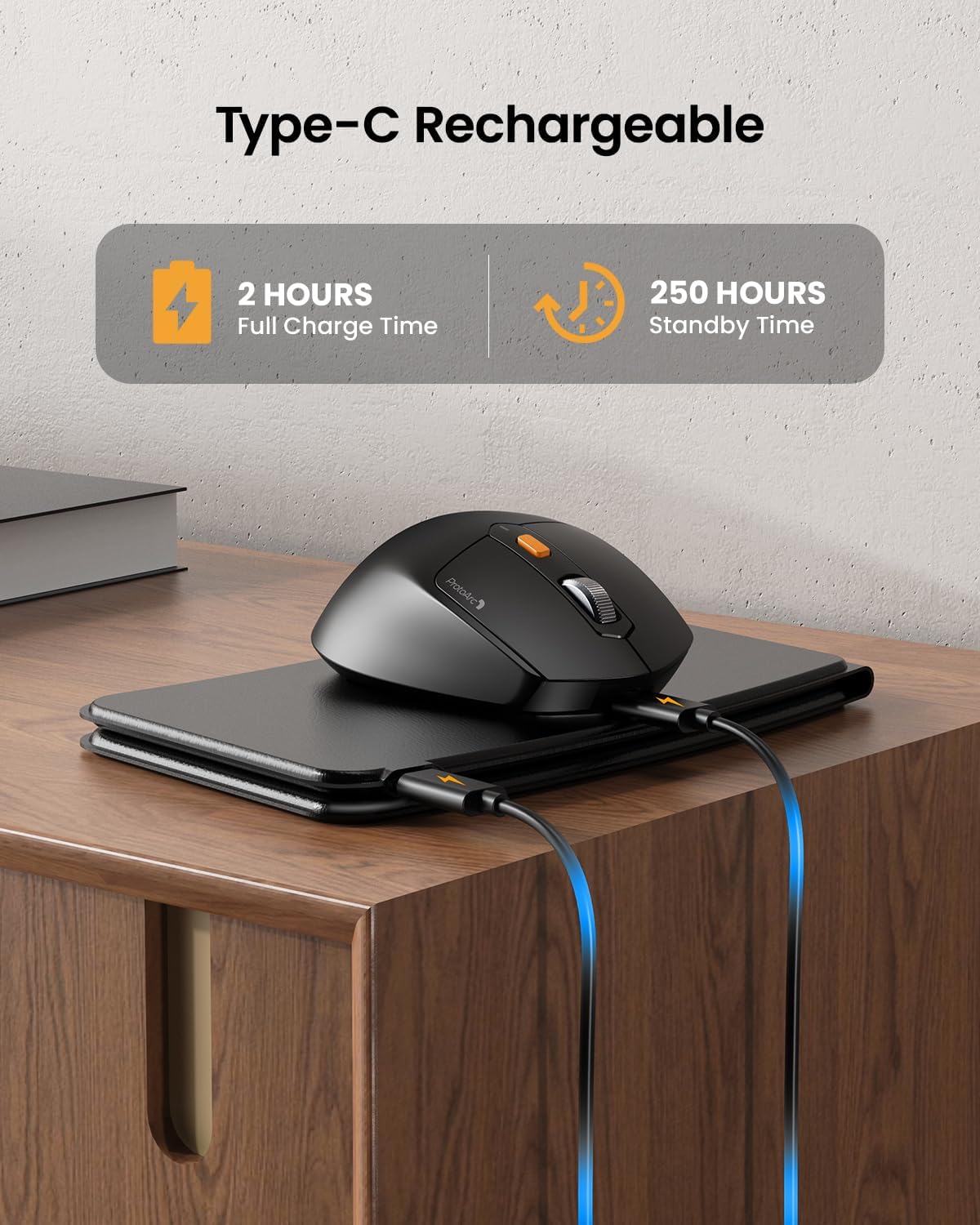
Image: The keyboard and mouse connected to power via USB-C cables for charging.
3.2 Keyboard Bluetooth Pairing
- Unfold the keyboard. This action automatically powers on the keyboard.
- Basılı tutun Fn tuşuna ve Bluetooth kanal tuşlarından birine (BT1, BT2, veya BT3) İlgili gösterge ışığı hızla yanıp sönene kadar 3-5 saniye basılı tutun. Bu, klavyenin eşleştirme modunda olduğunu gösterir.
- On your device (iPad, tablet, iPhone, laptop), go to Bluetooth settings and search for available devices.
- Seçme "ProtoArc XKM03 Keyboard" listeden.
- Bağlantı kurulduktan sonra, gösterge ışığı yanıp sönmeyi bırakacak ve birkaç saniye boyunca sabit kalacak, ardından sönecektir.
3.3 Mouse Bluetooth Pairing
- Fareyi alt tarafında bulunan güç düğmesini kullanarak açın.
- Press the Bluetooth pairing button (usually on the underside or top near the scroll wheel) for 3-5 seconds until the indicator light flashes rapidly.
- Cihazınızda Bluetooth ayarlarına gidin ve mevcut cihazları arayın.
- Seçme "ProtoArc XKM03 Mouse" listeden.
- Bağlantı sağlandıktan sonra gösterge ışığının yanıp sönmesi duracaktır.

Image: The keyboard and mouse wirelessly connected to a laptop, tablet, and smartphone, illustrating multi-device capability.
4. Kullanım Talimatları
4.1 Klavye Kullanımı
The XKM03 keyboard features an ergonomic split design for comfortable typing. An initial adaptation period may be required to become accustomed to the layout.

Image: A user's hands positioned on the V-shaped split keyboard, demonstrating the ergonomic design.
Otomatik Güç Açma/Kapama:
- Klavyeyi açmak için açın.
- Fold the keyboard to power it off.
- The keyboard also features magnetic closure to prevent accidental unfolding.
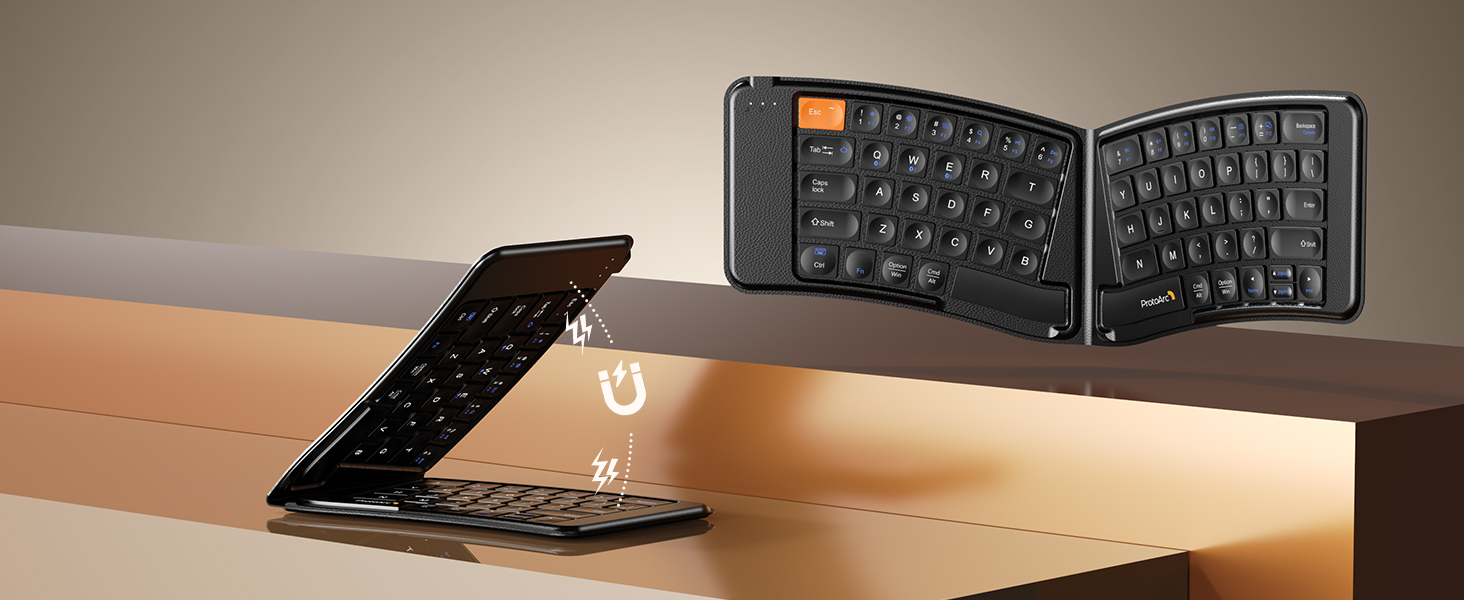
Image: The keyboard shown in both folded and unfolded states, highlighting its magnetic closure mechanism.
4.2 Cihazlar Arasında Geçiş Yapma
To switch between paired Bluetooth devices, simply press the Fn İlgili Bluetooth kanal tuşuyla birlikte tuş (BT1, BT2, veya BT3) that your desired device is paired to.
4.3 Multimedya Fonksiyon Tuşları
The keyboard includes multimedia function keys. Refer to the keycap legends for specific functions (e.g., volume control, media playback).
- Basmak F1-F10 directly to access number 1-0.
- Basmak Fn+F1-F12 to activate multimedia functions.
- Basmak Shift + F1-F12 to input symbols like !, @, #.
- Basmak Fn + Shift + F1-F12 to access F1-F12 functions.
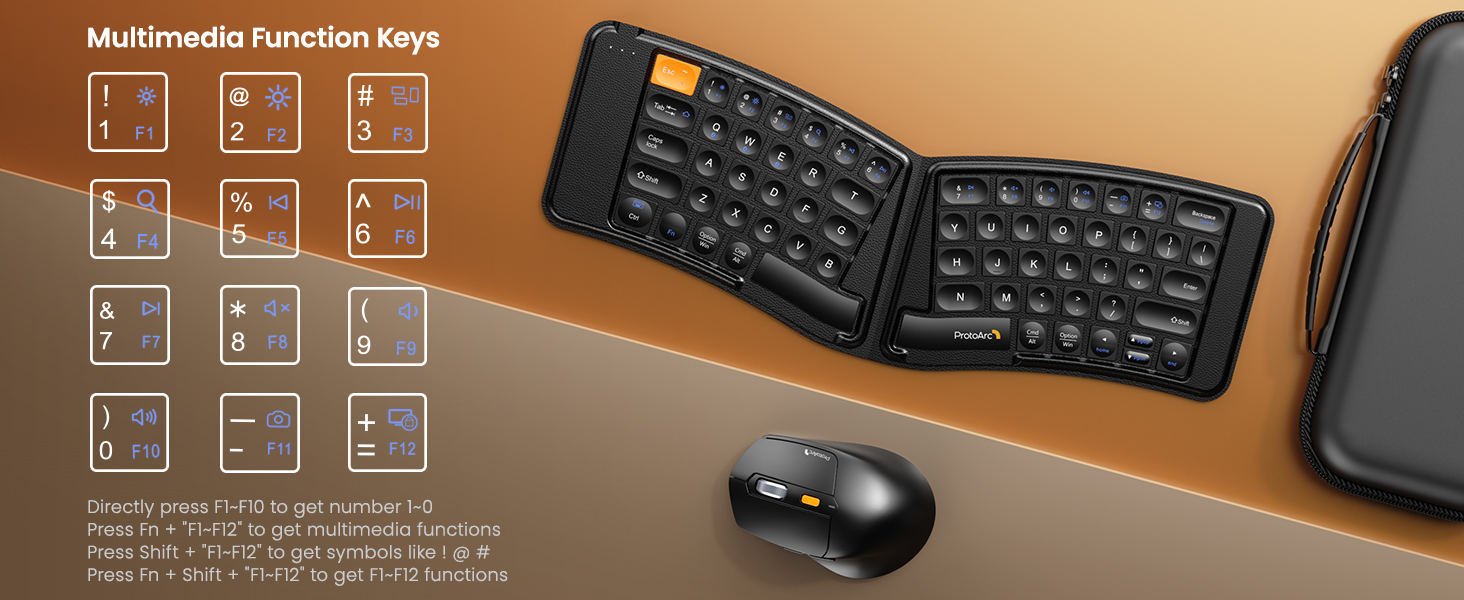
Image: A visual guide to the multimedia function keys and their combinations on the keyboard.
4.4 Fare Kullanımı
The ergonomic mouse provides comfortable navigation. It features adjustable DPI settings and additional navigation buttons.
- DPI Ayarı: Press the DPI button (usually located behind the scroll wheel) to cycle through different sensitivity levels (e.g., 800, 1200, 1600, 2400 DPI).
- İleri/Geri Düğmeleri: Hızlı gezinme için yan düğmeleri kullanın web tarayıcılar veya file kaşifler.

Image: Diagram illustrating the adjustable DPI settings of the mouse.

Image: Diagram showing the location of the forward and backward buttons on the mouse.
5. Bakım ve Özen
- Temizlik: Klavyeyi ve fareyi temizlemek için yumuşak, kuru bir bez kullanın. İnatçı kirler için, biraz daha yumuşak bir bez yeterli olacaktır.amp Cihazlara sıvı girmemesine dikkat edilerek, hafif sabunlu bir bez kullanılabilir.
- Depolamak: When not in use, fold the keyboard and store both devices in the provided carrying case to protect them from dust and damage.
- Şarj: Recharge the devices when the battery indicator light shows low power. Avoid prolonged exposure to extreme temperatures.
- Malzeme: The keyboard features a wear-resistant PU leather exterior.

Resim: Yakın çekim view of the keyboard's surface, highlighting the PU leather material.
6. Sorun Giderme
| Sorun | Olası Neden | Çözüm |
|---|---|---|
| Klavye/fare Bluetooth üzerinden bağlanmıyor. | Low battery; not in pairing mode; device's Bluetooth is off; interference. |
|
| Keyboard/Mouse frequently disconnects. | Low battery; too far from host device; interference. |
|
| Fare imleci dengesiz veya tepkisiz. | Low battery; dirty sensor; unsuitable surface; incorrect DPI setting. |
|
| Keyboard keys are not responding. | Low battery; keyboard not powered on; connection issue. |
|
7. Özellikler
| Özellik | Detay |
|---|---|
| Model Numarası | XKM03 |
| Marka | Protoarc |
| Bağlantı | Bluetooth (up to 3 devices) |
| Klavye Tasarımı | Ergonomic Split, Foldable |
| Fare DPI Ayarları | 800, 1200, 1600, 2400 |
| Şarj Portu | USB-C |
| Tam Şarj Süresi | Yaklaşık 2 saat |
| Bekleme Süresi | Yaklaşık 250 saat |
| Uyumlu işletim sistemi | Mac OS, iOS, Android, Windows |
| Dimensions (Folded Keyboard) | Yaklaşık. 7.68 x 5.62 x 0.5 inç |
| Ürün Ağırlığı | 1.96 pound (karma) |

Image: Diagram showing the folded dimensions of the keyboard.
8. Garanti ve Destek
For warranty information and technical support, please refer to the official ProtoArc webWeb sitelerini ziyaret edebilir veya doğrudan müşteri hizmetleriyle iletişime geçebilirsiniz. İletişim bilgileri genellikle ürün ambalajında veya üreticinin web sitesinde bulunur. webalan.
Üretici: Protoarc


