1. Giriş ve Güvenlik Bilgileri
Satın aldığınız için teşekkür ederizasing the SLuB SK20 80000mAh Mobile Power Bank. This device is designed to provide reliable portable power for your electronic devices. Please read this manual carefully before use to ensure safe and optimal performance.
Önemli Güvenlik Talimatları
- Powerbank'i aşırı sıcaklıklara (60°C/140°F'nin üzerinde veya 0°C/32°F'nin altında), doğrudan güneş ışığına veya ateşe maruz bırakmayın.
- Avoid dropping, disassembling, or attempting to repair the device yourself. This may cause damage or injury.
- Power bank'i sudan, nemden ve aşındırıcı maddelerden uzak tutun.
- Sadece sertifikalı şarj kabloları ve adaptörleri kullanın.
- Çocukların erişemeyeceği yerde saklayınız.
- Güç bankasını yerel yönetmeliklere uygun olarak atın. Evsel atıklarla birlikte atmayın.
The SLuB SK20 is equipped with multiple protection systems, including overcharge, over-discharge, overheating, and short-circuit protection, to ensure safe operation.
2. Paket İçeriği
Paketinizde tüm öğelerin mevcut olduğundan emin olun:
- SLuB SK20 Mobile Power Bank
- USB Veri Kablosu (Type-C)
- Kullanıcı Kılavuzu

3. Ürün Özellikleri
- 80000mAh Yüksek Kapasite: Provides multiple full charges for most smartphones and tablets, ideal for extended use or emergencies.
- Aynı anda 3 cihazı şarj etme: Equipped with multiple output ports to charge up to three devices concurrently.
- 22.5W Hızlı Şarj: Supports rapid charging for compatible devices, significantly reducing charging time.
- Temizle LCD Ekran: An easy-to-read digital screen shows the remaining battery percentage at a glance.
- Entegre LED Işık: A high-brightness LED light provides illumination for dark environments, useful for outdoor activities or emergencies.
- Çoklu Güvenlik Korumaları: Built-in safeguards against overcharge, over-discharge, overheating, and short circuits.


4. Kurulum
Power Bank'ın İlk Şarjı
Before first use, fully charge your SLuB SK20 Mobile Power Bank. This ensures optimal battery performance and longevity.
- Kutuda bulunan USB Type-C kablosunu power bank üzerindeki Type-C giriş portuna bağlayın.
- Connect the other end of the cable to a compatible USB wall adapter (not included). For fast charging, an 18W or higher PD/QC compatible adapter is recommended.
- The LCD display will show the charging progress. The power bank is fully charged when the display shows 100%.

5. Kullanım Talimatları
Harici Cihazları Şarj Etme
The SLuB SK20 offers multiple output ports for charging various devices.
- Cihazınız için uygun şarj kablosunu belirleyin.
- Şarj kablosunun bir ucunu cihazınıza bağlayın.
- Connect the other end of the cable to one of the output ports on the power bank (USB-A or Type-C).
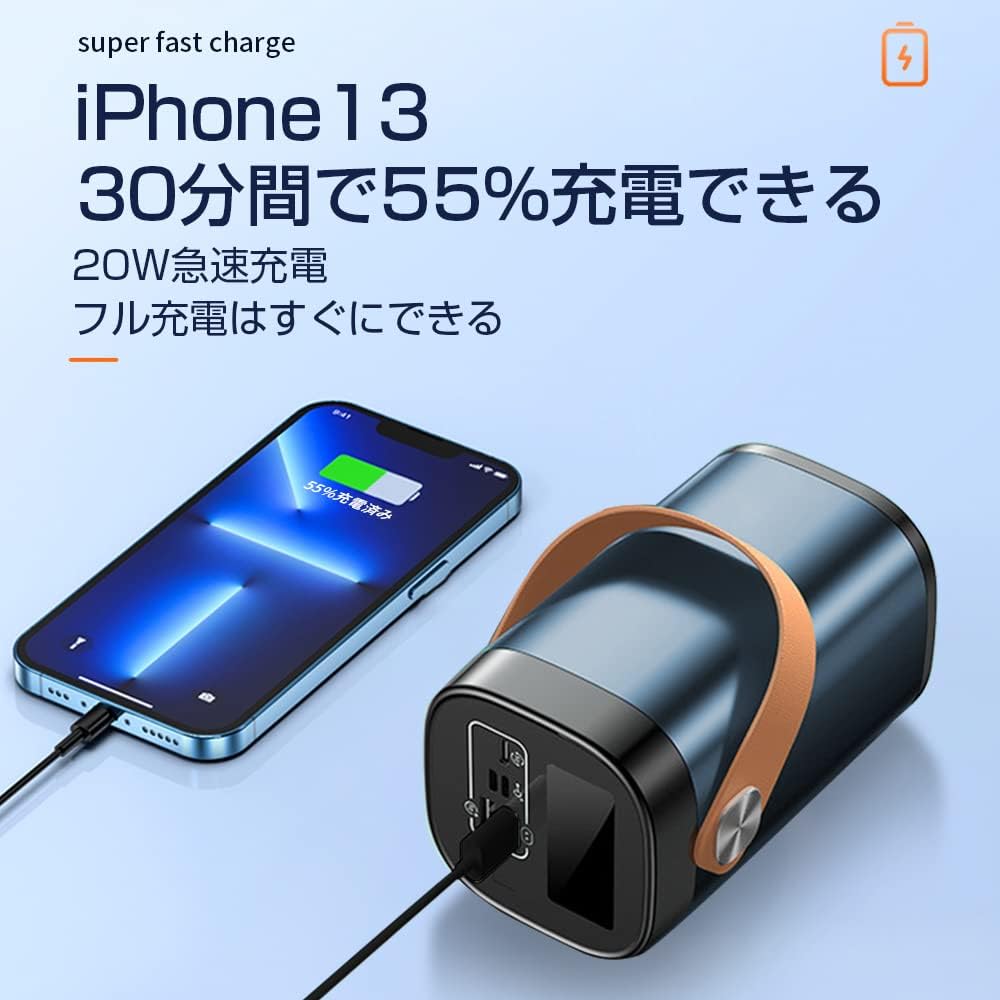
- The power bank will automatically begin charging your device. The LCD display will show the power bank's remaining battery level.

LED Işığını Kullanma
To activate the LED light, press and hold the power button for a few seconds. Repeat the action to turn it off.
Bağlantı Noktasıview

The power bank features the following ports:
- Input Ports (for charging the power bank):
- Mikro USB Girişi
- Lightning Girişi
- Type-C Input (also functions as an output)
- Output Ports (for charging devices):
- 22.5W USB Output (x2)
- Type-C Output (also functions as an input)
6. Bakım
Proper maintenance ensures the longevity and performance of your power bank.
- Temizlik: Use a soft, dry cloth to clean the exterior of the power bank. Do not use harsh chemicals or abrasive cleaners.
- Depolamak: Store the power bank in a cool, dry place away from direct sunlight and extreme temperatures. If storing for extended periods, charge the power bank to about 50-70% every 3 months to maintain battery health.
- Aşırı Deşarjdan Kaçının: Taşınabilir şarj cihazının pilinin sık sık tamamen boşalmasına izin vermeyin, çünkü bu kullanım ömrünü kısaltabilir.
7. Sorun Giderme
If you encounter issues with your SLuB SK20 Mobile Power Bank, refer to the following common problems and solutions:
| Sorun | Olası Neden | Çözüm |
|---|---|---|
| Güç bankası şarj olmuyor | Kablo veya adaptör sorunu; power bank tamamen şarjlı; bağlantı noktası arızalı. | Check cable and adapter connections. Try a different cable or adapter. Ensure the power bank is not already at 100%. Try a different input port. |
| Cihaz güç bankasından şarj olmuyor | Power bank is empty; cable issue; device issue; incompatible device. | Recharge the power bank. Try a different charging cable. Ensure your device is functioning correctly. Verify device compatibility. |
| Yavaş şarj oluyor | Non-fast charging cable/adapter; device not supporting fast charge; multiple devices charging. | Use a fast-charging compatible cable and adapter. Ensure your device supports fast charging. Charging multiple devices simultaneously may reduce individual charging speeds. |
| LED ışık çalışmıyor | Not activated correctly; malfunction. | Press and hold the power button for a few seconds to activate. If it still doesn't work, contact customer support. |
If the problem persists after trying these solutions, please contact SLuB customer service for further assistance.
8. Özellikler
| Özellik | Detay |
|---|---|
| Model Numarası | SK20 |
| Pil Kapasitesi | 80000mAh |
| Giriş (Tip-C) | 22.5W (Maksimum) |
| Çıktı (Tip-C) | 22.5W (Maksimum) |
| Çıkış (USB-A) | 22.5W (Maksimum) |
| Özel Özellikler | LED Indicator Light, Digital Display, LED Flashlight |
| Renk | Mavi |
| Ürün Boyutları | 14.5 cm (Uzunluk) x 8.5 cm (Genişlik) x 8.5 cm (Kalınlık) |
| Uyumlu Cihazlar | Smartphones, Tablets, Smartwatches, Headphones |
9. Garanti ve Destek
SLuB provides customer support for its products. In case of initial defects upon product arrival or shipping errors, we offer prompt exchange services.
If you have any questions, concerns, or require assistance with your SLuB SK20 Mobile Power Bank, please do not hesitate to contact our customer service team. Please refer to the contact information provided on the product packaging or the official SLuB webalan.


