1. Ürün Bittiview
The ASUS ROG Ally is a powerful portable gaming handheld designed to deliver a console-like experience with the versatility of a Windows 11 PC. It features a 7-inch 120Hz touchscreen IPS display, an AMD Ryzen Z2 A processor, 16GB of LPDDR5X RAM, and a 512GB SSD, making it suitable for a wide range of PC games on the go.
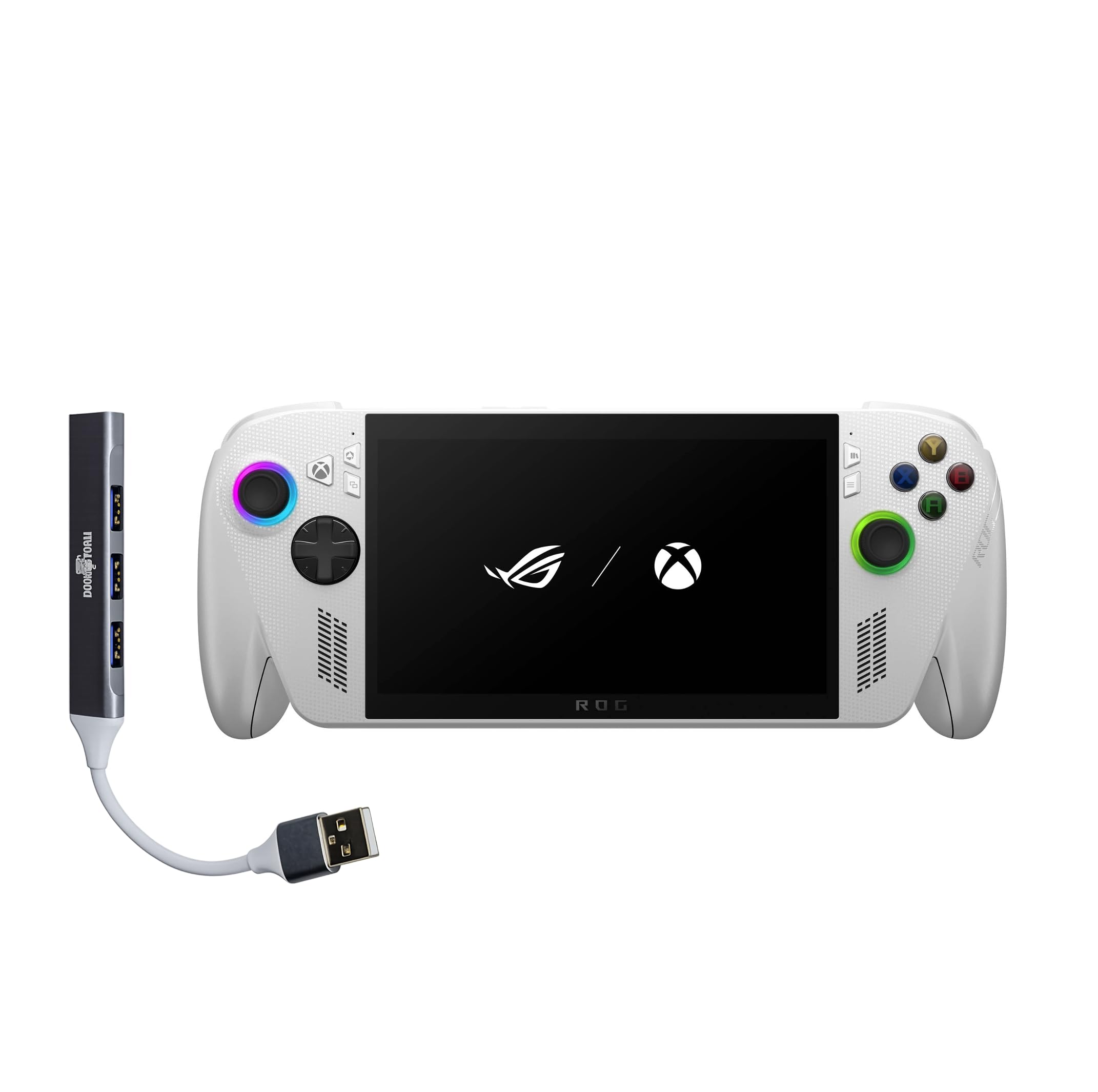
Figure 1: ASUS ROG Ally Gaming Handheld.
2. Kutuda Neler Var?
Upon unboxing your ASUS ROG Ally, ensure all components are present:
- ASUS ROG Ally Gaming El Bilgisayarı
- Güç Adaptörü
- Belgeler (Hızlı Başlangıç Kılavuzu, Garanti Kartı)

Figure 2: Included items in the ROG Ally package.
3. Cihaz Düzeni ve Kontrolleri
Familiarize yourself with the physical layout and controls of your ROG Ally for optimal gaming and navigation.
Ön View
- 7-inch IPS Touchscreen Display: Main interface for visuals and touch input.
- Sol Joystick: Hareket ve navigasyon için.
- Yön Düğmesi: Yönlü giriş.
- Xbox Düğmesi: Accesses Xbox Game Bar and other Xbox features.
- Sağ Joystick: For camera control and navigation.
- A/B/X/Y Düğmeleri: Standart eylem düğmeleri.
- Ön Hoparlörler: Stereo ses çıkışı.

Şekil 3: Ön view of the ROG Ally, highlighting the display and primary controls.
Tepe View
- Power Button/Fingerprint Scanner: Powers the device on/off and provides secure login.
- 3.5 mm Ses Jakı: Kulaklık veya harici ses cihazlarını bağlamak için.
- MicroSD Kart Yuvası: Genişletilebilir depolama için.
- Isı Havalandırmaları: For cooling the internal components.
- Sesi Açma/Azaltma Düğmeleri: Ses seviyesini ayarlar.
- LED Göstergesi: Displays device status (e.g., charging, power on).
- USB-C Bağlantı Noktaları (x2): For charging, data transfer, and external device connectivity (one supports Thunderbolt).
- R1/R2/L1/L2 Buttons: Oyun için omuz ve tetik düğmeleri.

Şekil 4: Üst view of the ROG Ally, showing various ports and buttons.
Arka View
- Rear Grips: Contoured for comfortable handling during extended play sessions.
- Rear Vents: Additional ventilation for cooling.

Şekil 5: Arka view of the ROG Ally, highlighting ergonomic grips.
4. Kurulum
İlk Açılış ve Windows 11 Kurulumu
- Connect the power adapter to the ROG Ally and a power outlet.
- Basılı tutun Güç Düğmesi until the device powers on.
- Follow the on-screen instructions to complete the Windows 11 Home setup, including language, region, and network settings.
- Set up your Microsoft account and create a user profile.
Wi-Fi'ye bağlanma
During the initial Windows setup, you will be prompted to connect to a Wi-Fi network. If you need to connect later:
- Dokunun Ağ simgesi Görev çubuğunda.
- İstediğiniz Wi-Fi ağını listeden seçin.
- İstenirse ağ şifresini girin ve dokunun. Bağlamak.
Fingerprint Sensor Setup
For secure and quick login, set up the integrated fingerprint sensor:
- Git Ayarlar > Hesaplar > Oturum açma seçenekleri.
- Seçme Parmak izi tanıma (Windows Hello) Ekranda beliren talimatları izleyerek parmak izinizi kaydedin.
5. Operating Your ROG Ally
Oyun Deneyimi
The ROG Ally provides a versatile gaming experience, allowing access to various platforms.
- Xbox Game Bar Integration: Launch Game Bar with a tap of the Xbox button to access game-related features, social interactions, and performance monitoring.
- Game Libraries: Play titles natively from platforms like Xbox Game Pass, Steam, Epic Games, and other Windows game stores.
- Ekran Özellikleri: The 7-inch 120Hz display with FreeSync Premium variable refresh rate ensures smooth gameplay and reduces screen tearing. With 500 nits of brightness, the display offers vivid and immersive visuals.

Figure 6: The 7-inch 1080p 120Hz display provides ultra-smooth graphics.
Performans Modları
The ROG Ally is powered by an ultra-efficient AMD Ryzen Z2 A processor, offering console-caliber performance. You can adjust performance modes through the Armoury Crate SE software to balance power consumption and gaming fidelity.

Figure 7: The AMD Ryzen Z2 A processor ensures powerful performance.
Pil Yönetimi
The device features a 60Whrs battery for extended gaming sessions. It supports fast charging, allowing you to reach 50% charge from 0% in approximately 30 minutes.

Figure 8: The 60Wh battery provides longer playtime.
6. Özellikler
| Özellik | Detay |
|---|---|
| Platform | Windows 11 Ev |
| İşlemci | AMD Ryzen Z2 A |
| Grafikler | AMD RDNA 2 Graphics |
| Görüntülemek | 7" 120Hz Touchscreen IPS Display, 1080p, 500 nits, Gorilla Glass |
| Hafıza | 16GB LPDDR5X 6400MHz RAM |
| Depolamak | 512GB PCIe Gen4 M.2 2280 SSD (Upgradable) |
| Kablosuz Bağlantı | Wi-Fi 6E MT7922, Bluetooth 5.4 |
| Giriş Aygıtı | Gamepad, Fingerprint Sensor |
| Pil | 60Whrs |
| Renk | Beyaz |
| Ürün Ağırlığı | 1.47 lbs (yaklaşık 2 pound) |
7. Bakım
Genel Bakım ve Temizlik
- Use a soft, dry cloth to clean the device's exterior.
- For the screen, use a microfiber cloth specifically designed for electronics. Avoid harsh chemicals.
- Keep the device away from liquids, excessive dust, and extreme temperatures.
Yazılım Güncellemeleri
Regularly check for and install Windows 11 updates to ensure optimal performance, security, and compatibility with the latest games and applications.
- Git Ayarlar > Windows Update.
- Tıklamak Güncellemeleri kontrol edin ve mevcut tüm güncellemeleri yükleyin.
8. Sorun Giderme
Yaygın Sorunlar ve Çözümleri
- Cihazın Aşırı Isınması: Ensure the device's air vents are not blocked. Avoid placing it on soft surfaces like blankets during use. Consider adjusting performance modes to a lower setting if prolonged high-intensity gaming causes excessive heat.
- Kısa Pil Ömrü: Battery life can vary significantly based on game intensity and performance settings. For longer sessions, keep the device plugged into the power adapter. Adjusting screen brightness and performance modes can also extend battery life.
- Game Compatibility/Performance: Ensure your Windows 11 and graphics drivers are up to date. Adjust in-game graphics settings to match the device's capabilities for optimal performance.
- Yanıt Vermeyen Kontroller: Restart the device. Check for any software conflicts or driver issues.
9. Ürün Videoları
ROG Xbox Ally X Review
Video 1: Ayrıntılı bir incelemeview of the ROG Xbox Ally X, showcasing its features, design, and performance. This video provides an in-depth look at the device's capabilities and user experience.
Amazingly Powerful Mobile Device
Video 2: A user's perspective on the ROG Ally, highlighting its portability, power, and suitability for various gaming titles, including PC games and emulators.
10. Garanti ve Destek
For warranty information, technical support, or service inquiries, please refer to the official ASUS support channels. The product typically includes a manufacturer's warranty, details of which can be found in the documentation provided with your device or on the official ASUS webalan.
- Çevrimiçi destek: Resmi ASUS desteğini ziyaret edin webSıkça sorulan sorular, sürücü indirmeleri ve sorun giderme kılavuzları için site.
- Destek Ekibiyle İletişime Geçin: Refer to your product documentation for regional contact numbers for technical assistance.