1. Giriş ve Üzeriview
This manual provides comprehensive instructions for the setup, operation, and maintenance of your Maxview Alphatronics SL Line+ Smart TV. Designed for mobile use, this versatile television operates on both 12v and 240v power, making it ideal for motorhomes, caravans, trucks, and boats. It features a Full HD LED display, integrated DVD player, Wi-Fi, Bluetooth, and access to popular streaming services via Webİşletim Sistemi.

Resim: Ön view of the Maxview Alphatronics SL Line+ Smart TV, highlighting its smart features and integrated DVD player.
Temel özellikler şunlardır:
- Full HD LED Smart TV with Freeview.
- WebOS for access to Netflix, Amazon Prime, Disney+, iPlayer, ITVX, Sky Store, YouTube, and more.
- Dual power compatibility (12v or 240v).
- Built-in DVD Player, Bluetooth, Wi-Fi, and Ethernet.
- Multiple connectivity options: 2 HDMI ports, USB Port, and AV connections.
2. Kutuda Neler Var?
Lütfen paketinizin içeriğini aşağıdaki listeye göre kontrol edin:
- Alphatronics TV (TVSL/22)
- Uzaktan kumanda
- 240v Mains Lead
- 12v Güç Adaptörü
- Kullanım Kılavuzu (bu belge)

Image: The included remote control for the Maxview Alphatronics Smart TV.
3. Kurulum
3.1. Yerleştirme ve Montaj
Choose a stable and flat surface for your TV. Ensure adequate ventilation around the unit. If mounting, refer to your specific wall mount instructions and ensure the mount is compatible with VESA standards for your TV size.

Resim: Eskiample of the TV installed within a caravan interior.
3.2. Güç Bağlantısı
The TV can be powered by either 12v DC or 240v AC.
- For 240v AC: Connect the supplied 240v Mains Lead to the TV's AC input and then to a standard wall socket.
- For 12v DC: Connect the supplied 12v Power Adapter to the TV's DC input and then to a 12v power source (e.g., vehicle's 12v socket).
Ensure the correct power source is used to prevent damage.
3.3. Harici Cihazları Bağlama
Televizyonda harici cihazları bağlamak için çeşitli bağlantı noktaları bulunmaktadır:
- HDMI Bağlantı Noktaları (x2): For high-definition audio and video devices like satellite receivers, game consoles, or laptops.
- USB Bağlantı Noktası: Medya oynatmak için USB depolama aygıtlarını bağlamak için files.
- AV Connections: Kompozit video ve stereo ses kullanan eski cihazlar için.
- Anten/Uydu Girişi: Connect your terrestrial antenna or satellite dish cable for Freeview or satellite TV reception.

Image: Rear panel of the TV displaying available connection ports.
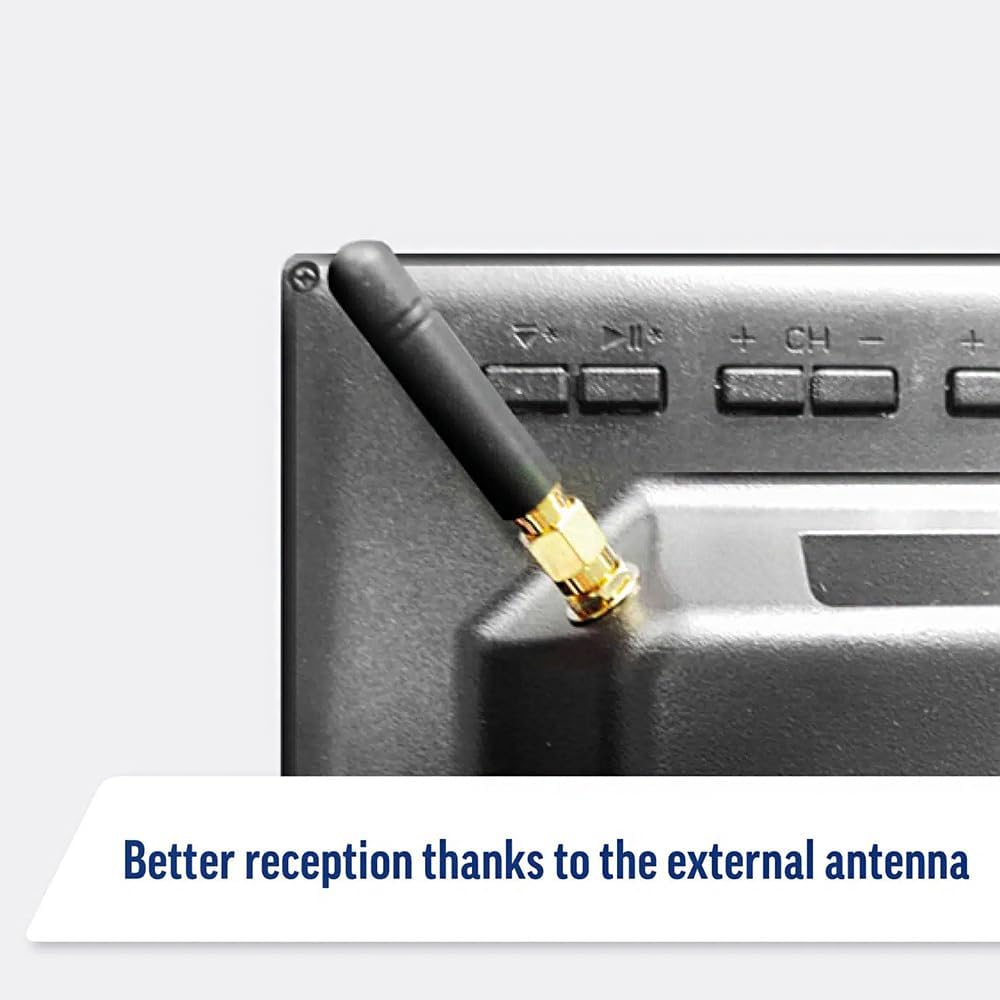
Image: Detail of the external antenna connection for improved signal reception.
3.4. İlk Kurulum Sihirbazı
Televizyon ilk açıldığında, sizi bir ilk kurulum sihirbazı aracılığıyla yönlendirecektir. Bu şunları içerir:
- Dil Seçimi: Tercih ettiğiniz dili seçin.
- Ağ bağlantısı: Connect to your Wi-Fi network or via Ethernet for internet access. This is crucial for Smart TV features.
- Kanal Tarama: Scan for available Freeview or satellite channels.
- Saat ve Tarih Ayarları: Doğru saat dilimini ve tarihi ayarlayın.
4. TV'nin çalıştırılması
4.1. Temel Kontroller
Use the supplied remote control to navigate the TV. Common functions include:
- Güç Düğmesi: Televizyonu açar/kapatır veya bekleme moduna alır.
- Sesi Aç/Kapat: Ses seviyesini ayarlar.
- Kanal Yukarı/Aşağı: TV kanallarını değiştirir.
- Kaynak/Girdi: Selects the input source (HDMI, AV, TV, DVD).
- Gezinti Düğmeleri (Ok Tuşları, Tamam): Menülerde gezinin ve seçenekleri belirleyin.
- Ana menü tuşu: Şuna erişir: WebOS Smart TV ana ekranı.
- Hızlı Erişim Düğmeleri: Dedicated buttons for Netflix and Amazon Prime Video for direct access.
4.2. Akıllı TV Özellikleri (Webİşletim Sistemi)
Your Maxview Alphatronics TV runs on WebOS, providing a user-friendly interface for accessing a wide range of applications and content.
- Ana Sayfa Kontrol Paneli: Basın Ev button to access the main dashboard, where you can find installed apps, input sources, and settings.
- Uygulama Mağazası: Entegre uygulama mağazasından ek uygulamaları indirip yükleyin.
- Yayın Hizmetleri: Easily access popular services like Netflix, Amazon Prime Video, Disney+, BBC iPlayer, ITVX, and YouTube.
- Ekran Paylaşımı: Share content from your smartphone or tablet to the TV screen.
Image: Using a smartphone as a remote control for the TV.
4.3. DVD Oynatıcının Çalıştırılması
The integrated DVD player allows you to enjoy your movie collection on the go.
- Insert a DVD disc into the slot on the side of the TV.
- The TV should automatically switch to the DVD input. If not, press the Kaynak/Giriş button on your remote and select "DVD".
- Use the remote control's playback buttons (Play, Pause, Stop, Fast Forward, Rewind) to control the DVD.
- To eject the disc, press the Eject button on the remote or the TV.
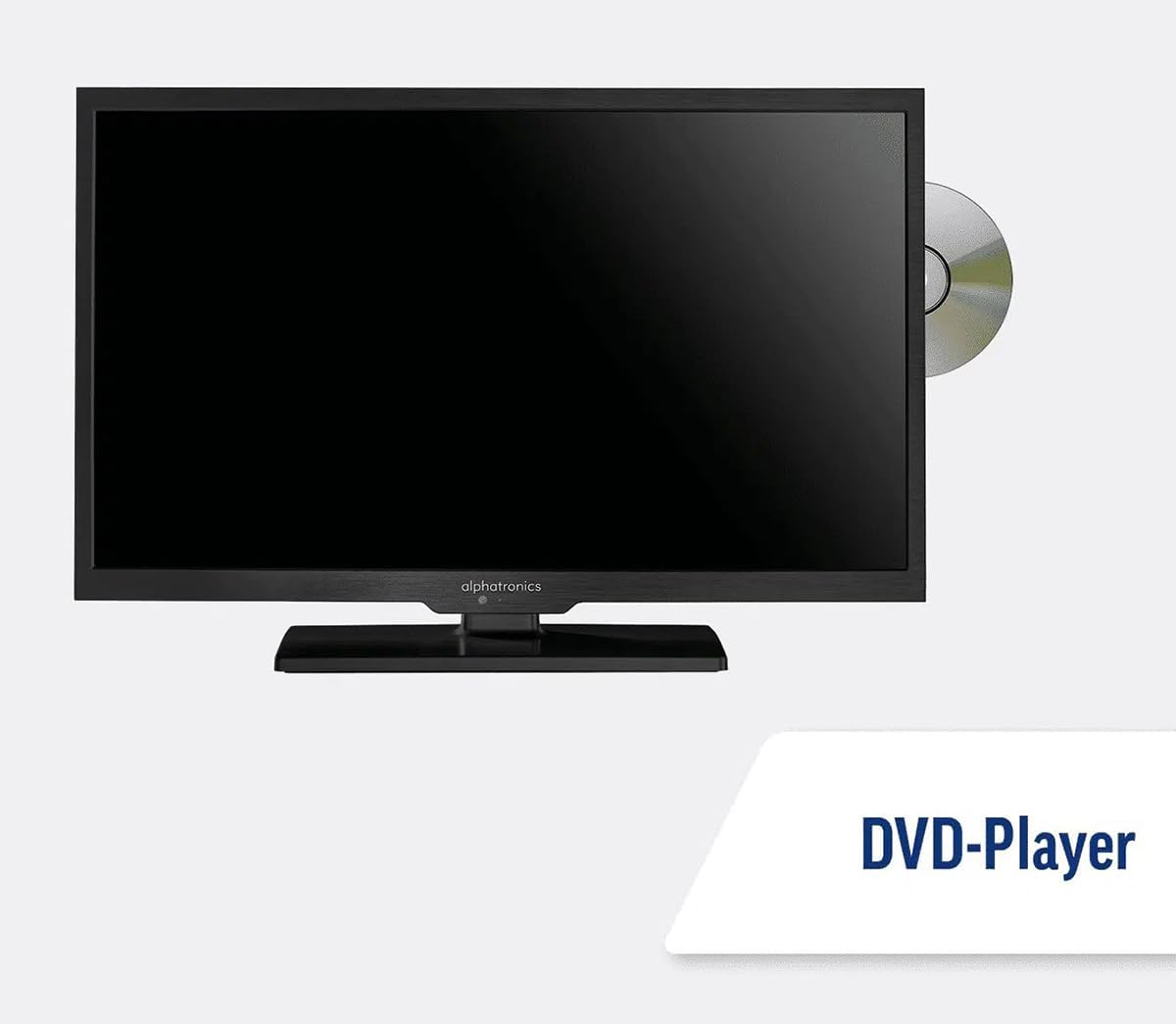
Image: The TV with a DVD disc being inserted into its built-in player.
5. Bakım
5.1. Temizlik
Televizyon ekranını temizlemek için, yumuşak, tüy bırakmayan bir bezle nazikçe silin. İnatçı lekeler için,ampen the cloth slightly with water or a screen-cleaning solution. Do not spray liquid directly onto the screen. Clean the TV casinKuru ve yumuşak bir bezle silin.
Dikkat: Always unplug the TV from the power source before cleaning.
5.2. Yazılım Güncellemeleri
Your Maxview Alphatronics Smart TV supports automatic software updates via the internet. Ensure your TV is connected to a stable Wi-Fi or Ethernet network to receive the latest firmware and feature enhancements.
- To check for updates manually, navigate to the Ayarlar menu on your TV, then look for Yazılım Güncellemesi or Sistem Bilgileri.
- Follow the on-screen prompts to download and install any available updates. Do not power off the TV during an update process.

Image: The TV screen indicating a software update in progress.
6. Sorun Giderme
Televizyonunuzla ilgili sorunlarla karşılaşırsanız, destek ekibiyle iletişime geçmeden önce lütfen aşağıdaki yaygın sorunlar ve çözümlerine göz atın.
| Sorun | Olası Neden | Çözüm |
|---|---|---|
| Güç Yok | Power cable disconnected; no power from outlet/source. | Check power connections. Ensure outlet/source is active. Try a different outlet. |
| Sinyal Yok | Incorrect input selected; antenna/cable disconnected or faulty. | Basmak Kaynak/Giriş to select correct input. Check antenna/cable connections. Perform a channel scan. |
| İnternet Bağlantısı Yok | Wi-Fi password incorrect; router issue; TV too far from router. | Re-enter Wi-Fi password. Restart your router. Move TV closer to router or use Ethernet. |
| DVD Not Playing | Disc dirty or scratched; incorrect input selected; region code mismatch. | Clean the disc. Ensure "DVD" input is selected. Check disc region compatibility. |
| Uzaktan Kumanda Çalışmıyor | Batteries low/dead; obstruction between remote and TV; remote not paired (if Bluetooth). | Pilleri değiştirin. Engelleri kaldırın. Gerekirse uzaktan kumandayı yeniden eşleştirin (TV ayarlarına bakın). |
If the problem persists after trying these solutions, please contact Maxview Müşteri desteği.
7. Özellikler
| Özellik | Detay |
|---|---|
| Model Numarası | TVSL/22 |
| Ekran Boyutu | 22 İnç (56 cm görünür çapraz) |
| Ekran Teknolojisi | NEDEN OLMUŞ |
| Çözünürlük | 1080p (Tam HD) |
| Ürün Boyutları (D x G x Y) | 12D x 58G x 38Y santimetre |
| Güç Girişi | 12v DC / 240v AC |
| Bağlantı | Wi-Fi, Bluetooth, Ethernet |
| Limanlar | 2x HDMI, 1x USB, AV connections, Antenna/Satellite input |
| Özel Özellikler | Smart TV (WebOS), Built-in DVD Player |
| En Boy Oranı | 16:9 |
| Üretici | Alfatronik |
8. Garanti ve Destek
Your Maxview Alphatronics SL Line+ Smart TV comes with a 3 Yıllık Garanti, providing peace of mind regarding your purchase. This warranty covers manufacturing defects and ensures reliable operation.
For warranty claims, technical support, or further assistance, please contact Maxview customer service. You can typically find contact information on the official Maxview websitede veya ambalaj malzemelerinde.
Please have your model number (TVSL/22) and proof of purchase ready when contacting support.
Not: Bu kılavuza eklenebilecek, satıcıya ait resmi ürün videosu bulunamadı.


