giriiş
Welcome to the user manual for your new Brookstone Over Ear Headphones with Playful Meters. These headphones are designed to provide a dynamic and fun listening experience with their unique visual meters and comfortable over-ear design. This manual will guide you through the setup, operation, maintenance, and troubleshooting of your headphones to ensure you get the most out of your audio adventures.

Image: The Brookstone Over Ear Headphones in White/Silver, showcasing their sleek design and the playful VU meter on the earcup.
Ürün Özellikleri
- Dinamik Ses: Immerse yourself in rich, clear audio for an enhanced listening experience.
- Playful Meters: Unique visual meters on the earcups add a fun and interactive element, allowing others to see how loud your music is.
- Tüm Gün Konfor: Designed for extended wear with a comfortable over-ear fit.
- Hassle-Free Setup: Easy to connect and use with user-friendly controls.
- Kablosuz Özgürlük: Bluetooth connectivity allows for unrestricted movement.
- Çok Yönlü Kullanım: Ideal for casual music listening, gaming, and various entertainment needs.
- Güvenilir Kalite: Built with durability in mind for a long-lasting audio accessory.

Image: A man wearing the Brookstone headphones, highlighting the backlit VU meter feature that visually represents music volume.

Image: A woman wearing the headphones, demonstrating the noise-isolating design that helps provide crisp, rich audio without external distractions.
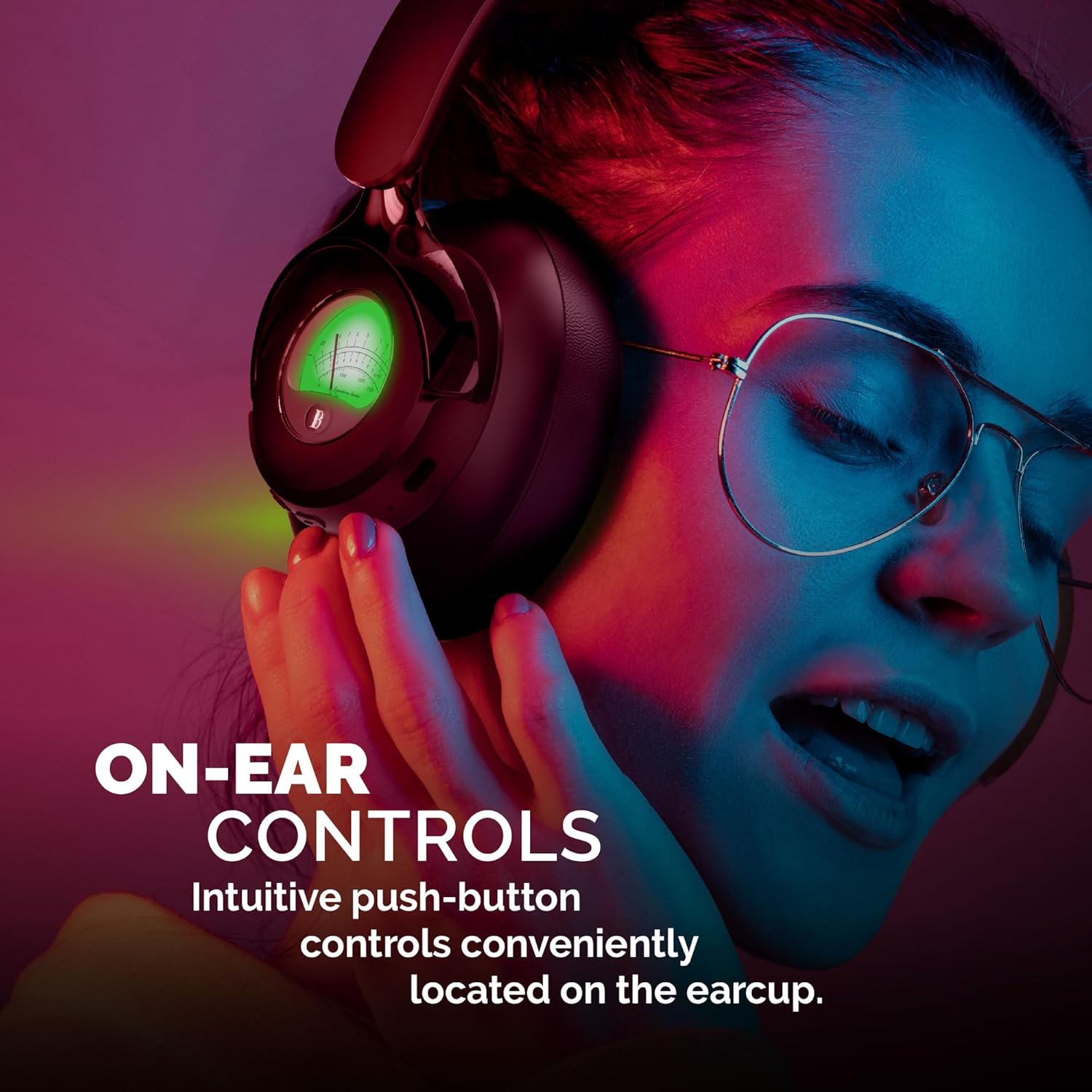
Image: A woman adjusting the headphones, illustrating the intuitive push-button controls conveniently located on the earcup for easy access.

Image: A woman smiling while looking at her phone and wearing the headphones, emphasizing the impressive 35 hours of playtime on a single charge.

Image: The headphones are shown charging on a turntable, illustrating the quick charge feature that allows for rapid and dependable charging in 2.5 hours.
Resmi Ürün Videosu
Video: Resmi bir ürün videosu gösterimiasing the Brookstone Over Ear Playful Meter Headphones, highlighting their dynamic sound, comfortable design, and unique visual meters. This video provides a comprehensive overview of the product's key features and benefits.
Kurmak
Kulaklığınızı Şarj Etme
Before first use, fully charge your headphones. Connect the included charging cable to the charging port on the headphones and the other end to a USB power source. The LED indicator will show charging status and turn off when fully charged. A full charge takes approximately 2.5 hours.
Bluetooth Aygıtıyla Eşleştirme
- Ensure your headphones are fully charged and powered off.
- Eşleştirme modunu gösteren LED göstergesi mavi ve kırmızı renkte yanıp sönene kadar güç düğmesini basılı tutun.
- Cihazınızda (akıllı telefon, tablet, bilgisayar) Bluetooth'u etkinleştirin ve kullanılabilir cihazları arayın.
- Select "Brookstone BSBTH21WHSL" from the list of devices.
- Bağlandıktan sonra kulaklıktaki LED göstergesi sürekli mavi renkte yanacaktır.
Kulaklığınızı Takmak
Adjust the headband to comfortably fit your head. Ensure the earcups fully cover your ears for optimal sound quality and noise isolation. The earcups are designed for extended wear, providing a balanced and comfortable experience.
Kulaklığınızı Çalıştırma
Güç Açık/Kapalı
- Güç Açık: Press and hold the power button for 3 seconds. The LED indicator will light up.
- Kapat: Press and hold the power button for 3 seconds. The LED indicator will turn off.
Müzik Çalma
- Oynat/Duraklat: Çok işlevli düğmeye bir kez basın.
- Sonraki Parça: "+" tuşuna basılı tutun.
- Önceki parça: "-" tuşuna basılı tutun.
Yönetim Çağrı
- Çağrıyı Cevapla/Sonlandır: Çok işlevli düğmeye bir kez basın.
- Çağrıyı Reddet: Çok işlevli düğmeyi 2 saniye basılı tutun.
Ses Kontrolü
- Sesi arttır: "+" butonuna basın.
- Sesi Azalt: "-" tuşuna basın.
Bakım
Doğru bakım, kulaklıklarınızın uzun ömürlü olmasını ve en iyi performansı göstermesini sağlar.
- Temizlik: Kulaklıkların iç kısımlarını ve kafa bandını temizlemek için yumuşak, kuru bir bez kullanın. Aşındırıcı temizleyiciler veya çözücüler kullanmayın.
- Depolamak: Kullanmadığınız zaman kulaklıklarınızı serin, kuru, doğrudan güneş ışığından ve aşırı sıcaklıklardan uzak bir yerde saklayın.
- Nemden Kaçının: Kulaklıkları suya veya aşırı neme maruz bırakmayın.
- Dikkatli Kullanın: Kulaklığınızı düşürmekten veya sert darbelere maruz bırakmaktan kaçının.
Sorun giderme
Kulaklıklarınızla ilgili herhangi bir sorunla karşılaşırsanız, aşağıdaki yaygın sorunlar ve çözümlere bakın:
| Sorun | Çözüm |
|---|---|
| Kulaklık açılmıyor. | Ensure the headphones are fully charged. Connect to a power source and allow sufficient charging time. |
| Cihazla eşleştirme yapılamıyor. | Make sure Bluetooth is enabled on your device and the headphones are in pairing mode (flashing blue/red LED). Move closer to the device and ensure no other devices are connected. |
| Ses yok veya ses seviyesi düşük. | Check the volume levels on both the headphones and your connected device. Ensure the headphones are properly paired and connected. |
| Ses bozuk veya kesintili. | Move closer to your device to avoid interference. Check for obstacles between the headphones and the device. Disconnect and re-pair the headphones. |
Özellikler
| Özellik | Detay |
|---|---|
| Model Adı | BSBTH21WHSL |
| Bağlantı Teknolojisi | Kablosuz |
| Kablosuz İletişim Teknolojisi | Bluetooth |
| Kulak Yerleşimi | Kulak Üstü |
| Form Faktörü | Kulak Üstü |
| Malzeme | Fabric, Plastic/Silicone |
| Kontrol Türü | Medya Kontrolü |
| Kontrol Yöntemi | Uzak |
| Ses Sürücüsü Türü | Dinamik Sürücü |
| Renk | Beyaz gümüş |
| UPC | 680079013318 |
Kutuda Neler Var?
Your Brookstone Over Ear Headphones package includes:
- Kulak Üstü Kulaklıklar
- Charging Cable (not explicitly listed but implied for wireless headphones)
- Kullanım Kılavuzu (bu belge)
Garanti ve Destek
Brookstone products are designed for quality and reliability. For information regarding warranty coverage, technical support, or service inquiries, please refer to the warranty card included with your product or visit the official Brookstone webLütfen garanti talepleriniz için satın alma belgenizi saklayın.


