giriiş
The Sharp GX-BT290 Crystal Clear Series Portable Bluetooth Speaker is designed to deliver high-quality audio with enhanced bass, offering a robust and portable listening experience. Featuring IP67 waterproof and dustproof capabilities, a long-lasting 14-hour battery, and versatile connectivity options including True Wireless Stereo (TWS) pairing, this speaker is suitable for various environments. It also includes a built-in microphone for hands-free calling and two distinct LED light modes to enhance your audio experience.
Paket İçeriği
- Sharp GX-BT290 Bluetooth Hoparlör
- USB Charging Cable (not explicitly listed but implied for battery charging)
- Kullanım Kılavuzu (bu belge)
Kurmak
1. Hoparlörü Şarj Etme
Before first use, fully charge the speaker. Connect the provided USB charging cable to the speaker's charging port and the other end to a compatible USB power adapter (not included) or a computer's USB port. The charging indicator light will illuminate during charging and turn off once fully charged. A full charge provides approximately 14 hours of playtime.
2. Açma/Kapama
Basılı tutun Güç düğmesi located on the control panel until you hear an audible prompt or see the indicator lights activate. To power off, press and hold the Güç düğmesi Tekrar.

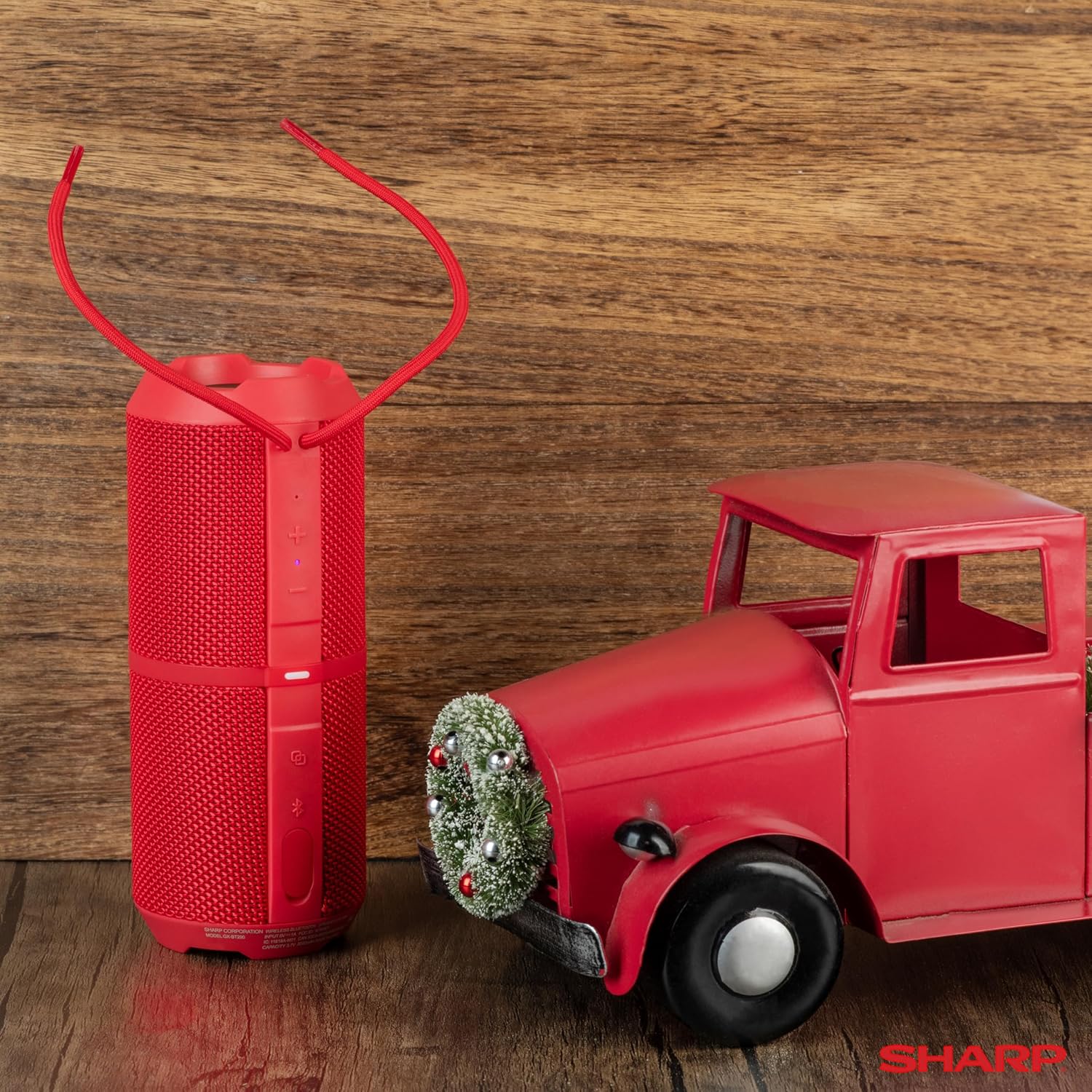
Image: The Sharp GX-BT290 speaker in red, displaying its vertical control panel with power, volume, light mode, and Bluetooth buttons. This view highlights the speaker's cylindrical design and integrated strap.
Kullanım Talimatları
1. Bluetooth Eşleştirme
- Ensure the speaker is powered on and in Bluetooth pairing mode (indicated by a flashing blue LED). If not, briefly press the Bluetooth düğmesi.
- Cihazınızda (akıllı telefon, tablet, dizüstü bilgisayar) Bluetooth'u etkinleştirin ve kullanılabilir cihazları arayın.
- Select "GX-BT290" from the list of found devices.
- Once connected, the speaker will provide an audible confirmation, and the Bluetooth LED will become solid blue.
2. Gerçek Kablosuz Stereo (TWS) Eşleştirme
To achieve a stereo sound experience, you can pair two GX-BT290 speakers together:
- Ensure both GX-BT290 speakers are powered on and not connected to any other Bluetooth device.
- Bir hoparlörde (bu birincil hoparlör olacaktır), tuşuna basılı tutun TWS düğmesi (often integrated with the Bluetooth button or a dedicated button).
- Birincil hoparlör ikincil hoparlörü arayacaktır. Bağlantı kurulduktan sonra, her iki hoparlör de sesli bir onay verecektir.
- Now, connect your device to the primary speaker via Bluetooth as described in the "Bluetooth Pairing" section. Audio will play in stereo through both speakers.
3. Audio Playback and Volume Control
- Kullanın Sesi Aç (+) Ve Sesi kıs (-) buttons on the speaker to adjust the playback volume.
- Basın Oynat/Duraklat düğmesi (often integrated with the Power button or a dedicated button) to play or pause audio.
- For track navigation, refer to your connected device's controls.
4. Eller Serbest Arama
When connected to a smartphone, the speaker's built-in microphone allows for hands-free calls:
- To answer an incoming call, briefly press the Çağrı butonu (often integrated with the Play/Pause button).
- To end a call, briefly press the Çağrı butonu Tekrar.
- Gelen bir aramayı reddetmek için tuşunu basılı tutun. Çağrı butonu.
5. LED Işık Modları
The speaker features two LED light modes. Briefly press the Işık Modu düğmesi (often indicated by a lightbulb icon) to cycle through the available light effects or to turn them off.
Resim: Patlamış bir view of the Sharp GX-BT290 speaker, illustrating its unique cylinder design, DSP technology, and the precision dual drivers responsible for exceptional depth and clarity in sound.
Bakım
Temizlik
Hoparlörü yumuşak, kuru veya hafifçe nemli bir bezle silin.amp Bez kullanın. Aşındırıcı temizleyiciler, alkol veya kimyasal çözücüler kullanmayın, çünkü bunlar yüzeye zarar verebilir.
Suya ve Toza Dayanıklı (IP67)
The GX-BT290 is rated IP67, meaning it is protected from dust ingress and can withstand immersion in water up to 1 meter for 30 minutes. Ensure the charging port cover is securely closed before exposing the speaker to water or dust. After exposure to water, dry the speaker thoroughly before charging.

Image: The Sharp GX-BT290 speaker being splashed with water, visually demonstrating its IP67 water and dustproof capabilities. This image emphasizes the speaker's durability for outdoor use.
Depolamak
Store the speaker in a cool, dry place away from direct sunlight and extreme temperatures when not in use for extended periods. Avoid storing in environments with high humidity.
Sorun giderme
| Sorun | Olası Neden | Çözüm |
|---|---|---|
| Hoparlör açılmıyor | Düşük pil; Güç düğmesine doğru basılmamış | Hoparlörü şarj edin; Güç düğmesini birkaç saniye basılı tutun |
| Ses yok | Volume too low; Not paired; Device volume low | Increase speaker volume; Ensure successful Bluetooth pairing; Increase volume on connected device |
| Cihazla eşleştirilemiyor | Hoparlör eşleştirme modunda değil; Cihazın Bluetooth'u kapalı; Hoparlörden çok uzakta. | Ensure speaker is flashing blue LED; Turn on device Bluetooth; Move device closer to speaker (within 33 feet) |
| TWS eşleştirmesi başarısız | Hoparlörler zaten diğer cihazlarla eşleştirilmiş; Çok uzakta | Disconnect speakers from other devices; Ensure speakers are close to each other during TWS pairing |
| Kötü ses kalitesi | Parazitlenme; Cihaz çok uzakta; Pil zayıf | Move away from other wireless devices; Move device closer; Charge the speaker |
Özellikler
| Özellik | Şartname |
|---|---|
| Model Adı | GX-BT290(R) |
| Hoparlör Tipi | Dış mekan |
| Özel Özellikler | Bas Güçlendirme, Dahili Mikrofon, Toz Geçirmez, LED Işık, Hafif |
| Bağlantı Teknolojisi | Bluetooth |
| kablosuz Menzil | 33 Feet'e (10 metre) kadar |
| Güç Çıkışı | 32W Max Power (16W RMS) |
| Su Direnç Seviyesi | IP67 (Suya ve Toza Dayanıklı) |
| Pil Ömrü | 14 Saate Kadar |
| Güç Kaynağı | Pille Çalışan (1 Lityum İyon pil dahil) |
| Ürün Boyutları | 3"D x 7.5"G x 3"Y (yaklaşık 7.6 cm D x 19 cm G x 7.6 cm Y) |
| Ürün Ağırlığı | 16 Ounces (approx. 0.45 kg) |
| Dahil Bileşenler | Bluetooth hoparlör |
| Renk | Kırmızı |

Image: A hand holding the Sharp GX-BT290 speaker, demonstrating its compact size and portability. This image provides a sense of scale for the device.
Garanti ve Destek
For warranty information, technical support, or customer service inquiries, please refer to the documentation included with your purchase or visit the official Sharp webSite. Satın alma belgenizi garanti talepleriniz için saklayın.
Daha fazla yardım için ürünü satın aldığınız perakendeciyle de iletişime geçebilirsiniz.


