1. Giriş
This manual provides essential information for setting up, operating, and maintaining your Beelink SER5 MAX Mini PC. The Beelink SER5 MAX is a compact desktop computer powered by an AMD Ryzen 7 6800U processor, designed for various applications including office work, home entertainment, graphic design, and light gaming. It features high-speed memory, ample storage, and extensive connectivity options to enhance your productivity and multimedia experience.

Resim: Üzeriview of the Beelink SER5 MAX Mini PC, showcasinkompakt tasarımı ve temel özellikleriyle öne çıkıyor.
2. Kutuda Neler Var?
Lütfen paketinizin içeriğini kontrol ederek tüm öğelerin mevcut olduğundan emin olun:
- 1 x SER5 MAX 6800U Mini PC
- 1 x HDMI Cable (100CM)
- 1 x Güç Adaptörü
- 1 x Kullanım Kılavuzu
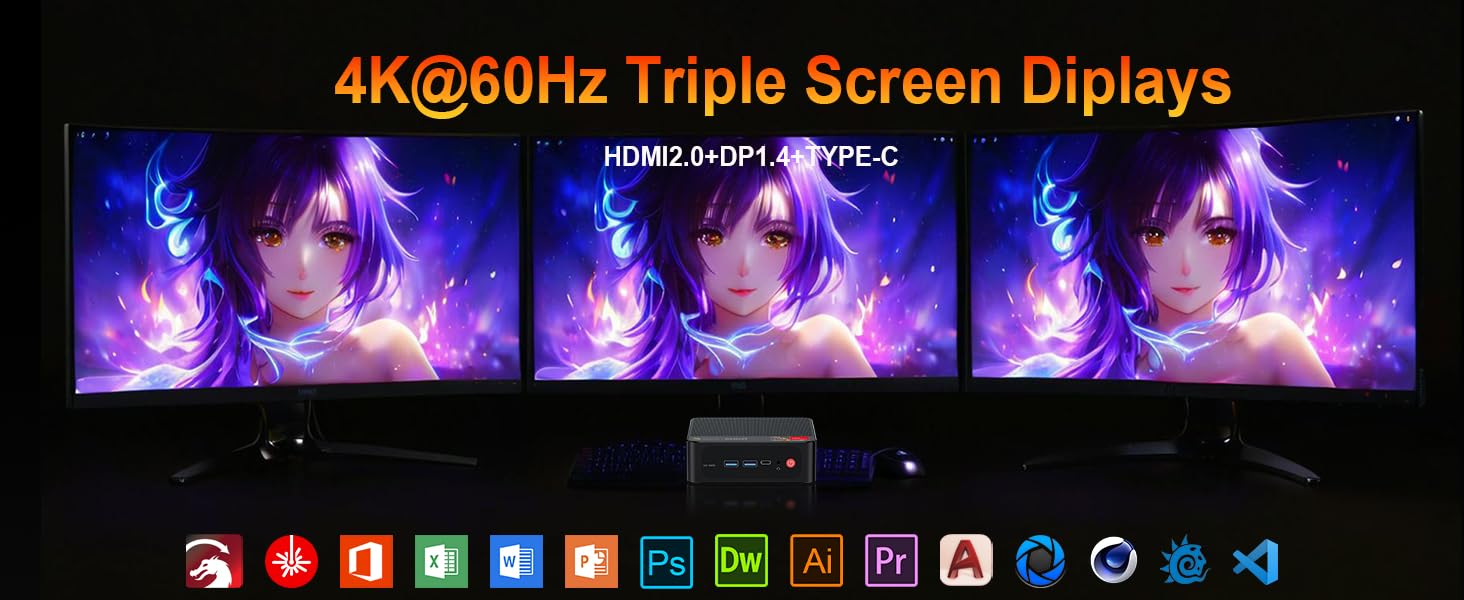
Image: Contents included in the Beelink SER5 MAX Mini PC package, showing the mini PC, power adapter, HDMI cable, and user manual.
3. Ürün Özellikleri
The Beelink SER5 MAX Mini PC is equipped with advanced components for optimal performance:
- İşlemci: AMD Ryzen 7 6800U (8 Cores/16 Threads, up to 4.7GHz, 16MB L3 Cache, 28W TDP).
- Grafikler: Integrated AMD Radeon RDNA 2 Graphics (12 Cores, 2200MHz).
- Hafıza: 24GB LPDDR5 6300MHz RAM (2x12GB, non-replaceable).
- Depolamak: 500GB M.2 2280 PCIe 4x4 SSD. Supports dual SSDs up to 8TB total (Max 4TB each SSD).
- Görüntü Çıktısı: Supports 4K@60Hz Triple Display via DP1.4, HDMI 2.0, and Type-C.
- Kablosuz bağlantı: WiFi 6 (802.11ax) for speeds up to 1200Mbps, Bluetooth 5.2.
- Kablolu Bağlantı: Gigabit Ethernet (RJ45 1000Mbps LAN).
- Limanlar:
- 3 x USB 3.2 Gen2 Tip A (10 Gbps)
- 1 x USB 2.0 Tip-A
- 1 x Type-C (Data & Video Output)
- 1 adet HDMI 2.0
- 1 x DisplayPort (DP1.4)
- 1 x DC Jack (Power Input)
- 1 x 3.5mm Audio Jack (HP&MIC)
- 1 x CLR CMOS Reset button
- Soğutma Sistemi: MSC2.0 Cooling System with heat pipe, heat sink, and silent fan.
- Boyutlar: 4.9 x 4.4 x 1.6 inç (126 x 113 x 42 mm).

Resim: Ön ve arka view of the Beelink SER5 MAX Mini PC, highlighting its various connectivity ports.

Image: A Beelink SER5 MAX Mini PC connected to three monitors, demonstrating its triple display capability for multitasking.
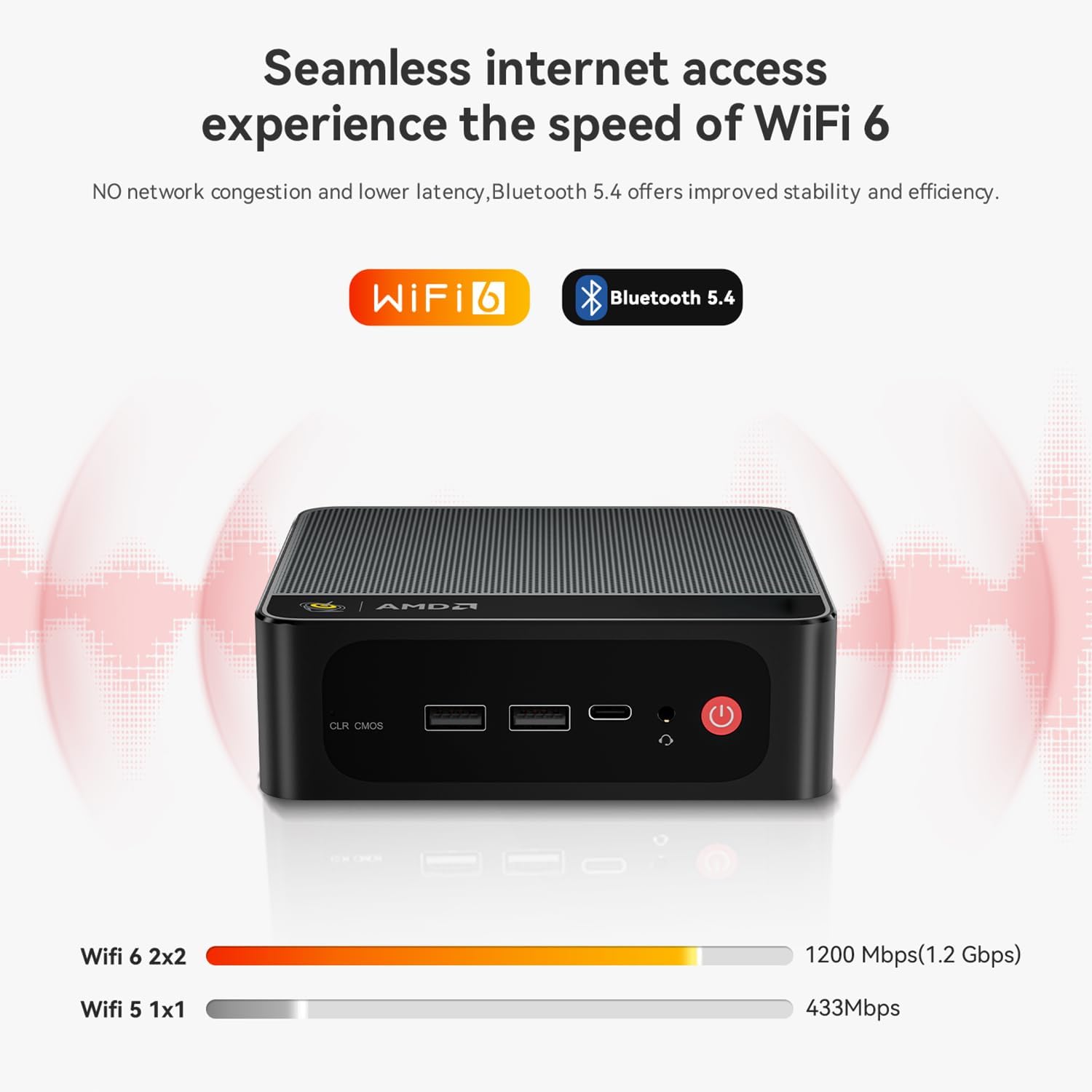
Image: Diagram illustrating the efficient MSC2.0 cooling system of the Beelink SER5 MAX, featuring a heat pipe, heat sink, and silent fan.
Ürün Videosu Bittiview
Video: Bir yetkiliview of the Beelink SER5 MAX 6800U Mini PC, highlighting its design, features, and performance capabilities.
4. Kurulum Kılavuzu
Follow these steps to set up your Beelink SER5 MAX Mini PC:
- Çevre Birimlerini Bağlayın: Connect your monitor(s) using the HDMI, DisplayPort, or Type-C ports. Connect your keyboard and mouse to the available USB ports.
- Gücü bağlayın: Plug the power adapter into the DC Jack on the back of the Mini PC, then plug the adapter into a power outlet.
- Güç Açık: Mini bilgisayarın ön tarafında bulunan güç düğmesine basın. Sistem açılacaktır.
- İlk kurulum: Dil, bölge, ağ bağlantısı ve kullanıcı hesabı oluşturma dahil olmak üzere Windows 11 Pro'nun ilk kurulumunu tamamlamak için ekrandaki talimatları izleyin.
- Ağ bağlantısı: For wired internet, connect an Ethernet cable to the LAN port. For wireless internet, select your Wi-Fi network during setup or via Windows settings.
5. Kullanım Talimatları
Your Beelink SER5 MAX Mini PC comes pre-installed with Windows 11 Pro, offering a familiar and intuitive operating environment.
- Temel Kullanım: Navigate the Windows interface using your mouse and keyboard. Launch applications from the Start Menu or desktop shortcuts.
- Triple Display Setup: To utilize multiple monitors, connect them to the available HDMI, DisplayPort, and Type-C video outputs. Windows will automatically detect the displays. You can configure display settings (e.g., extend, duplicate) via Ayarlar > Sistem > Ekran.
- Bluetooth Cihazlarını Bağlama: Bluetooth cihazlarını (örneğin, kulaklık, hoparlör) eşleştirmek için şu adımları izleyin: Ayarlar > Bluetooth ve cihazlar, turn on Bluetooth, and select 'Add device'.
- USB 3.2 Gen2: Utilize the high-speed USB 3.2 Gen2 ports for fast data transfer with compatible external storage devices. The Type-C port also supports data and video output.
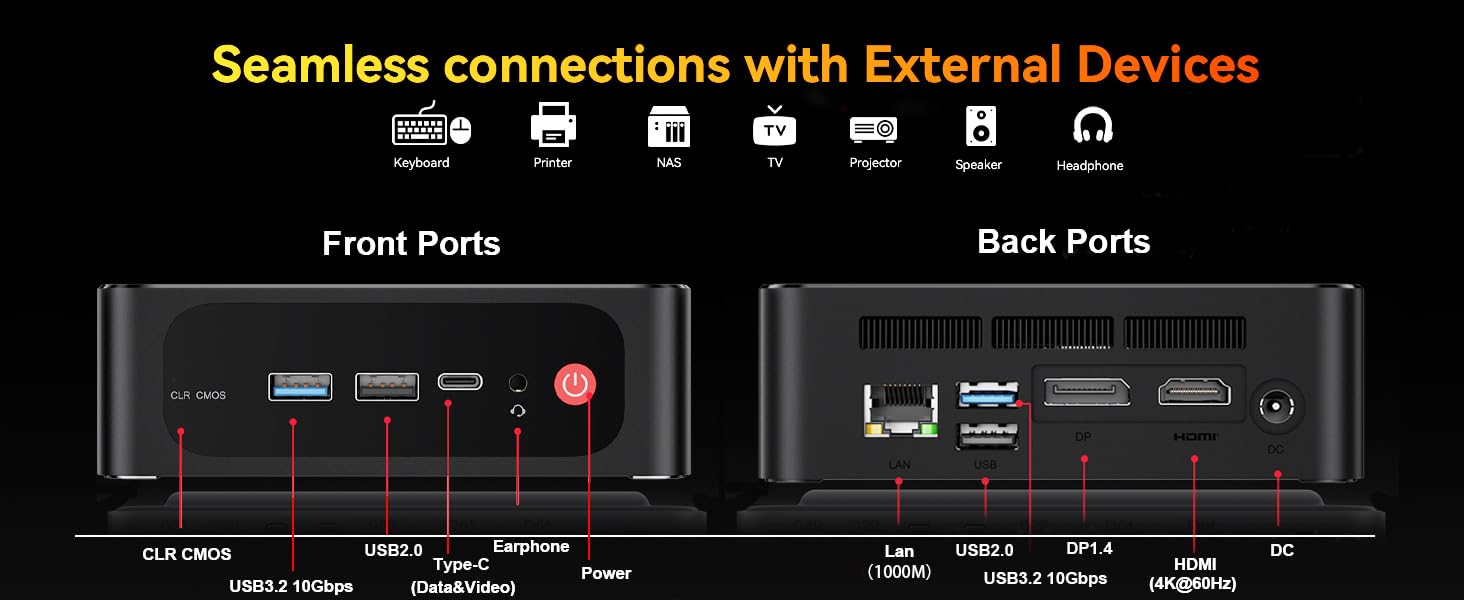
Image: The Beelink SER5 MAX Mini PC running multiple productivity applications simultaneously, demonstrating its multitasking capabilities.
6. Bakım
Proper maintenance ensures the longevity and optimal performance of your Mini PC:
- Temizlik: Regularly clean the exterior of the Mini PC with a soft, dry cloth. Use compressed air to clear dust from the ventilation grilles to maintain efficient cooling.
- Havalandırma: Ensure the Mini PC is placed in a well-ventilated area, away from direct sunlight or heat sources. Do not block the air vents.
- Depolama Yükseltmesi: The Mini PC supports dual M.2 2280 PCIe 4x4 SSDs. To upgrade or add storage, carefully open the chassis and install the new SSD. Refer to the detailed instructions provided with your device for specific steps.
- Yazılım Güncellemeleri: Güvenliği ve performansı sağlamak için Windows işletim sisteminizi ve sürücülerinizi güncel tutun.

Resim: Dahili view of the Beelink SER5 MAX Mini PC, showing the dual M.2 2280 PCIe 4.0 SSD slots for storage expansion.
7. Sorun Giderme
If you encounter issues with your Beelink SER5 MAX Mini PC, refer to the following common solutions:
- Güç Yok:
- Güç adaptörünün hem Mini PC'ye hem de çalışan bir elektrik prizine güvenli bir şekilde bağlandığından emin olun.
- Başka bir cihazı takarak elektrik prizinin çalışır durumda olduğunu doğrulayın.
- Görüntü yok:
- Check all video cable connections (HDMI, DP, Type-C) between the Mini PC and the monitor(s).
- Monitörün açık olduğundan ve doğru giriş kaynağına ayarlandığından emin olun.
- Try connecting to a different monitor or using a different video cable.
- İnternet bağlantısı yok:
- For Wi-Fi, check if Wi-Fi is enabled in Windows settings and if you are connected to the correct network.
- For wired connection, ensure the Ethernet cable is properly connected and your router is working.
- Yönlendiricinizi ve modeminizi yeniden başlatın.
- Sistem Yavaşlaması:
- Arka planda çalışan gereksiz uygulamaları kapatın.
- Bekleyen Windows güncelleştirmelerini kontrol edin ve yükleyin.
- Aşırı ısınmayı önlemek için yeterli havalandırma sağlayın.
- CLR CMOS Reset: If the system experiences boot issues or incorrect settings, locate the CLR CMOS button (often a small pinhole) on the front panel and press it with a paperclip for a few seconds while the device is off. This will reset BIOS settings to default.
8. Özellikler
Detailed technical specifications for the Beelink SER5 MAX Mini PC:
| Bileşen | Şartname |
|---|---|
| İşlemci | AMD Ryzen 7 6800U (8C/16T, 2.7GHz base, up to 4.7GHz boost) |
| Grafikler | AMD Radeon 680M (12 cores, 2200MHz) |
| Veri deposu | 24GB LPDDR5 6300MHz (2x12GB SODIMM) |
| Depolamak | 500GB M.2 2280 PCIe 4x4 SSD (Expandable up to 8TB total) |
| İşletim Sistemi | Windows 11 Pro |
| Kablosuz Bağlantı | WiFi 6 (802.11ax), Bluetooth 5.2 |
| Kablolu Bağlantı | Gigabit Ethernet (RJ45 1000Mbps LAN) |
| Video Çıkışı | 1x HDMI 2.0 (4K@60Hz), 1x DisplayPort 1.4 (4K@144Hz), 1x Type-C (4K@120Hz) |
| USB Bağlantı Noktaları | 3x USB 3.2 Gen2 Type-A, 1x USB 2.0 Type-A, 1x Type-C (Data&Video) |
| Ses | 1x 3.5mm Audio Jack (HP&MIC) |
| Güç Girişi | DC Jack (19V-3.42A, 65W) |
| Boyutlar | 126 x 113 x 42 mm (4.9 x 4.4 x 1.6 inç) |
| Ağırlık | Yaklaşık 1.94 pound |
| Diğer Özellikler | Wake On LAN, Auto Power On, CLR CMOS |

Image: A detailed table summarizing the technical specifications of the Beelink SER5 MAX Mini PC.
9. Garanti ve Destek
Beelink provides comprehensive support for your Mini PC:
- Ömür Boyu Teknik Destek: Ürününüzün kullanım ömrü boyunca teknik desteğe erişim.
- Müşteri Hizmetleri: 7/24 hours customer service available.
- Garanti: Please refer to your purchase documentation for specific warranty period details.
Destek Ekibiyle Nasıl İletişime Geçilir:
- Amazon hesabınıza giriş yapın.
- "Hesabınız" bölümüne gidin.
- "Siparişleriniz" bölümüne gidin.
- Select the Beelink SER5 MAX Mini PC and choose "Ask Product Question" to contact Beelink USA directly.
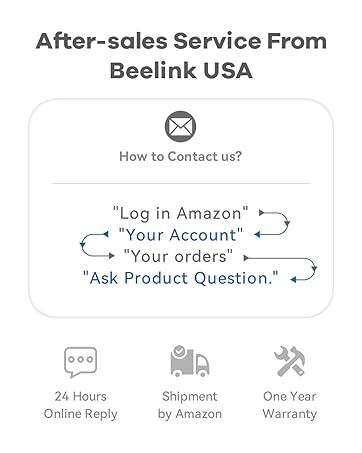
Image: Information on how to contact Beelink USA for after-sales service and support.


