1. Giriş
The VTech VG131-11 DECT 6.0 Cordless Phone offers reliable and clear communication with advanced features. Enjoy hands-free conversations with Bluetooth connectivity, superior range with DECT 6.0 technology, and enhanced visibility with its backlit display and large buttons. This manual provides comprehensive instructions for setting up, operating, and maintaining your new cordless phone.

Image: The VTech VG131-11 DECT 6.0 Cordless Phone handset resting in its black base unit. The handset features a blue-white display and large, green-backlit buttons.
2. Kutuda Neler Var?
Paketinizde tüm öğelerin mevcut olduğundan emin olun:
- Temel Ünite
- Kablosuz Ahize
- AC Adaptörü
- Pil Paketi
- Telefon Hattı Kablosu
3. Kurulum
3.1. İlk Kurulum
- Connect the AC adapter to the base unit and plug it into a power outlet.
- Connect the telephone line cord to the base unit and plug the other end into a telephone wall jack.
3.2. Pil Kurulumu
- Telefonunuzun arka tarafındaki pil yuvasının kapağını açın.
- Pil paketinin fişini bölmenin içindeki yuvaya güvenli bir şekilde takın.
- Place the battery pack with the label UP and tuck the wires neatly inside the compartment.
- Pil bölmesinin kapağını kapatın.
3.3. Ahizeyi Şarj Etme
Place the handset face forward in the base unit. The CHARGE light on the base unit will illuminate, indicating proper charging. Allow the handset to charge for at least 16 hours before initial use for optimal battery performance.
4. Kullanım Talimatları
4.1. Arama Yapma ve Alma
- To make a call: Press KONUŞMAKArdından telefon numarasını çevirin.
- To receive a call: Press KONUŞMAK or any dialing key (0-9, #, *).
- Bir aramayı sonlandırmak için: tuşuna basın KAPALI.
4.2. Hoparlör Kullanımı
The phone features a full-duplex speakerphone, allowing both parties to speak and be heard simultaneously for more natural conversations.
- Bir arama sırasında tuşuna basın. KONUŞMACI Hoparlörü etkinleştirmek için düğme.
- Basın KONUŞMACI Tekrar düğmeye basarak telefon moduna geri dönün.
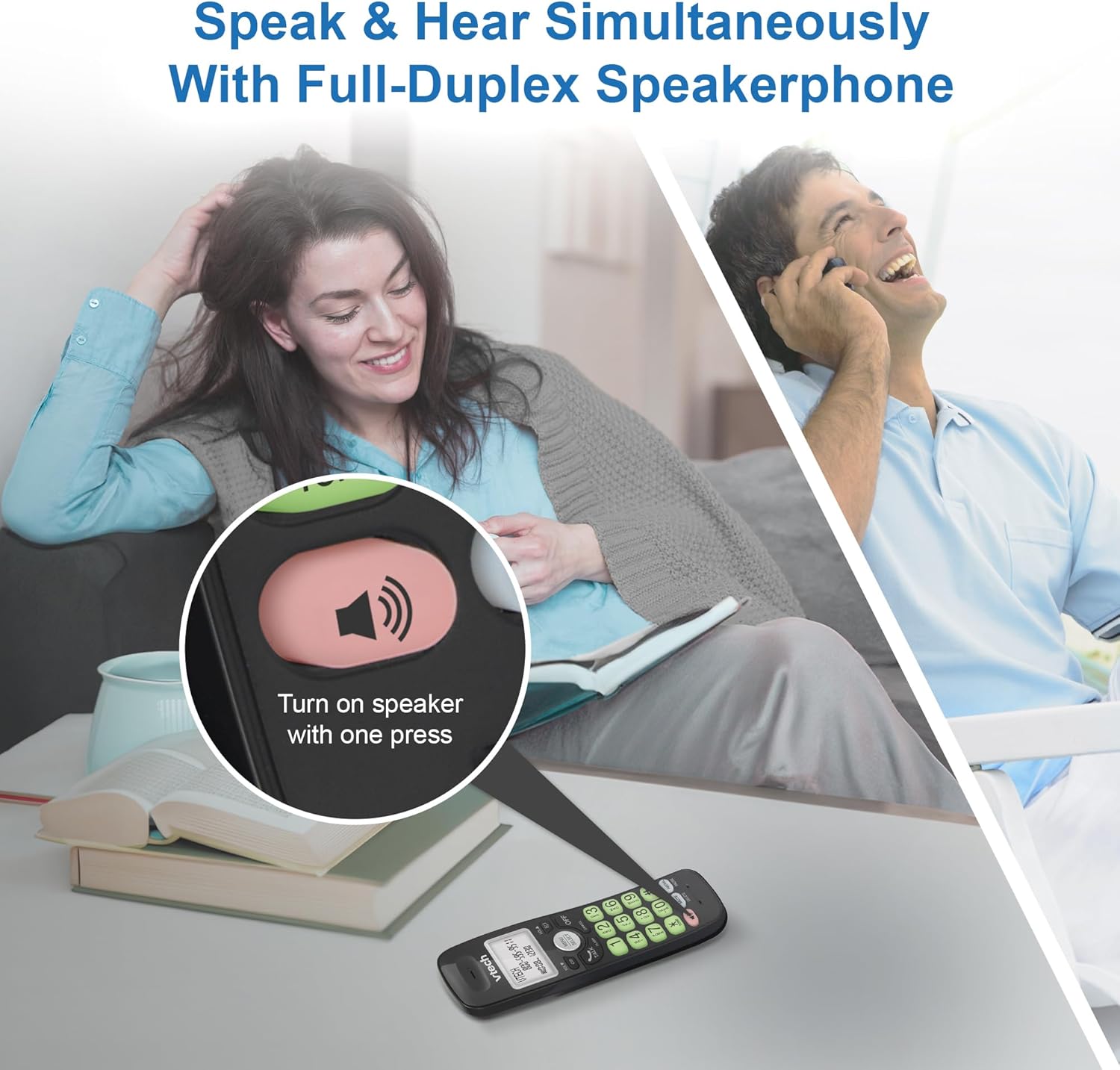
Image: A close-up of the VTech cordless phone handset showing the speakerphone button highlighted, with a person talking on the phone in the background, demonstrating the full-duplex speakerphone feature.
4.3. Volume Control and Mute
- To adjust earpiece or speakerphone volume during a call, press SES ▼ or VOL ▲.
- To mute the microphone during a call, press SESSİZ. The other party cannot hear you, but you can still hear them. Press SESSİZ Sesi açmak için tekrar

Resim: Ayrıntılı view of the VTech cordless phone handset, highlighting the 'MUTE' button, indicating its function for silencing the microphone during a call.
4.4. Caller ID and Phonebook
The handset displays the name, number, time, and date of incoming calls. The phone also includes a 30-name and number phonebook directory.
- Yırttıview Caller ID history, press CID.
- To access the phonebook, press MENÜ/SEÇİM, then navigate to the Phonebook option.

Image: A person smiling while holding the VTech cordless phone, with an overlay showing a digital phonebook display with contact names and icons, illustrating the Caller ID and phonebook features.
5. Özellikler
5.1. Bluetooth Bağlantısı
By pairing a Bluetooth headset, earbuds, or conference speakerphone to the system, you can enjoy a wireless calling experience. This feature is perfect for multitasking around your home or office.

Image: A woman in a kitchen pouring a drink while wearing wireless earbuds, with the VTech cordless phone and its base unit visible on the counter, demonstrating hands-free calling via Bluetooth connection.
Bir Bluetooth Cihazını Eşleştirme:
- Ensure your Bluetooth headset/earbuds are in pairing mode (refer to your device's manual).
- On the VTech phone, navigate to the Bluetooth menu (usually via MENÜ/SEÇİM).
- Select 'Pair Device' or similar option.
- The phone will search for available Bluetooth devices. Select your device from the list.
- Eşleştirme işlemini tamamlamak için ekrandaki talimatları izleyin.
5.2. DECT 6.0 Teknolojisi
Trusted by families worldwide for decades, VTech's cordless telephone transmits secure signals via the DECT 6.0 channel. This ensures crystal clear sounds, interference-free communication, and a stable operation range of up to 1000 ft outdoors, allowing you to move freely while on a call.

Image: A woman working on a laptop at a table, with the VTech cordless phone and its base unit nearby, and a graphic indicating DECT 6.0 digital technology, highlighting its superior range and clarity.
5.3. Backlit Display and Big Buttons
The phone features a blue-white backlit display and green backlit keypad for easier viewing and dialing in dim light conditions. The large buttons enhance usability, especially for those with visual impairments.

Resim: Yakın çekim view of the VTech cordless phone handset, emphasizing its backlit LCD screen and large, clearly visible buttons, designed for better visibility and ease of use.
5.4. Easy Wall Mount
The base unit is designed for easy wall mounting, fitting all standard wall mount plates without the need for additional brackets. Simply slide the base unit into the mounting plate using the built-in mounting holes for convenient placement.

Image: The VTech cordless phone base unit shown mounted on a wall, highlighting its built-in mounting holes on the back of the base for easy installation.
5.5. Hearing Aid Compatible
This phone is designed to be compatible with hearing aids, providing a clearer audio experience for users with hearing devices.

Image: A woman with a hearing aid talking on the VTech cordless phone, illustrating the phone's hearing aid compatibility feature.
5.6. Ürün Bittiview Video
Video: Kısa bir ürün incelemesiview of the VTech VG131-11 DECT 6.0 Cordless Phone, showcasing its key features and ease of use.
6. Bakım
To ensure the longevity and optimal performance of your VTech cordless phone, follow these maintenance guidelines:
- Temizlik: Telefonu ve taban ünitesini yumuşak bir bezle silin.amp Bez kullanın. Temizlik spreyleri veya sert kimyasallar kullanmayın.
- Pil Bakım: Avoid exposing the battery to extreme temperatures. If the phone will not be used for an extended period, remove the battery from the handset.
- Atama: Telefonu ısı kaynaklarından, doğrudan güneş ışığından ve nemden uzak tutun.
7. Sorun Giderme
If you experience any issues with your VTech cordless phone, please refer to the following common problems and solutions:
| Sorun | Çözüm |
|---|---|
| Çevir sesi yok. | Ensure the telephone line cord is securely plugged into both the base unit and the wall jack. Check if the AC adapter is properly connected to the base unit and a working power outlet. |
| Telefon şarj olmuyor. | Make sure the handset is correctly placed in the base unit. Clean the charging contacts on both the handset and the base unit with a dry cloth. Verify the AC adapter is plugged in. |
| Kötü ses kalitesi veya cızırtı. | Move closer to the base unit. Other electronic devices (Wi-Fi routers, microwaves) may cause interference; try relocating the base unit. Ensure the handset battery is fully charged. |
| Cannot connect to Bluetooth headset. | Ensure both the phone and the Bluetooth headset are in pairing mode. Make sure the headset is within range of the phone's base unit. Try restarting both devices and attempting the pairing process again. Confirm the headset is compatible with the phone's Bluetooth version. |
| Ekran boş veya okunaksız. | Ensure the handset battery is charged. If the display is dim, check if the backlight setting is enabled or adjust the contrast if available. |
8. Özellikler
| Özellik | Detay |
|---|---|
| Model Numarası | VG131-11 |
| Ürün Boyutları | 3.8 x 4.09 x 7.17 inç |
| Ürün Ağırlığı | 14.9 ons (0.42 Kilogram) |
| Piller | 1 Ürüne Özel Pil (dahil) |
| Telefon Türü | Kablosuz |
| Malzeme | Plastik |
| Güç Kaynağı | Kablolu Elektrik |
| DECT Teknolojisi | DECT6.0 |
| Bluetooth | Evet |
| Caller ID / Call Waiting | Evet |
| Çift Yönlü Hoparlörlü Telefon | Evet |
| Backlit Display & Keypad | Yes (Blue-white display, green keypad) |
| Duvara monte edilebilir | Evet |
| Telefon Rehberi Kapasitesi | 30 isim ve numara |
| Menzil | Up to 1000 ft outdoor |
9. Garanti ve Destek
For warranty information, technical support, or to purchase accessories, please visit the official VTech webSite üzerinden veya müşteri hizmetleri departmanıyla iletişime geçin. Garanti talepleriniz için satın alma belgenizi saklayın.
VTech Customer Service: www.vtechphones.com/support


