1. Giriş
The THOMSON Google TV Streaming Box 240 transforms your television into a Smart TV, offering access to a wide range of streaming services and applications. This manual provides instructions for setting up, operating, and maintaining your device to ensure optimal performance and an enhanced viewDeneyim.
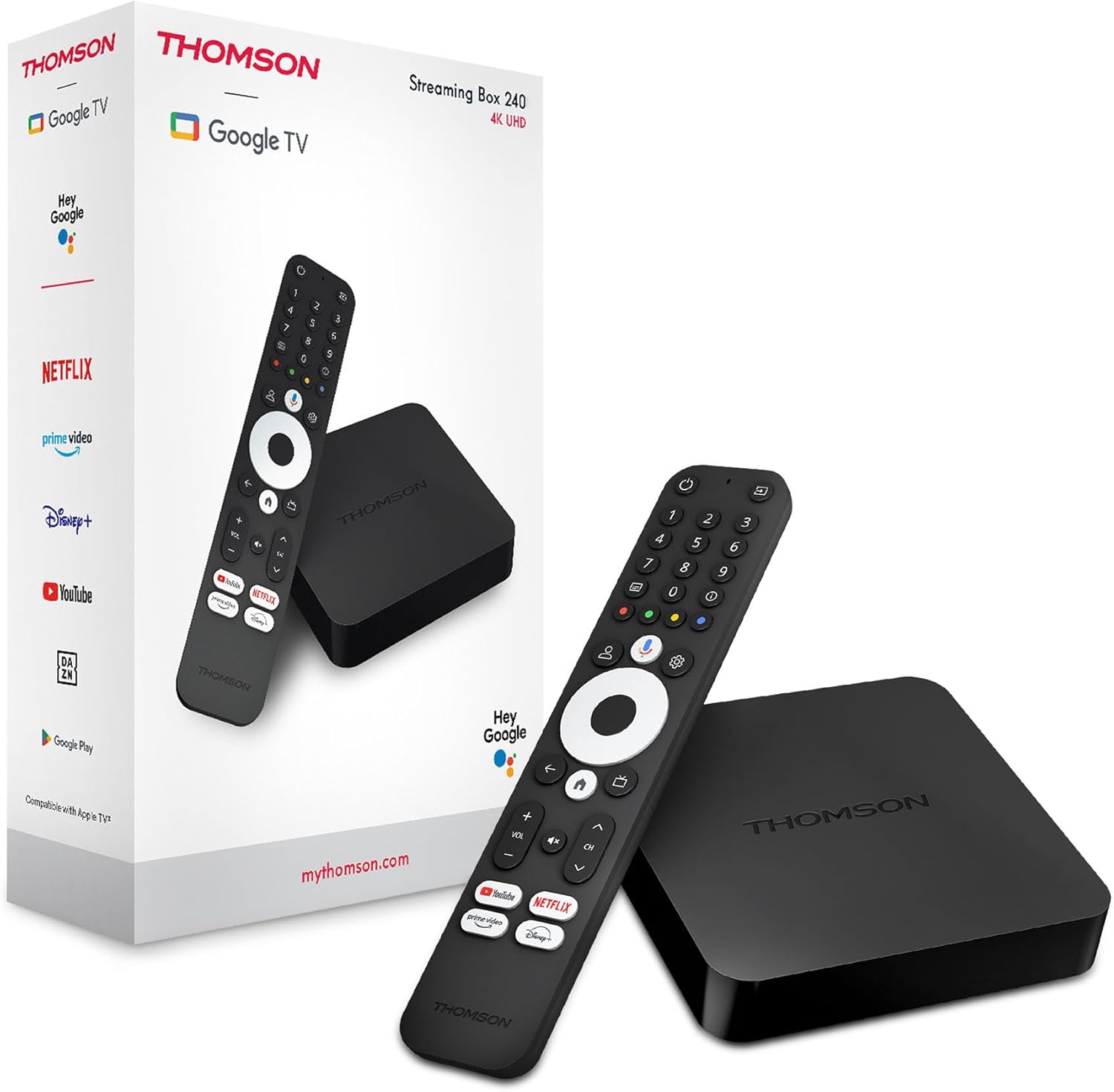
Image 1.1: THOMSON Google TV Streaming Box 240 and its remote control.
2. Kutuda Neler Var?
Lütfen paket içeriğini kontrol ederek tüm öğelerin mevcut olduğundan emin olun:
- THOMSON Streaming Box 240
- Google Asistan ile Uzaktan Kumanda
- Güç Adaptörü
- HDMI Kablosu
- Kullanım Kılavuzu (bu belge)
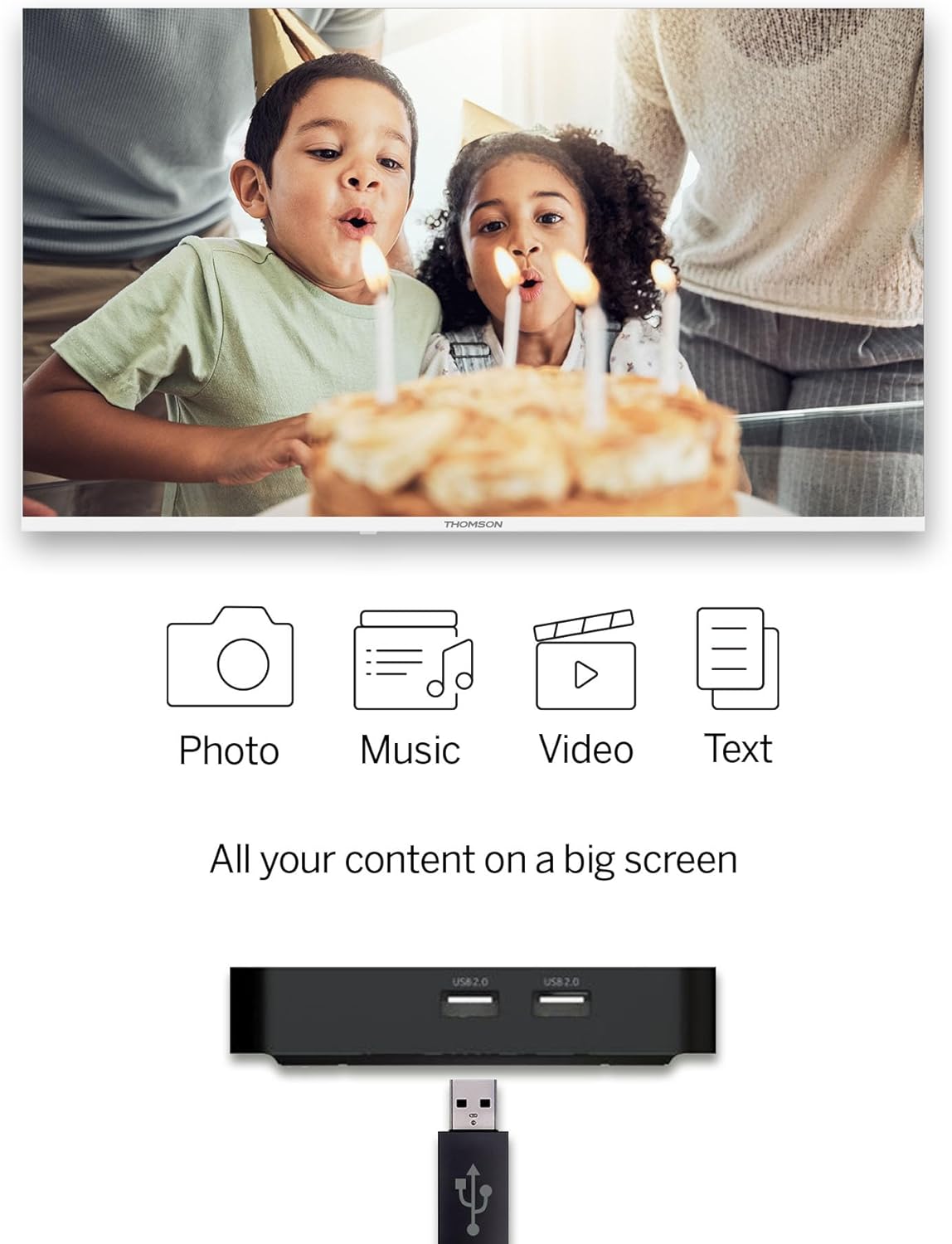
Image 2.1: The THOMSON Streaming Box 240 and its accompanying remote control.
3. Kurulum Kılavuzu
Follow these steps to set up your THOMSON Google TV Streaming Box 240:
- Televizyona bağlanın: Connect one end of the HDMI cable to the HDMI port on the Streaming Box and the other end to an available HDMI input on your television.
- Gücü bağlayın: Plug the power adapter into the DC IN port on the Streaming Box, then plug the adapter into a wall power outlet.
- Güç Açık: Turn on your television and select the correct HDMI input source using your TV remote. The Streaming Box should power on automatically.
- İlk kurulum: Follow the on-screen instructions to complete the initial setup. This includes selecting your language, connecting to your network (Wi-Fi or Ethernet), and logging in with your Google account.
- Uzaktan Eşleştirme: If prompted, pair your remote control by following the on-screen instructions. Typically, this involves holding down specific buttons on the remote near the device.

Resim 3.1: Arka view of the Streaming Box 240, highlighting its connectivity ports.
4. Kullanım Talimatları
4.1 Uzaktan Kumandaview
The ergonomic Bluetooth remote control provides easy navigation and access to features.

Image 4.1: Key features of the THOMSON Streaming Box 240 remote control.
- Güç Düğmesi: Cihazı açar veya kapatır.
- Sayısal Düğmeler (0-9): Easily switch between available channels within supported applications.
- Google Asistan Düğmesi: Ses kontrolünü etkinleştirir.
- Navigasyon Pedi: Menüde gezinmek için (Yukarı, Aşağı, Sol, Sağ, Tamam).
- Geri Düğmesi: Önceki ekrana döner.
- Ana menü tuşu: Google TV ana ekranına geri döner.
- Ses Düğmeleri: Ses seviyesini ayarlar.
- Kanal Düğmeleri: Changes channels within supported applications.
- Doğrudan Erişim Düğmeleri: One-click access to Netflix, Prime Video, YouTube, and Disney+.
- Profesyonelfile Anahtar Düğmesi: Allows switching between different user profiles.
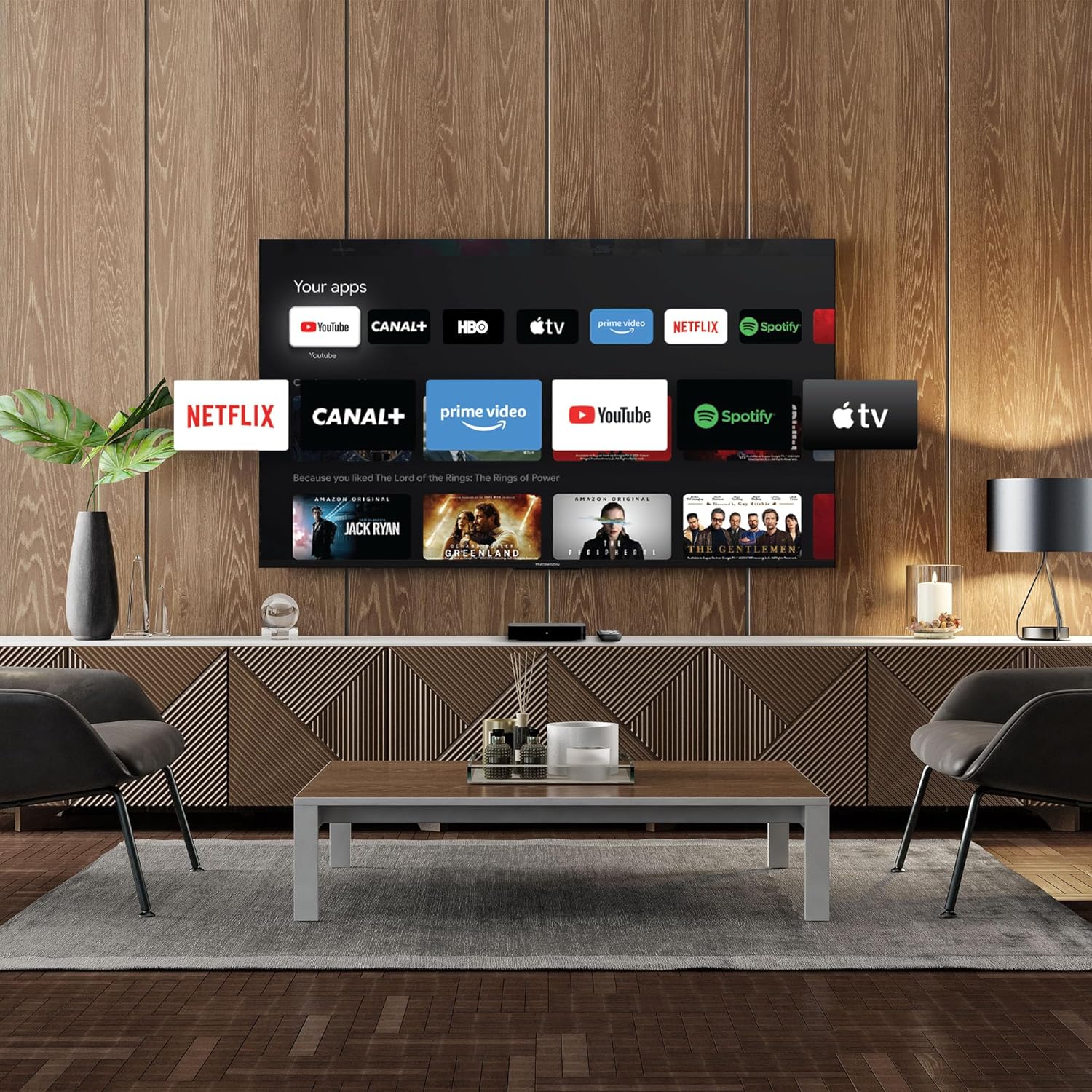
Image 4.2: Using numeric buttons on the remote for in-app channel switching.
4.2 Google TV Arayüzü
Google TV combines content from various streaming services onto a single home screen, providing personalized recommendations. You can create multiple user profiles to tailor content suggestions for each family member.

Image 4.3: The Google TV interface with integrated streaming services.
4.3 Google Asistan
Use the built-in Google Assistant for voice control. Press the Google Assistant button on your remote and speak your commands. You can search for content, open apps, get information, and control smart home devices.

Image 4.4: Activating Google Assistant via the remote control.
4.4 Google Yayını
With Google Cast built-in, you can wirelessly stream movies, music, and photos from your compatible smartphone, tablet, or computer directly to your TV screen.
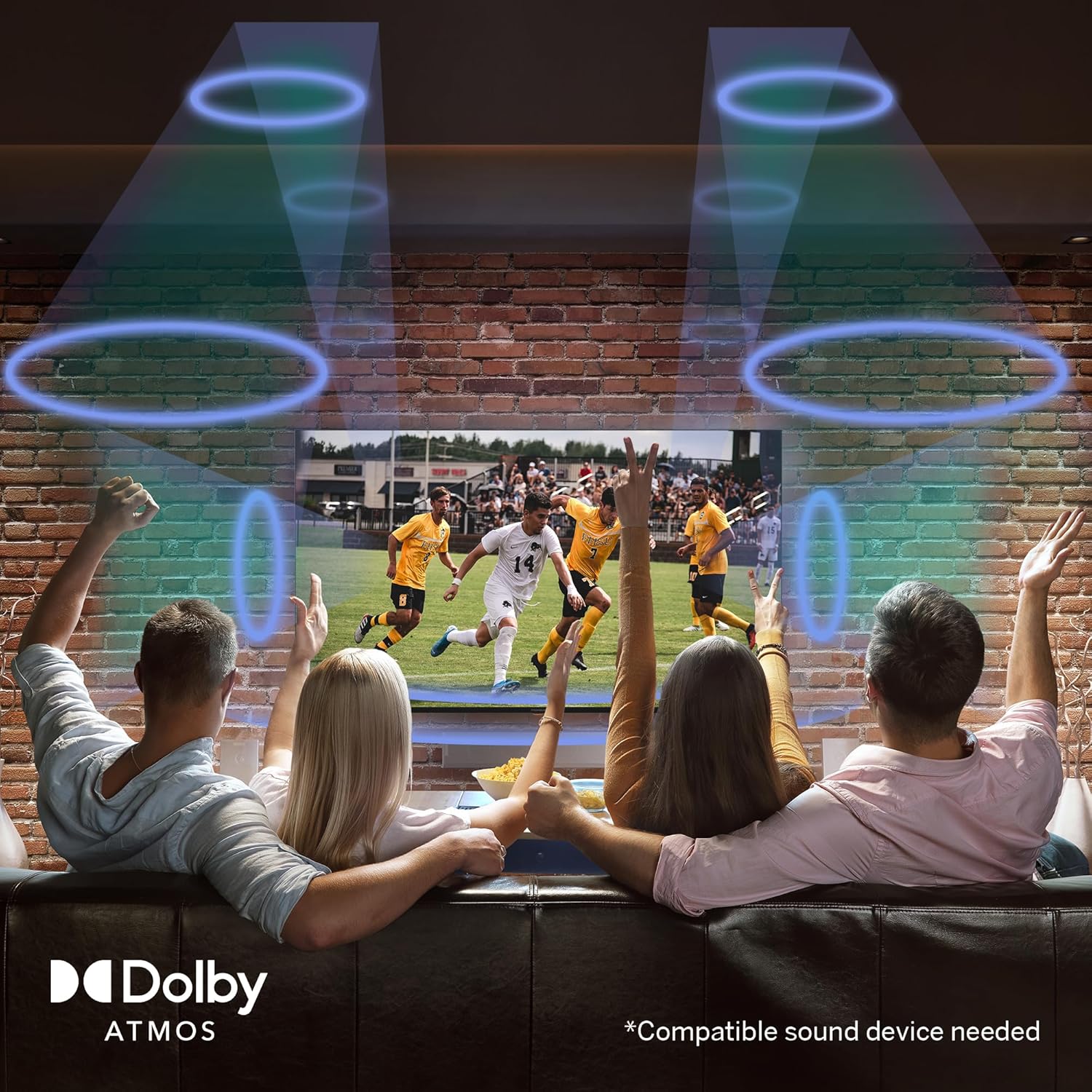
Image 4.5: Demonstrating the Google Cast functionality.
4.5 USB Medya Oynatma
Connect a USB storage device to one of the USB 2.0 ports to view your personal photos and videos on your television.
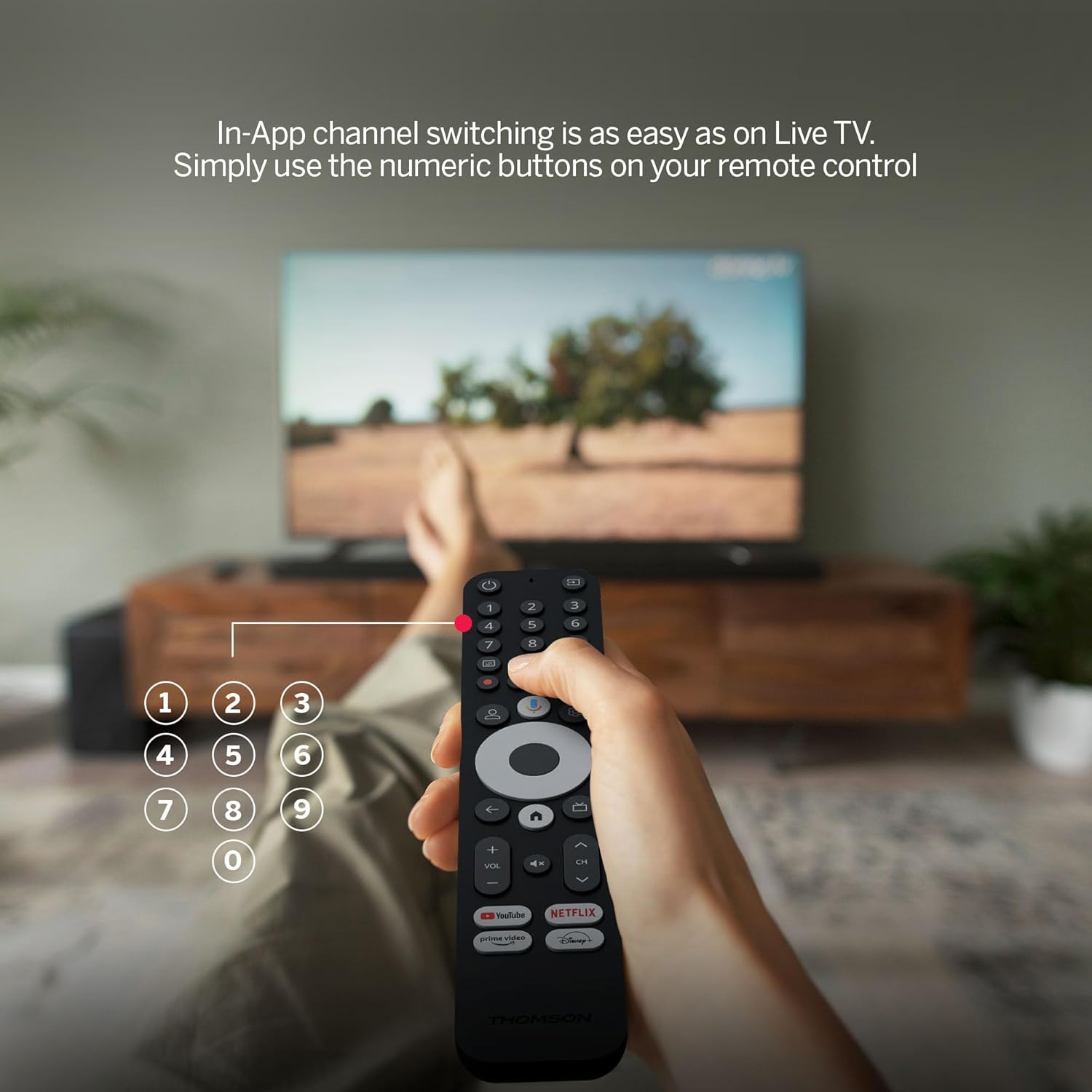
Image 4.6: USB media playback for various content types.
5. Temel Özellikler
- 4K UHD Çözünürlük: Experience stunningly sharp and vivid images with 4x the precision of Full HD.
- Google TV (Android 12): Enjoy personalized content recommendations and multiple user profiles for a customized Smart TV experience. Access popular streaming services like Netflix, Prime Video, YouTube, Disney+, and more.
- Google Asistan: Control your TV and search for content using voice commands.
- Chromecast Yerleşik: Wirelessly cast movies, music, and photos from compatible devices to your TV.
- Powerful Quad-Core Processor: Ensures smooth and fluid performance without lag.
- Medya Oynatıcısı: Play your favorite photos and videos directly from a USB drive on the big screen.
- Doğrudan Erişim Düğmeleri: Quickly launch Netflix, Prime Video, YouTube, and Disney+ with dedicated buttons on the remote.
- Dolby Atmos: Delivers an immersive audio experience (requires a compatible sound device).
- Kapsamlı Bağlantı: Equipped with HDMI, 2x USB, optical digital audio, and LAN ports.
- Convenient Network Access: Choose between Wi-Fi or Ethernet LAN for stable internet connection.
- Bluetooth 5.0: Easily connect gamepads, speakers, or other external devices wirelessly.

Image 5.1: Visual comparison of different display resolutions, highlighting 4K UHD.
6. Bağlantı
The THOMSON Streaming Box 240 offers a variety of connection options:
- HDMI2.1: For high-definition video and audio output to your television.
- USB 2.0 (x2): For connecting external storage devices like USB drives.
- Ethernet (LAN): Sabit kablolu internet bağlantısı için.
- Optik Ses Çıkışı: Dijital girişli harici ses sistemlerine bağlanmak için.
- Wifi: Kablosuz internet bağlantısı için.
- Bluetooth 5.0: For pairing wireless peripherals such as game controllers, headphones, or speakers.
7. Bakım
To ensure the longevity and optimal performance of your Streaming Box 240, follow these maintenance guidelines:
- Temizlik: Cihazı yumuşak, kuru bir bezle nazikçe silin. Sıvı temizleyiciler veya aşındırıcı malzemeler kullanmayın.
- Havalandırma: Aşırı ısınmayı önlemek için havalandırma açıklıklarının engellenmediğinden emin olun.
- Çevre: Cihazı aşırı sıcaklıklara, doğrudan güneş ışığına, yüksek neme veya tozlu ortamlara maruz bırakmaktan kaçının.
- Güç Bağlantısının Kesilmesi: Disconnect the power adapter during electrical storms or if the device will be unused for an extended period.
8. Sorun Giderme
If you encounter issues with your THOMSON Streaming Box 240, refer to the following common solutions:
| Sorun | Olası Neden | Çözüm |
|---|---|---|
| Güç yok/Cihaz açılmıyor | Power adapter not connected; Power outlet not working | Güç kablosu bağlantısını kontrol edin; farklı bir elektrik prizi deneyin. |
| TV ekranında sinyal yok | Incorrect HDMI input selected; Loose HDMI cable | Select the correct HDMI input on your TV; Ensure HDMI cable is securely connected. |
| Ağ bağlantısı yok (Wi-Fi/Ethernet) | Incorrect Wi-Fi password; Router issue; Loose Ethernet cable | Verify Wi-Fi password; Restart your router; Check Ethernet cable connection. |
| Uzaktan kumanda yanıt vermiyor | Low battery; Remote not paired | Replace batteries; Re-pair the remote control as per initial setup instructions. |
| Applications freezing or slow performance | Too many apps running; Software glitch | Close unused applications; Restart the Streaming Box; Clear app cache in settings. |
9. Özellikler
Detailed technical specifications for the THOMSON Google TV Streaming Box 240:
| Özellik | Şartname |
|---|---|
| Marka | THOMSON |
| Model Adı | Akış Kutusu 240 |
| Renk | Siyah |
| Çözünürlük | 4K UHD (3840x2160) |
| İşletim Sistemi | Google TV (Android 12) |
| Veri deposu | 2 GB |
| Dahili Bellek | 8 GB |
| Bağlantı | HDMI 2.1, 2x USB 2.0, Ethernet, Optical Audio Out, Wi-Fi, Bluetooth 5.0 |
| Özel Özellikler | Google Assistant, Chromecast, Dolby Atmos, HDR10 |
| Boyutlar (U x G x Y) | 112 mm x 112 mm x 23 mm |

Image 9.1: Dimensions of the Streaming Box 240 and its remote control.
10. Garanti ve Destek
Your THOMSON Google TV Streaming Box 240 comes with a comprehensive 3 yıllık üretici garantisiGüvenilirliği ve gönül rahatlığını garanti altına alıyoruz.
For further assistance, technical support, or warranty claims, please visit the official THOMSON webSiteyi ziyaret edin veya müşteri hizmetleri departmanıyla iletişime geçin. Garanti geçerliliği için satın alma belgenizi saklayın.