1. Giriş
This manual provides essential information for the safe and efficient use of your Samsung Galaxy Tab Active 5 SM-X306B. The Galaxy Tab Active 5 is a rugged tablet designed for durability, featuring IP68 dust/water resistance and MIL-STD-810H compliance. It operates on Android 14 with One UI 6 and supports both Wi-Fi and 5G LTE cellular connectivity.
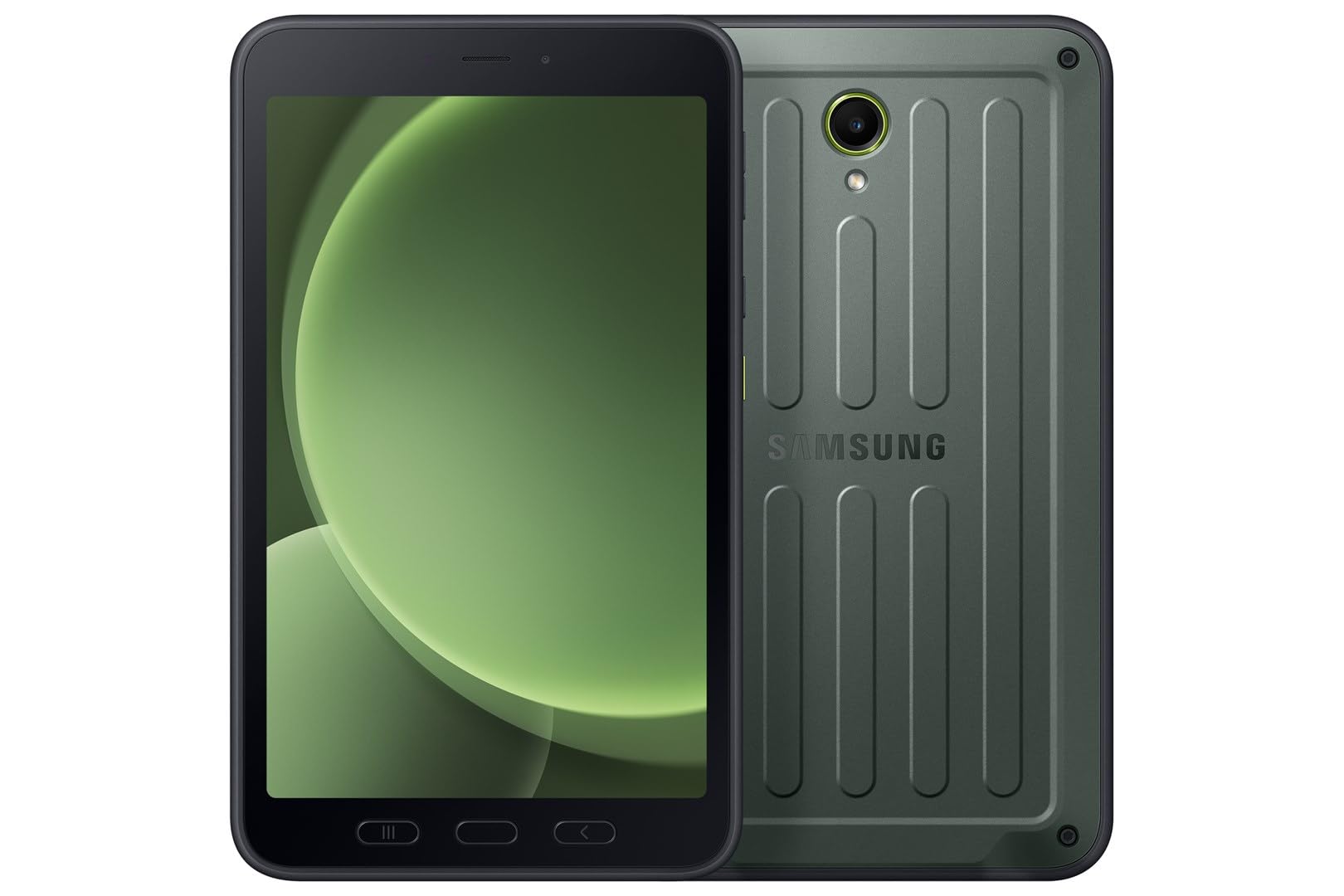
Resim: Ön view of the Samsung Galaxy Tab Active 5.
2. Kutuda Neler Var?
Verify that the following items are included with your Samsung Galaxy Tab Active 5:
- Samsung Galaxy Tab Active 5 SM-X306B Tablet
- USB Type-C 2.0 Cable
- S Pen (integrated or included separately)
- Hızlı Başlangıç Kılavuzu (bölgeye göre değişiklik gösterebilir)
3. Kurulum
3.1 İlk Şarj
Before first use, fully charge your tablet. Connect the supplied USB Type-C cable to the tablet's charging port and then to a compatible power adapter (sold separately) or a computer's USB port. The charging indicator will show the charging status.
3.2 SIM Kart ve eSIM Kurulumu
The Galaxy Tab Active 5 supports Nano-SIM cards and eSIM functionality for cellular connectivity.
- For Nano-SIM: Locate the SIM card tray on the side of the tablet. Use the provided ejection tool to open the tray. Insert the Nano-SIM card into the tray with the gold contacts facing down. Close the tray securely.
- For eSIM: Follow the on-screen instructions during initial setup or navigate to the tablet's settings to activate an eSIM profile provided by your cellular carrier.
Not: This is an international version. Compatibility with GSM networks (e.g., AT&T, T-Mobile) is generally supported, but CDMA carriers (e.g., Verizon, Sprint) may require specific configuration or may not be fully compatible. Verify band support with your carrier before use. A new SIM card or additional configuration may be required, and coverage may vary by location.

Resim: Arka view of the Samsung Galaxy Tab Active 5, where the SIM tray is typically located on the side.
3.3 Açma/Kapatma
- Açmak İçin: Samsung logosu görünene kadar (yan tarafta bulunan) Güç düğmesini basılı tutun.
- Kapatmak İçin: Press and hold the Power button, then tap 'Power off' on the screen. Alternatively, swipe down from the top of the screen to open the Quick Panel, then tap the Power icon and select 'Power off'.
3.4 İlk Yapılandırma
Upon first power-on, follow the on-screen prompts to complete the initial setup. This includes selecting your language, connecting to a Wi-Fi network, signing in with your Google account, and setting up security features like a PIN, pattern, or fingerprint.
4. Cihazınızın Çalıştırılması
4.1 Temel Gezinme
The tablet features a touchscreen interface. Use gestures such as tapping, swiping, pinching, and spreading to navigate through menus, open applications, and interact with content. Physical buttons for power and volume are located on the side of the device.
4.2 Bağlantı
- Wifi: Bir Wi-Fi ağına bağlanmak için şuraya gidin: Ayarlar > Bağlantılar > Wi-Fi. Select your desired network and enter the password if required. The tablet supports 802.11ax (Wi-Fi 6).
- 5G LTE: If a SIM or eSIM is active, cellular data will be enabled automatically. Manage cellular settings under Ayarlar > Bağlantılar > Mobil ağlar.
4.3 Kamera Kullanımı
The tablet is equipped with a 13 MP rear camera and a 5 MP front camera.
- Açın Kamera Ana ekrandan veya uygulama çekmecesinden uygulamayı açın.
- Fotoğraf, video veya diğer modlar arasında seçim yapın.
- Fotoğraf çekmek veya video kaydını başlatmak/durdurmak için deklanşöre dokunun.
4.4 S Pen İşlevselliği
The Galaxy Tab Active 5 includes an S Pen for enhanced interaction and productivity.
- S Pen'i çıkarmak: Gently pull the S Pen from its integrated slot on the tablet.
- Hava Komutanlığı: When the S Pen is removed or hovered over the screen, the Air Command menu may appear, offering quick access to S Pen features like Create note, Smart select, and Screen write.
- Yazma ve Çizim: Hassas giriş, not alma ve çizim için S Pen'i doğrudan ekran üzerinde kullanın.

Image: Samsung Galaxy Tab Active 5 with S Pen.

Image: Close-up of the S Pen.
5. Bakım
5.1 Cihazınızı Temizleme
To clean your rugged tablet, use a soft, lint-free cloth. For stubborn dirt, slightly dampen the cloth with water or a screen cleaner designed for electronics. Avoid harsh chemicals, abrasive materials, or excessive moisture, especially near ports.
5.2 Yazılım Güncellemeleri
Keep your tablet's software up to date to ensure optimal performance, security, and access to new features. Go to Ayarlar > Yazılım güncellemesi > İndir ve yükle Mevcut güncellemeleri kontrol etmek için.
5.3 Pil Bakımı
Pil ömrünü uzatmak için:
- Aşırı sıcaklıklardan kaçının.
- Tableti uzun süre tamamen şarjlı veya tamamen boşalmış halde bırakmayın.
- Yalnızca Samsung tarafından onaylanan şarj cihazlarını ve kabloları kullanın.
6. Sorun Giderme
6.1 Ortak Sorunlar
- Tablet açılmıyor: Pilin şarjlı olduğundan emin olun. Şarj cihazını bağlayın ve tekrar açmayı denemeden önce birkaç dakika bekleyin.
- Ekran tepkisiz: Try a forced restart by pressing and holding the Power button and Volume Down button simultaneously for about 7-10 seconds until the tablet restarts.
- Bağlantı sorunları (Wi-Fi/Hücresel): Toggle Wi-Fi or Mobile Data off and on. Restart the tablet. For Wi-Fi, forget the network and reconnect. For cellular, ensure your SIM/eSIM is properly installed and activated.
- Uygulamaların çökmesi veya donması: Uygulamayı kapatıp yeniden açın. Uygulamanın önbelleğini temizleyin (Ayarlar > Uygulamalar > [Uygulama Adı] > Depolama > Önbelleği temizleSorun devam ederse, uygulamayı yeniden yüklemeyi deneyin.
6.2 Fabrika Ayarlarına Sıfırlama
A factory reset will erase all data from your tablet and restore it to its original factory settings. Back up important data before proceeding.
- Git Ayarlar > Genel yönetim > Sıfırla > Fabrika ayarlarına sıfırlama.
- Review bilgi ve musluk Sıfırla.
- Enter your screen lock credentials if prompted.
- Musluk Hepsini sil onaylamak için.
7. Özellikler
Detailed technical specifications for the Samsung Galaxy Tab Active 5 SM-X306B:
| Özellik | Şartname |
|---|---|
| Model Adı | Samsung Galaxy Tab Aktif 5 |
| Ürün Model Numarası | SM-X306B |
| İşletim Sistemi | Android 14, One UI 6 |
| Ekran Boyutu | 8.0 inç |
| Görüntü Türü | TFT LCD, 120Hz |
| Çözünürlük | 1920 x 1200 piksel (WUXGA) |
| Koruma | Corning Gorilla Cam 5 |
| İşlemci | Octa-core (5 nm chipset) |
| Dahili Depolama | 128 GB |
| Veri deposu | 6 GB |
| Genişletilebilir Depolama | microSDXC card slot |
| Arka Kamera | 13 MP, f/1.9, AF (4K@30fps video) |
| Ön Kamera | 5 MP, f/2.2 (1080p@30fps video) |
| SIM | Nano-SIM, eSIM |
| Bağlantı | Wi-Fi 802.11ax, 5G LTE, Bluetooth |
| Limanlar | USB Tip-C 2.0 |
| Dayanıklılık | IP68 dust/water resistant (up to 1.5m for 30 min), MIL-STD-810H compliant (drop-to-concrete resistance from up to 1.8 meter) |
| Boyutlar (YxGxD) | 213.8 x 126.8 x 10.1 mm (8.42 x 4.99 x 0.40 inç) |
| Ağırlık | 433 gr (15.27 oz) |
8. Garanti ve Destek
8.1 Garanti Bilgileri
Please note that this is an international version of the Samsung Galaxy Tab Active 5. As such, it ABD garantisini içermez.. Some manufacturers may not honor warranties for international items. For warranty details specific to your region, please consult the documentation provided with your device or contact your local Samsung support.
8.2 Müşteri Desteği
Daha fazla yardım, teknik destek veya servis sorularınız için lütfen resmi Samsung destek sayfasını ziyaret edin. website for your region or contact their customer service. You can often find FAQs, troubleshooting guides, and contact information on their webalan.


