giriiş
Thank you for choosing the RAINPOINT 2-Outlet Water Timer. This digital sprinkler timer is designed to simplify your watering routine, offering precise control over your garden and lawn irrigation. With its dual-zone programming, rain delay, and manual watering options, you can ensure efficient and effective watering while conserving water.
This manual provides detailed instructions for installation, operation, maintenance, and troubleshooting to help you get the most out of your new water timer.
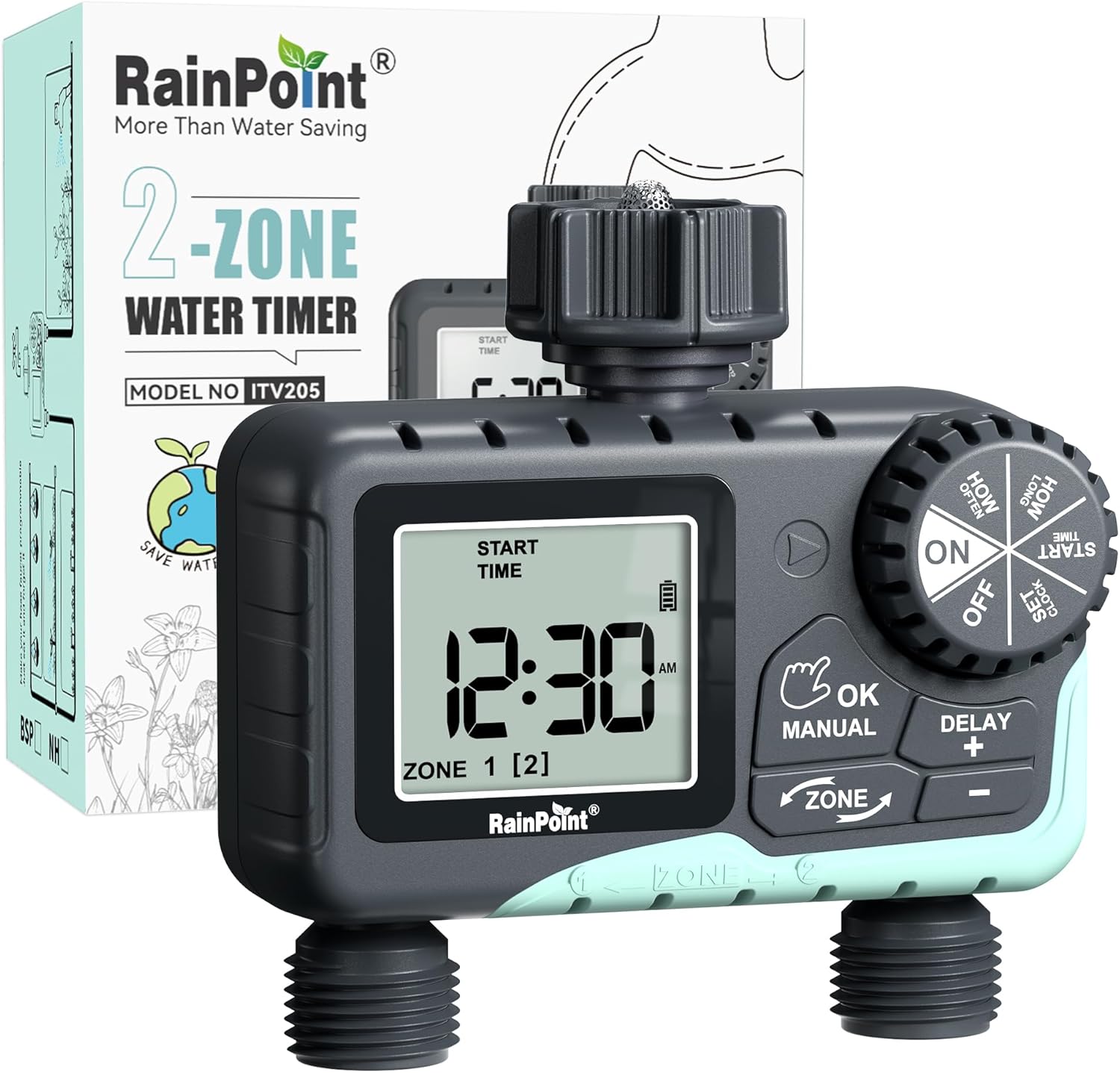
Image: The RAINPOINT 2-Outlet Water Timer, showing the device and its retail packaging. This timer features a digital display and intuitive controls for managing two separate watering zones.
Temel Özellikler
- Çift Bölge Kontrolü: Independently program two separate watering zones for customized irrigation.
- Esnek Programlama: Set start times, watering duration (1 minute to 3 hours 59 minutes), and frequency (hourly to weekly).
- Manuel Sulama Modu: Instantly water for a specified duration (1 minute to 8 hours) for Zone 1, Zone 2, or both.
- Yağmur Geciktirme Fonksiyonu: Skip watering for 24, 48, or 72 hours to conserve water during rainy periods.
- Büyük LCD Ekran: Easy-to-read 2.5-inch screen shows watering time, next irrigation plans, and power status.
- Low Power Auto Shutoff: Alerts when battery is below 5% and automatically closes the valve to prevent water wastage.
- Dayanıklı Yapı: Made from IP54 high-impact plastic with a built-in metal filter and 2-generation valve diaphragm for longevity.
- 360° Rotatable Interface: Designed for easy installation and access.

Image: Illustration demonstrating the independent programming capabilities of Zone 1 and Zone 2, allowing for different start times and durations for each watering area.
Paket İçeriği
Lütfen paket içeriğini kontrol ederek tüm öğelerin mevcut olduğundan emin olun:
- 1 x RAINPOINT 2-Outlet Water Timer (Model: G-ITV205NH)
- 1 x Kullanım Kılavuzu
- (Batteries not included - requires 2 x AA batteries)
Kurulum Kılavuzu
1. Pil Kurulumu
- Zamanlayıcının arka tarafında bulunan pil bölmesini bulun.
- Pil kapağını açmak için aşağı doğru kaydırın.
- İki (2) adet yeni AA alkalin pil takın ve doğru kutupluluğa (+/-) dikkat edin.
- Close the battery cover securely. The added seal ring helps prevent water leaks.
Önemli: Replace batteries when the low battery indicator appears on the LCD screen. The valve will automatically close to prevent water wastage when power is critically low.

Image: The water timer display showing a low battery warning, indicating the need for battery replacement to ensure continuous operation.
2. Musluğa Bağlantı
- Dış mekan musluğunuzun kapalı olduğundan emin olun.
- Screw the timer's top connector (with the 3/4" internal thread and built-in filter) onto your standard outdoor faucet. Hand-tighten only. Do not overtighten.
- The 360° rotatable interface allows for easy positioning of the timer.
3. Hortumların Bağlanması
- Attach your garden hoses to the two NH3/4" outlet fittings at the bottom of the timer.
- Ensure a tight connection to prevent leaks.

Image: The RAINPOINT 2-Outlet Water Timer installed on an outdoor faucet, with two hoses connected to its independent outlets, demonstrating its dual-zone capability.

Image: A detailed diagram labeling the various parts of the RAINPOINT water timer, including the 3/4" internal thread, 2.5" LCD screen, control dial, buttons, and outlet fittings.
Kullanım Talimatları
The RAINPOINT water timer features a large dial for mode selection and several buttons for setting parameters. The dial has positions for ON, OFF, HOW OFTEN, HOW LONG, START TIME, and SET CLOCK.
1. Saati Ayarlama
- kadranı çevirin SAAT AYARLA.
- Kullanın + Ve - Geçerli saati ayarlamak için düğmeler.
- Basmak Tamam/MANUEL Onaylamak ve bir sonraki ayara geçmek için (örneğin, ÖÖ/ÖS).
- Once the time is set, turn the dial to ON kaydedip çıkmak için.
2. Programming Watering Schedules (Automatic Mode)
You can program independent schedules for Zone 1 and Zone 2. Use the ALAN button to switch between zones.
a. Set Start Time
- kadranı çevirin BAŞLANGIÇ ZAMANI.
- Basın ALAN button to select either Zone 1 or Zone 2.
- Kullanmak + Ve - to set the desired start time for the selected zone.
- Basmak Tamam/MANUEL onaylamak için.
b. Set How Long (Watering Duration)
- kadranı çevirin NE KADARDIR.
- Basın ALAN button to select either Zone 1 or Zone 2.
- Kullanmak + Ve - to set the watering duration (from 1 minute to 3 hours 59 minutes).
- Basmak Tamam/MANUEL onaylamak için.
c. Set How Often (Watering Frequency)
- kadranı çevirin NE SIKLIKTA.
- Basın ALAN button to select either Zone 1 or Zone 2.
- Kullanmak + Ve - to set the watering frequency (e.g., every 12 hours, every 2 days, etc.).
- Basmak Tamam/MANUEL onaylamak için.
Note: After setting all parameters, turn the dial to ON to activate the programmed schedule.

Image: The water timer display showing options for setting watering duration (1 min - 3h 59m) and frequency (1 hour - 7 days), illustrating the flexibility of automatic scheduling.
3. Manuel Sulama Modu
This mode allows for immediate, temporary watering without affecting your programmed schedule.
- Ensure the dial is in the ON konum.
- Basın Tamam/MANUEL button. The display will show "MANUAL".
- Basın ALAN button to cycle through watering options: Zone 1, Zone 2, or BOTH ZONE.
- Kullanmak + Ve - to set the desired manual watering duration (from 1 minute to 8 hours).
- Basmak Tamam/MANUEL again to start watering. The timer will count down the duration.
- Manuel sulamayı erken durdurmak için basın. Tamam/MANUEL tekrar veya kadranı çevirin KAPALI ve sonra geri dön ON.
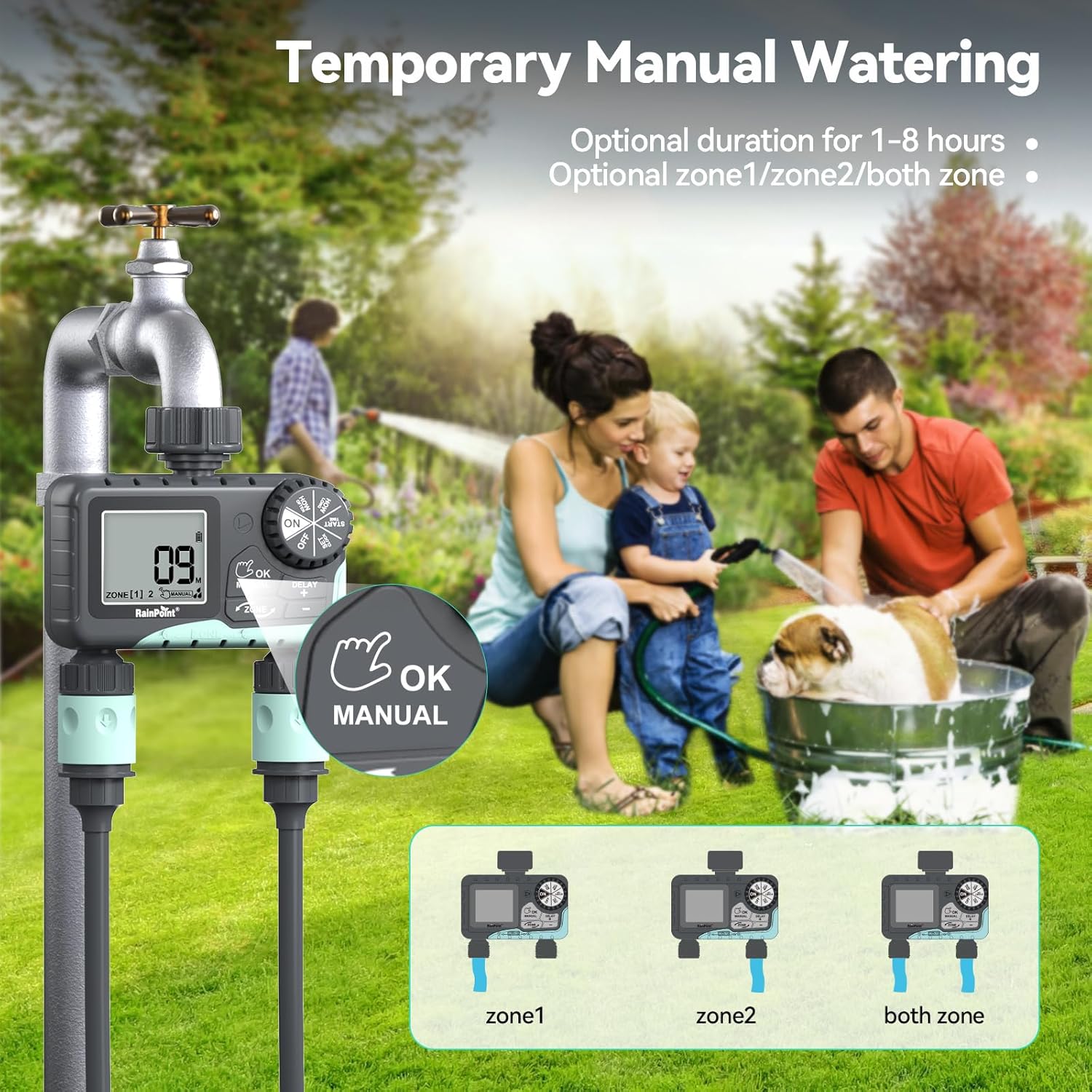
Image: The water timer display showing the manual watering mode, with options to select Zone 1, Zone 2, or both zones for immediate watering, and setting the duration.
4. Yağmur Geciktirme Fonksiyonu
The rain delay function allows you to pause your watering schedule for a set period, preventing overwatering during rainfall.
- Ensure the dial is in the ON konum.
- Basılı tutun DELAY + button for approximately 3 seconds until "DELAY" appears on the screen.
- Kullanın + Ve - buttons to select the delay duration: 24 hours, 48 hours, or 72 hours.
- Basmak Tamam/MANUEL to confirm the rain delay. The timer will resume its schedule automatically after the delay period.
- To cancel the rain delay, press and hold the DELAY + 3 saniye boyunca tekrar düğmesine basın.
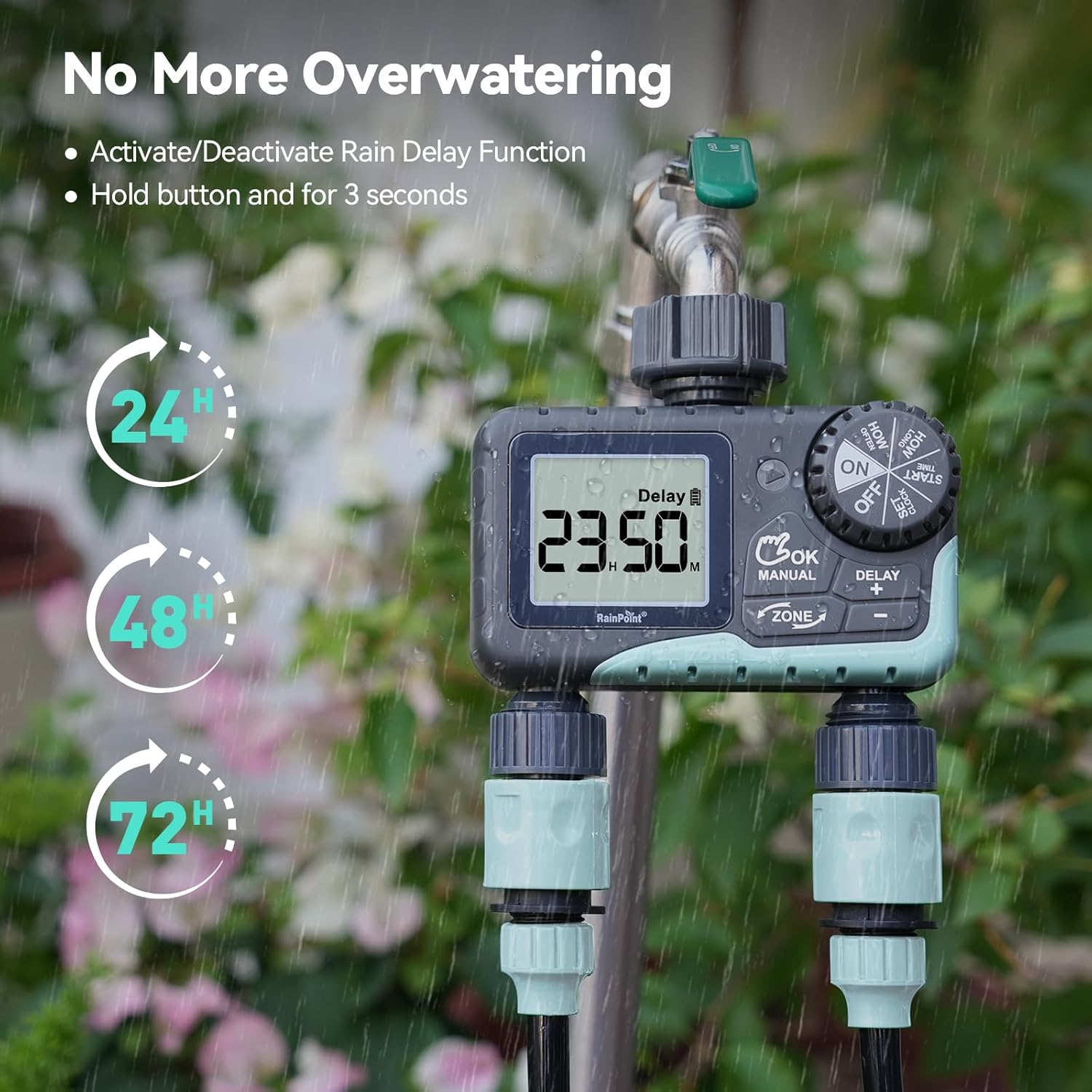
Image: The water timer display showing the rain delay function activated, with options for 24, 48, or 72-hour delays to prevent overwatering during rainy conditions.
5. Zamanlayıcıyı Kapatma
Sulama ve programlama işlemlerinin tamamını durdurmak için kadranı çevirin. KAPALI. All active programs will be paused.
Bakım
1. Filtrenin Temizlenmesi
The timer has a built-in metal filter to prevent debris from entering the unit. Periodically check and clean this filter to ensure optimal water flow and prevent blockages.
- Musluktan zamanlayıcıyı sökün.
- Remove the filter screen from the top connector.
- Filtreyi akan su altında yıkayarak biriken kalıntıları temizleyin.
- Temiz filtreyi yerine takın ve zamanlayıcıyı musluğa tekrar bağlayın.
2. Pil Değişimi
LCD ekranda düşük pil göstergesi göründüğünde pilleri değiştirin. Her zaman yeni AA alkalin piller kullanın.
- kadranı çevirin KAPALI.
- Pil bölmesini açın.
- Remove old batteries and insert new ones, observing polarity.
- Pil bölmesini sıkıca kapatın.
- The timer will retain your programming for a short period during battery replacement.
3. Kışa Hazırlık
To prevent damage from freezing temperatures, remove the water timer from the faucet before the first frost.
- Disconnect the timer from the faucet and hoses.
- Pilleri çıkarın.
- Store the timer indoors in a dry, frost-free location.
Sorun giderme
| Sorun | Olası Neden | Çözüm |
|---|---|---|
| Timer not turning on/display blank. | Piller bitmiş veya yanlış takılmış. | Pilleri yeni AA alkalin pillerle değiştirin ve kutupların doğru olduğundan emin olun. |
| Su akışı yok. | Faucet is off; timer is in OFF mode; low battery; clogged filter; incorrect programming. | Turn on faucet; turn dial to ON; replace batteries; clean filter; check programming (start time, duration, frequency). |
| Bağlantı yerlerinden su sızıyor. | Gevşek bağlantılar; aşınmış rondelalar. | Ensure all connections are hand-tight; check and replace rubber washers if damaged. |
| Zamanlayıcı, planlanan zamanda sulama yapmıyor. | Incorrect clock setting; incorrect program settings; rain delay active. | Verify current time; re-check start time, duration, and frequency for each zone; check if rain delay is active. |
| Display shows "LOW BATT". | Piller zayıf. | Replace batteries immediately to prevent valve closure and program loss. |
Özellikler
| Model Numarası | G-ITV205NH |
| Ürün Boyutları | 5.36"D x 5.92"G x 5.55"Y |
| Malzeme | High-impact Plastic, Metal |
| Renk | Siyah ve Mavi |
| Güç Kaynağı | 2 adet AA alkalin pil (dahil değildir) |
| Su Basınç Aralığı | Up to 35 kg (approx. 500 PSI) |
| Akış Hızı | 5-35 L/dk |
| Sulama Süresi | 1 dakika ila 3 saat 59 dakika |
| Sulama Sıklığı | Hourly (up to 12 hours) or Daily (up to 7 days) |
| Manuel Sulama Süresi | 1 dakikadan 8 saate kadar |
| Rain Delay Options | 24, 48, 72 saat |
| Su Geçirmezlik Derecesi | IP54 |
Garanti ve Destek
RAINPOINT products are designed for durability and performance. For warranty information and customer support, please refer to the official RAINPOINT websiteye gidin veya doğrudan müşteri hizmetleriyle iletişime geçin.
Daha fazla yardım için lütfen şu adresi ziyaret edin: www.rainpointonline.com
Or contact customer support via email: destek@rainpointonline.com


