1. Ürün Bittiview
The Docooler 14 Inch 2-in-1 Touchscreen Laptop is a versatile computing device designed for both productivity and entertainment. Featuring a 4K UHD IPS display and a 360-degree convertible design, it adapts to various usage scenarios, from traditional laptop mode to tablet mode. Powered by an Intel N95 processor, it offers efficient performance for daily tasks.

Image: The Docooler 14 Inch 2-in-1 Touchscreen Laptop in its tent configuration, showcasing its flexible design and vibrant display.
2. Paket İçeriği
Lütfen pakette tüm öğelerin mevcut olduğundan emin olun:
- Docooler 14 Inch 2-in-1 Touchscreen Laptop
- Şarj kablosu
- Kullanıcı kılavuzu
3. Başlarken
3.1 İlk Kurulum
- Dizüstü bilgisayarı şarj edin: Before first use, connect the charging cable to the laptop's USB-C port and plug it into a power outlet. Allow the battery to charge fully.
- Güç Açık: Dizüstü bilgisayarın yan tarafında bulunan güç düğmesine ekran aydınlanana kadar basılı tutun.
- Windows Kurulumu: Follow the on-screen prompts to complete the Windows 11 initial setup, including language selection, network connection, and user account creation.
4. Understanding Your Laptop
4.1 Temel Özellikler
- Görüntülemek: 14-inch 4K UHD (3840x2160) IPS touchscreen with 500 Nits brightness for a clear visual experience.
- İşlemci: Equipped with the 12th Gen Intel N95 CPU (4-core, 4-thread, up to 3.4GHz) for efficient performance.
- Bellek saklama alanı: 12GB LPDDR5 4800MHz high-frequency memory and 512GB/1TB NVMe SSD for fast operation and ample depolama.
- Dönüştürülebilir Tasarım: 360-degree flip-and-fold design allows for multiple modes of use.
- Dokunmatik ekran: 10-level multi-touch screen with gravity sensing for intuitive interaction.
- Güvenlik: Fingerprint unlock for quick and secure access.
- Klavye: Farklı ışık koşullarında rahat yazma imkanı sağlayan arkadan aydınlatmalı klavye.
- Bağlantı: Dual-band Wi-Fi (2.4G/5.0G Hz 802.11ac) and Bluetooth for stable wireless connections.

Image: Visual representation of the laptop's 4K UHD display capabilities, highlighting its high resolution and brightness.

Image: Illustration of the Intel N95 12th Generation processor, emphasizing its role in the laptop's performance.
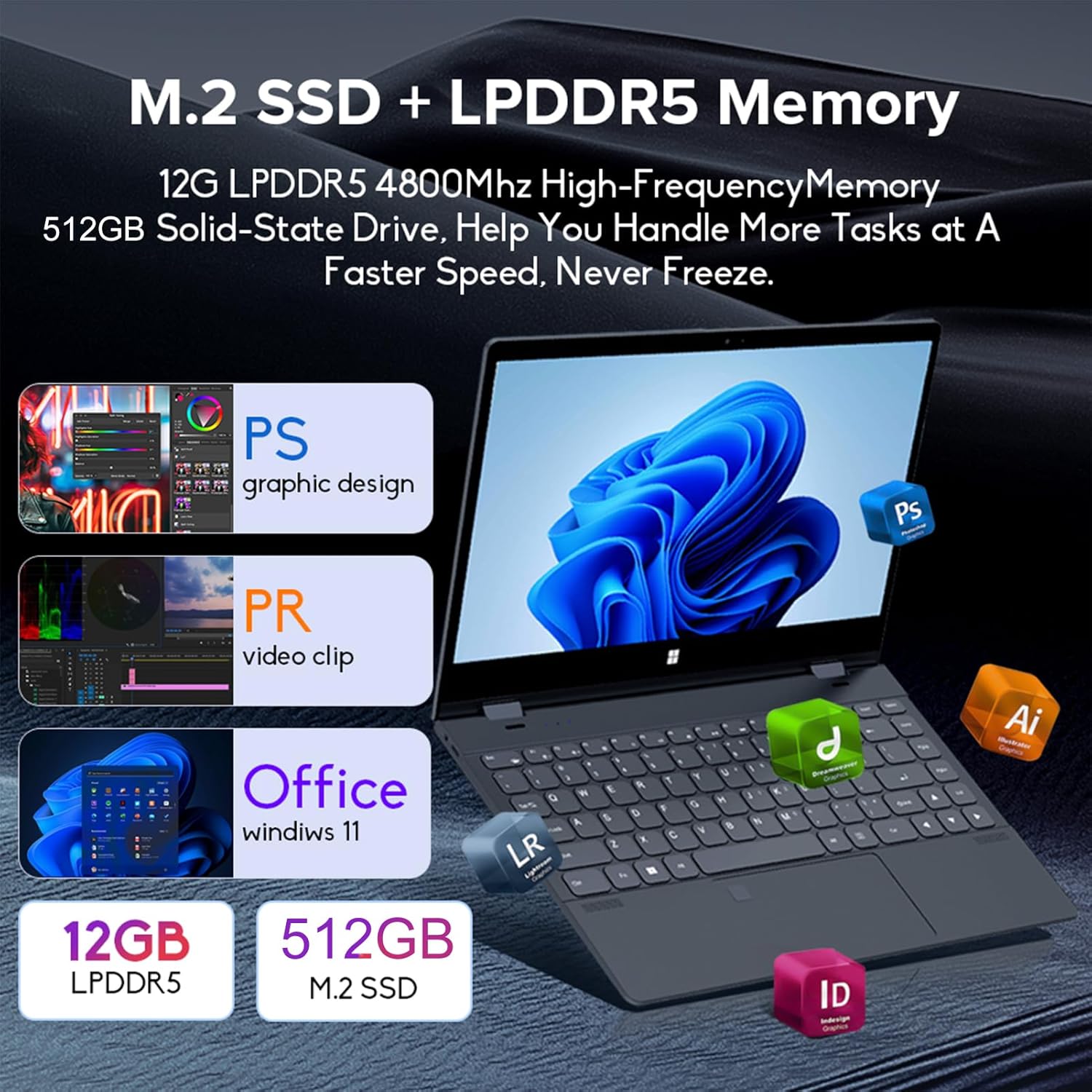
Image: Depiction of the laptop's memory and storage, showing 12GB LPDDR5 RAM and 512GB/1TB M.2 SSD, suitable for various applications.
4.2 Bağlantı Noktaları ve Konektörler
Familiarize yourself with the available ports on your laptop:
- USB-C (Full-featured): Supports audio, video, data transmission, and PD2.0 fast charging.
- USB 3.0: USB cihazlarını bağlamak için.
- Ses girişi: Kulaklık veya harici hoparlörler için.
- DC Girişi: Power input (if applicable, though USB-C is primary charging).
- TF Kart Okuyucu: Hafıza kartları için.

Resim: Ayrıntılı view of the laptop's side ports, including USB-C, USB 3.0, audio jack, and TF card slot.
4.3 Dönüştürülebilir Modlar
The 360-degree hinge allows the laptop to transform into four distinct modes:
- Not Defteri Modu: Traditional laptop experience for typing and productivity.
- Tablet Modu: Fold the screen back completely for a tablet experience, ideal for touch-based applications and gaming.
- Viewing Mode (Tent Mode): Stand the laptop in a tent shape for watching videos or presentations.
- Conference Mode (Stand Mode): Flip the keyboard under the screen to share content easily in a group setting.

Image: Visual guide demonstrating the four convertible modes of the laptop: Notebook, Tablet, Viewing, and Conference.
5. Operasyon
5.1 Dokunmatik Ekranı Kullanma
The 10-point multi-touch screen allows for intuitive navigation. Use gestures similar to a smartphone or tablet. The gravity sensing feature enhances the experience, especially in tablet mode.

Image: Demonstrates the ease of touchscreen operation and the benefit of gravity sensing for gaming.
5.2 Using the Backlit Keyboard and Fingerprint Unlock
- Arkadan Aydınlatmalı Klavye: Press the Function (Fn) key combined with the appropriate F-key (usually F3 or F4, check keyboard icons) to toggle the keyboard backlight on/off or adjust its brightness.
- Parmak İzi Kilidi: Set up your fingerprint in Windows Settings > Accounts > Sign-in options. Once configured, you can unlock your laptop quickly by placing your registered finger on the fingerprint sensor.
5.3 Wi-Fi ve Bluetooth'a Bağlanma
The laptop supports dual-band Wi-Fi (2.4G/5.0G Hz 802.11ac) and Bluetooth for wireless connectivity.
- Wifi: Click the Wi-Fi icon in the taskbar, select your desired network, enter the password if prompted, and click Connect.
- Bluetooth: Go to Windows Settings > Bluetooth & devices. Ensure Bluetooth is turned on, then click 'Add device' to pair with Bluetooth peripherals like headphones or mice.

Image: Visual representation of the laptop's dual-band Wi-Fi and Bluetooth connectivity features.
6. Bakım ve Özen
- Temizlik: Yumuşak, tiftiksiz bir bez kullanın ve hafifçe kurulayın.ampEkranı temizlemek için su veya ekran temizleyici kullanın. Klavye ve kasa için kuru ve yumuşak bir bez kullanın. Sert kimyasallardan kaçının.
- Pil Bakım: To prolong battery life, avoid fully discharging the battery frequently. Store the laptop in a cool, dry place when not in use for extended periods.
- Havalandırma: Aşırı ısınmayı önlemek için dizüstü bilgisayarın havalandırma deliklerinin kapalı olmadığından emin olun. Dizüstü bilgisayarı sert ve düz bir yüzeyde kullanın.
- Yazılım Güncellemeleri: En iyi performansı ve güvenliği sağlamak için işletim sisteminizi ve sürücülerinizi düzenli olarak güncelleyin.
7. Sorun Giderme
| Sorun | Olası Çözüm |
|---|---|
| Dizüstü bilgisayar açılmıyor. | Ensure the charging cable is securely connected and the power outlet is functional. Allow the laptop to charge for at least 30 minutes before attempting to power on again. |
| Wi-Fi bağlantı sorunları. | Restart your router and modem. On the laptop, disable and re-enable Wi-Fi. Ensure you are within range of the Wi-Fi signal. |
| Dokunmatik ekran çalışmıyor. | Restart the laptop. Check for any physical obstructions on the screen. Ensure Windows updates are current. |
| Klavye arka ışığı çalışmıyor. | Press Fn + F-key (check keyboard icon) to toggle or adjust backlight brightness. Ensure drivers are up to date. |
| Dizüstü bilgisayar yavaş çalışıyor. | Gereksiz uygulamaları kapatın. Arka plan işlemlerini kontrol edin. Yeterli boş depolama alanı sağlayın. Kötü amaçlı yazılımlara karşı sistem taraması çalıştırın. |
8. Teknik Özellikler
| Özellik | Şartname |
|---|---|
| Ekran Boyutu | 14 inç |
| Çözünürlük | 3840 x 2160 piksel (4K UHD) |
| İşlemci | Intel N95 (up to 3.4GHz) |
| Kurulu RAM Bellek Boyutu | 12 GB LPDDR5 |
| Sabit Disk Açıklaması | 512GB/1TB NVMe SSD |
| İşletim Sistemi | Windows 11 Ev |
| Grafik Eş İşlemcisi | Intel UHD Grafikler (Entegre) |
| Kablosuz Bağlantı | 2.4G/5.0G Hz 802.11ac Wi-Fi, Bluetooth |
| Toplam USB Bağlantı Noktaları | 2 (including 1 full-featured USB-C) |
| Renk | Gümüş grisi |
| Ürün Ağırlığı | 3.46 pound (1570 Gram) |
| Paket Boyutları | 15.35 x 9.84 x 3.35 inç |
| Menşei ülke | Çin |
9. Garanti ve Destek
For warranty information and technical support, please refer to the documentation provided with your purchase or visit the official Docooler webSite. Satın alma belgenizi garanti talepleriniz için saklayın.
Docooler is committed to providing quality products and customer satisfaction. For further assistance, please contact Docooler customer service.
Note: Protection plans may be available for extended coverage. Please check with your retailer for details.


