1. Giriş
This manual provides detailed instructions for the Hyperkin Pixel Art Bluetooth Controller, Miraculous Cat Noir Edition. Please read this manual thoroughly before using the product to ensure proper operation and to maximize your gaming experience. This controller is designed for use with multiple platforms, offering wireless connectivity and a comfortable, ergonomic design.
2. Ürün Bittiview
The Hyperkin Pixel Art Bluetooth Controller combines a retro aesthetic with modern functionality. It features a unique Miraculous Cat Noir design, wireless Bluetooth connectivity, and a built-in turbo function.
2.1 Temel Özellikler
- Kablosuz Bluetooth Bağlantısı: Enjoy gaming freedom up to 30 feet away.
- Turbo Fonksiyonu: Activate rapid-fire action for enhanced gameplay.
- Retro Design with Modern Ergonomics: A classic look combined with comfortable handling for extended play sessions.
- Seyahat Dostu: Kompakt tasarım, kolay taşınabilirlik sağlar.
- High-Quality Symmetrical Sticks: Designed for precision and responsiveness.
2.2 Denetleyici Düzeni

Resim 2.2.1: Ön view of the Hyperkin Pixel Art Bluetooth Controller, Miraculous Cat Noir Edition. This image displays the D-pad, left and right analog sticks with paw print designs, A/B/X/Y buttons, Start/Select buttons, and the Cat Noir character art.

Resim 2.2.2: Taraf view of the Hyperkin Pixel Art Bluetooth Controller, Miraculous Cat Noir Edition. This image shows the shoulder buttons (L1, R1) and triggers (L2, R2), along with the USB-C charging port and mode switch.

Resim 2.2.3: Kapatmak view emphasizing the controller's retro design combined with modern ergonomic features for comfortable handling.
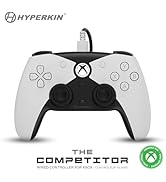
Resim 2.2.4: Kapatmak view gösteriasing the high-quality symmetrical analog sticks, designed for precise control during gameplay.
3. Kurulum
3.1 Kontrol Ünitesinin Şarj Edilmesi
The controller includes a built-in Lithium Polymer battery. To charge, connect the supplied Type-C cable to the controller's charging port and the other end to a USB power source (e.g., a computer USB port, a USB wall adapter). The LED indicator on the controller will show charging status and turn off when fully charged.
3.2 Bluetooth ile Eşleştirme
To pair the controller with your device:
- Kontrol cihazının yeterli şarja sahip olduğundan emin olun.
- Ana Sayfa düğmesine basarak kumandayı açın.
- Put the controller into pairing mode (refer to your device's specific instructions for Bluetooth pairing, as this may vary). Typically, this involves holding a small pairing button or a combination of buttons until the LED indicator flashes rapidly.
- On your device (Nintendo Switch, PC, Mac, Android, iOS, etc.), navigate to the Bluetooth settings.
- Arama available devices and select "Hyperkin Pixel Art Controller" (or similar name) from the list.
- Once connected, the LED indicator on the controller will stabilize.
For Nintendo Switch, navigate to the 'Controllers' menu, then 'Change Grip/Order' to initiate pairing mode on the console.
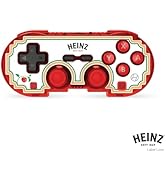
Resim 3.2.1: Illustration of the controller connecting wirelessly via Bluetooth, indicating a range of up to 30 feet.
3.3 Kablolu Bağlantı
The controller can also be used via a wired connection. Connect the Type-C cable from the controller to a compatible USB port on your device. This mode is often plug-and-play, requiring no additional pairing.
4. Kullanım Talimatları
4.1 Temel Kontroller
The controller features standard gaming buttons:
- D pedi: Yönlü giriş.
- Analog Çubuklar: Left and Right symmetrical sticks for precise movement and camera control.
- Eylem Düğmeleri (A, B, X, Y): Primary interaction buttons.
- Omuz Düğmeleri (L, R) ve Tetikleyiciler (ZL, ZR): Additional input buttons, typically for actions like aiming, firing, or menu navigation.
- Başlat/Seç Düğmeleri: For in-game menus and options.
- Ana menü tuşu: Sistemin ana ekranına geri döner.
4.2 Turbo Fonksiyonu
The turbo function allows for rapid, repeated input of a button press without continuously pressing the button. To activate or deactivate turbo for a specific button:
- Basılı tutun Turbo düğme.
- While holding the Turbo button, press the desired action button (e.g., A, B, X, Y, L, R, ZL, ZR) once to activate turbo for that button.
- Repeat the process (hold Turbo, press the same action button) to deactivate turbo for that button.
5. Uyumluluk
The Hyperkin Pixel Art Bluetooth Controller is compatible with a wide range of gaming platforms:
- Nintendo Anahtarı
- Nintendo Switch OLED Modeli
- Nintendo Switch Lite
- Windows 10/11 Bilgisayar
- Mac
- Chromebook
- Android cihazlar
- Apple iOS devices
- Buhar
- Buharlı Güverte
- ROG Müttefiki
- Ahududu Pi
- Amazon Games/Amazon Luna
- Tesla
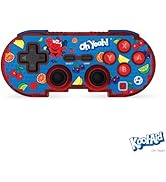
Resim 5.1: Visual representation of the controller's broad compatibility across multiple gaming platforms and operating systems.
6. Bakım
Kontrol cihazınızın uzun ömürlü ve optimum performans göstermesi için lütfen aşağıdaki bakım yönergelerini izleyin:
- Temizlik: Kumandayı silmek için yumuşak, kuru bir bez kullanın. İnatçı kirler için hafifçe kurulayın.ampBezi suyla yıkayın. Sert kimyasallardan veya aşındırıcı temizleyicilerden kaçının.
- Depolamak: Kontrol cihazını serin, kuru ve doğrudan güneş ışığından ve aşırı sıcaklıklardan uzak bir yerde saklayın.
- Pil Bakım: Pilini sık sık tamamen boşaltmaktan kaçının. Pilin ömrünü uzatmak için, uzun süre kullanılmasa bile kumandayı düzenli olarak şarj edin.
- Fiziksel Etkiden Kaçının: Do not drop or expose the controller to strong impacts, as this can damage internal components.
7. Sorun Giderme
If you encounter issues with your Hyperkin Pixel Art Bluetooth Controller, refer to the following common problems and solutions:
| Sorun | Olası Çözüm |
|---|---|
| Kumanda açılmıyor. | Ensure the controller is charged. Connect it to a power source using the Type-C cable. |
| Kumanda Bluetooth üzerinden bağlanmıyor. |
|
| Düğmeler yanıt vermiyor veya gecikmeli çalışıyor. |
|
| USB charging port does not work. |
|
| Vibration is too strong or loud. | Some games or systems may offer an option to adjust or disable vibration feedback within their settings. Consult your game or system's options menu. |
8. Özellikler
| Özellik | Detay |
|---|---|
| Model Numarası | M01328-MTCN |
| Bağlantı | Bluetooth (Wireless), USB Type-C (Wired) |
| kablosuz Menzil | 30 feet'e kadar |
| Pil Türü | 1 Lityum Polimer pil (dahil) |
| Paket Boyutları | 7.4 x 5.2 x 2.4 inç |
| Ürün Ağırlığı | 9.9 ons |
| Üretici | Hiperkin |
9. Garanti ve Destek
This product is covered by the manufacturer's standard warranty. For specific warranty terms and conditions, please refer to the documentation included with your purchase or visit the official Hyperkin website. For technical support or further assistance, please contact Hyperkin customer service through their official channels.


