giriiş
Welcome to the user manual for your Baseus Bowie EZ10 Wireless Bluetooth Earbuds. This guide provides detailed instructions on how to set up, operate, and maintain your earbuds to ensure optimal performance and a seamless audio experience. Please read this manual carefully before using your device.
Ürün Bittiview
Paket İçeriği

Image: The package contents for the Baseus Bowie EZ10, including the two earbuds, the charging case, a USB charging cable, and multiple pairs of silicone ear tips in various sizes.
- Baseus Bowie EZ10 Wireless Earbuds (Left and Right)
- Şarj Kutusu
- USB Şarj Kablosu
- Multiple Pairs of Ear Tips (various sizes)
- Kullanım Kılavuzu (bu belge)
Temel Özellikler
- Adaptive Noise Cancellation (ANC) up to -42dB: Experience high-quality, immersive audio regardless of your environment.
- ENC Noise Cancellation with 4 Microphones: Ensures clear and high-quality calls even in noisy surroundings.
- Ultra Düşük Gecikme Süresi (0.038 s): Guarantees audio and video synchronization for an immersive experience, especially for gaming and video playback.
- Uzun Pil Ömrü: Up to 30 hours of total playback with the charging case, and 5 hours on a single charge.
- Simultaneous Device Connection: Connect to two devices at the same time for seamless switching.
- Customizable App Support: Personalize your audio experience and controls via the dedicated Baseus application.
Ürün Diyagramı
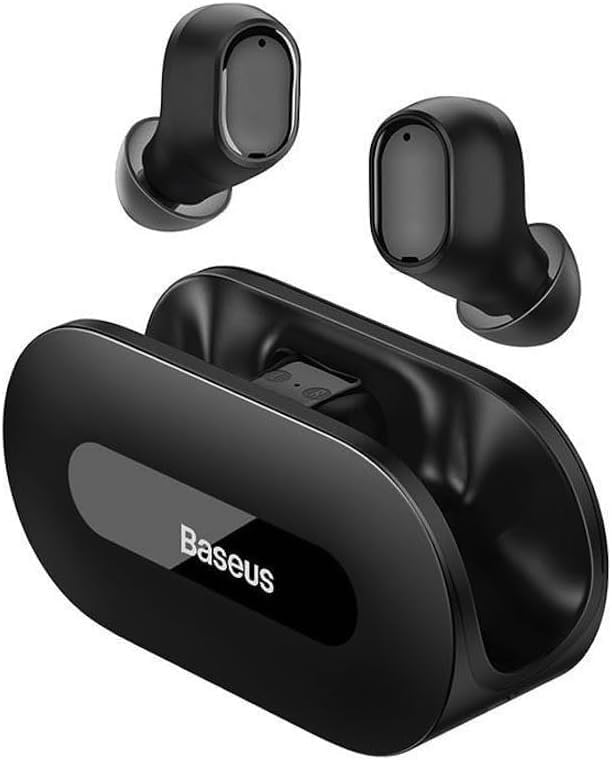
Resim: Net view of the Baseus Bowie EZ10 wireless earbuds and their sleek black charging case, showcasinKompakt tasarımlarıyla öne çıkıyorlar.
The Baseus Bowie EZ10 earbuds feature a compact in-ear design for a comfortable and secure fit. The charging case is designed for easy portability and secure storage, with magnetic slots to hold the earbuds in place.
Kurmak
Kulaklıkları ve Kutuyu Şarj Etme

Image: A graphic illustrating the long battery life of the Baseus Bowie EZ10 earbuds, indicating extended listening time with the charging case and quick charging capabilities.
- Başlangıç ücreti: Before first use, fully charge both the earbuds and the charging case. Place the earbuds into the charging case.
- Şarj Cihazını Bağlayın: Connect the USB charging cable to the charging port on the case and plug the other end into a compatible USB power source (e.g., wall adapter, computer USB port).
- Şarj Göstergeleri: The LED indicators on the charging case will show the charging status. Refer to the specific light patterns in your quick start guide for detailed information.
- Hızlı Şarj: The earbuds support fast charging, providing significant playback time with a short charge.
Cihazınızla Eşleştirme
Image: A visual representation of Bluetooth 5.3 technology, highlighting its role in providing a fast and stable wireless connection for the Baseus Bowie EZ10 earbuds.
- Güç Açık: Şarj kutusunu açın. Kulaklıklar otomatik olarak açılacak ve eşleştirme moduna girecektir.
- Bluetooth'u etkinleştirin: Cihazınızda (akıllı telefon, tablet, bilgisayar) Bluetooth’u etkinleştirin.
- Arama Cihazlar: Cihazınızın Bluetooth ayarlarında, kullanılabilir cihazları arayın.
- Select 'Baseus Bowie EZ10': From the list of found devices, select 'Baseus Bowie EZ10' to connect.
- Onay: Once connected, you will hear an audio prompt from the earbuds, and the device's Bluetooth settings will show them as connected.
- Çoklu Cihaz Bağlantısı: The earbuds can connect to two devices simultaneously. After pairing with the first device, disable Bluetooth on it, then pair with the second device. Re-enable Bluetooth on the first device, and the earbuds should connect to both.
Kullanım Talimatları
Kulaklık Takma
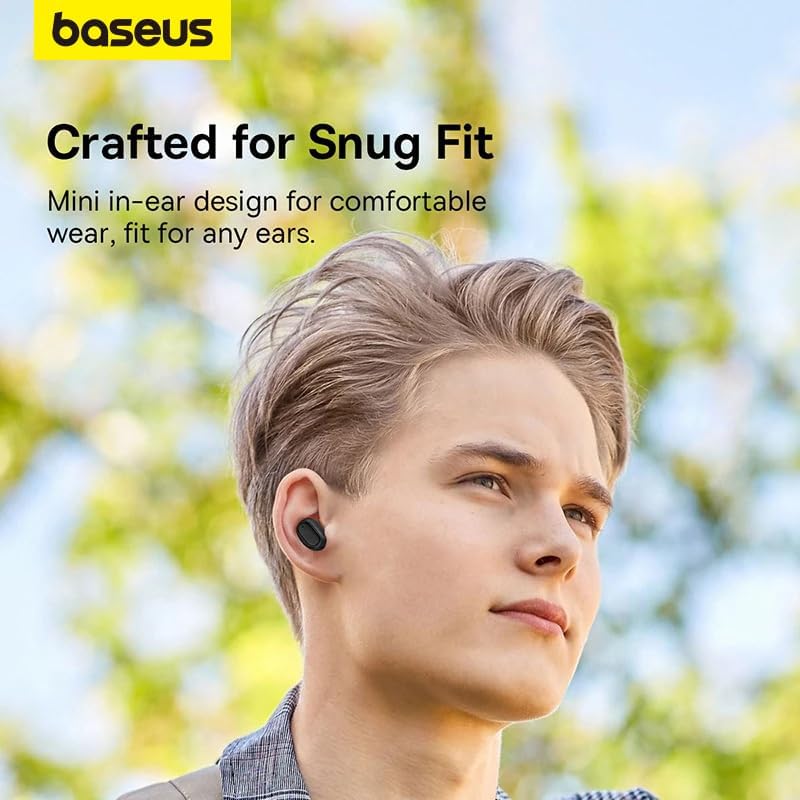
Image: A person wearing a Baseus Bowie EZ10 earbud, illustrating the comfortable and snug fit of the mini in-ear design.
- Choose Right Ear Tips: Select the ear tips that provide the best seal and comfort for your ears.
- Kulaklıkları takın: Her bir kulaklığı yavaşça kulak kanalınıza yerleştirin.
- Uygunluğuna Göre Ayarla: Rotate the earbuds slightly until they feel secure and comfortable, ensuring a good seal for optimal sound quality and noise cancellation.
Dokunmatik Kontroller
The Baseus Bowie EZ10 earbuds feature intuitive touch controls on each earbud. Specific functions may vary or be customizable via the Baseus app.
- Oynat/Duraklat: Her iki kulaklığa da bir kez dokunun.
- Sonraki Parça: Sağ kulaklığa iki kez dokunun.
- Önceki parça: Sol kulaklığa iki kez dokunun.
- Çağrıyı Cevapla/Sonlandır: Her iki kulaklığa da bir kez dokunun.
- Çağrıyı Reddet: Kulaklıklardan birine basılı tutun.
- Voice Assistant'ı etkinleştirin: Her iki kulaklığa da üç kez dokunun.
- Ses Kontrolü: Specific gestures for volume control can often be set up in the Baseus app.
Noise Cancellation (ANC/ENC)
The Baseus Bowie EZ10 earbuds offer advanced noise cancellation features:
- Uyarlanabilir Gürültü Engelleme (ANC): Reduces ambient noise for an immersive listening experience. This mode can often be toggled on/off or adjusted via the touch controls or the Baseus app.
- ENC Noise Cancellation for Calls: The 4-microphone ENC system automatically works during calls to ensure your voice is clear and background noise is minimized for the person on the other end.
Düşük Gecikme Modu
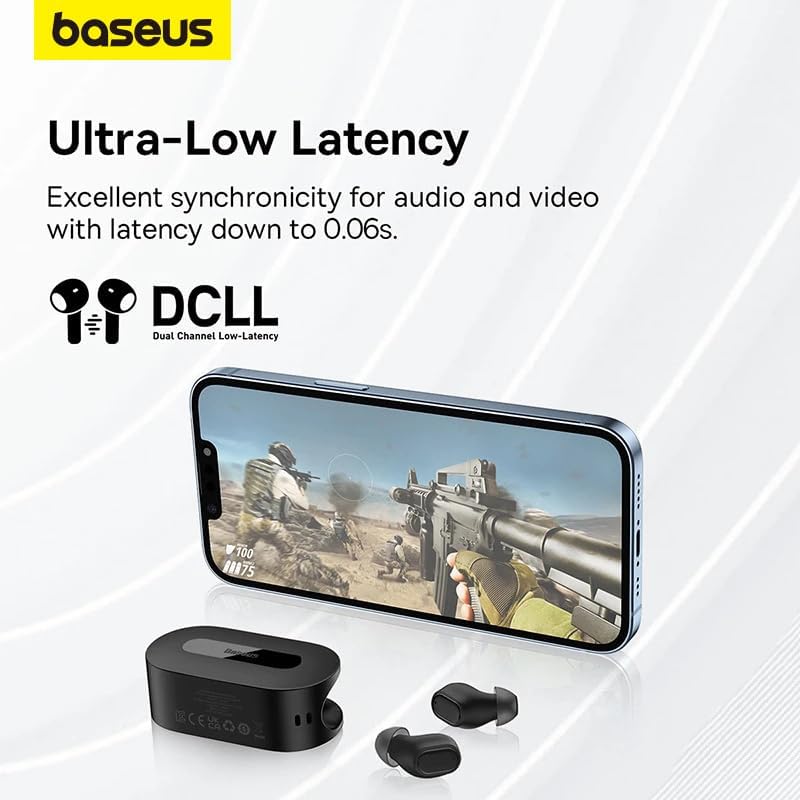
Image: The Baseus Bowie EZ10 earbuds and charging case positioned next to a smartphone displaying a gaming scene, emphasizing the ultra-low latency feature for synchronized audio and video.
For gaming or watching videos, activate the ultra-low latency mode to ensure perfect synchronization between audio and video. This mode can typically be activated via a specific touch gesture or through the Baseus app.
Using the Baseus App
Download the official Baseus app from your device's app store. The app allows you to:
- Dokunmatik kontrolleri özelleştirin.
- Ekolayzır ayarlarını düzenleyin.
- Toggle noise cancellation modes.
- Pil seviyelerini kontrol edin.
- Bellenimi güncelleyin.
Bakım
Temizlik
- Kulaklık: Use a soft, dry, lint-free cloth to wipe the earbuds. For earwax or debris, gently clean with a small, soft brush or cotton swab. Do not use liquids or abrasive cleaners.
- Kulak İpuçları: Remove the silicone ear tips and wash them with mild soap and water. Rinse thoroughly and allow them to dry completely before reattaching.
- Şarj Kutusu: Wipe the case with a soft, dry cloth. Ensure the charging contacts inside the case are clean and free of debris.
Depolamak
- Kullanmadığınız zamanlarda kulaklıklarınızı korumak ve şarjlı halde tutmak için şarj kutusunda saklayın.
- Cihazı serin ve kuru bir yerde, aşırı sıcaklıklardan ve doğrudan güneş ışığından uzakta saklayın.
Sorun giderme
| Sorun | Olası Neden | Çözüm |
|---|---|---|
| Kulaklıklar eşleşmiyor | Kulaklıklar eşleştirme modunda değil; cihazda Bluetooth kapalı; önceden eşleştirilmiş cihaz müdahale ediyor. | Ensure earbuds are in pairing mode (open case); turn on Bluetooth on your device; forget previous connections on your device and try again. |
| Bir kulaklıktan ses gelmiyor | Low battery; earbud not properly connected; earbud dirty. | Place both earbuds in the case to charge; ensure they are properly seated; clean earbud and charging contacts. |
| Şarj sorunları | Cable or adapter faulty; charging contacts dirty; case battery empty. | Try a different USB cable and power adapter; clean charging contacts on earbuds and case; ensure charging case is charged. |
| Kötü ses kalitesi | Improper fit; ear tips dirty; interference. | Adjust earbud fit and try different ear tips; clean ear tips and earbuds; move closer to your device or away from sources of interference. |
Özellikler
| Özellik | Detay |
|---|---|
| Model Adı | Bowie EZ10 |
| Bağlantı Teknolojisi | Kablosuz (Bluetooth 5.3) |
| Kulak Yerleşimi | Kulak içi |
| Gürültü Kontrolü | Adaptive Noise Cancellation, ENC for calls |
| Gecikme | 0.038s (Ultra-Low Latency Mode) |
| Pil Ömrü (Kulaklıklar) | 5 saate kadar (tek şarj) |
| Pil Ömrü (Kılıfla) | 30 saate kadar |
| Kontrol Türü | Media Control, Volume Control (customizable) |
| Malzeme | Plastic, Silicone/Memory Foam (ear tips) |
| Renk | Siyah |
| Üretici | Baseus_Inc |
| Sertifikasyon | CE |
Garanti ve Destek
The Baseus Bowie EZ10 Wireless Bluetooth Earbuds come with a manufacturer's warranty. Please refer to the warranty card included in your package or visit the official Baseus webAyrıntılı garanti şartları ve koşulları için siteyi ziyaret edin.
For technical support, troubleshooting assistance, or any product-related inquiries, please contact Baseus customer service through their official website veya ürün ambalajınızda yer alan iletişim bilgileri.