giriiş
The CIAO TECH WiFi Extender is designed to enhance your wireless network coverage, eliminating dead zones and providing a strong, consistent signal throughout your home or office. With speeds up to 300Mbps and robust security features, it ensures a seamless online experience for multiple devices.

Ön view of the CIAO TECH WiFi Extender, showing the WPS button and indicator lights.
Paket İçeriği
- 1 x CIAO TECH WiFi Extender
- 1 x Ethernet Kablosu
- 1 x Kullanım Kılavuzu (bu belge)
Kurulum Kılavuzu
Yöntem 1: WPS Düğmesi ile Hızlı Kurulum
- Eklenti: Plug the WiFi Extender into an electrical outlet near your main router. Wait for the Power indicator light to turn solid.
- Yönlendiricide WPS'yi etkinleştirin: Press the WPS button on your main wireless router. Refer to your router's manual for the exact location and procedure.
- Genişleticide WPS'yi etkinleştirin: Within 2 minutes of pressing WPS on your router, press the WPS button on the front of the CIAO TECH WiFi Extender.
- Bağlantıyı Bekleyin: The Extender's signal indicator lights will flash and then turn solid when a connection is established. This may take a few moments.
- Yer Değiştirme (İsteğe bağlı): Once connected, you can unplug the extender and move it to a location halfway between your router and the Wi-Fi dead zone. Ensure the signal indicator lights remain solid, indicating a good connection.
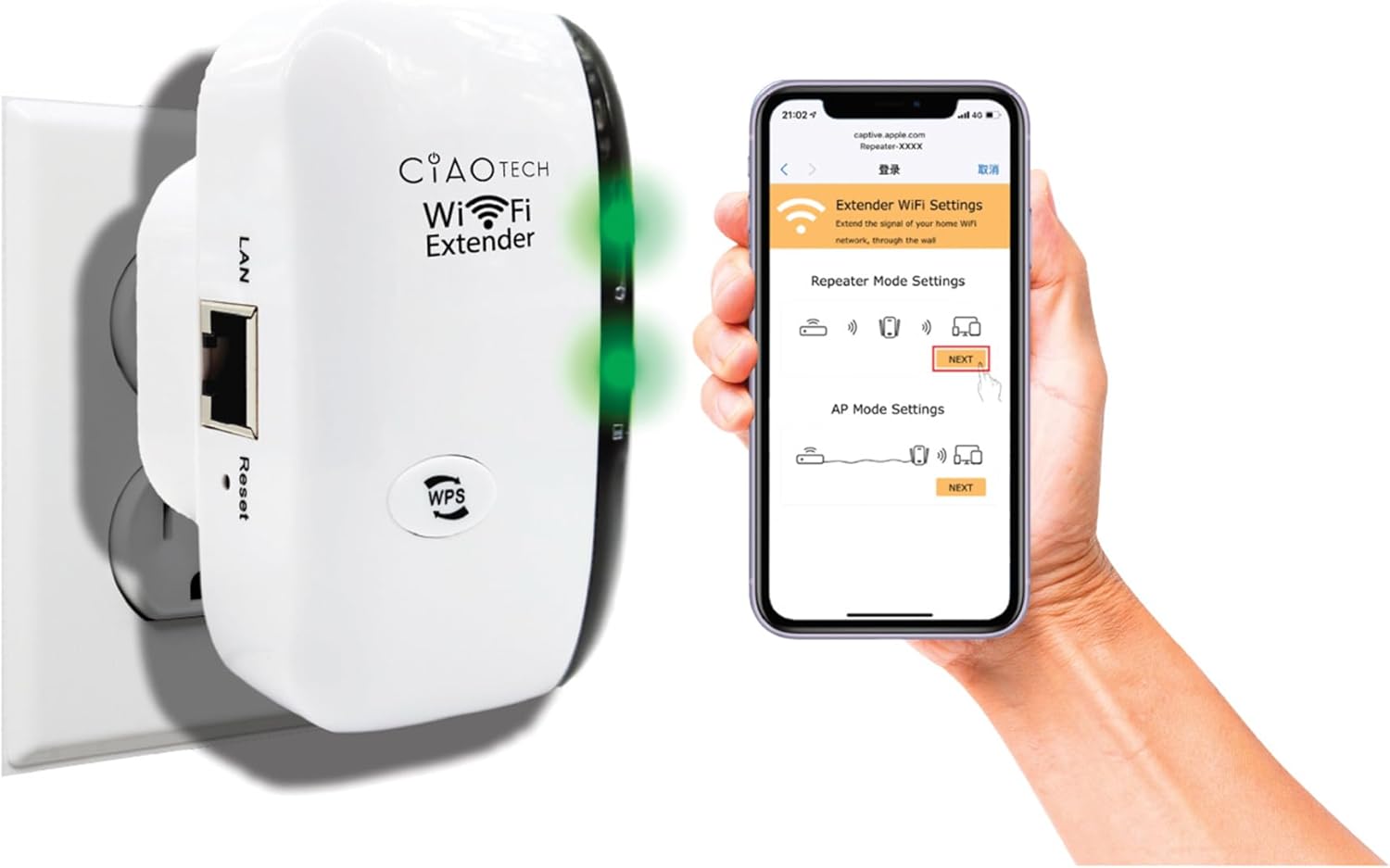
The WiFi Extender plugged into a wall outlet, with a smartphone displaying the extender's setup interface.
Method 2: Setup via Web Tarayıcı
- Eklenti: Plug the WiFi Extender into an electrical outlet near your main router. Wait for the Power indicator light to turn solid.
- Extender'ın Wi-Fi'ına bağlanın: On your computer or mobile device, connect to the Wi-Fi network named "WiFi Repeater-XXXXXX" (where XXXXXX are the last 6 digits of the extender's MAC address, found on the label). There is no password initially.
- Kurulum Sayfasına Erişim: Bir tane aç web browser (e.g., Chrome, Firefox, Safari) and enter 192.168.11.1 adres çubuğunda.
- Giriş yapmak: If prompted, the default username and password are "admin" (or refer to the label on the device).
- Mod seç: İstediğiniz çalışma modunu (Repeater Modu veya AP Modu) seçin.
- Ayarları Yapılandırın:
- Tekrarlayıcı Modu: Select your existing Wi-Fi network from the list, enter its password, and optionally change the extender's SSID.
- AP Modu: Connect an Ethernet cable from your router to the extender's LAN port. The extender will create a new Wi-Fi network. Configure the new SSID and password.
- Ayarları Uygula: Ayarları kaydedin ve genişletici cihazın yeniden başlatılmasını bekleyin.
- Genişletilmiş Ağa Bağlan: On your devices, connect to the newly configured extended Wi-Fi network.

Arka view of the WiFi Extender, displaying the LAN port and the label with default settings and IP address.
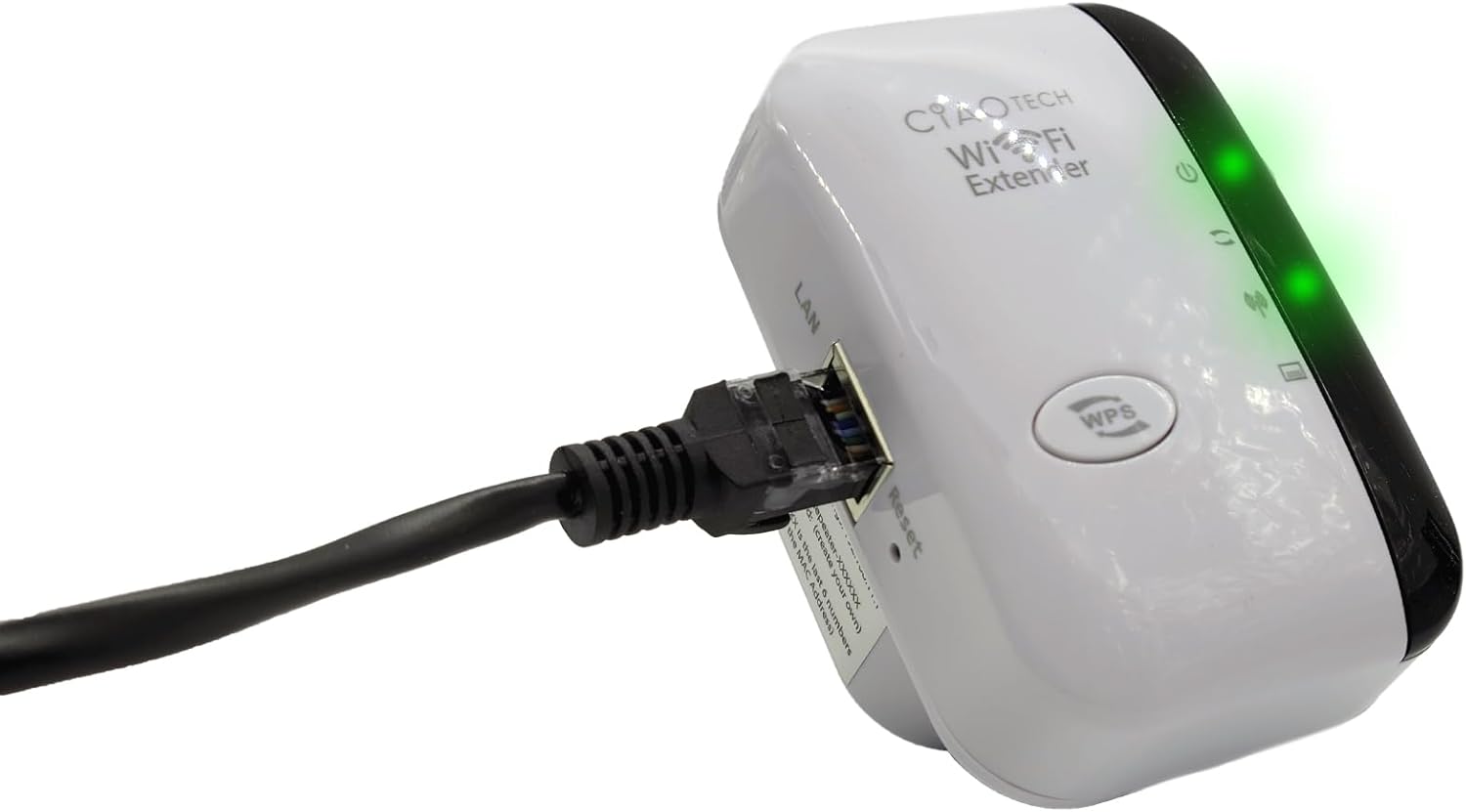
The WiFi Extender with an Ethernet cable connected to its LAN port, indicating a wired connection option.
Çalışma Modları
Tekrarlayıcı Modu
In Repeater Mode, the extender wirelessly connects to your existing Wi-Fi network and re-broadcasts it, extending the coverage area. This mode is ideal for eliminating Wi-Fi dead zones and improving signal strength in areas with weak coverage.
AP (Erişim Noktası) Modu
In AP Mode, the extender connects to your router via an Ethernet cable and creates a new wireless network. This mode is suitable for converting a wired network connection into a wireless one, or for creating a separate Wi-Fi network.
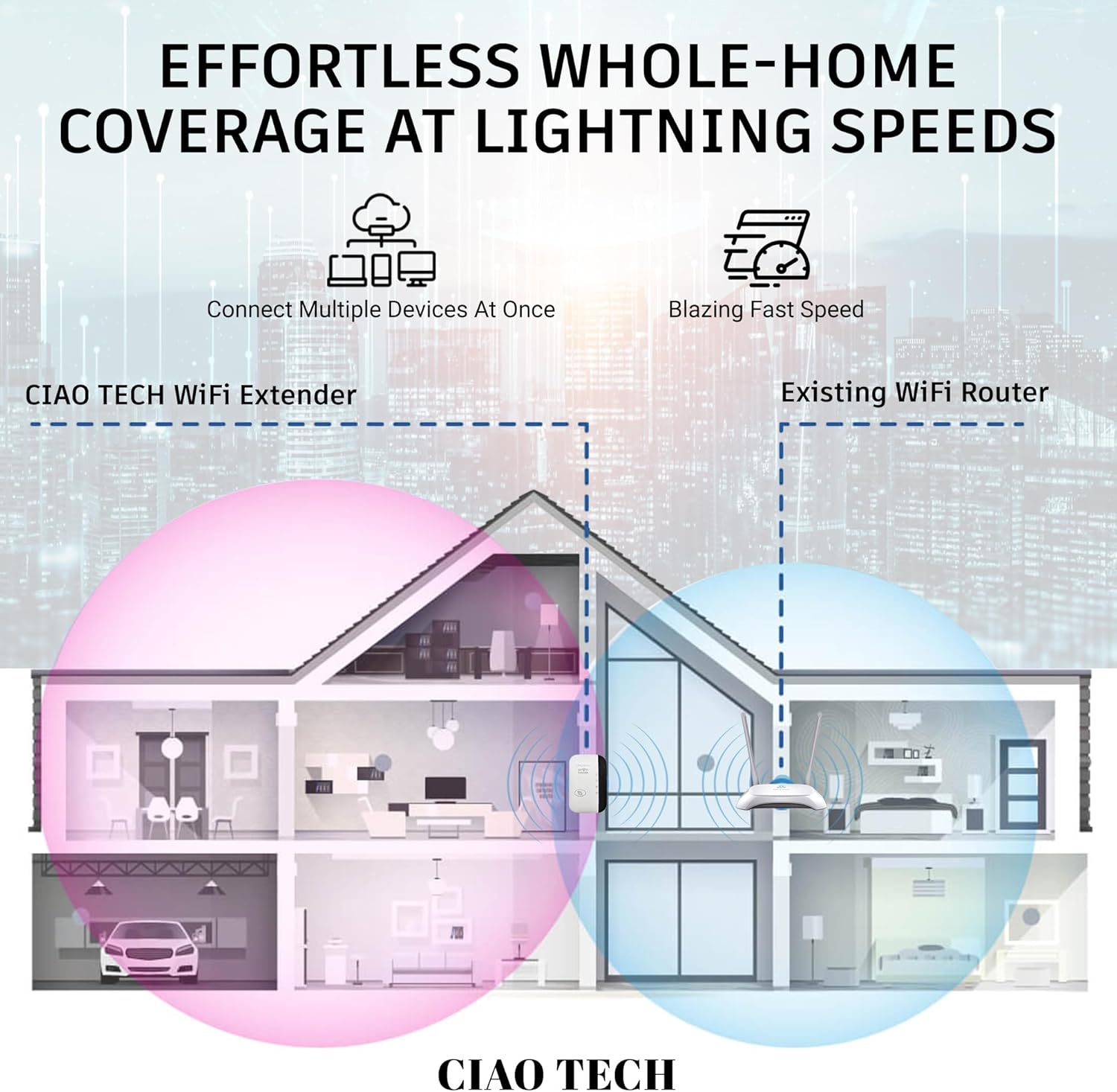
A diagram illustrating how the WiFi Extender provides expanded coverage throughout a home, connecting multiple devices.
Bakım
- Optimum Yerleştirme: Place the extender in a location that is roughly halfway between your main router and the area where you need improved Wi-Fi. Avoid placing it near large metal objects, concrete walls, or other electronic devices that may cause interference.
- Temiz tut: Periodically wipe the device with a soft, dry cloth to remove dust. Do not use liquid cleaners or aerosols.
- Donanım Yazılımı Güncellemeleri: Üreticinin kontrol edin webÜrün yazılımı güncellemeleri için siteyi düzenli olarak kontrol edin. Ürün yazılımını güncel tutmak performansı ve güvenliği artırabilir.
- Güç Döngüsü: If you experience persistent issues, try power cycling the extender by unplugging it from the outlet for 10 seconds and then plugging it back in.
Sorun giderme
- Kurulumdan Sonra İnternet Erişimi Yok:
- Ensure the extender is within range of your main router.
- Verify that the password entered for your main Wi-Fi network during setup was correct.
- Hem ana yönlendiricinizi hem de menzil genişleticinizi yeniden başlatmayı deneyin.
- If using Repeater Mode, ensure your main router has internet access.
- Genişleticiden Zayıf Sinyal:
- Genişletme cihazını ana yönlendiricinize daha yakın bir yere taşıyın.
- Avoid physical obstructions like thick walls or large appliances.
- Girişim kaynaklarını kontrol edin (örneğin mikrodalgalar, kablosuz telefonlar).
- Erişilemiyor Web Yönetim Sayfası (192.168.11.1):
- Ensure your device is connected to the extender's Wi-Fi network (e.g., "WiFi Repeater-XXXXXX").
- Tarayıcınızın önbelleğini ve çerezlerini temizleyin veya farklı bir tarayıcı deneyin.
- Bilgisayarınızdaki VPN veya güvenlik duvarı yazılımlarını geçici olarak devre dışı bırakın.
- Reset the extender to factory defaults (use a paperclip to press the reset button for 5-10 seconds) and try setup again.
- Yavaş Hız:
- Ensure the extender is placed in an optimal location, not too far from the router and not too far from the devices.
- Check for network congestion or too many devices connected to the extended network.
- Verify your main internet speed.
Özellikler
| Model Numarası | OWEWM00-001 |
| kablosuz standardı | 802.11ac |
| Veri Aktarım Hızı | 300 Mbps'ye kadar |
| Güvenlik Özellikleri | 64/128/152-bit Encryption |
| Limanlar | 1 x RJ45 Ethernet Bağlantı Noktası |
| Boyutlar | 4.61 x 4.45 x 2.72 inç |
| Ağırlık | 3.84 ons |
Garanti ve Destek
For warranty information and technical support, please refer to the contact details provided with your purchase or visit the official CIAO TECH webalan. Garanti talepleri için satın alma makbuzunuzu saklayın.


