1. Giriş
Thank you for choosing the Baseus PocketGo Portable Air Pump. This compact and efficient device is designed for convenient inflation of various items such as air mattresses, inflatable toys, and more. Please read this manual carefully before use to ensure proper operation and maintenance.
2. Ürün Bittiview
2.1 Paket İçeriği
- Baseus PocketGo Portable Air Pump
- USB-C Şarj Kablosu
- Various Inflation Nozzles/Adapters

Figure 2.1: Baseus PocketGo Portable Air Pump and its accessories, including the main unit, USB-C cable, and multiple inflation nozzles.
2.2 Cihaz Bileşenleri
- Enflasyon Limanı: Where air is expelled.
- Güç Düğmesi: To turn the device on/off and control inflation.
- USB-C Şarj Portu: Dahili bataryayı şarj etmek için.
- Gösterge Işığı: Shows battery status and operation mode.
- Kordon Halkası: Kolay taşıma için.
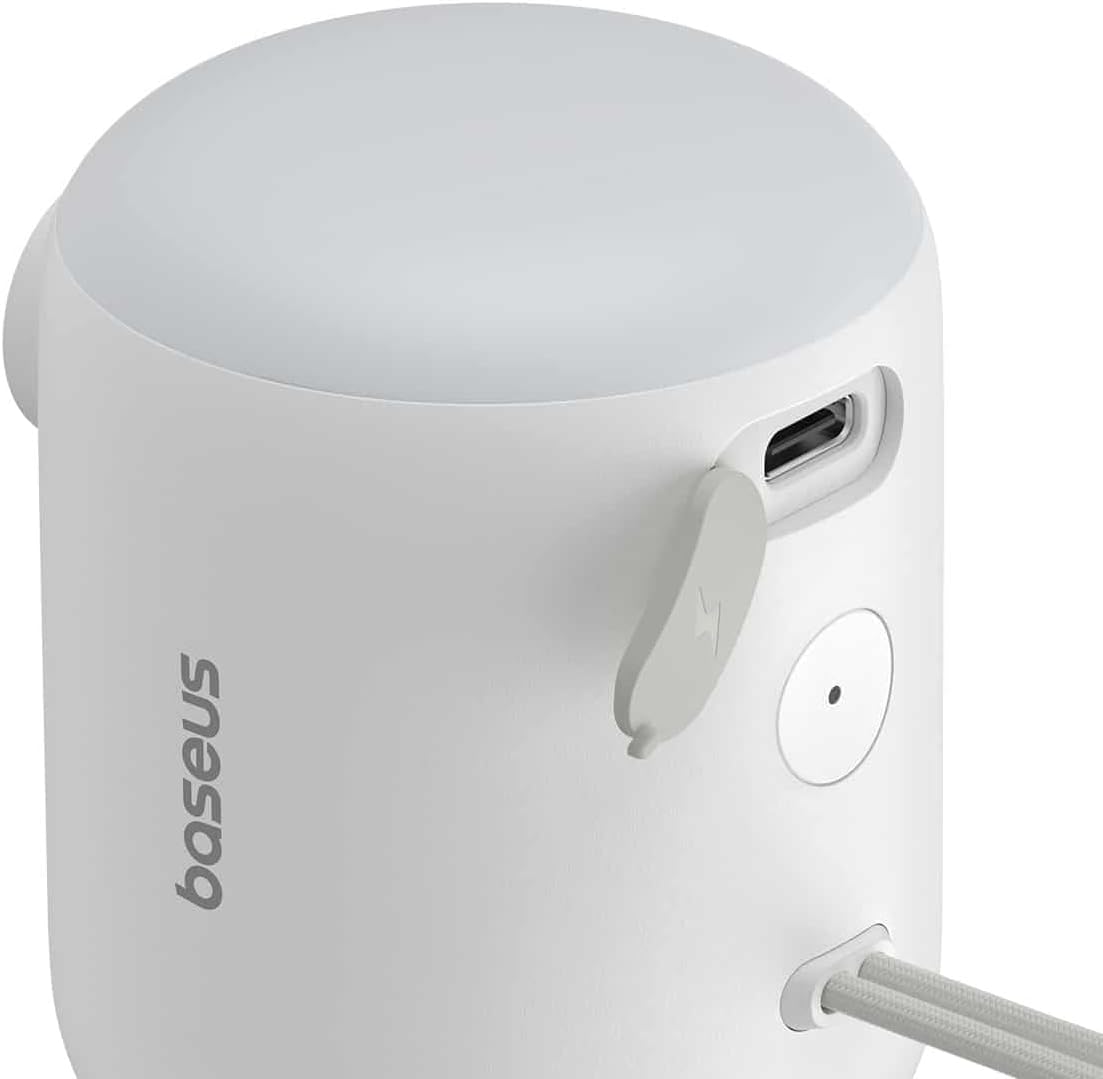
Şekil 2.2: Ayrıntılı view of the Baseus PocketGo, highlighting the USB-C charging port and the power button.
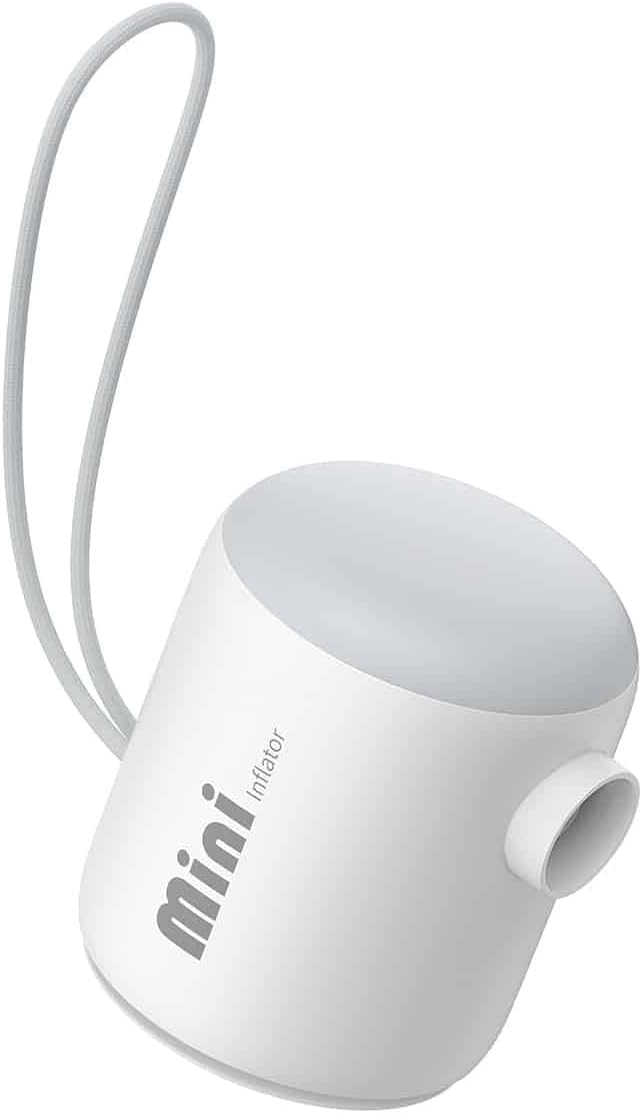
Şekil 2.3: Ön view of the Baseus PocketGo Portable Air Pump, showing its compact design and integrated lanyard.
3. Kurulum
3.1 Cihazı Şarj Etme
- Kutu içeriğinde bulunan USB-C şarj kablosunu cihaz üzerindeki şarj portuna bağlayın.
- Kablo ucunu standart bir USB güç adaptörüne (dahil değildir) veya bilgisayarın USB portuna bağlayın.
- The indicator light will show the charging status. A full charge is indicated when the light changes color or turns off (refer to specific light behavior in the quick start guide if available).
3.2 Meme Uçlarının Takılması
- Şişirmek istediğiniz ürün için uygun başlığı seçin.
- Firmly insert the chosen nozzle into the inflation port of the air pump. Ensure it is securely seated to prevent air leakage during operation.
4. Kullanım Talimatları
4.1 Enflasyon Süreci
- Cihazın yeterli şarja sahip olduğundan emin olun.
- Attach the correct nozzle to the air pump.
- Insert the nozzle into the inflation valve of the item you want to inflate.
- Press and hold the power button to turn on the pump. The pump will begin to inflate the item.
- Monitor the inflation process. Once the item is inflated to the desired firmness, release the power button to stop the pump.
- Remove the nozzle from the item and then from the pump.

Figure 4.1: The Baseus PocketGo in use, inflating an air mattress, demonstrating its practical application.
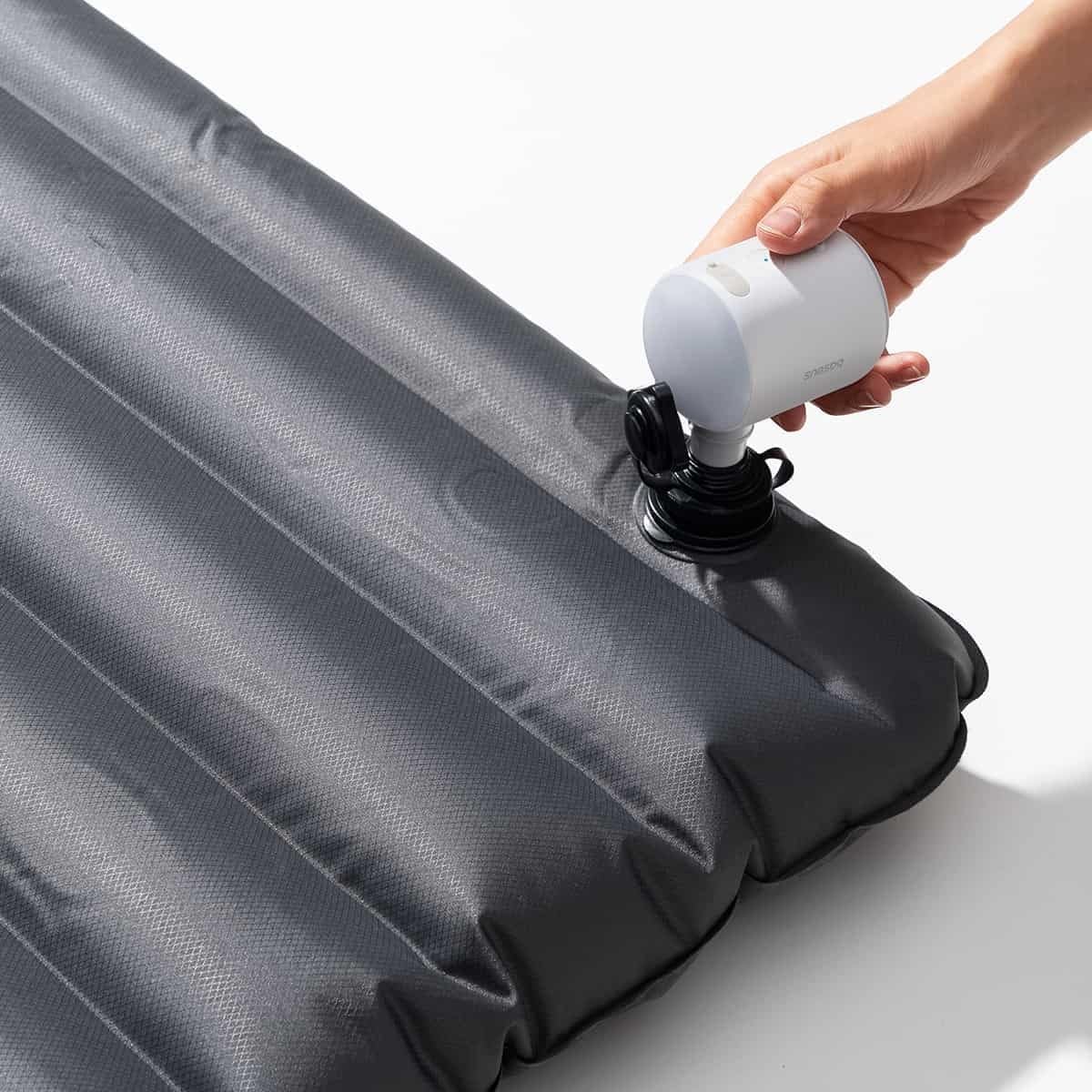
Figure 4.2: Another perspective of the Baseus PocketGo inflating an air mattress, showing the compact size and ease of handling.
4.2 Taşınabilirlik
The compact design and integrated lanyard allow for easy transport. It can be conveniently attached to a backpack or carried in a bag.

Figure 4.3: The Baseus PocketGo attached to a backpack, illustrating its portability and convenient carrying options.
5. Bakım
- Temizlik: Wipe the exterior of the pump with a soft, dry cloth. Do not use harsh chemicals or abrasive cleaners.
- Depolamak: Pompayı serin, kuru ve doğrudan güneş ışığından ve aşırı sıcaklıklardan uzak bir yerde saklayın. Pil ömrünü korumak için uzun süreli saklamadan önce tamamen şarj edildiğinden emin olun.
- Pil Bakım: To maximize battery lifespan, avoid completely draining the battery frequently. Recharge the device when the battery indicator suggests low power.
6. Sorun Giderme
- Cihaz açılmıyor:
- Ensure the battery is charged. Connect to a power source and try again.
- Check if the power button is being pressed correctly. - Pump is running but no air is coming out/weak airflow:
- Check if the nozzle is securely attached to the pump and the item being inflated.
- Ensure the inflation port is not blocked.
- Verify the item's valve is open and not obstructed. - Cihaz beklenmedik şekilde duruyor:
- The battery might be low. Recharge the device.
- The device might have overheated. Allow it to cool down before resuming operation.
7. Özellikler

Şekil 7.1: Alt view of the Baseus PocketGo, displaying product specifications and compliance markings.
| Özellik | Detay |
|---|---|
| Marka | Bazus |
| Model Numarası | C11157700221-00 |
| Ürün Boyutları | 10x5x1.27 cm |
| Ağırlık | 282 Gram |
| Giriş Voltage | 5V (from image) |
| Anma Gücü | 45W Max (from image) |
| Pil Kapasitesi | 1600mAh / 5.9Wh (from image) |
| Renk | White (as per product title) |
8. Garanti ve Destek
Garanti bilgileri ve müşteri desteği için lütfen satın alma işleminizle birlikte gelen belgelere bakın veya resmi Baseus web sitesini ziyaret edin. webSite. Satın alma belgenizi garanti talepleriniz için saklayın.
Üretici: Bazus


