1. Giriş
Thank you for choosing the Maxcom FW58 Vanad Pro Smartwatch. This manual provides essential information for setting up, operating, and maintaining your device. The FW58 Vanad Pro is designed to enhance your daily life by offering comprehensive health monitoring, seamless communication, and robust activity tracking capabilities. Its lightweight design and customizable features make it an ideal companion for both busy individuals and active sports enthusiasts.
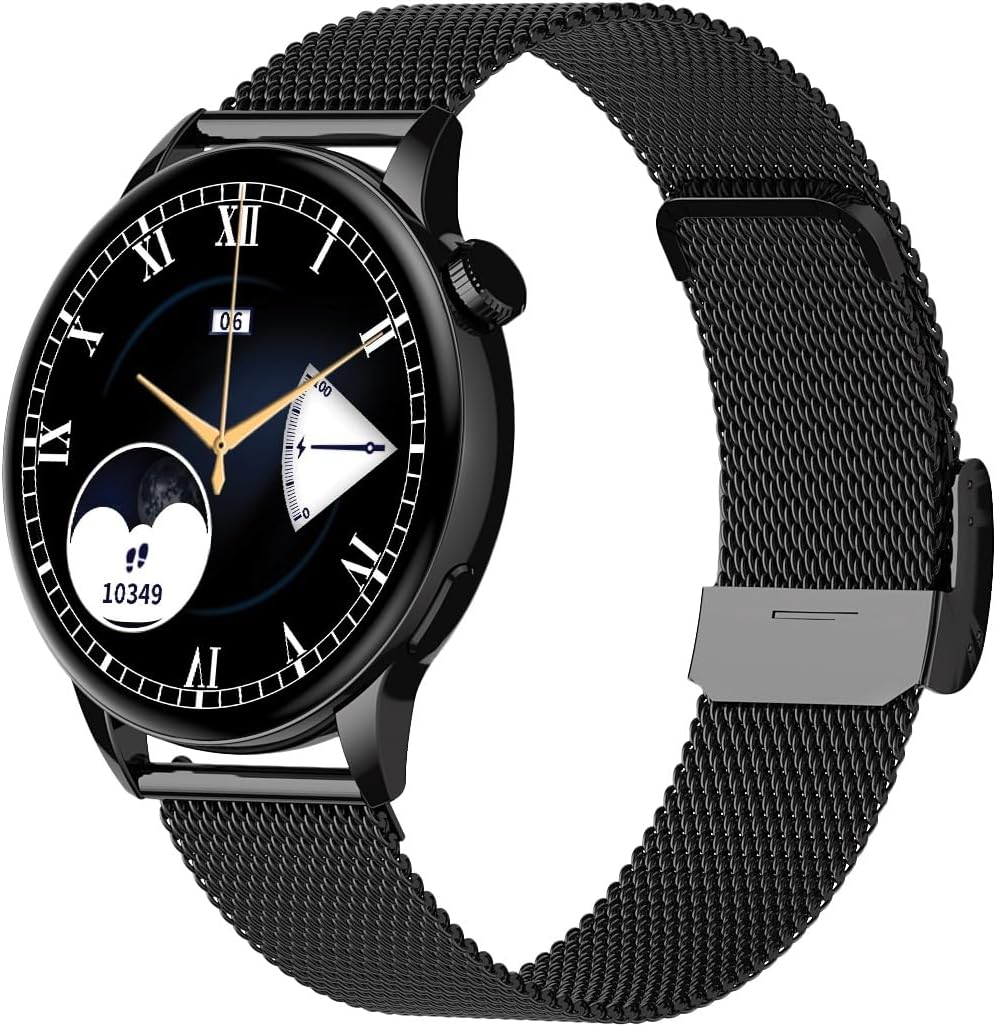
Image 1.1: Maxcom FW58 Vanad Pro Smartwatch, showcasing its elegant design with a black mesh strap and a classic watch face.
2. Kurulum
2.1. Paket İçeriği
Başlamadan önce lütfen paketinizde tüm öğelerin mevcut olduğundan emin olun:
- Maxcom FW58 Vanad Pro Smartwatch
- Manyetik Şarj Kablosu
- Additional Silicone Strap
- Kullanım Kılavuzu (bu belge)
2.2. Akıllı Saati Şarj Etme
En iyi performansı elde etmek için, akıllı saatinizi ilk kullanımdan önce tamamen şarj edin.
- Manyetik şarj kablosunu akıllı saatin arkasındaki şarj temas noktalarına bağlayın. Pinlerin doğru şekilde hizalandığından emin olun.
- Kablo ucunu standart bir USB güç adaptörüne (5V/1A önerilir) veya bilgisayarın USB portuna takın.
- Saat ekranı şarj durumunu gösterecektir. Tam şarj genellikle yaklaşık 2 saat sürer.

Resim 2.1: Arka view of the Maxcom FW58 Smartwatch, highlighting the optical sensor for health monitoring and the magnetic charging contacts.
2.3. Akıllı Telefonunuzla Eşleştirme
To unlock all features, pair your smartwatch with the dedicated Maxcom smartwatch application on your smartphone.
- Download the official Maxcom smartwatch application from your smartphone's app store (e.g., Google Play Store or Apple App Store). Arama "Maxcom Smartwatch" or refer to the QR code in the quick start guide if provided.
- Akıllı telefonunuzda Bluetooth'un etkinleştirildiğinden emin olun.
- Open the Maxcom app and follow the on-screen instructions to add a new device.
- Select "FW58" from the list of available devices. Confirm the pairing request on both your phone and the smartwatch.
3. Akıllı Saatin Çalıştırılması
3.1. Temel Gezinme
The Maxcom FW58 features a responsive touchscreen and a side button/crown for navigation.
- Dokunmatik ekran: Menüler ve özellikler arasında gezinmek için sola/sağa, yukarı/aşağı kaydırın. Seçmek için dokunun.
- Yan Düğme/Taç: Ekranı uyandırmak, ana ekrana dönmek veya uygulama menüsüne erişmek için basın. Listelerde gezinmek veya ayarları değiştirmek için (varsa) tepe düğmesini döndürün.

Resim 3.1: Yan profile of the Maxcom FW58 Smartwatch, illustrating the physical crown and button for intuitive control and navigation.
3.2. İletişim Özellikleri
- Çağrı Yapma/Arama Alma: Once paired, you can answer incoming calls directly from your smartwatch. You can also initiate calls from your watch's call log or contacts (synced via the app).
- Bildirimler: Receive real-time notifications for SMS messages, app alerts, emails, social media updates, and news directly on your wrist. Manage notification settings through the Maxcom app.
3.3. Sağlık İzleme
The smartwatch provides various health metrics to help you monitor your well-being.
- Kalp Atış Hızı: Sürekli veya isteğe bağlı kalp atış hızı izleme.
- Tansiyon: Measure your blood pressure (for reference only, not a medical device).
- Kan Oksijeni (SpO2): Kanınızdaki oksijen doygunluk seviyelerini takip edin.
- Uyku Takibi: Automatically monitors your sleep patterns, including deep sleep, light sleep, and awake times.
3.4. Aktivite Takibi ve Spor Modları
Track your daily activity and specific workouts.
- Günlük aktivite: Records steps taken, calories burned, and distance traveled (mileage).
- Spor Modları: Select from various sports modes such as fitness, hiking, running, badminton, cycling, and football to track specific workout data.
3.5. Müzik Kontrolü
Control music playback on your connected smartphone directly from your smartwatch. Play, pause, skip tracks, and adjust volume without needing to access your phone.
3.6. Özelleştirme
Personalize your smartwatch experience.
- Yüzleri İzle: Choose from over 100 pre-installed watch face models or download more via the Maxcom app to match your style or mood.
- Menü Stili: Customize the layout and appearance of your smartwatch menu.
- Kayışın Değiştirilmesi: Easily change between the included mesh and silicone straps to suit different occasions or activities.

Image 3.2: A digital watch face on the Maxcom FW58 Smartwatch, showing steps and heart rate data.

Image 3.3: The Maxcom FW58 Smartwatch showcasing a dynamic and colorful digital watch face option.
4. Bakım
4.1. Cleaning the Smartwatch
Düzenli temizlik, cihazın görünümünü ve işlevselliğini korumaya yardımcı olur.
- Ekranı ve gövdeyi yumuşak, tiftiksiz bir bezle silin.
- İnatçı lekeler için hafifçeampBezi suyla yıkayın. Sert kimyasallar veya aşındırıcı malzemeler kullanmaktan kaçının.
- Clean the sensor area on the back of the watch regularly to ensure accurate readings.
4.2. Pil Bakımı
Pil ömrünü uzatmak için:
- Aşırı sıcaklıklardan kaçının.
- Saatin şarjı tamamen bitmiş halde uzun süre bırakmayın.
- Cihazı yalnızca kutu içeriğinde bulunan şarj kablosunu kullanarak şarj edin.
4.3. Suya Dayanıklılık (IP67)
The Maxcom FW58 Vanad Pro Smartwatch is rated IP67, meaning it is protected against dust ingress and can withstand immersion in water up to 1 meter for up to 30 minutes. While it is suitable for daily use and splashes, it is not recommended for swimming, diving, or high-pressure water activities.
5. Sorun Giderme
Akıllı saatinizle ilgili sorun yaşıyorsanız, aşağıdaki çözümleri deneyin:
| Sorun | Çözüm |
|---|---|
| Saat açılmıyor | Ensure the watch is fully charged. Press and hold the side button for 5-10 seconds. |
| Akıllı telefonla eşleştirilemiyor | Ensure Bluetooth is on. Restart both the watch and phone. Clear app cache/data. Try pairing again. |
| Yanlış sağlık okumaları | Ensure the watch is worn snugly on your wrist. Clean the sensor area. Remain still during measurements. |
| Bildirimler alınmadı | Check app notification permissions on your phone. Ensure the watch is connected via Bluetooth. Verify notification settings within the Maxcom app. |
5.1. Fabrika Ayarlarına Sıfırlama
If problems persist, you may need to perform a factory reset. This will erase all data on the smartwatch and restore it to its original settings. Navigate to 'Settings' on your smartwatch, then look for 'System' or 'Reset' options.
6. Özellikler
| Özellik | Detay |
|---|---|
| Model Numarası | FW58 |
| Ekran Boyutu | 1.5 inç |
| Pil Ömrü | 6-10 days (intensive use) |
| Ağırlık | 46 gr |
| Kasa Boyutları | 44x38x10 mm |
| Askı Boyutu | 255x20 mm |
| Suya Dayanıklılık | IP67 (1 dakika boyunca 30 metreye kadar) |
| Bağlantı | Bluetooth |
| Dahil Kayışlar | Mesh and Silicone |
7. Garanti ve Destek
7.1. Garanti Bilgileri
Maxcom products are manufactured to the highest quality standards. For detailed warranty terms and conditions, please refer to the warranty card included with your purchase or visit the official Maxcom webSite. Satın alma belgenizi garanti talepleriniz için saklayın.
7.2. Müşteri Desteği
If you require further assistance or have questions not covered in this manual, please contact Maxcom customer support:
- Webalan: Visit the official Maxcom support website for FAQs, software updates, and contact forms.
- E-posta/Telefon: Refer to the contact information provided on the Maxcom websiteniz veya ürün ambalajınız.


