1. Giriş
This manual provides essential information for the setup, operation, and maintenance of your PlayStation PULSE Explore Wireless Earbuds. Designed for an immersive audio experience, these earbuds feature planar magnetic drivers and PlayStation Link wireless technology for high-fidelity sound and seamless connectivity across multiple devices.

Resim 1.1: Ön view of the PULSE Explore Wireless Earbuds. These earbuds feature a distinctive white outer shell with black inner components, designed for comfortable in-ear fit.
2. Kutu İçeriği
Lütfen aşağıda listelenen tüm öğelerin paketinizde yer aldığından emin olun:
- PULSE Explore wireless earbuds (Left and Right)
- PlayStation Link USB adapter
- Şarj kutusu
- 6 Earbud tips (various sizes)
- USB kablosu (şarj için)
- Basılı Materyaller (Hızlı Başlangıç Kılavuzu, Güvenlik Kılavuzu)

Image 2.1: The retail packaging for the PULSE Explore Wireless Earbuds, alongside the earbuds and their charging case. The box displays the PlayStation and Sony logos.
3. Kurulum
3.1 İlk Şarj
Before first use, fully charge the earbuds and the charging case. Connect the supplied USB cable to the charging case and a compatible USB power source. The indicator light on the case will show charging status.

Image 3.1: The PULSE Explore Wireless Earbuds nestled within their charging case. The case is open, revealing the earbuds and the charging port, indicating readiness for charging.
The charging case provides up to 10 hours of additional battery life, while the earbuds offer up to 5 hours of play on a single charge.
3.2 Cihazlara Bağlanma
The PULSE Explore Wireless Earbuds support PlayStation Link and Bluetooth connectivity.
3.2.1 PlayStation Link (PS5, PC/Mac, PlayStation Portal)
- Insert the PlayStation Link USB adapter into a USB port on your PS5 console, PC/Mac, or PlayStation Portal.
- Ensure the earbuds are in the charging case and the case is open, or the earbuds are powered on.
- The earbuds and adapter should automatically pair. A status indicator will confirm connection.
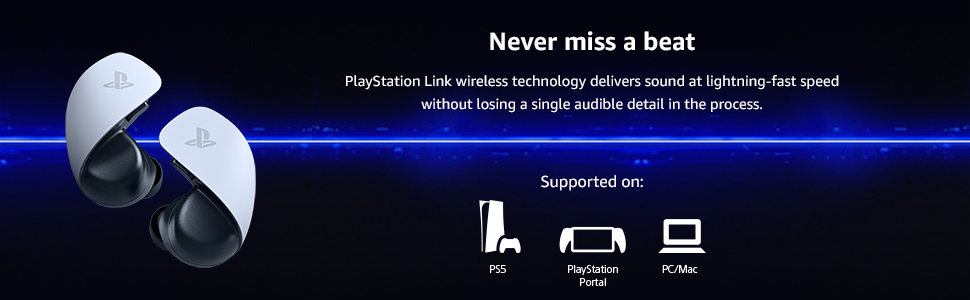
Image 3.2: An illustration demonstrating the multi-device compatibility of the PULSE Explore Wireless Earbuds via PlayStation Link. Compatible devices include PS5, PlayStation Portal, and PC/Mac.
3.2.2 Bluetooth (Mobile Devices)
- With the earbuds in the charging case, open the case.
- Press and hold the pairing button on the charging case until the indicator light flashes blue.
- On your mobile device, go to Bluetooth settings and select "PULSE Explore" from the list of available devices.
- The earbuds can connect to a mobile device via Bluetooth while simultaneously connected to a PlayStation Link device.
4. Kullanım Talimatları
4.1 Kulaklıkların Takılması
Select the earbud tips that provide the best fit and seal for optimal sound quality and comfort. Gently insert each earbud into your ear canal and twist slightly to secure.
4.2 Kontroller
The earbuds feature easy-access volume controls. Refer to the printed materials for specific button functions for volume adjustment, play/pause, and call management.
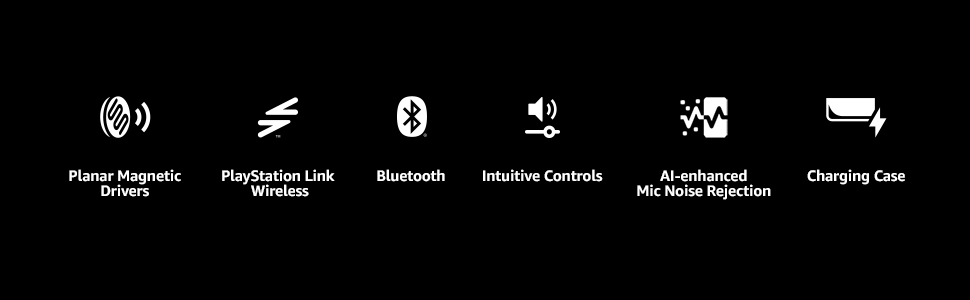
Image 4.1: A visual summary of the PULSE Explore's core features, including its advanced audio technology, wireless connectivity options, user-friendly controls, and microphone capabilities.
4.3 Mikrofon İşlevselliği
The earbuds are equipped with two hidden microphones featuring AI-enhanced noise rejection technology to ensure clear voice capture during calls or in-game communication, minimizing background noise.
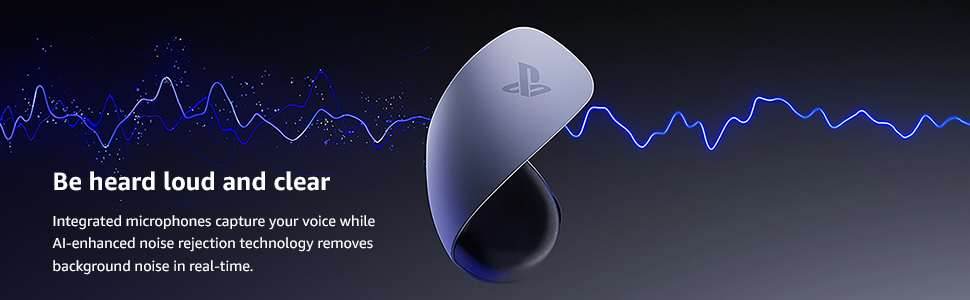
Image 4.2: This image highlights the integrated microphones and AI-enhanced noise rejection, ensuring your voice is transmitted clearly without interference from ambient sounds.

Image 4.3: The PULSE Explore Wireless Earbuds positioned next to a PlayStation Portal, illustrating their seamless integration and use with PlayStation's gaming ecosystem.
5. Bakım
Doğru bakım, kulaklığınızın uzun ömürlü olmasını ve performansını garantiler.
- Temizlik: Regularly clean the earbud tips and the mesh covers with a soft, dry cloth. Do not use harsh chemicals or abrasive materials.
- Depolamak: Kullanmadığınız zamanlarda kulaklıklarınızı toz ve hasardan korumak için şarj kutusunda saklayın.
- Pil Bakım: Avoid exposing the earbuds and charging case to extreme temperatures. For long-term storage, ensure the battery has a partial charge (around 50%).
6. Sorun Giderme
| Sorun | Olası Neden | Çözüm |
|---|---|---|
| Kulaklıklardan ses gelmiyor | Earbuds not paired or connected; low battery; incorrect audio output selected. | Ensure earbuds are charged and paired. Check device's audio output settings. |
| Kulaklıklar şarj olmuyor | Charging cable or power source issue; earbuds not seated correctly in case. | Verify cable connection and power source. Reseat earbuds in the charging case. |
| Kötü ses kalitesi | Earbud tips not sealing properly; interference; dirty earbuds. | Try different earbud tips. Move closer to the connected device. Clean earbuds. |
| Mikrofon çalışmıyor | Mikrofon sessize alındı; yanlış giriş aygıtı seçildi. | Check device settings to ensure microphone is enabled and selected as input. |
7. Özellikler
- Model Adı: PULSE Keşfet
- Model Numarası: CFI-ZWA2
- Marka: Oyun istasyonu
- Üretici: Sony
- Bağlantı Teknolojisi: Wireless (PlayStation Link, Bluetooth)
- Kablosuz İletişim Teknolojisi: Bluetooth
- Uyumlu Cihazlar: PlayStation 5, PlayStation Portal, PC, Mac, Mobile devices
- Kontrol Türü: Ses Kontrolü
- Kulak Yerleşimi: Kulakta
- Form Faktörü: Kulakta
- Özellik: AI-enhanced Noise Rejection Microphones, Planar Magnetic Drivers
- Kulaklık Pil Ömrü: 5 saate kadar
- Charging Case Additional Battery Life: 10 saate kadar
- Item Weight (Earbuds): Yaklaşık 0.25 pound (çifti)
- Ürün Ölçüleri: 4.8 x 4.2 x 3 inç (ambalaj)
- Renk: Beyaz
- UPC: 711719568315
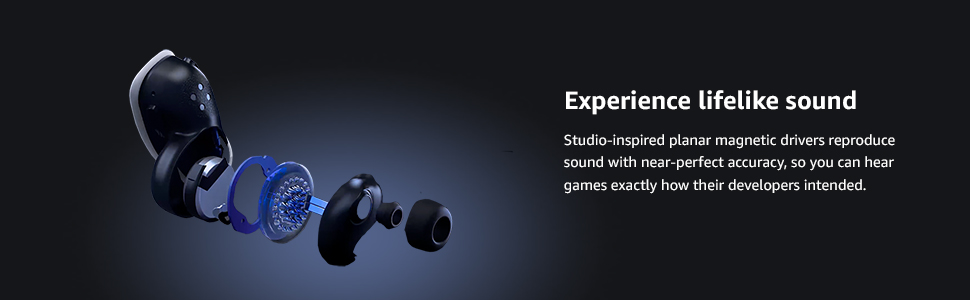
Image 7.1: An exploded diagram of a PULSE Explore earbud, illustrating the sophisticated planar magnetic drivers responsible for its high-fidelity audio reproduction.
8. Garanti ve Destek
For warranty information and customer support, please refer to the official PlayStation website or the printed materials included in your product box. You can also visit the PlayStation Mağazası ek kaynaklar için.
İade politikasi: This product is subject to a 30-day refund/replacement policy when purchased from Amazon.


