giriiş
Welcome to the user manual for your TAB Fairy10 Robot Vacuum and Mop Combo. This advanced cleaning device is designed to provide comprehensive floor care with its powerful 6000 Pa suction, hidden LiDAR navigation for precise mapping, and intelligent features such as self-drying, auto-empty, and auto-refill capabilities. Its 15mm auto-lift dual mops and AI 3.0 obstacle avoidance ensure efficient and thorough cleaning across various floor types.
Paket İçeriği
Lütfen aşağıda listelenen tüm öğelerin paketinizde yer aldığından emin olun:
- Robot Vacuum × 1
- Charging Base × 1
- Adaptör × 1
- HEPA Filters × 4 (2 pairs)
- Temizleme Fırçası × 1
- Side Brushes × 4 (2 pairs)
- Kullanım Kılavuzu × 1
- Güç Kablosu × 1
- Disposable Dust Bags × 2
- Mop Cloths × 2 Pairs

Figure 1: All included components in the TAB Fairy10 package.
Kurmak
1. Paketin Açılması ve Yerleştirilmesi
- Remove all packaging materials and protective films from the robot and the charging base.
- Place the charging base against a wall on a hard, level surface. Ensure there is at least 0.5 meters (1.6 feet) of clear space on both sides and 1.5 meters (4.9 feet) in front of the base.
- Connect the power cable to the charging base and plug it into a power outlet.
2. Robotu Şarj Etme
- Robotu şarj tabanına yerleştirin. Robot üzerindeki şarj temas noktalarının tabandakilerle aynı hizada olduğundan emin olun.
- The robot will automatically begin charging. For first-time use, fully charge the robot before operation (approximately 6 hours).
3. Su Depolarının Doldurulması
- Open the top cover of the charging base to access the clean water tank and dirty water tank.
- Remove the clean water tank and fill it with clean tap water. You may add a small amount of non-foaming, robot-safe cleaning solution if desired.
- Temizleme işlemine başlamadan önce kirli su tankının boş olduğundan emin olun.
- Return both tanks to their respective slots in the charging base.

Figure 2: The TAB Fairy10 Robot Vacuum and its comprehensive charging station.

Şekil 3: Üzeriview of the station's automated functions: self-cleaning, self-emptying, self-drying, and self-refilling.
Kullanım Talimatları
1. Açma/Kapama
- To power on, press and hold the power button on the robot for 3 seconds until the indicator lights up.
- To power off, press and hold the power button for 3 seconds while the robot is stationary.
2. Mobil Uygulamaya Bağlanma
- Download the official TAB app from your smartphone's app store.
- Follow the in-app instructions to connect your robot to your home Wi-Fi network. This will enable remote control, scheduling, map management, and cleaning mode selection.
3. Temizleme Modları
The TAB Fairy10 supports various cleaning modes, selectable via the mobile app:
- Vakum Modu: Kuru atıkların toplanması için.
- Paspas Modu: Sert zeminlerin ıslak temizliği için.
- Vakum ve Paspas Modu: Aynı anda hem süpürme hem paspaslama.
- Nokta Temizleme: Concentrated cleaning for specific dirty areas.
- Bölge Temizliği: Harita üzerinde kullanıcı tarafından tanımlanan alanları temizler.
4. Navigasyon ve Engelden Kaçınma
The robot utilizes hidden LiDAR navigation to create precise maps of your home, ensuring efficient cleaning paths. Its AI 3.0 obstacle avoidance technology helps it detect and navigate around common household items, reducing the chance of getting stuck.
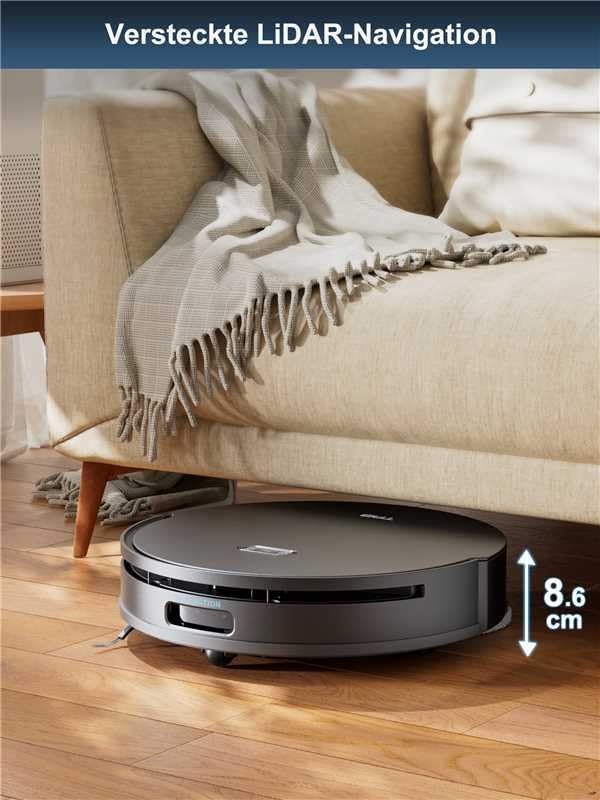
Figure 4: The robot's hidden LiDAR navigation allows it to clean under furniture effectively.
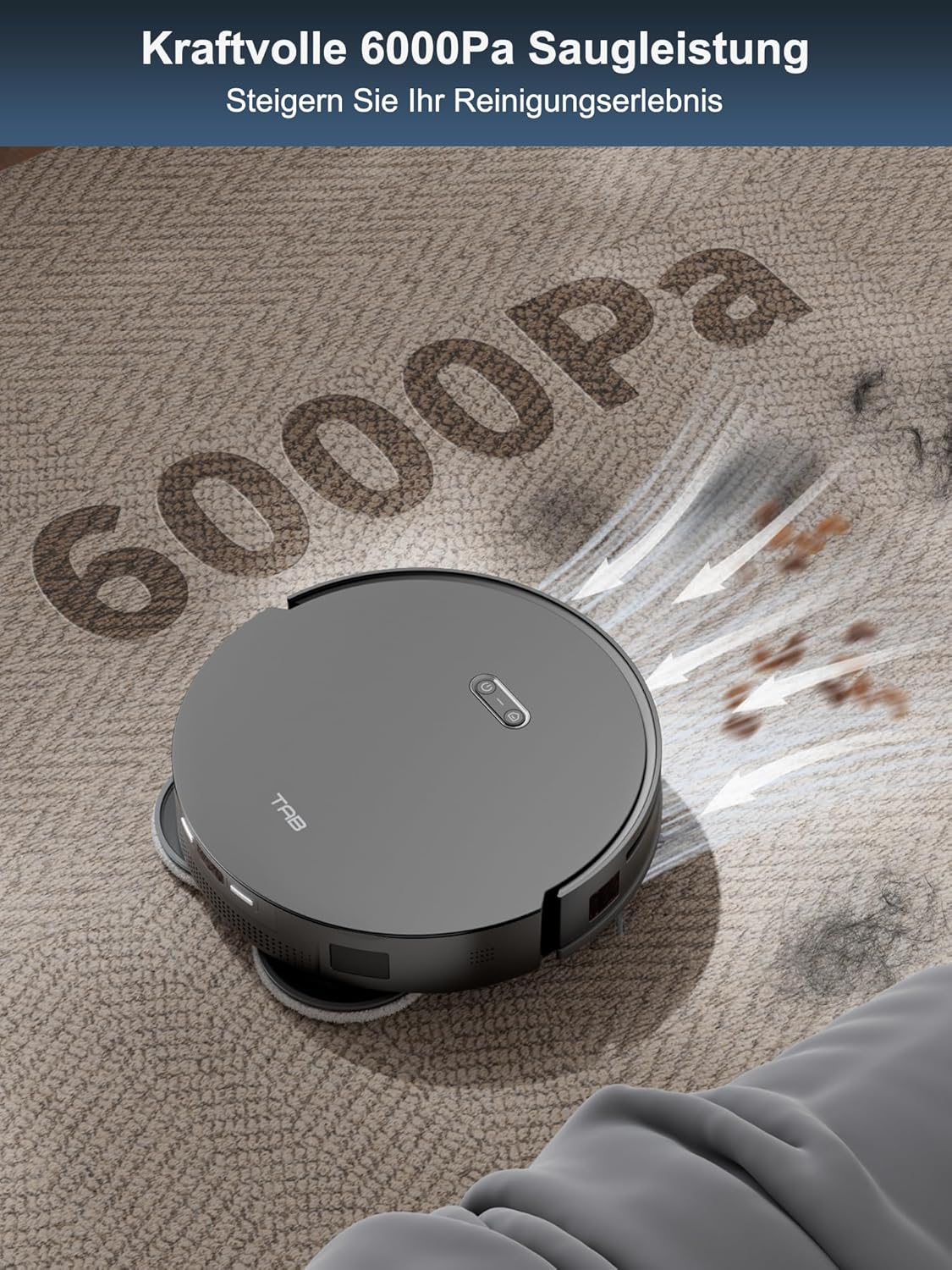
Figure 5: The powerful 6000Pa suction ensures thorough cleaning of various debris.

Figure 6: AI 3.0 obstacle avoidance helps the robot navigate around household items.
5. Automatic Mop Lifting and Dual Dirt Solution
The robot features automatic mop lifting by 15mm when it detects carpets, preventing wetting. For mopping, it applies 10N pressure and rotates at 180 rpm, providing effective scrubbing for stubborn dirt.

Figure 7: The automatic 15mm mop lifting feature protects carpets during mopping cycles.

Figure 8: The dual dirt solution combines high-speed rotation and pressure for effective mopping.
Bakım
Düzenli bakım robot süpürgenizin optimum performansını sağlar ve kullanım ömrünü uzatır.
1. Emptying the Dustbin and Replacing Dust Bag
- The robot automatically empties its internal dustbin into the disposable dust bag in the charging base.
- Replace the disposable dust bag in the charging base when the indicator light or app notification indicates it is full.
2. Temizlik Paspas Pedleri
- The charging base automatically cleans and dries the mop pads after each mopping cycle.
- Periodically remove the mop pads and hand wash them with water and mild detergent to remove any residual dirt. Allow them to air dry completely before reattaching.
3. Filtrelerin Temizlenmesi
- Tap the HEPA filters gently to remove loose dust. Do not wash HEPA filters with water.
- Replace HEPA filters every 3-6 months, or as needed, depending on usage.
4. Temizlik Fırçaları
- Remove the main brush and side brushes. Use the provided cleaning tool to cut and remove any tangled hair or debris.
- Wipe the brushes with a dry cloth.
5. Sensörlerin ve Şarj Kontaklarının Temizlenmesi
- Wipe all sensors (cliff sensors, wall sensor, LiDAR sensor window) and charging contacts on both the robot and the charging base with a clean, dry cloth.
Sorun giderme
| Sorun | Olası Neden | Çözüm |
|---|---|---|
| Robot açılmıyor veya şarj olmuyor. | Pil zayıf; şarj kontakları kirli; kablo bağlantısı kesilmiş. | Ensure robot is on charging base; clean charging contacts; check power cable connection. |
| Robot sık sık takılıyor. | Yolda engeller var; sensörler kirli. | Clear cables, small objects, and thick rugs; clean all sensors. |
| Zayıf temizleme performansı. | Dustbin full; brushes tangled; filters clogged; water tank empty. | Empty dustbin; clean/replace brushes; clean/replace filters; refill clean water tank. |
| Uygulama bağlantı sorunları. | Incorrect Wi-Fi password; robot too far from router; app outdated. | Verify Wi-Fi credentials; move robot closer to router; update app; restart robot and router. |
| Paspas pedleri düzgün kurumuyor. | Insufficient airflow; station vents blocked. | Ensure station is in a well-ventilated area; clear any obstructions around station vents. |
Özellikler
| Özellik | Şartname |
|---|---|
| Marka | SEKME |
| Model Adı | Fairy 10 (M50-PT-US) |
| Özel Özellik | Auto-Docking, Self-Drying, Auto Empty & Refill, 15mm Auto-Lift Dual Mops, Obstacle Avoidance |
| Renk | Siyah |
| Ürün Boyutları (U x G x Y) | 18.8" x 18.8" x 19.2" |
| Filtre Türü | Kartuş (HEPA) |
| Pil Ömrü | 120 dakikadır. |
| Güç Kaynağı | Pil ile çalışır |
| Lityum Pil Hacmitage | 3.6 Volt |
| Form Faktörü | Rectangular (Base), Round (Robot) |
| Ürün Ağırlığı | 41.5 pound |
| Üretici | SHENZHEN FENGCHAO NEW TECHNOLOGY CO., LTD |
| İlk Mevcut Tarih | 7 Kasım 2024 |
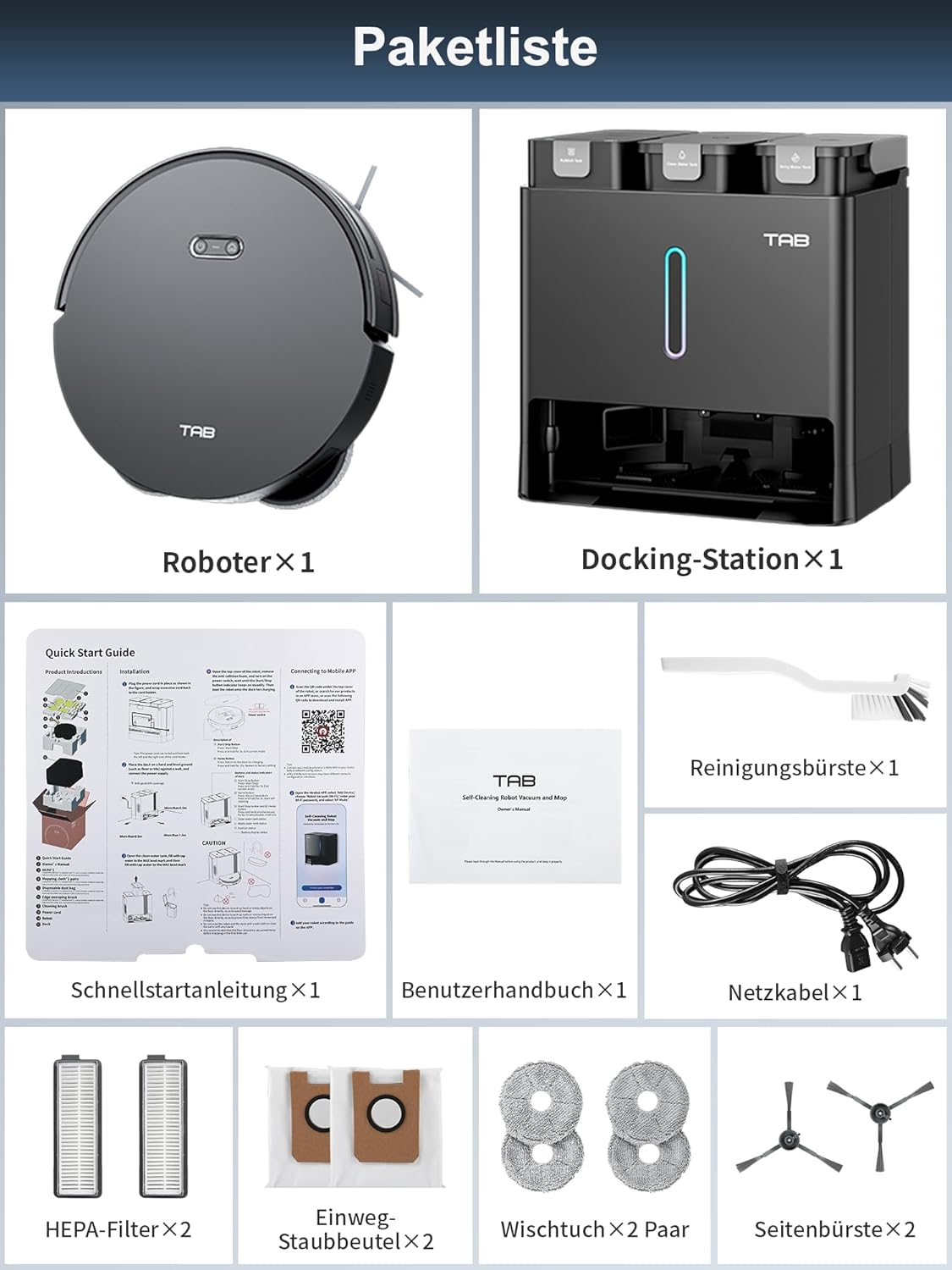
Figure 9: Regulatory and manufacturing information.
Garanti ve Destek
The TAB Fairy10 Robot Vacuum and Mop Combo comes with a manufacturer's warranty. For specific warranty terms and conditions, please refer to the warranty card included in your package or contact TAB customer support.
For technical assistance, troubleshooting, or spare parts inquiries, please contact the manufacturer or your point of purchase. Keep your purchase receipt and product serial number handy when contacting support.


