giriiş
This manual provides detailed instructions for the safe and efficient operation of your Phomemo M08F Portable Thermal Printer. Please read this manual thoroughly before using the device and retain it for future reference. The Phomemo M08F is designed for convenient, inkless printing of documents up to 8.5" x 11" on thermal paper, compatible with various devices via Bluetooth and USB.
Ürün Bittiview
Paket İçeriği
- M08F-Letter Portable Printer
- 10 Sheets Letter Thermal Paper
- USB-A to USB-C Charging Cable (80cm)
- Yumuşak Saklama Kesesi
- Instructions, Quick Start Guide
Temel Özellikler
- Taşınabilir Tasarım: Lightweight (1.58 lbs) and compact (12.2" x 2.6" x 1.6") for easy transport.
- Mürekkepsiz Termal Baskı: Utilizes advanced thermal technology, eliminating the need for ink cartridges, toners, or ribbons.
- Geniş Uyumluluk: Connects via Bluetooth to iOS and Android devices, and via USB to Laptops (PC, Mac, ChromeOS, Linux).
- US Letter Size Support: Prints on 8.5" x 11" thermal paper.
- Yüksek Çözünürlük: 203 DPI for clear black and white printing.
- Çok amaçlı: Supports various document types including PDF, Word, Excel, TXT, images, and web sayfalar.

Image: The Phomemo M08F printer shown with its accessories: 10 sheets of US Letter thermal paper, a USB-C charging cable, a soft storage pouch, and a quick start guide.
Kurmak
1. Yazıcıyı Şarj Etme
Before initial use, fully charge the printer. Connect the provided USB-A to USB-C charging cable to the printer's USB-C port and a compatible USB power adapter (not included). The indicator light will show charging status.
2. Termal Kağıdın Yüklenmesi
- Gently press the "PUSH" buttons on both sides of the printer to open the paper cover.
- Insert the 8.5" x 11" thermal paper with the printable side facing up. Ensure the paper is aligned straight.
- Close the paper cover until it clicks into place.

Image: The Phomemo M08F printer with US Letter thermal paper being fed into the paper slot, demonstrating the loading process.
3. Uygulama Yükleme (Mobil Cihazlar İçin)
- Download the "Phomemo" app from the Apple App Store (for iOS) or Google Play Store (for Android).
- Uygulamayı akıllı telefonunuza veya tabletinize yükleyin.

Image: A visual guide showing how to download the Phomemo app from app stores and connect the printer via Bluetooth for mobile printing.
4. Sürücü Kurulumu (PC/Dizüstü Bilgisayar için)
For printing from a computer, you need to install the appropriate driver.
- Visit the official Phomemo driver download page: m08f.phomemo.com
- Download the driver compatible with your operating system (Windows, macOS, Linux).
- Sürücü kurulumunu tamamlamak için ekrandaki talimatları izleyin.

Image: A screenshot showing the Phomemo driver download page for the M08F printer, with options for Windows, Mac, and other operating systems.
Kullanım Talimatları
1. Güç Açma/Kapatma
- Cihazı açmak için, gösterge ışığı yanana kadar güç düğmesini basılı tutun.
- Cihazı kapatmak için, gösterge ışığı sönene kadar güç düğmesini tekrar basılı tutun.
2. Bluetooth ile Bağlantı Kurma (Mobil Cihazlar)
- Ensure the printer is powered on and within Bluetooth range of your mobile device.
- Open the "Phomemo" app on your device.
- Within the app, navigate to the device connection section and select your M08F printer from the list of available devices. The app will guide you through the pairing process.
3. Connecting via USB (PC/Laptop)
- Yazıcının açık olduğundan emin olun.
- Connect the printer to your PC or laptop using the provided USB-A to USB-C cable.
- Your computer should recognize the printer after the drivers are installed.
4. Printing from the Phomemo App
- After connecting the printer via Bluetooth, open the document or image you wish to print within the Phomemo app.
- Adjust print settings such as density, size, and orientation as needed.
- Tap the print button to initiate printing.
5. Printing from PC/Laptop
- Ensure the printer is connected via USB and drivers are installed.
- Open the document you wish to print in your preferred application (e.g., Word, PDF view(e)
- Uygulamanın menüsünden "Yazdır" seçeneğini seçin.
- Choose "Phomemo M08F" as your printer.
- Adjust any necessary print settings and click "Print".
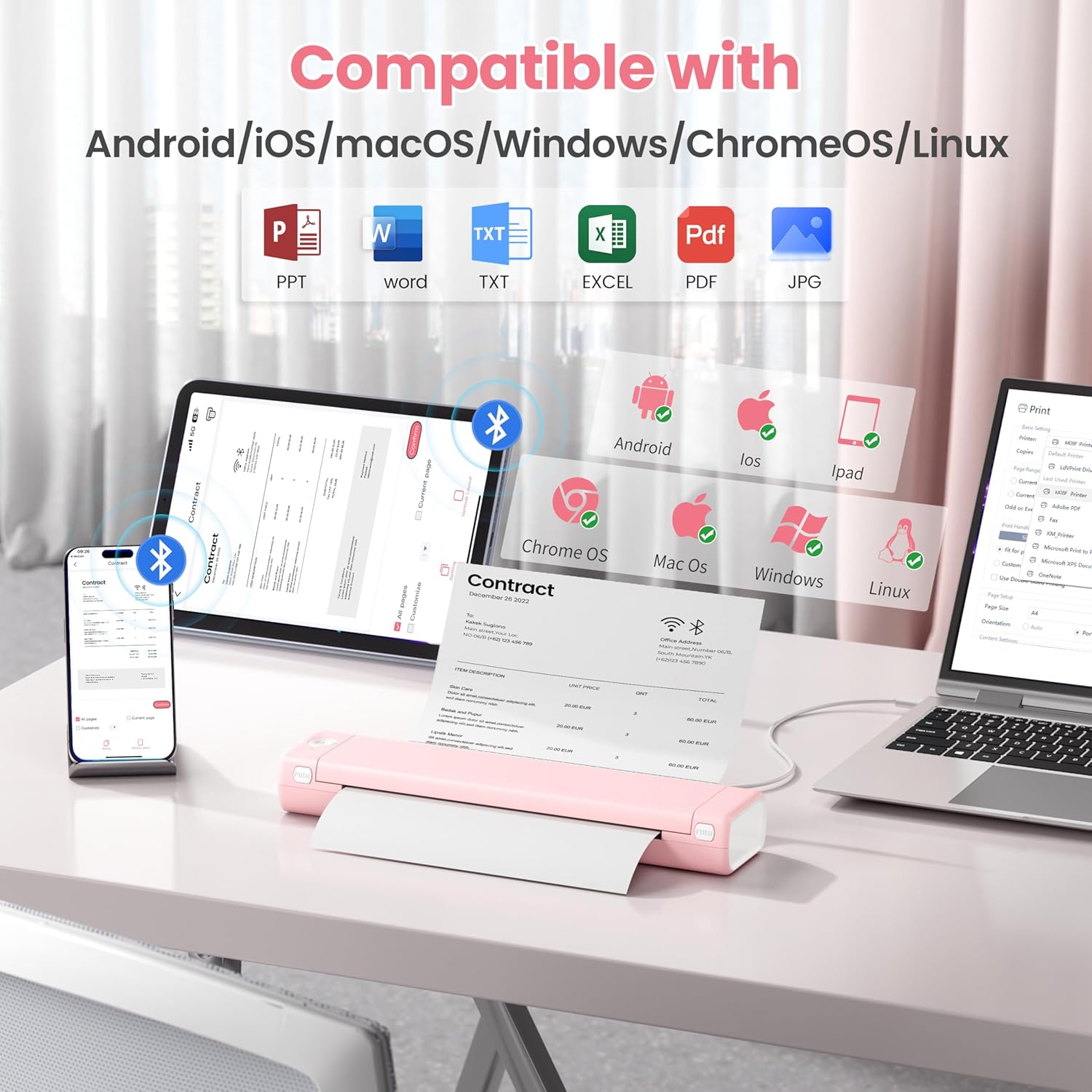
Image: An illustration showing the Phomemo M08F printer connected to various devices like smartphones, tablets, and laptops, highlighting its compatibility with Android, iOS, macOS, Windows, ChromeOS, and Linux.
Bakım
Yazdırma Kafasını Temizleme
En iyi baskı kalitesini sağlamak için baskı kafasını düzenli olarak temizleyin. Yumuşak, tüy bırakmayan bir bez kullanarak hafifçe silin.ampİzopropil alkolle durulayın. Yazıcı kafasının yüzeyini nazikçe silin. Kullanmadan önce tamamen kurumasını bekleyin.
Kağıt Depolama
Store thermal paper in a cool, dry place away from direct sunlight and heat to prevent discoloration and maintain print quality.
Sorun giderme
| Sorun | Olası Neden | Çözüm |
|---|---|---|
| Printer not powering on. | Düşük pil veya güç sorunu. | Charge the printer using the provided USB cable. Ensure the power adapter is working. |
| Bluetooth üzerinden bağlantı kurulamıyor. | Bluetooth is off, printer is out of range, or not in pairing mode. | Ensure Bluetooth is enabled on your device. Move the printer closer. Restart both the printer and your device. Re-pair through the Phomemo app. |
| Baskı kalitesi düşük / Soluk baskılar. | Print head is dirty, incorrect paper type, or low battery. | Clean the print head. Ensure you are using genuine thermal paper. Charge the printer. |
| Kağıt sıkışması. | Kağıt yanlış yerleştirilmiş veya yabancı cisim var. | Open the paper cover, carefully remove any jammed paper. Ensure paper is loaded straight. |
| Printer not recognized by PC. | Drivers not installed or USB cable issue. | Sürücüleri şu adresten yükleyin: m08f.phomemo.comFarklı bir USB bağlantı noktası veya kablosu deneyin. |
Özellikler
| Özellik | Detay |
|---|---|
| Model Adı | M08F-Letter Portable Printer |
| Baskı Teknolojisi | Termal |
| Bağlantı | Bluetooth, USB Tip C |
| Maksimum Medya Boyutu | 8.5 x 11 inç (ABD Mektup boyutu) |
| Baskı Çözünürlüğü | 203 dpi (Black & White) |
| Maksimum Baskı Hızı (Siyah Beyaz) | 3 ppm |
| Uyumlu Cihazlar | Laptops, PC, Smartphones, Tablets (iOS, Android, macOS, Windows, ChromeOS, Linux) |
| Ürün Ağırlığı | 1.58 pound |
| Ürün Boyutları | 12.2 x 2.6 x 1.6 inç |
| Pil | 1 Lityum İyon pil (dahil) |
| Bellek Depolama Kapasitesi | 64 MB |
Garanti ve Destek
For warranty information, technical support, or further assistance, please refer to the official Phomemo website or contact Phomemo customer service. Details can typically be found in the Quick Start Guide included with your product or on the manufacturer's webalan.
Resmi Phomemo Webalan: www.phomemo.com


