1. Giriş
This manual provides detailed instructions for the operation and maintenance of the LAUNCH CRP129E Plus OBD2 Scanner. Please read this manual thoroughly before using the device to ensure proper and safe operation. The CRP129E Plus is a comprehensive diagnostic tool designed for automotive professionals and enthusiasts, offering full system diagnostics and various service reset functions.
2. Ürün Bittiview
2.1. Cihaz Bileşenleri
The LAUNCH CRP129E Plus features a user-friendly interface with a 5-inch touchscreen and physical buttons for navigation.

Resim 2.1: The LAUNCH CRP129E Plus OBD2 Scanner and its protective carrying case.
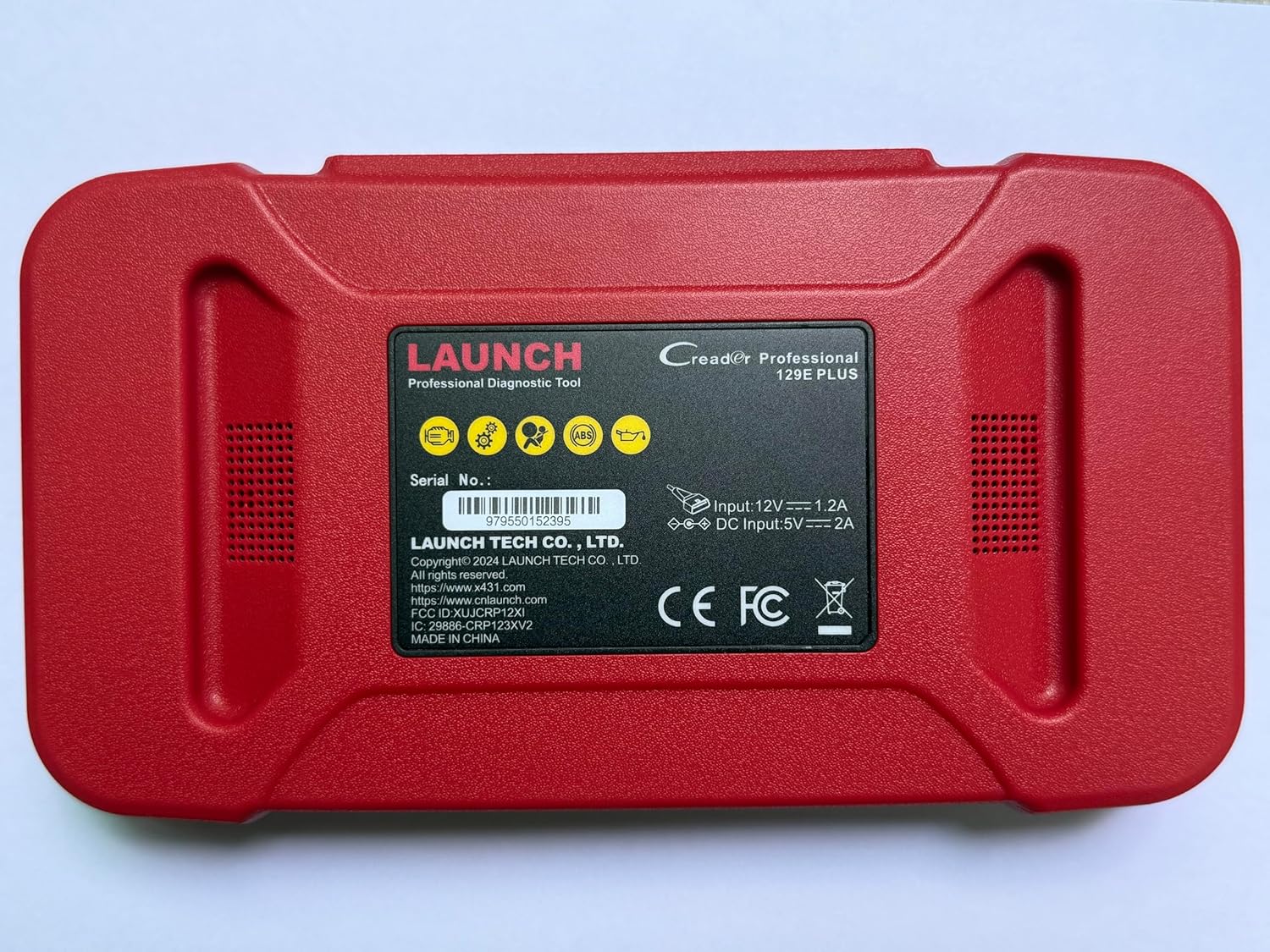
Resim 2.2: Arka view of the CRP129E Plus, displaying input voltage, current specifications, and serial number (e.g., 979550152395).
2.2. Paket İçeriği
Kutuyu açtıktan sonra, aşağıda listelenen tüm öğelerin mevcut olup olmadığını kontrol edin:
- CRP129E PLUS OBD2 Scanner (x1)
- OBDII Cable (x1)
- 5V DC Charging Cable (x1)
- Kullanıcı Kılavuzu (x1)
- Hızlı Başlangıç Kılavuzu (x1)
- Taşıma Çantası (x1)

Resim 2.3: Visual representation of the CRP129E Plus package contents.
3. Kurulum ve İlk Kullanım
3.1. Cihazın Şarj Edilmesi
Before first use, ensure the device is fully charged using the provided 5V DC charging cable. Connect the cable to the device and a suitable power source.
3.2. Açma/Kapama
- Güç Açık: Ekran aydınlanana kadar güç düğmesine basılı tutun.
- Kapat: Press and hold the power button, then select "Power Off" from the options.
3.3. Araca Bağlantı
Locate the vehicle's OBDII port, typically under the dashboard on the driver's side. Connect the provided OBDII cable from the CRP129E Plus to the vehicle's OBDII port. Ensure the vehicle's ignition is in the ON position (engine off or running, depending on the diagnostic task).
3.4. Wi-Fi Connection and Updates
The CRP129E Plus supports one-click Wi-Fi updates. Connect the device to a stable Wi-Fi network to download the latest software and vehicle data. Regular updates ensure compatibility with new vehicle models and improved diagnostic functions.
- From the main menu, tap "Settings".
- Select "WLAN" and connect to an available network.
- Return to the main menu and tap "Upgrade".
- Select the desired software updates and tap "Update".

Resim 3.1: The device interface showing options for updates, DTC lookup, live data stream, and battery test.
4. Kullanım Talimatları
4.1. Otomatik VIN Taraması
The device can automatically identify vehicle information. After connecting to the vehicle, select "Diagnose" and the device will attempt an Auto VIN scan to quickly identify the vehicle's make, model, and year.

Resim 4.1: Visual representation of the Auto VIN scan process and systems covered by diagnosis.
4.2. Tam Sistem Tanılaması
The CRP129E Plus can access and diagnose all available vehicle systems. This includes, but is not limited to, Engine, ABS, SRS, SAS, TCM, TPMS, Body, Chassis, Powertrain, Fuel System, and Lighting System.
- Ana menüden "Teşhis" seçeneğini seçin.
- Choose "Health Report" or select specific systems for diagnosis.
- The device will scan for Diagnostic Trouble Codes (DTCs) and display results.
- You can read fault codes, clear fault codes, and view canlı veri akışları.

Resim 4.2: Üzerindeview of the comprehensive system diagnostic capabilities.
4.3. OBD2 Fonksiyonları
The device supports all 10 modes of OBDII testing for emissions-related issues.
- DTC'leri Oku/Temizle: Arıza teşhis kodlarını alın ve silin.
- Canlı Veri Akışı: View real-time data from the vehicle's sensors.
- I/M Hazırlık: Emisyonla ilgili izleme cihazlarının durumunu kontrol edin.
- Çerçeve Verilerini Dondur: View a snapshot of vehicle conditions when a fault code was set.
- O2 Sensör Testi: O2 sensörü monitör test sonuçlarını alın.
- Araç İçi Monitör Testi: Retrieve results for emission-related powertrain components.
- EVAP Sistem Testi: Initiate a test of the evaporative emission system.
- Araç bilgisi: Araç tanımlama numarasını (VIN), kalibrasyon kimliğini ve kalibrasyon doğrulama numarasını (CVN) alın.
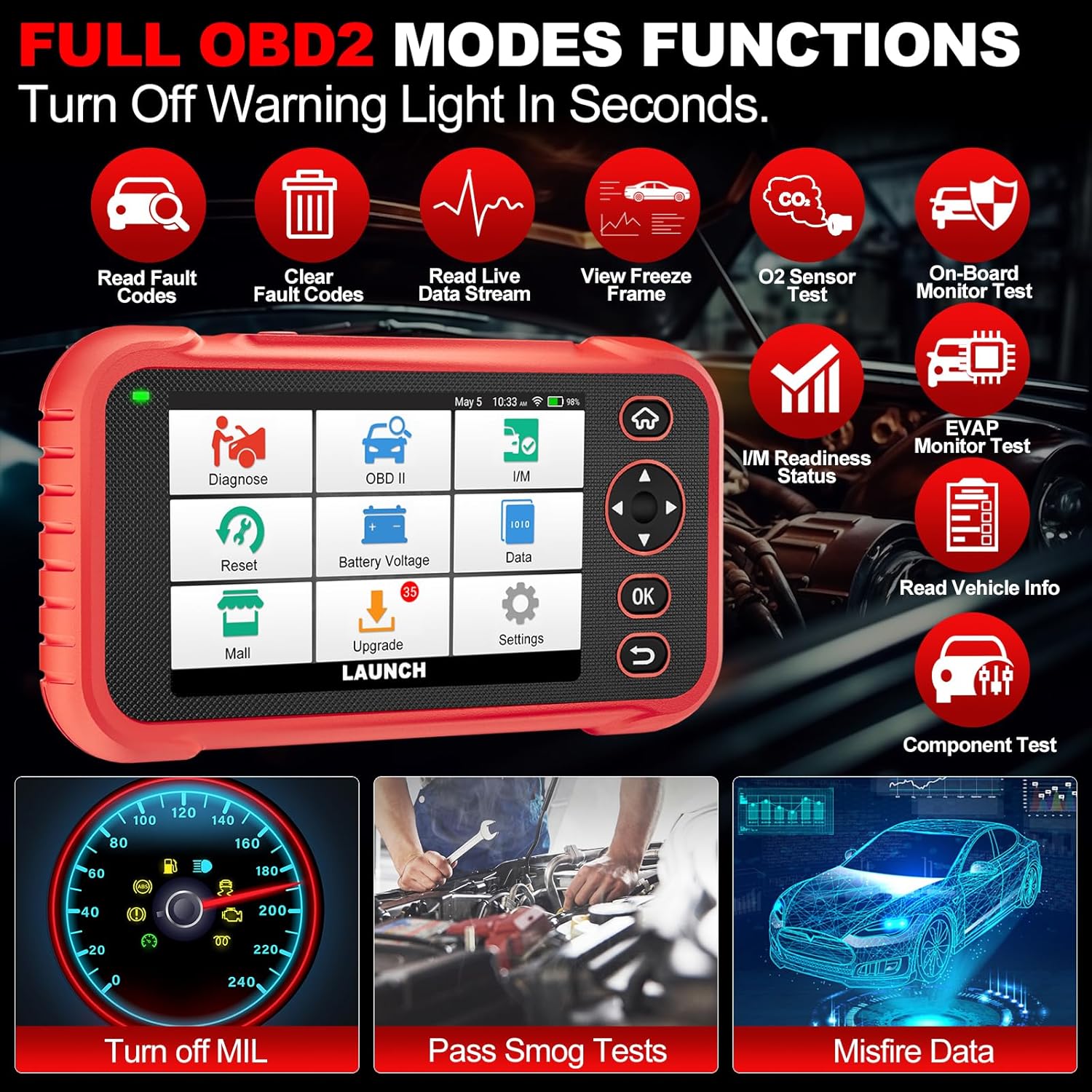
Resim 4.3: Main menu options for OBD2 functions.
4.4. Service Reset Functions
The CRP129E Plus offers 12+ essential service reset functions for common maintenance tasks.
- Yağ Sıfırlama: Yağ değişiminden sonra yağ ömrü sistemini sıfırlar.
- Gaz Kelebeği Adaptasyonu: Initializes the throttle actuators to the default state.
- Adblue Sıfırlama: Resets the urea after the diesel exhaust fluid (AdBlue) is replaced or refilled.
- kafaamp Eşleşme: Calibrates the adaptive front lighting system.
- TPMS Sıfırlama: Lastik basıncı izleme sistemi sensörlerini sıfırlar.
- SAS Sıfırlama: Direksiyon açısı sensörünü kalibre eder.
- Pil Eşleştirme (BMS Sıfırlama): Registers new battery replacement.
- A/F Sıfırlama: Adjusts air/fuel ratio parameters.
- D-P-F Regeneration: DPF filtresinden partikül maddeleri temizler.
- Enjektör Kodlaması: ECU'ya yeni enjektör numaraları kodları gönderir.
- EPB Sıfırlama: Resets the electronic parking brake pads after replacement.
- ABS Kanaması: Performs bleeding of the brake system.

Resim 4.4: Üzerindeview of available service reset functions.
4.5. Live Data Graphing and Recording
The device can display live data streams in merged quadrant graphs, allowing for comprehensive analysis of up to four parameters simultaneously. Data can also be recorded and played back for further review.

Resim 4.5: Example of 4-in-1 live data graphing and diagnostic report generation.
4.6. Pil Hacmitage testi
Aracın aküsünün şarj seviyesini takip edin.tage in real-time to assess its status and identify potential issues.

Resim 4.6: pil hacmitage test interface and other diagnostic support features.
5. Bakım
- Temizlik: Cihazı temizlemek için yumuşak ve kuru bir bez kullanın. Aşındırıcı temizleyiciler veya çözücülerden kaçının.
- Depolamak: Cihazı kullanılmadığı zamanlarda taşıma çantası içinde serin ve kuru bir yerde saklayın.
- Yazılım Güncellemeleri: Regularly check for and install software updates via Wi-Fi to ensure optimal performance and vehicle compatibility.
- Pil Bakım: Pilini sık sık tamamen boşaltmaktan kaçının. Pil sağlığını korumak için, cihaz aktif olarak kullanılmasa bile düzenli olarak şarj edin.
6. Sorun Giderme
| Sorun | Olası Neden | Çözüm |
|---|---|---|
| Cihaz açılmıyor. | Pil zayıf; güç düğmesi arızalı. | Charge the device for at least 30 minutes. If issue persists, contact support. |
| Araçla iletişim hatası. | Loose OBDII connection; vehicle ignition off; incompatible vehicle protocol. | Ensure cable is securely connected. Turn ignition to ON. Verify vehicle compatibility. |
| Unable to update software. | No Wi-Fi connection; unstable internet; insufficient storage. | Check Wi-Fi connection. Ensure stable internet. Free up storage if necessary. |
| Ekran tepkisiz. | Yazılım hatası; fiziksel hasar. | Cihazı yeniden başlatın. Sorun devam ederse, destek ekibiyle iletişime geçin. |
7. Özellikler
- Modeli: CRP129E PLUS
- İşletim Sistemi: Android 7.0
- Görüntülemek: 5 inç Dokunmatik Ekran
- Hafıza: 16 GB
- Pil: 6100mAh
- Bağlantı: Wifi
- Boyutlar: 7.09 x 6.3 x 2.36 inç
- Ürün Ağırlığı: 2.27 pound
- Desteklenen Protokoller: OBDII/EOBD
- Araç Kapsamı: Over 85 brands (1996-2025)
- UPC: 884508007774

Resim 7.1: Summary of key hardware and software specifications.

Resim 7.2: Extensive vehicle brand coverage and multi-language support.
8. Garanti ve Destek
The LAUNCH CRP129E Plus comes with a manufacturer's warranty. Please refer to the official LAUNCH webBelirli garanti şartları ve koşulları için siteye veya satın alma belgelerinize bakın.
- Garanti: 5 Yıl (ürün bilgisine göre)
- Return/Replace Policy: 90 Days (as per product information)
- Teknik Destek: 24/7 technical support is available. For assistance, please contact LAUNCH customer service.
- Çevrimiçi Geri Bildirim: The device supports online feedback for quick resolution of diagnostic issues.
For further assistance or to provide feedback, please visit the official LAUNCH support channels.


