1. Giriş
The Marmitek AS48 HDMI Switch 2.1-8K is designed to expand the HDMI 2.1 input capabilities of your television or display. This device allows you to connect up to four 8K HDMI sources to a single 8K compatible HDMI port on your TV, supporting advanced features like HDR 8K/60Hz, 4K/120Hz, VRR, ALLM, and a 48 Gbps bandwidth for optimal performance. It features automatic switching between connected sources and can also be controlled manually.
2. Paket İçeriği
Lütfen paketi açarken tüm ürünlerin eksiksiz ve iyi durumda olduğunu doğrulayın.
- 1x Marmitek AS48 HDMI Switch
- 1x Remote Control (batteries included)
- 1x Güç Adaptörü
- 1x Kullanım Kılavuzu

Image: Contents of the Marmitek AS48 package.
3. Ürün Özellikleri
- Yüksek Çözünürlük Desteği: Supports 8K@60Hz and 4K@120Hz with HDR (High Dynamic Range) for superior visual quality.
- Yüksek Bant Genişliği: Features a 48 Gbps bandwidth, ensuring full compatibility with HDMI 2.1 specifications.
- Çoklu Girişler: Provides 4 HDMI inputs to connect various source devices.
- Otomatik Anahtarlama: Automatically detects and switches to an active HDMI source.
- Gelişmiş Oyun Özellikleri: Compatible with VRR (Variable Refresh Rate), ALLM (Auto Low Latency Mode), QFT (Quick Frame Transport), and QMS (Quick Media Switching) for an optimized gaming experience.
- Ses Uyumluluğu: Supports common audio formats including DTS-HD Master Audio, Dolby TrueHD, Dolby Atmos, DTS:X, Dolby Digital/AC3, and PCM Stereo.
- HDCP Desteği: Compatible with HDCP 2.2 and 2.3 for content protection.

Image: Key features of the Marmitek AS48 HDMI Switch.
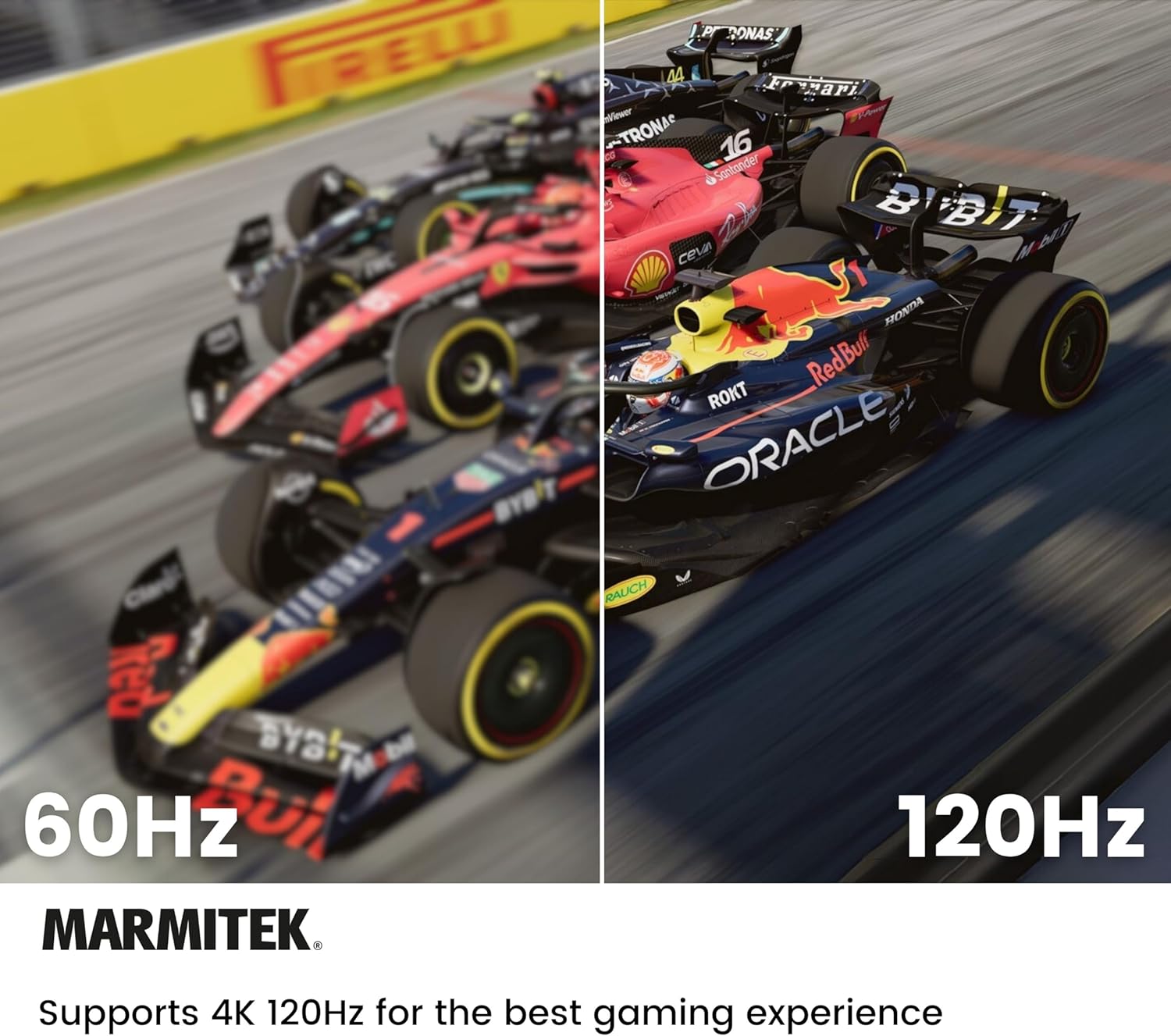
Image: Visual comparison of 60Hz versus 120Hz refresh rates for gaming.
4. Kurulum Talimatları
Follow these steps to set up your Marmitek AS48 HDMI Switch:
- Kabloları Hazırlayın: Ensure you have certified HDMI 2.1 cables for all connections to achieve 8K or 4K/120Hz resolutions.
- HDMI Kaynaklarını Bağlayın: Connect your HDMI source devices (e.g., PS5, Xbox Series X, Blu-ray player) to the HDMI Input 1, Input 2, Input 3, and Input 4 ports on the back of the AS48 switch.
- Televizyona bağlanın: Connect one end of an HDMI 2.1 cable to the HDMI Output port on the AS48 switch and the other end to an HDMI 2.1 input port on your television or display.
- Gücü bağlayın: Plug the supplied power adapter into the DC 5V port on the AS48 switch, then plug the adapter into a power outlet.
- Güç Açık: Power on your television and all connected HDMI source devices.

Resim: Ön ve arka view of the Marmitek AS48 HDMI Switch, highlighting ports.

Image: Labeled diagram of the AS48 HDMI Switch ports and controls.

Image: Connecting an HDMI cable to the switch output.

Image: Basic connection diagram for the HDMI switch.
5. Kullanım Talimatları
The Marmitek AS48 HDMI Switch offers both automatic and manual switching options.
Otomatik Geçiş
The switch is designed to automatically detect when a connected HDMI source is powered on and will switch to that input. If multiple sources are active, the switch may prioritize the most recently activated source or a specific input order.
Manuel Anahtarlama
You can manually select an HDMI input using the following methods:
- Cihaz Üzerindeki Düğme: Press the 'INPUT' button on the front panel of the AS48 switch to cycle through the available HDMI inputs (1, 2, 3, 4).
- Uzaktan kumanda: Use the numbered buttons (1, 2, 3, 4) on the supplied remote control to directly select the desired HDMI input. The 'Cycle' button on the remote can also be used to switch between inputs sequentially.

Image: Front panel of the switch and its remote control for manual input selection.
6. Sorun Giderme
If you encounter issues with your Marmitek AS48 HDMI Switch, please refer to the following common solutions:
- Sinyal Yok / Siyah Ekran:
- Güç adaptörünün anahtara ve çalışan bir elektrik prizine güvenli bir şekilde bağlı olduğundan emin olun.
- Verify that all HDMI cables are firmly connected to both the source devices, the switch, and the TV.
- Confirm that your TV is set to the correct HDMI input where the switch is connected.
- Try restarting all connected devices (source, switch, TV) by unplugging and replugging their power.
- Test with different HDMI cables, especially certified HDMI 2.1 cables, as lower quality cables may not support high resolutions.
- Unreliable Automatic Switching:
- Ensure only one source device is active at a time if you rely solely on automatic switching.
- Manually select the desired input using the button on the switch or the remote control.
- Some devices may not provide a strong enough signal for reliable automatic detection; manual switching is always an option.
- Picture or Audio Quality Issues (Flickering, Distortion):
- Ensure all HDMI cables are certified HDMI 2.1 and are not excessively long.
- Check the resolution and refresh rate settings on your source device to ensure they are compatible with your TV and the switch.
- Bypass the switch and connect the source directly to the TV to determine if the issue is with the switch or other components.
7. Özellikler
| Marka | Marmitek |
| Model Numarası | AS48 |
| Renk | Siyah |
| HDMI Sürümü | 2.1 |
| Girişler | 4 x HDMI |
| Çıktı | 1 x HDMI |
| Max Çözünürlük | 8K@60Hz, 4K@120Hz |
| Bant genişliği | 48 Gbps |
| HDR Desteği | Evet |
| HDCP Uyumluluğu | 2.2 / 2.3 |
| Oyun Özellikleri | VRR, ALLM, QFT, QMS |
| Ses Biçimleri | DTS-HD Master Audio, Dolby TrueHD, Dolby Atmos, DTS:X, Dolby Digital/AC3, PCM Stereo |
| Güç Kaynağı | DC 5V (via included adapter) |
| Boyutlar (U x G x Y) | 120mm x 78mm x 11mm |
| Uyumlu Cihazlar | Televisions, PS5, Xbox Series X, Blu-ray players, and other HDMI 2.1 source devices |

Image: Dimensions of the Marmitek AS48 HDMI Switch.
8. Bakım
To ensure the longevity and optimal performance of your Marmitek AS48 HDMI Switch, follow these simple maintenance guidelines:
- Temizlik: Use a soft, dry cloth to clean the exterior of the device. Avoid using liquid cleaners, aerosols, or abrasive materials, as these can damage the finish or internal components.
- Atama: Place the switch in a well-ventilated area, away from direct sunlight, heat sources, and excessive moisture. Ensure there is adequate space around the device for air circulation.
- İşleme: Cihazı dikkatli kullanın. Düşürmeyin veya sert darbelere maruz bırakmayın.
- Güç: Cihazınızı uzun süre kullanmayacaksanız güç adaptörünü prizden çıkarın.
9. Garanti ve Destek
Marmitek products are developed according to European standards and are designed for reliable functionality. This product is backed by Dutch quality standards, ensuring 100% functionality.
For any issues not resolved by the troubleshooting section or for further assistance, please contact Marmitek customer support. Refer to the official Marmitek website or the contact information provided in your product packaging for support details.


