1. Giriş
This manual provides essential instructions for setting up, operating, and maintaining your ZOTAC ZBOX-CI343-BE Intel N100 Mini PC. Please read this manual thoroughly before using the device to ensure proper functionality and longevity.
2. Paket İçeriği
Aşağıda listelenen tüm ürünlerin paketinizde mevcut olduğundan emin olun. Eksik veya hasarlı bir ürün varsa, lütfen perakendecinizle iletişime geçin.

Resim 2.1: Contents of the ZOTAC ZBOX-CI343-BE package, including the mini PC unit, power adapter, power cable, WiFi antenna, VESA mounting kit, and a quick start guide.
- ZOTAC ZBOX-CI343-BE Mini PC Unit
- Güç Adaptörü
- Power Cable (type may vary by region)
- WiFi Anteni
- VESA Montaj Kiti
- Hızlı Başlangıç Kılavuzu
3. Ürün Bittiview
Familiarize yourself with the various components and ports of your ZOTAC ZBOX-CI343-BE Mini PC.
3.1 Ön Panel

Resim 3.1: Ön view of the ZOTAC ZBOX-CI343-BE, showing the power button, USB 3.1 ports, USB-C port, SD card slot, and audio jack.
- Güç Düğmesi: Cihazı açmak veya kapatmak için basın.
- SD Kart Yuvası: SD hafıza kartlarını takmak için.
- USB 3.1 Tip-C Bağlantı Noktası: For connecting USB-C compatible devices.
- USB 3.1 A Tipi Bağlantı Noktası: USB cihazlarını bağlamak için.
- Kulaklık/Mikrofon Kombo Jakı: Ses çıkışı ve girişi için.
3.2 Arka Panel

Resim 3.2: Arka view of the ZOTAC ZBOX-CI343-BE, displaying the WiFi antenna connector, dual LAN ports, USB 3.1 port, DisplayPort, HDMI port, and DC power input.
- WiFi Anten Bağlantı Konektörü: For attaching the included WiFi antenna.
- Dual LAN Ports: Kablolu ağ bağlantıları için.
- USB 3.1 A Tipi Bağlantı Noktası: USB cihazlarını bağlamak için.
- Ekran Bağlantı Noktası (DP): Ekrana bağlanmak için.
- HDMI Bağlantı Noktası: Ekrana bağlanmak için.
- DC IN: Güç adaptörünü bağlamak için.
3.3 Üst ve Yan Kısımlar Views

Resim 3.3: Tepe view of the ZOTAC ZBOX-CI343-BE, showing the ZOTAC logo and ribbed passive cooling design.
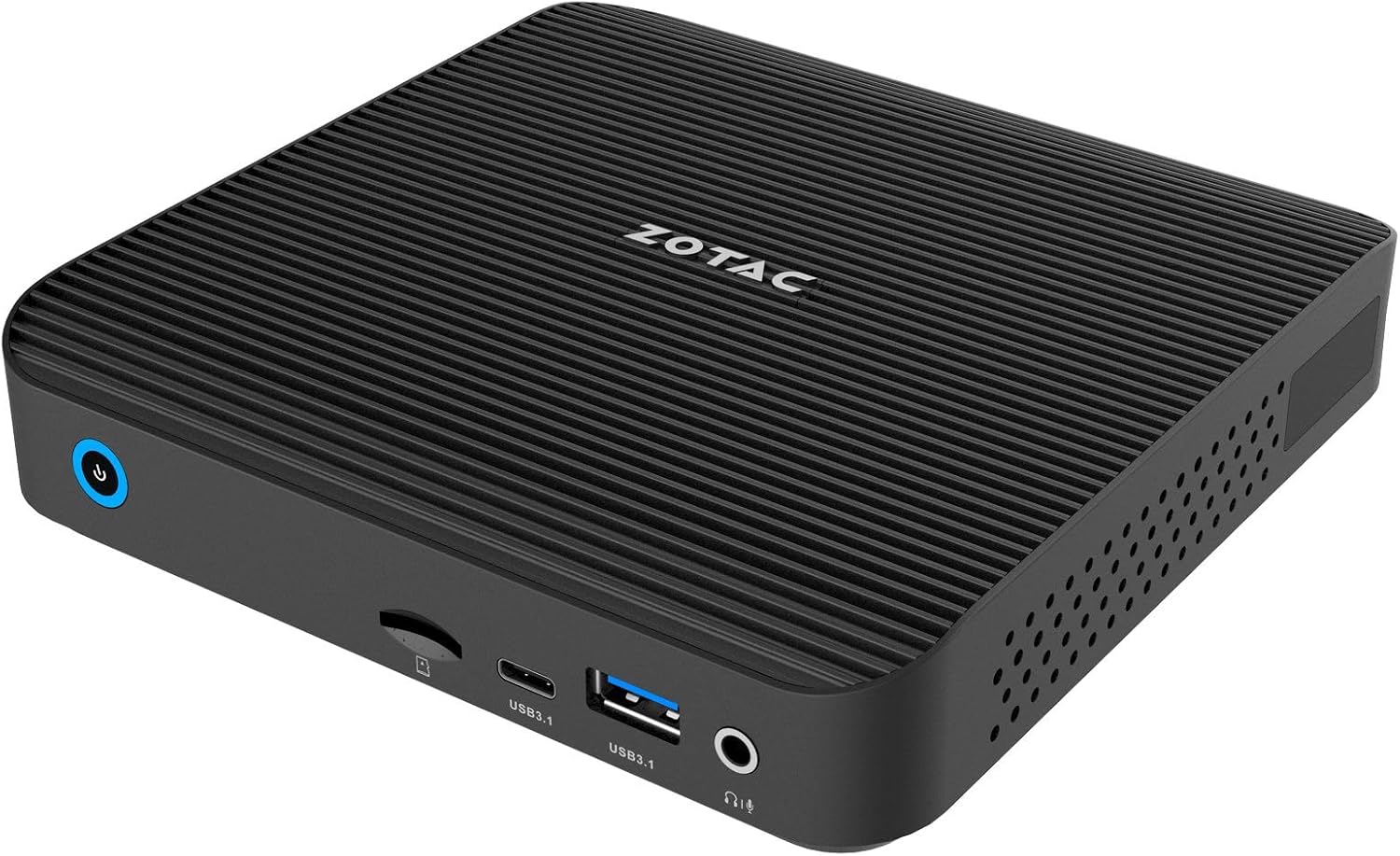
Resim 3.4: Açısal ön view of the ZOTAC ZBOX-CI343-BE, highlighting the compact form factor and front panel ports.

Resim 3.5: Açısal arka view of the ZOTAC ZBOX-CI343-BE, showing the rear panel ports and side ventilation.
4. Kurulum Talimatları
Follow these steps to set up your ZOTAC ZBOX-CI343-BE Mini PC.
- Install Memory and Storage (if not pre-installed): As a barebone system, you will need to install compatible DDR5 RAM and an SSD. Refer to the Quick Start Guide for detailed instructions on opening the chassis and installing components.
- Çevre Birimlerini Bağlayın:
- Connect your monitor(s) to the HDMI or DisplayPort on the rear panel.
- Klavyenizi ve farenizi mevcut USB bağlantı noktalarına (ön veya arka) bağlayın.
- If using a wired network, connect an Ethernet cable to one of the LAN ports.
- Attach the included WiFi antenna to the connector on the rear panel for wireless connectivity.
- Gücü bağlayın: Connect the power adapter to the DC IN port on the rear panel, then plug the power cable into an electrical outlet.
- İlk Önyükleme ve İşletim Sistemi Kurulumu:
- Mini bilgisayarı açmak için ön paneldeki güç düğmesine basın.
- Since this is a barebone system, you will need to install an operating system (e.g., Windows 10/11, Linux). Prepare a bootable USB drive with your preferred OS installer.
- Follow the on-screen prompts to install the operating system. You may need to enter the BIOS/UEFI settings (typically by pressing DEL or F2 during boot) to configure boot order.
- After OS installation, install necessary drivers, which can usually be found on the ZOTAC support webalan.
5. Kullanım Talimatları
Once the operating system is installed and configured, your ZBOX-CI343-BE is ready for use.
- Güç Açma/Kapatma: Press the power button once to turn on. To turn off, use the operating system's shutdown function. A short press of the power button can also put the system to sleep. A long press (approx. 5 seconds) will force a shutdown.
- Bağlantı: Utilize the various USB ports for external devices, HDMI/DisplayPort for displays, and LAN/WiFi for network access.
- VESA Montajı: The included VESA mounting kit allows you to attach the Mini PC to the back of a compatible monitor or to a wall mount, saving desk space.
6. Bakım
Regular maintenance helps ensure optimal performance and extends the lifespan of your Mini PC.
- Temizlik:
- Dış yüzeyini yumuşak ve kuru bir bezle hafifçe silin.
- Use compressed air to clear dust from ventilation openings periodically. Ensure the device is powered off before cleaning.
- Avoid using liquid cleaners or solvents directly on the device.
- Yazılım Güncellemeleri:
- Keep your operating system and drivers updated to the latest versions for security and performance improvements.
- Check the ZOTAC website for updated drivers specific to the ZBOX-CI343-BE model.
- Çevresel Koşullar: Cihazı iyi havalandırılan bir alanda, doğrudan güneş ışığından, ısı kaynaklarından ve aşırı nemden uzakta çalıştırın.
7. Sorun Giderme
Bu bölümde karşılaşabileceğiniz yaygın sorunlar ele alınmaktadır.
- Güç Yok:
- Güç adaptörünün hem mini bilgisayara hem de çalışan bir elektrik prizine güvenli bir şekilde bağlı olduğundan emin olun.
- Güç kablosunun hasarlı olup olmadığını kontrol edin.
- Görüntü Çıkışı Yok:
- Check that the monitor is powered on and correctly connected to the HDMI or DisplayPort.
- Mümkünse farklı bir ekran kablosu veya monitör deneyin.
- Monitörünüzde doğru giriş kaynağının seçildiğinden emin olun.
- İşletim Sistemi Başlatılmıyor:
- Verify that an operating system has been successfully installed.
- Check BIOS/UEFI settings to ensure the correct boot device is selected.
- If recently installed, ensure all necessary drivers are present.
- İnternet bağlantısı yok:
- For wired connections, ensure the Ethernet cable is properly connected and router/modem is working.
- For wireless connections, ensure the WiFi antenna is attached, WiFi is enabled in the OS, and you are connected to the correct network with the correct password.
- Gerekirse ağ sürücülerini güncelleyin.
For further assistance, refer to the ZOTAC support website veya müşteri hizmetleriyle iletişime geçin.
8. Özellikler
Detailed technical specifications for the ZOTAC ZBOX-CI343-BE Mini PC.
| Özellik | Şartname |
|---|---|
| Marka | YER |
| Model Adı | ZBOX-CI343-BE |
| İşlemci | Intel N100 (1.1 GHz) |
| Grafik Eş İşlemcisi | Intel UHD Grafikler |
| Bellek Türü | DDR5 RAM (Barebone - user installable) |
| Depolama Türü | SSD (Barebone - user installable) |
| Maksimum Ekran Çözünürlüğü | 3840x2160 |
| Video Çıkışı | HDMI, Ekran Bağlantı Noktası |
| Kablosuz Bağlantı | 802.11ax, Bluetooth |
| Yerel Ağ | Çift Gigabit Ethernet |
| USB Bağlantı Noktaları | USB 3.1 Tip-A, USB 3.1 Tip-C |
| Kart Okuyucu | SD Kart Yuvası |
| Ses | Kulaklık/Mikrofon Kombo Jakı |
| İşletim Sistemi | Barebone (Compatible with Windows 10/11, Linux) |
| Ürün Ağırlığı | 2.2 pound |
| Ürün Boyutları | 3.94 x 1.97 x 0.5 inç |
9. Garanti ve Destek
ZOTAC products are covered by a limited warranty. Please refer to the official ZOTAC webBölgenize özgü ayrıntılı garanti şartları ve koşulları için siteyi ziyaret edin.
For technical support, driver downloads, and frequently asked questions, visit the ZOTAC support portal:
When contacting support, please have your product model (ZBOX-CI343-BE) and serial number ready.


