1. Giriş
Thank you for choosing the VGR V-075 Professional Shaver. This manual provides essential information for the safe and effective use of your new grooming device. Please read these instructions carefully before first use and keep them for future reference.
2. Güvenlik Bilgileri
- Always keep the trimmer away from water sources. Do not use it near bathtubs, showers, basins veya su içeren diğer kaplar.
- Bu cihaz, fiziksel, duyusal veya zihinsel yetenekleri kısıtlı olan veya deneyim ve bilgi eksikliği bulunan kişiler (çocuklar dahil) tarafından, güvenliklerinden sorumlu bir kişi tarafından cihazın kullanımıyla ilgili olarak gözetim veya talimat sağlanmadığı sürece kullanılmak üzere tasarlanmamıştır.
- Exercise caution when using the shaver near sensitive areas such as the face and eyes.
- Follow recommended cleaning and maintenance procedures to prevent skin irritation or infection.
- Always unplug the trimmer when not in use and before cleaning. Do not charge it during use.
- Keep the charging cable away from water and heat sources to prevent damage.
- Bıçakları hasarlı veya kırık ise cihazı kullanmayın, çünkü bu yaralanmaya neden olabilir.
3. Paket İçeriği
Your VGR V-075 Professional Shaver package includes the following items:
- VGR V-075 Trimmer Unit
- 4 Cutting Guide Combs (3mm, 6mm, 9mm, 12mm)
- Temizleme Fırçası
- Yağ Şişesi
- Type-C USB Şarj Kablosu
- Kullanım Kılavuzu Kitabı

Figure 3.1: All items included in the VGR V-075 shaver kit.
4. Ürün Özellikleri
- Kablolu ve Kablosuz Çalışma: Enjoy the flexibility of using the shaver with or without the cord, providing convenience for travel and home use.
- LED ekran: The integrated LED screen clearly shows the remaining battery life and charging status, ensuring you are always aware of the power level.
- C Tipi Şarj: Equipped with a Type-C USB charging port for fast and efficient power replenishment.
- Güçlü Motor: Features a 5000 RPM heavy-duty motor for smooth, efficient, and effortless trimming.
- Precision Stainless Steel Blade: High-quality stainless steel blades ensure a sharp and precise cut.
- Ayarlanabilir Konik Kol: Fine-tune cutting lengths from 0.8mm to 2.0mm with a handy thumb lever, without needing to change blades.
- 4 Kılavuz Tarağı: Includes 3mm, 6mm, 9mm, and 12mm guide combs for achieving various hair lengths and styles.
- Ayrılabilir Başlık: The shaver head is detachable for easy cleaning and maintenance.
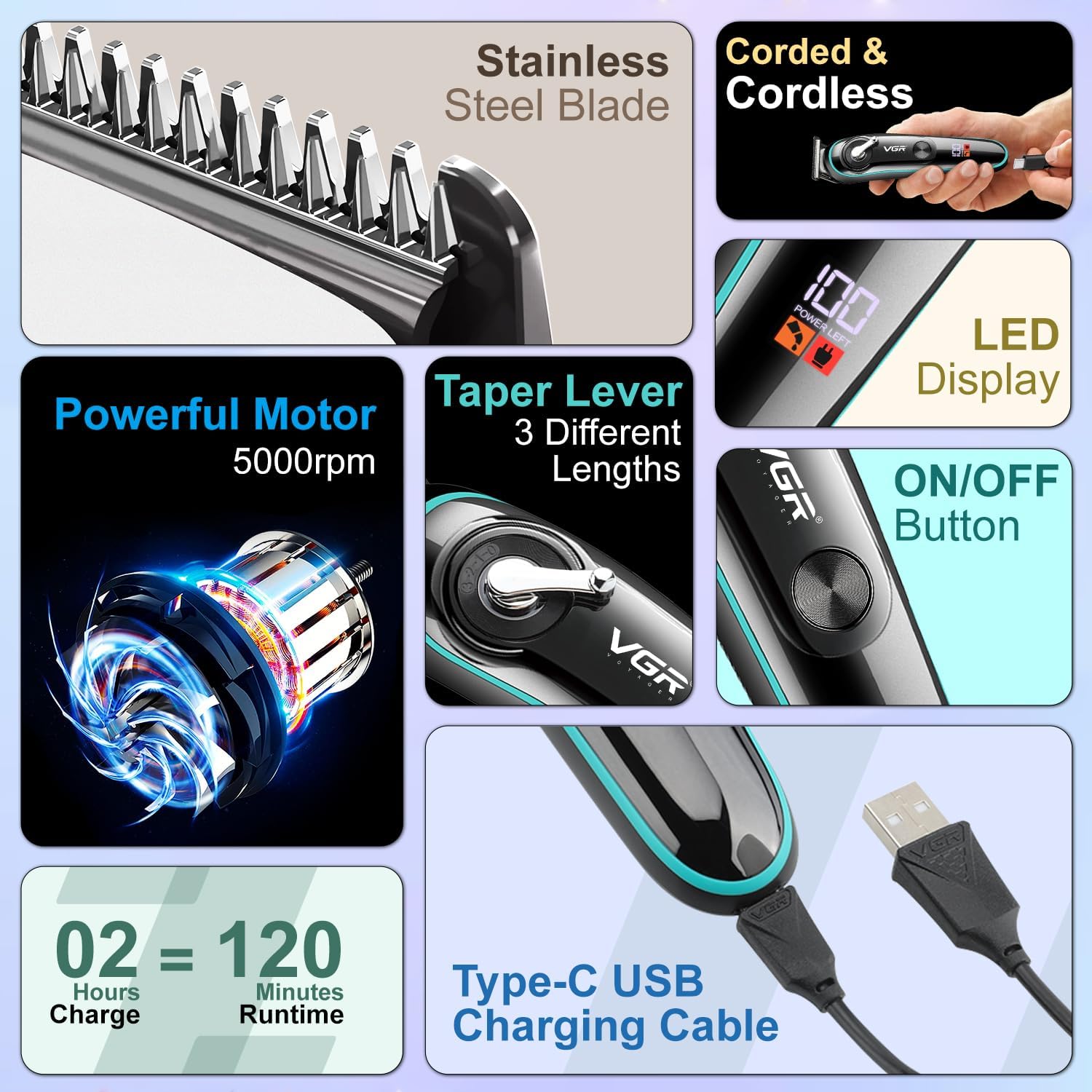
Figure 4.1: Key features of the VGR V-075 shaver.
5. Kurulum
- Paketi aç: Tüm bileşenleri dikkatlice ambalajından çıkarın.
- İncelemek: Check the shaver and accessories for any signs of damage. Do not use if damaged.
- Başlangıç ücreti: Before first use, fully charge the shaver. Refer to the 'Charging' section for details.
- Bıçakları Yağlayın: Apply a small drop of the included oil to the blades before the first use and after each cleaning to ensure smooth operation and longevity.
6. Şarj Etme
The VGR V-075 shaver is equipped with a 600mAh Lithium-Ion battery, providing up to 120 minutes of runtime on a full charge.
- Tıraş makinesinin kapalı olduğundan emin olun.
- Connect the Type-C USB charging cable to the charging port on the shaver.
- USB kablosunun diğer ucunu uyumlu bir USB güç adaptörüne (dahil değildir) veya bilgisayarınızdaki bir USB bağlantı noktasına takın.
- The LED display will indicate the charging status and battery percentage.
- Tam şarj genellikle yaklaşık 2 saat sürer.
- Tamamen şarj olduktan sonra şarj kablosunu çıkarın. Pili aşırı şarj etmeyin.
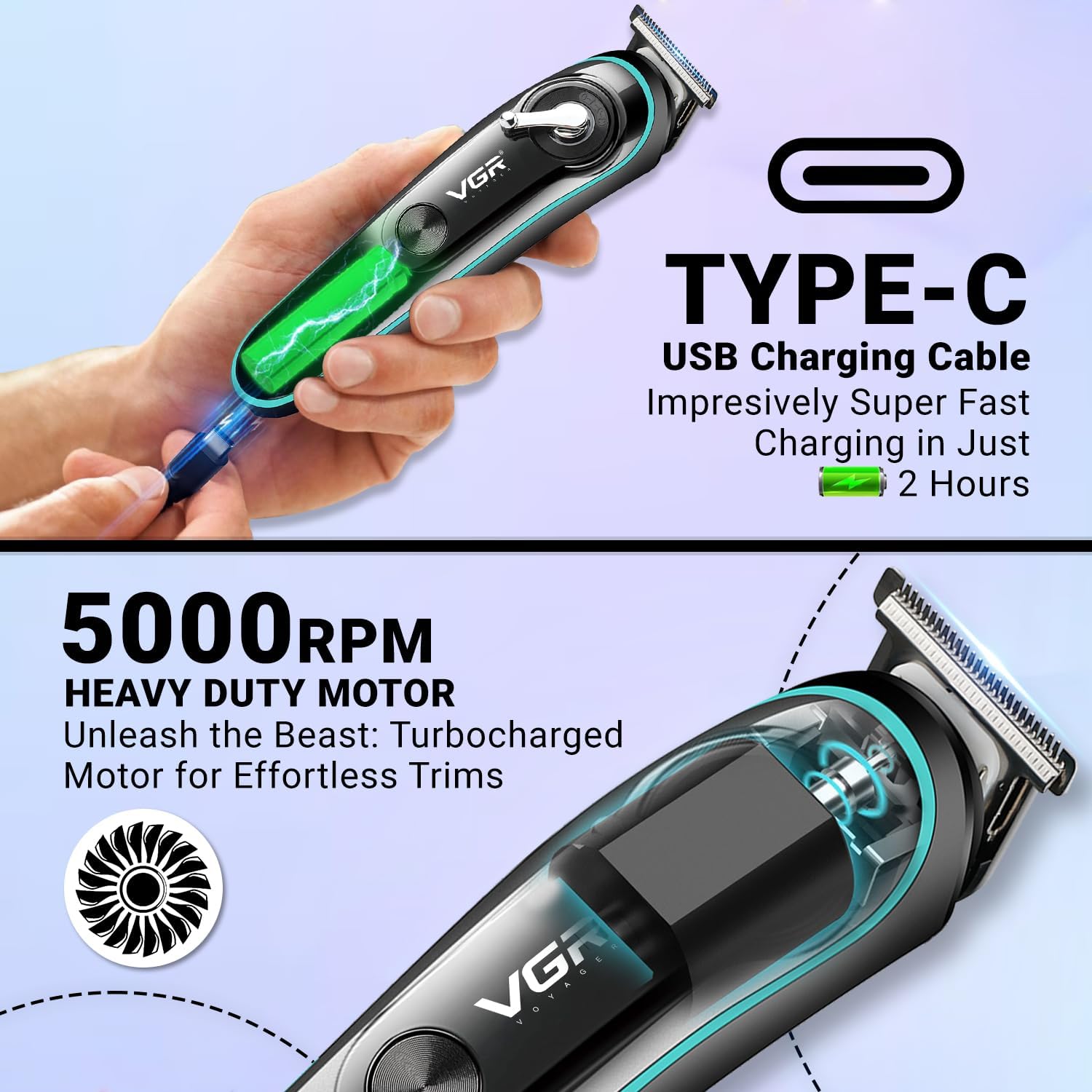
Figure 6.1: Type-C USB charging cable connection.

Şekil 6.2: Pil özellikleri ve şarj süresi.
7. Kullanım Talimatları
- Güç Açma/Kapatma: Press the ON/OFF button to turn the shaver on or off. The LED display will illuminate when the device is active.
- Kılavuz Tarak Seçimi: Choose the desired guide comb (3mm, 6mm, 9mm, or 12mm) based on your preferred hair length. Align the comb with the shaver head and push it firmly until it clicks into place.
- Adjusting Taper Length: For fine adjustments without a guide comb, or to blend different lengths, use the taper lever located on the side of the shaver. Move the lever up or down to select cutting lengths between 0.8mm and 2.0mm.
- Kırpma: Hold the shaver with the blades flat against the skin or at a slight angle, depending on the area and desired result. Move the shaver slowly against the direction of hair growth for an even cut.
- Kablolu Kullanım: If the battery is low or you prefer continuous power, connect the charging cable to the shaver and a power source. The shaver can be operated while charging.
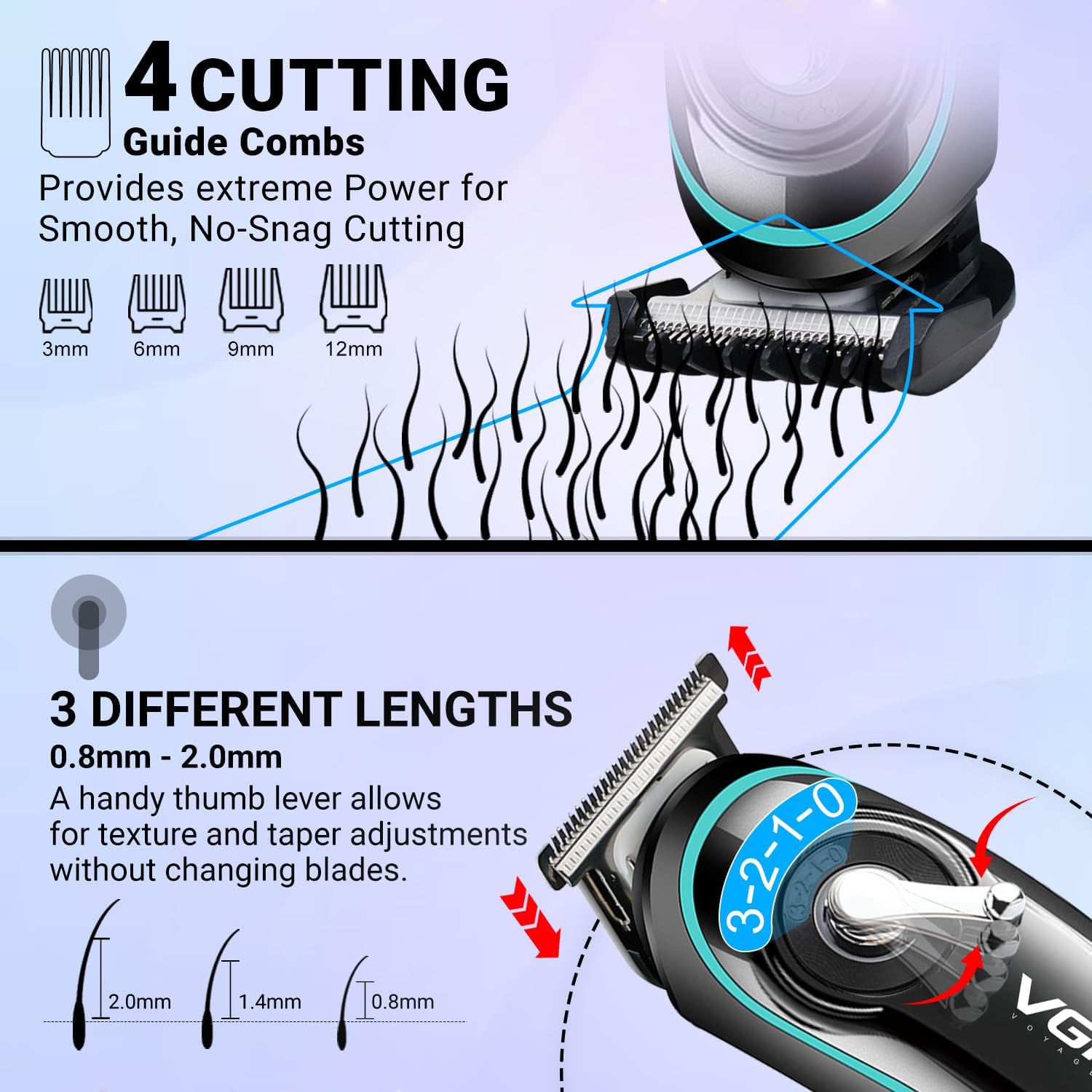
Figure 7.1: Guide combs and taper lever adjustment.
8. Bakım ve Temizlik
Düzenli temizlik ve bakım, tıraş makinenizin en iyi performansı göstermesini ve kullanım ömrünü uzatmasını sağlayacaktır.
- Kapatın ve Fişi Çıkarın: Always ensure the shaver is turned off and unplugged from the power source before cleaning.
- Kılavuz tarağı çıkarın: Takılı olan kılavuz tarakları çıkarın.
- Remove Detachable Head: Gently push the shaver head to detach it from the main body.
- Bıçakları Temizleyin: Use the provided cleaning brush to remove loose hairs from the blades and the shaver body. For a more thorough clean, rinse the detachable head and blades under running water. Ensure the head is completely dry before reattaching.
- Bıçakları Yağlayın: After cleaning and drying, apply 1-2 drops of the included oil to the blades. Turn the shaver on for a few seconds to distribute the oil evenly. This helps maintain blade sharpness and prevents rust.
- Yeniden birleştirme: Reattach the shaver head to the body, ensuring it clicks securely into place.
- Depolamak: Store the shaver and its accessories in a dry, cool place, away from direct sunlight and out of reach of children.
Figure 8.1: Cleaning the detachable head under running water.
9. Sorun Giderme
| Sorun | Olası Neden | Çözüm |
|---|---|---|
| Tıraş makinesi açılmıyor. | Pil bitmiş. | Tıraş makinenizi tam şarj edin. |
| Shaver runs slowly or pulls hair. | Bıçaklar kirli veya yağlanmamış. | Bıçakları bakım talimatlarına göre temizleyin ve yağlayın. |
| Tıraş makinesi şarj olmuyor. | Charging cable or adapter is faulty; connection is loose. | Ensure the cable is securely connected. Try a different USB port or adapter. |
| Çalışma sırasında aşırı gürültü var. | Blades are not properly lubricated or there is debris. | Bıçakları temizleyin ve yağlayın. |
10. Özellikler
| Özellik | Detay |
|---|---|
| Model Numarası | VL-075 |
| Ürün Adı | Saç Kesme Makinesi |
| Marka | VGR |
| Güç Kaynağı | Battery Powered (Corded & Cordless) |
| Pil Türü | 1 adet Lityum İyon pil (dahil) |
| Pil Kapasitesi | 600mAh |
| Şarj Süresi | Yaklaşık 2 saat |
| Çalışma zamanı | Yaklaşık 120 dakika |
| Motor Hızı | 5000 RPM |
| Bıçak Malzemesi | Paslanmaz çelik |
| Gövde Malzemesi | ABS Plastik |
| Cutting Lengths (Taper Lever) | 0.8mm, 1.4mm, 2.0mm |
| Kılavuz Tarak Uzunlukları | 3mm, 6mm, 9mm, 12mm |
| Ürün Boyutları | 18x8x6 cm |
| Ürün Ağırlığı | 200 gram |
| Renk | Siyah |
| Üretici | Ningbo VGR Electric Appliance Co.,Ltd. |
11. Garanti ve Destek
The VGR V-075 Professional Shaver comes with a bir yıllık garanti from the date of purchase, covering manufacturing defects. This warranty does not cover damage caused by misuse, accident, unauthorized modification, or normal wear and tear.
For warranty claims, technical support, or any product-related inquiries, please contact the manufacturer:
- E-posta: customercare@vgrofficial.in
- Telefon: 9667796740
- Webalan: www.vgrofficial.in
Support hours are from 10:00 AM to 6:00 PM, Monday to Saturday.