FLEXISPOT ET365W

FLEXISPOT E6 Essential Dual Motor Standing Desk Frame User Manual

Model: ET365W (White Frame, 3 Stage Lite Leg)

Önemli Güvenlik Bilgileri

Montaj ve kullanımdan önce lütfen tüm talimatları okuyun ve anlayın. Bu talimatlara uyulmaması yaralanmaya veya ürünün hasar görmesine neden olabilir.

Ürün Bittiview

The FLEXISPOT E6 Essential Dual Motor Standing Desk Frame provides a versatile and ergonomic workspace solution. Featuring a robust 3-stage lift system and quiet dual motors, it allows for seamless transitions between sitting and standing positions.

Temel Özellikler:

FLEXISPOT E6 Essential Standing Desk Frame with controller

Image: The FLEXISPOT E6 Essential Dual Motor Standing Desk Frame in white, featuring the integrated control panel.

Paket İçeriği

Montaja başlamadan önce tüm parçaların eksiksiz ve hasarsız olduğundan emin olun. Herhangi bir parça eksik veya hasarlıysa, lütfen müşteri desteğiyle iletişime geçin.

Components of the FLEXISPOT E6 Essential Standing Desk Frame

Image: All frame components laid out for inspection.

Montaj Talimatları

Follow these steps carefully to assemble your FLEXISPOT E6 Essential Standing Desk Frame. It is recommended to have two people for assembly.

Video: Official FLEXISPOT E6 Essential Standing Desk Installation Guide. This video provides a visual walkthrough of the assembly process.

  1. Step 1: Assemble the Cross Beams

    Connect the left and right beams (parts 2 and 3) using the provided screws (C) and the T-Socket Wrench (11). Ensure screws are aligned with square holes and pressed tightly. The length of the cross beams can be adjusted to fit a desktop of 51-59 inches (1300-1500mm).

    Assembly of cross beams for desk frame

    Image: Illustration showing the connection of the left and right beams.

  2. Step 2: Attach Columns to Cross Beams

    Attach the two columns (part 4) to the assembled cross beams using screws (A) and the T-Socket Wrench (11). Pre-tighten all screws for the cross beams, then tighten them simultaneously for a secure fit. Prioritize installing diagonal screws first.

    Attaching columns to cross beams

    Image: Visual guide for attaching the columns to the cross beams.

  3. Step 3: Install Pedestals

    Secure the pedestals (part 7) to the bottom of the columns using screws (E) and the T-Socket Wrench (11).

    Installing pedestals to the desk columns

    Image: Diagram showing the attachment of the pedestals to the columns.

  4. Step 4: Attach Adapter Bracket and Keypad

    Mount the adapter bracket (part 12) and the keypad (part 5) to the underside of your chosen desktop. Ensure the curved edge of the keypad is flush with the edge of the table top. Use screws (F) and a drill for this step. Make sure the keypad is on the same side as the adapter bracket.

    Attaching adapter bracket and keypad to desktop

    Image: Illustration of attaching the adapter bracket and keypad to the desktop.

  5. Adım 5: Kabloları Bağlayın

    Connect all necessary cables: the keypad to the control box, the motors to the control box, the power adapter (part 6) to the control box, and the AC power cable (part 8) to the power adapter. Use cable clips (part 10) to manage and secure the cables neatly under the desktop.

    Wiring connections for the standing desk

    Image: Diagram showing the proper routing and connection of all electrical cables.

Kullanım Talimatları

The FLEXISPOT E6 Essential features an intuitive programmable controller for easy height adjustment.

Close-up of the intelligent keypad with LED display and memory buttons

Image: The intelligent keypad with LED display and buttons for height adjustment and memory presets.

Denetleyici İşlevleri:

Ürün Özellikleri

ÖzellikDetay
Model NumarasıET365W
MarkaESNEKLİK
RenkBeyaz çerçeve
Product Dimensions (Frame)43.3"D x 23.6"W x 23.6"H (Adjustable width for desktop)
Yükseklik Ayar Aralığı23.6 inches (Minimum) to 48.8 inches (Maximum)
Kaldırma MekanizmasıElectric Dual Motor, 3-Stage Lift System
Maksimum Ağırlık Kapasitesi220 lbs (100 kg)
Gürültü Seviyesi50 dB'den az
Taban MalzemesiMetal
Dahil BileşenlerInstallation Tools and Wire
UPC810072845221
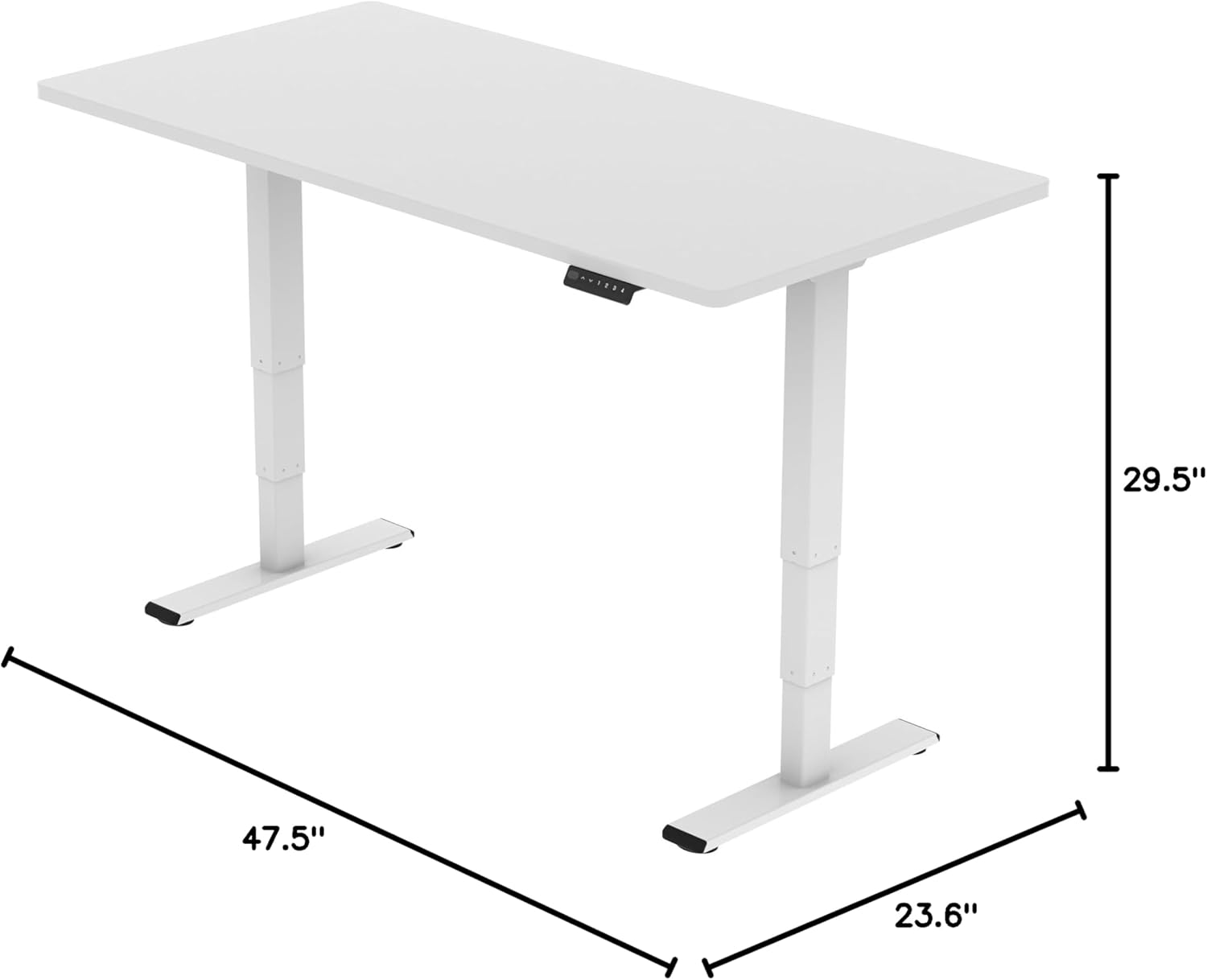
FLEXISPOT E6 Essential Standing Desk Frame dimensions

Image: Diagram illustrating the adjustable dimensions of the desk frame.

Bakım

Düzenli bakım, ayakta çalışma masası iskeletinizin uzun ömürlü olmasını ve en iyi performansı göstermesini sağlar.

Sorun giderme

If you encounter any issues with your FLEXISPOT E6 Essential Standing Desk Frame, refer to the common problems and solutions below.

Garanti ve Destek

FLEXISPOT is committed to providing high-quality products and excellent customer service.

Video: "Welcome to FLEXISPOT'S Mega Factory" - Showcasing the manufacturing process and commitment to quality.

İlgili Belgeler - ET365W

Önview FlexiSpot EH1-EU Elektrikli Ayakta Çalışma Masası Çerçevesi Kullanım Kılavuzu
FlexiSpot EH1-EU elektrikli ayakta çalışma masası çerçevesi için kapsamlı kullanım kılavuzu; optimum kullanım için teknik özellikler, montaj talimatları, kablolama, çalıştırma ve sorun giderme konularında ayrıntılı bilgi içermektedir.
Önview FlexiSpot EC1 Elektrikli Yüksekliği Ayarlanabilir Ayakta Çalışma Masası Montaj Kılavuzu
Bu montaj kılavuzu, FlexiSpot EC1 elektrikli, yüksekliği ayarlanabilir ayakta çalışma masasının kurulumu için adım adım talimatlar sunmaktadır. Özellikler, parça listesi, montaj prosedürleri, tuş takımı kullanımı, sorun giderme ipuçları ve garanti bilgileri de kılavuzda yer almaktadır.
Önview FlexiSpot EG1B Electric Standing Desk Assembly Instructions
Detailed assembly instructions for the FlexiSpot EG1B electric standing desk, covering all steps from unboxing to final setup. Includes technical specifications, parts list, and troubleshooting tips.
Önview FlexiSpot E2Q Electric Standing Desk: Installation Guide and Specifications
Comprehensive installation guide and specifications for the FlexiSpot E2Q electric standing desk. Learn how to assemble, operate, and troubleshoot your adjustable height desk.
Önview FlexiSpot EG1S/EG1W/EG1B Serisi Yüksekliği Ayarlanabilir Masa: Kurulum Kılavuzu ve Sınırlı Garanti
FlexiSpot EG1S, EG1W ve EG1B serisi yüksekliği ayarlanabilir masalar için kapsamlı kurulum kılavuzu ve sınırlı garanti bilgileri; kurulum, teknik özellikler, sorun giderme ve garanti kapsamını içermektedir.
Önview FlexiSpot E7QB Ayakta Çalışma Masası Kullanım Kılavuzu
FlexiSpot E7QB ayarlanabilir çalışma masası için kapsamlı kullanım kılavuzu; bileşenler, kurulum, kullanım, sorun giderme ve garanti bilgilerini içermektedir.