1. Giriş
This manual provides instructions for the setup, operation, maintenance, and troubleshooting of your Fnatic STREAK80 LP White TKL Mechanical Low Profile Gaming Keyboard. Please read this manual thoroughly before using the product to ensure proper functionality and longevity.

Resim 1.1: Yukarıdan aşağıya view of the Fnatic STREAK80 LP keyboard with RGB lighting enabled.
The STREAK80 LP is a tenkeyless (TKL) mechanical keyboard designed for gaming, featuring low-profile speed switches, PBT keycaps, and RGB lighting. It includes a sturdy aluminum top case and a dedicated volume wheel.
2. Paket İçeriği
Paketin içinde tüm öğelerin mevcut olduğundan emin olun:
- Fnatic STREAK80 LP Keyboard
- USB kablosu
3. Kurulum
- USB Kablosunu bağlayın: Insert the USB-C end of the provided cable into the port on the keyboard. Connect the USB-A end to an available USB port on your computer (PC or Laptop).
- Sürücü Kurulumu: The keyboard is plug-and-play. Your operating system (Windows, macOS) will automatically detect and install the necessary drivers.
- Yazılım Kurulumu (Opsiyonel): For advanced customization of RGB lighting and key assignments, download and install the Fnatic software from the official Fnatic webalan.

Image 3.1: A hand typing on the Fnatic STREAK80 LP keyboard, demonstrating typical usage.
4. Kullanım Talimatları
4.1 Keyboard Layout and Design
The STREAK80 LP features a tenkeyless (TKL) design, which omits the numeric keypad to save desk space. This compact form factor is beneficial for users who require more mouse movement area.
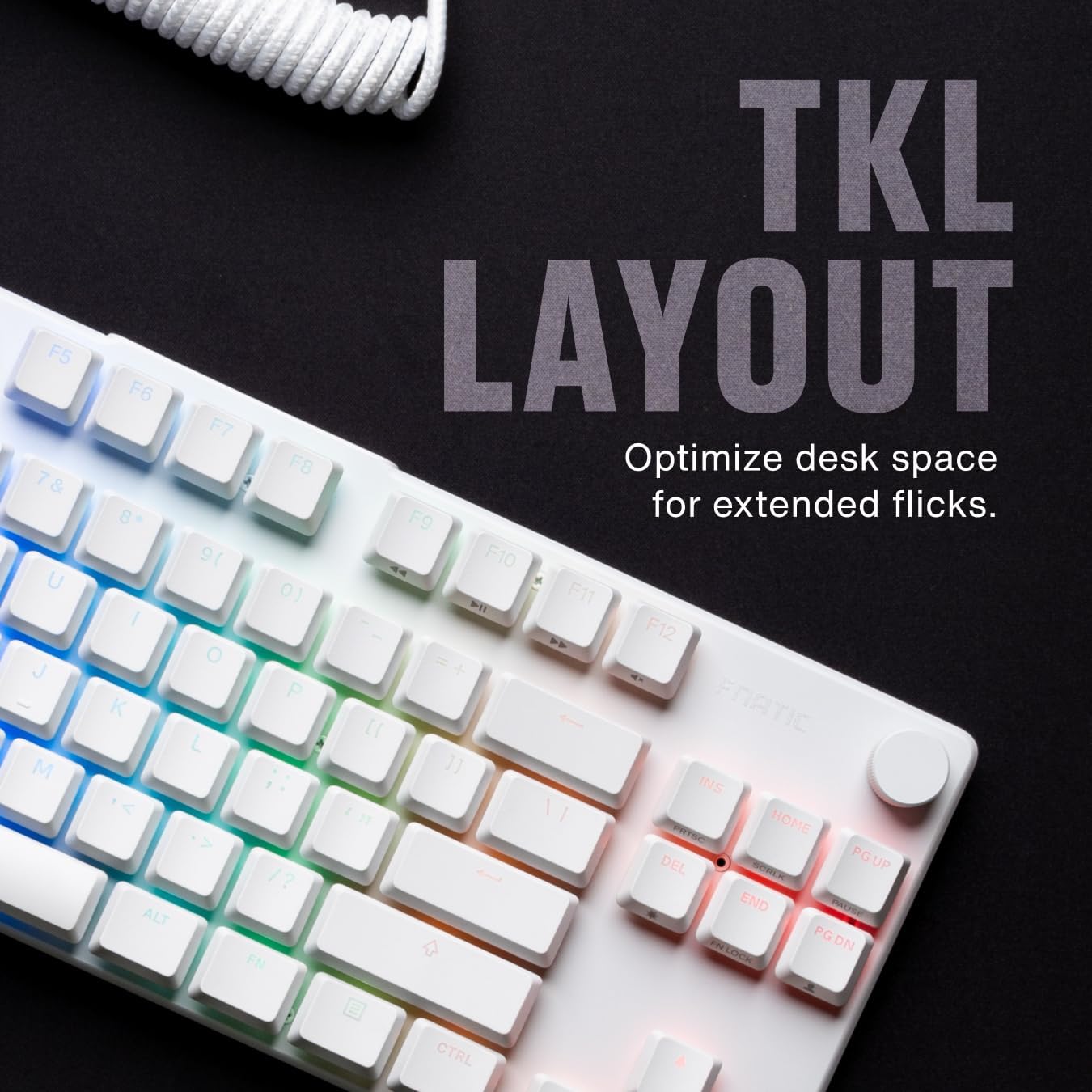
Resim 4.1.1: Üzeriview of the Fnatic STREAK80 LP's tenkeyless layout.
The keyboard is designed with a low profile, contributing to an ergonomic typing and gaming experience without requiring a separate wrist rest.
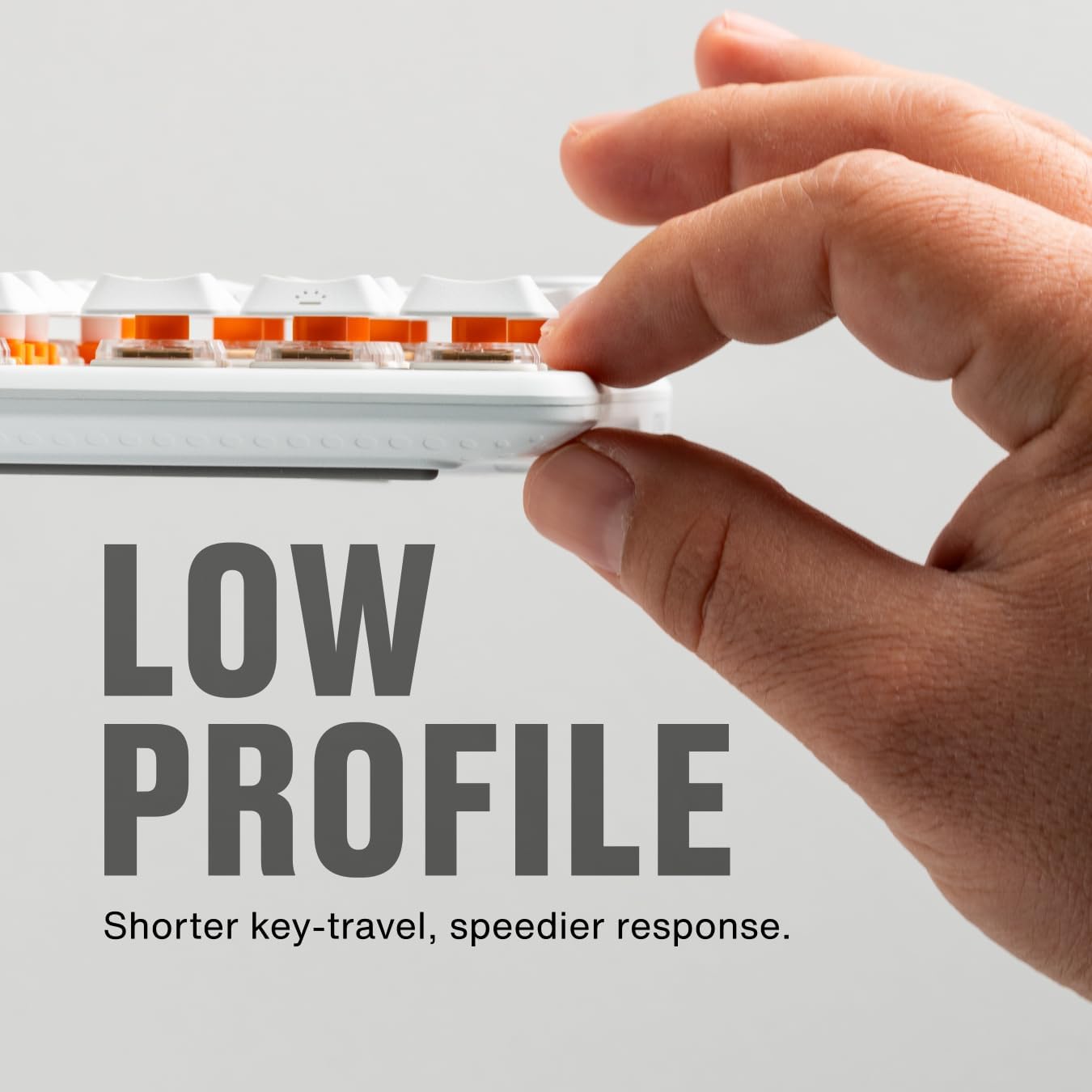
Image 4.1.2: A hand demonstrating the slim, low-profile design of the keyboard.
4.2 Switches and Keycaps
The keyboard is equipped with custom low-profile speed switches, featuring a 1.0mm actuation distance for rapid response. The keycaps are made from premium Doubleshot PBT material, designed to resist oils and shine over time.

Image 4.2.1: Detail of a pre-lubricated stabilizer and switch on the keyboard.

Image 4.2.2: Individual PBT keycaps, highlighting their textured surface.
4.3 RGB Aydınlatma
The STREAK80 LP features customizable RGB backlighting. The low-profile keycap design enhances the visibility of the vibrant lighting emanating from the switches.

Resim 4.3.1: Klavye ekranının yakın çekim görüntüsü.asinCanlı RGB aydınlatmasıyla dikkat çekiyor.
Lighting effects can be adjusted using the Fnatic software or via onboard shortcuts (refer to the software manual for detailed key combinations).
4.4 Ses Kontrolü
A dedicated volume wheel is located on the top right of the keyboard, providing instant control over audio levels. Rotate the wheel to adjust volume up or down, and press it to mute or unmute audio.

Image 4.4.1: A hand operating the volume control wheel on the keyboard.
4.5 Acoustic Optimization
The keyboard incorporates genuine PORON foam to reduce internal case ping and other unwanted acoustic resonances, contributing to a quieter typing experience.
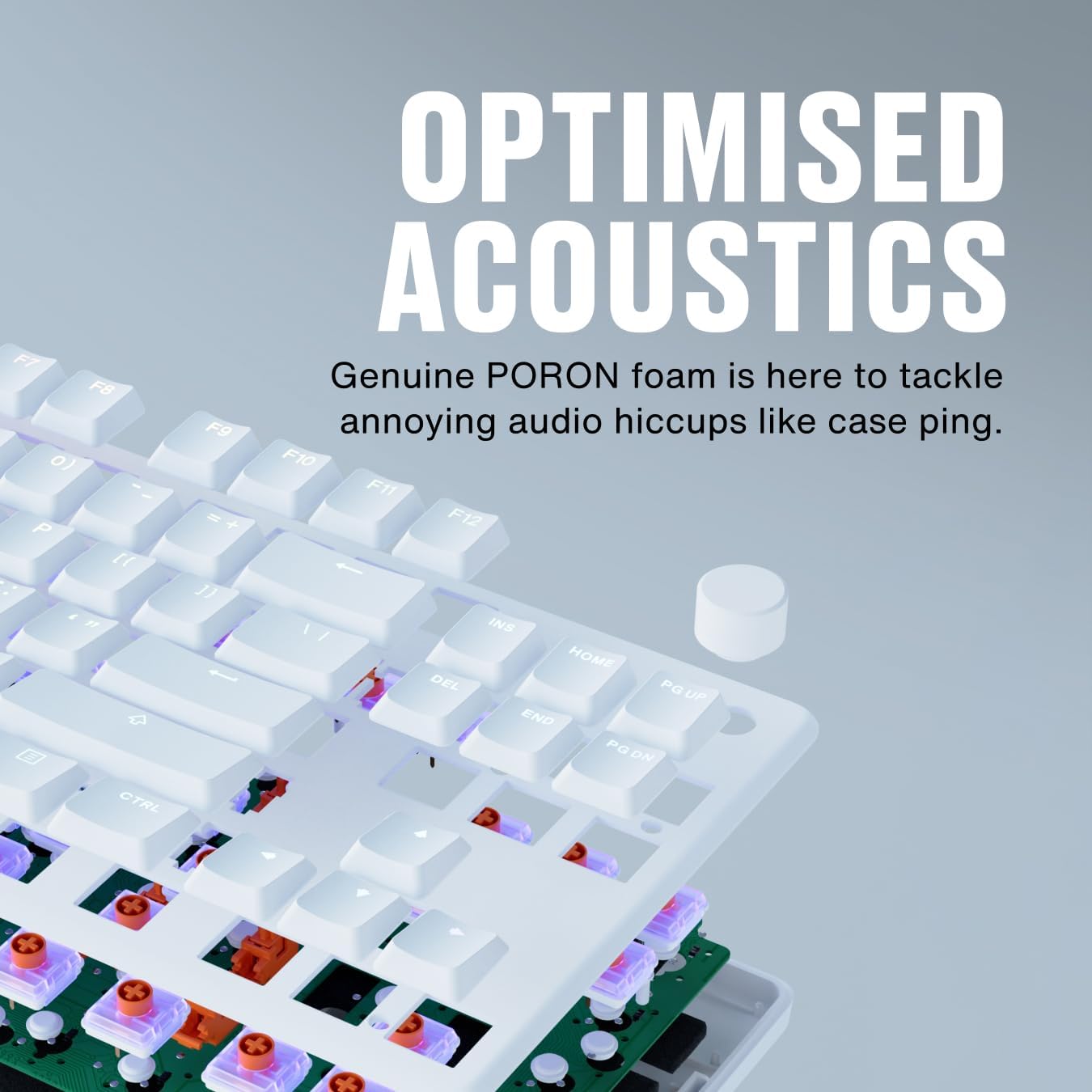
Image 4.5.1: An exploded diagram illustrating the internal components, including the PORON foam for acoustic optimization.
5. Bakım
- Tuş Takımlarının Temizlenmesi: Yumuşak bir d kullanınamp cloth to wipe down keycaps. For deeper cleaning, keycaps can be carefully removed using a keycap puller (not included) and cleaned with mild soap and water. Ensure they are completely dry before reattaching.
- Klavyenin gövdesinin temizlenmesi: Use a microfiber cloth to wipe the aluminum top case and plastic base. Avoid abrasive cleaners.
- Removing Dust and Debris: Tuş takımları ve anahtarlar arasındaki toz ve kalıntıları temizlemek için basınçlı hava kullanın.
- Kablo Bakımı: USB kablosunun hasar görmesini önlemek için keskin bükümlerden veya aşırı çekmelerden kaçının.
6. Sorun Giderme
- Klavye Yanıt Vermiyor:
- USB kablosunun hem klavyeye hem de bilgisayara güvenli bir şekilde bağlandığından emin olun.
- Klavyeyi bilgisayarınızdaki farklı bir USB portuna bağlamayı deneyin.
- Sistemle ilgili bir sorun olup olmadığını anlamak için klavyeyi başka bir bilgisayarda deneyin.
- RGB Aydınlatma Çalışmıyor:
- Check the Fnatic software for lighting settings and ensure they are enabled.
- Verify that no onboard lighting shortcuts have inadvertently turned off the lighting.
- Tuşlar Kayıt Olmuyor:
- Ensure no debris is lodged under the affected keycap.
- If using the Fnatic software, check for any remapping that might affect key functionality.
For further assistance, refer to the official Fnatic support resources online.
7. Özellikler
| Özellik | Detay |
|---|---|
| Marka | Fnatik |
| Örnek | STREAK80 LP (KB0007-001) |
| Düzen | Tenkeyless (TKL), US ANSI |
| Anahtar Türü | Düşük Profesyonelfile Hız Anahtarları |
| Çalıştırma Mesafesi | 1.0 mm |
| keycaps | Doubleshot PBT |
| Arka aydınlatma | RGB |
| Akustik DampEning | PORON Foam |
| Bağlantı | USB-A (wired) |
| Boyutlar (UxGxY) | 13.98 x 5.08 x 1.1 inç (35.5 x 12.9 x 2.8 cm) |
| Ağırlık | 1.29 pound (0.58 kg) |
| Uyumlu Cihazlar | Dizüstü, Bilgisayar, Mac |
8. Garanti ve Destek
Fnatic products are covered by a manufacturer's warranty. For detailed warranty information, terms, and conditions, please visit the official Fnatic websiteye gidin veya müşteri desteğiyle iletişime geçin.
Teknik destek, sürücü indirmeleri ve sık sorulan sorular için lütfen şu adresi ziyaret edin: Fnatic Support


