1. Giriş
Thank you for choosing the Cherry KW 7100 Mini Multi-Device Compact Keyboard. This manual provides essential information for setting up, operating, and maintaining your new keyboard. Designed for versatility and portability, this keyboard offers seamless connectivity across multiple devices.
2. Kutuda Neler Var?
- Cherry KW 7100 Mini Multi-Device Compact Keyboard
- USB-C to USB-A Charging/Connection Cable
- 2x AAA Pil
- 2.4 GHz Wireless Nano Receiver (stored magnetically in the keyboard)
- Taşıma Çantası
- Kullanım Kılavuzu

Şekil 1: Yukarıdan aşağıya view of the Cherry KW 7100 Mini Keyboard.
3. Kurulum
3.1. Pil Kurulumu
- Klavyenin alt tarafındaki pil yuvasını bulun.
- Pil bölmesi kapağını kaydırarak açın.
- İki adet AAA pili, kutupların doğru olmasına dikkat ederek (+/-) takın.
- Pil bölmesi kapağını sıkıca kapatın.
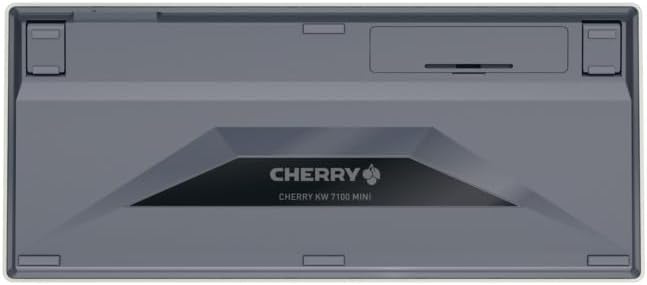
Figure 2: Underside of the keyboard with the battery compartment.
3.2. Klavyenin Bağlanması
The Cherry KW 7100 Mini supports three connection methods: Bluetooth, 2.4 GHz Wireless, and Wired USB-C.
3.2.1. Bluetooth Bağlantısı (En fazla 3 Cihaz)
- Yan tarafta bulunan güç anahtarını kullanarak klavyeyi açın.
- Press and hold one of the Bluetooth channel keys (F1, F2, or F3) for 3-5 seconds until the corresponding LED indicator blinks rapidly. This indicates pairing mode.
- On your device (laptop, smartphone, tablet), navigate to Bluetooth settings and search for available devices.
- Select "Cherry KW 7100" from the list to pair. The LED will stop blinking and remain solid for a few seconds upon successful connection.
- Repeat for up to two additional devices using the other Bluetooth channel keys (F1, F2, or F3).
3.2.2. 2.4 GHz Kablosuz Bağlantı
- Locate the 2.4 GHz wireless nano receiver, typically stored magnetically in a slot on the underside of the keyboard.
- Insert the nano receiver into an available USB-A port on your computer.
- Klavyeyi güç düğmesini kullanarak açın. Klavye otomatik olarak alıcıya bağlanmalıdır.
3.2.3. Kablolu USB-C Bağlantısı
- Connect one end of the provided USB-C cable to the USB-C port on the keyboard.
- USB-C kablosunun diğer ucunu bilgisayarınızdaki kullanılabilir bir USB-A bağlantı noktasına bağlayın.
- The keyboard will function as a wired keyboard.
Video 1: Demonstrating the setup and typing experience of the Cherry KW 7100 Mini Keyboard.
4. Klavyenin Kullanımı
4.1. Bağlı Cihazlar Arasında Geçiş Yapma
To switch between paired Bluetooth devices, simply press the corresponding Bluetooth channel key (F1, F2, or F3) that your device is paired to. The keyboard will automatically connect to the selected device.
4.2. Function Keys (FN)
The keyboard features a dedicated FN key, typically located near the right Shift key. This key, in combination with other keys, activates secondary functions such as media controls, screen brightness, and other system commands. Refer to the keycap legends for specific FN key combinations.
4.3. LED Göstergeleri
LED indicators on the keyboard provide information about its status:
- Bluetooth Channel LEDs (F1, F2, F3): Indicate the currently active Bluetooth connection or pairing mode.
- Caps Lock LED'i: Caps Lock etkin olduğunda yanar.
- Pil Durumu LED'i: Düşük pil seviyesini gösterir.
4.4. Ayarlanabilir Ayaklar
The keyboard is equipped with stable, fold-out feet on the underside. These allow you to adjust the typing angle for improved ergonomics and comfort.
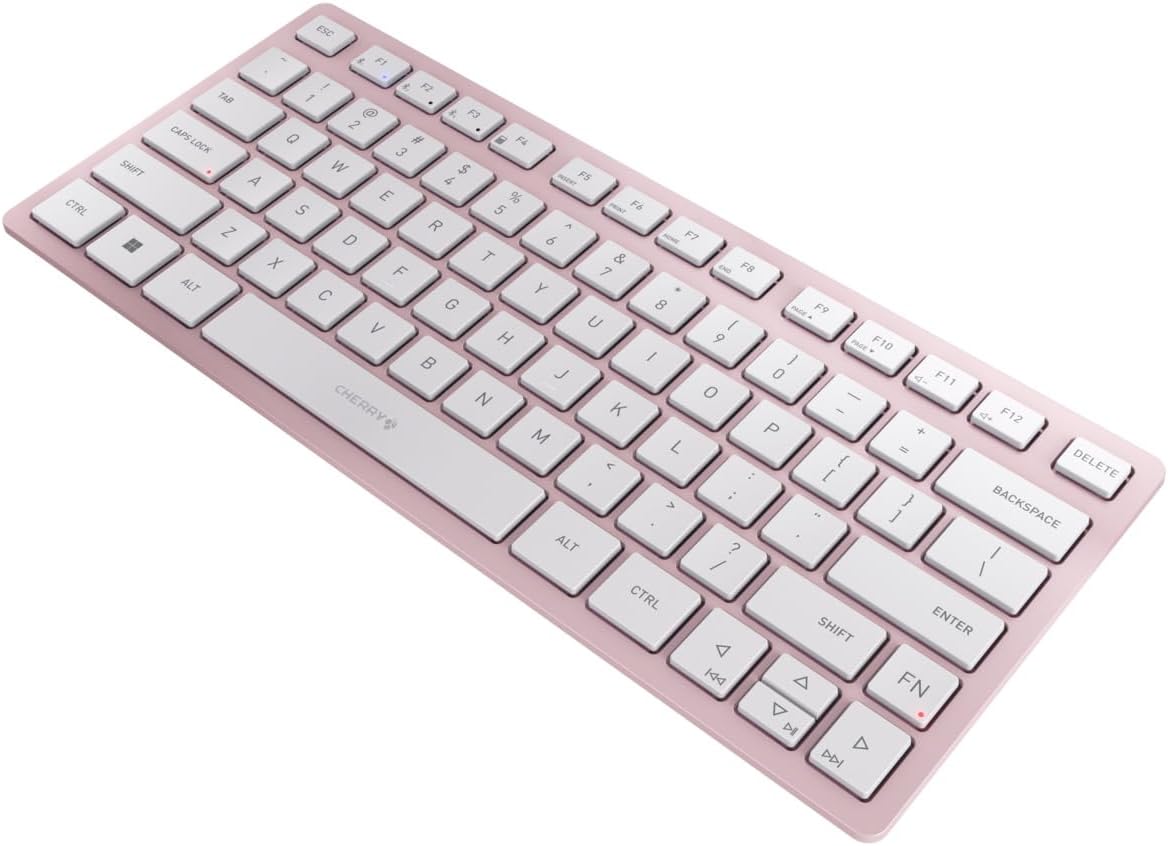
Şekil 3: Açısal view of the keyboard, highlighting its slim profile.

Şekil 4: Yan view showing the adjustable feet extended for an ergonomic typing angle.
5. Bakım
5.1. Temizlik
To clean your keyboard, gently wipe the keycaps and surface with a soft, lint-free cloth. For stubborn dirt, slightly dampBezi su veya hafif, aşındırıcı olmayan bir temizleme solüsyonuyla nemlendirin. Aşırı nemden kaçının ve temizleyicileri doğrudan klavyeye püskürtmeyin.
5.2. Depolama
When not in use, especially during travel, store the keyboard in its included carrying case to protect it from dust, scratches, and minor impacts.

Figure 5: The keyboard stored in its protective carrying case.
6. Sorun Giderme
6.1. Klavye Bağlantısı Kurmuyor
- Klavyenin açık olduğundan emin olun.
- Pilleri kontrol edin ve gerekirse değiştirin.
- For Bluetooth, ensure the correct channel (F1, F2, or F3) is selected and the keyboard is in pairing mode (blinking LED).
- For 2.4 GHz wireless, ensure the nano receiver is securely plugged into a USB-A port.
- Try connecting via the USB-C cable to rule out wireless issues.
- Cihazınızı yeniden başlatın ve eşleştirmeyi tekrar deneyin.
6.2. Tuşlar Yanıt Vermiyor
- Check the connection as described above.
- Tuşların altında herhangi bir kalıntının kalmadığından emin olun.
- Kablolu bağlantı kullanıyorsanız farklı bir USB portu veya kablo deneyin.
6.3. Kısa Pil Ömrü
- Yeni ve yüksek kaliteli AAA piller kullandığınızdan emin olun.
- Turn off the keyboard when not in use to conserve battery power.
7. Özellikler
| Özellik | Şartname |
|---|---|
| Model Adı | KW 7100 |
| Ürün Model Numarası | JK-7100US-19 |
| Marka | Kiraz |
| Bağlantı Teknolojisi | Bluetooth 5.1 (3 channels), 2.4 GHz Wireless, USB-C Wired |
| Uyumlu Cihazlar | Dizüstü Bilgisayar, Akıllı Telefon, Tablet |
| Klavye Açıklaması | Compact, Multi-Device |
| Ana Mekanizma | CHERRY SX Scissor Mechanism |
| Güç Kaynağı | 2x AAA Pil |
| Şifreleme | AES-128 |
| Ürün Boyutları | 11.6 x 5.1 x 0.6 inç |
| Ürün Ağırlığı | 1.4 pound |
| Malzeme | Metal, Plastik |
| Renk | Kiraz çiçeği |
8. Garanti ve Destek
This product is covered by Cherry's standard manufacturer warranty. For detailed warranty information, technical support, or service inquiries, please visit the official Cherry websiteye gidin veya doğrudan müşteri destekleriyle iletişime geçin.
Üretici: Kiraz
Webalan: www.kiraz.de


