1. Ürün Bittiview
The Tera HW0004 Barcode Scanner is a versatile 1D laser scanner designed for efficient data capture in various environments such as supermarkets, retail stores, and logistics. It offers flexible connectivity options and multiple operating modes to suit different user needs.
- Çok Yönlü 2'ü 1 Arada Şanzıman: Supports both 2.4GHz wireless and USB 2.0 wired connections. Compatible with Windows and Mac OS, and integrates with common software like Word, Excel, and Novell.
- İki Çalışma Modu: Features Instant Upload Mode for real-time data transfer and Storage Upload Mode for offline scanning and later upload.
- Tak ve Çalıştır: Requires no driver or software installation for quick setup.
- 1D Barkod Desteği: Capable of scanning various 1D printed barcodes including Code 39, UPC-A/UPC-E, EAN13, EAN8, Code 93, Code 128, Codabar, Industrial/Interleaved 2 of 5, MSI, Code11, ISBN/ISSN, and Matrix 2 of 5. Note: Does not scan 2D codes (e.g., QR, PDF417) or barcodes from screens.
2. Paket İçeriği
Paketi açtığınızda tüm bileşenlerin mevcut olduğundan emin olun:
- Tera Barcode Scanner (HW0004)
- 2.4GHz Kablosuz USB Dongle
- USB 2.0 Kablosu
- Ayarlanabilir Stand
- Kullanım Kılavuzu (bu belge)
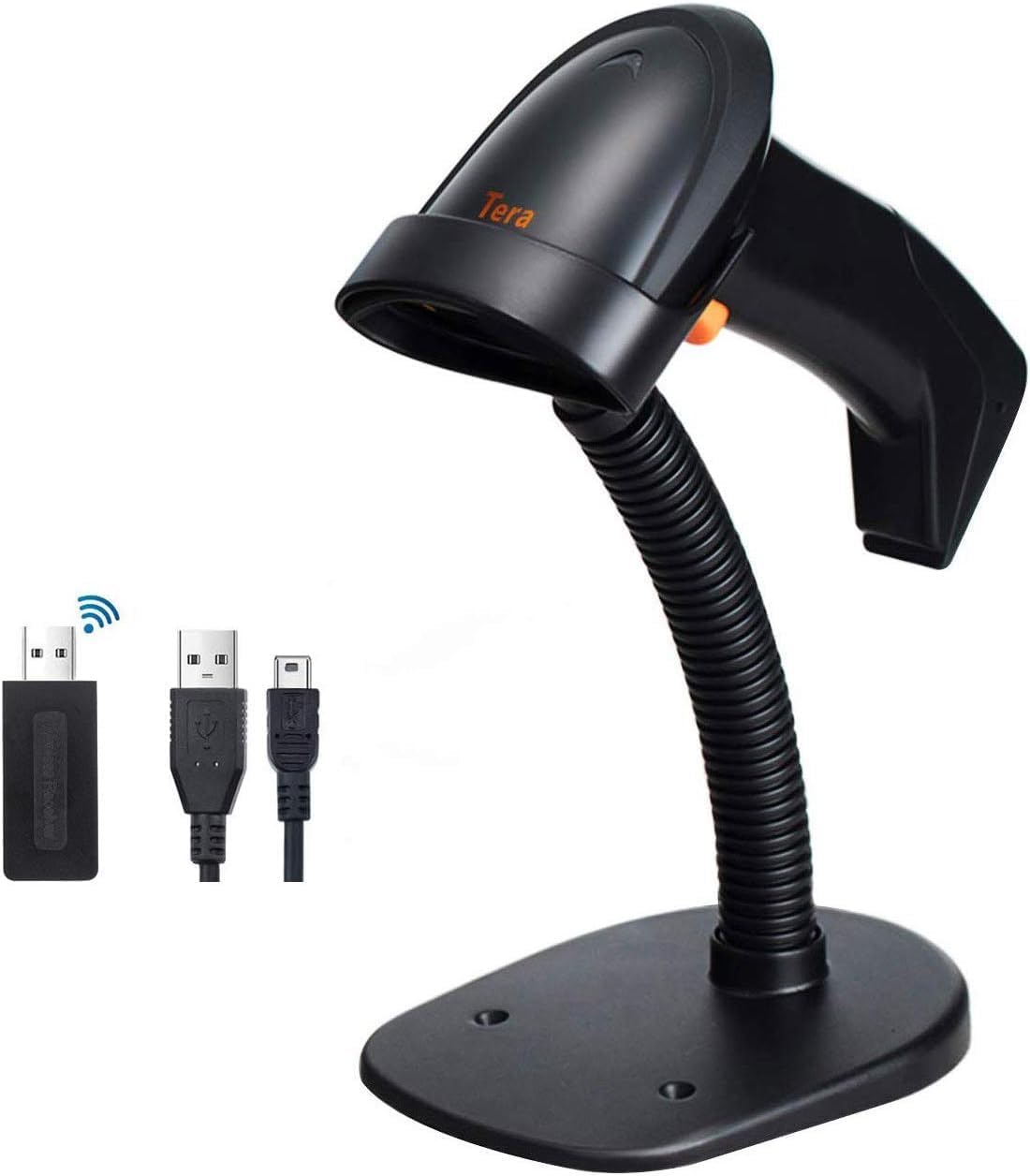
Image: The Tera HW0004 barcode scanner, its wireless USB dongle, USB cable, and the included stand.
3. Kurulum ve Bağlantı
The Tera HW0004 scanner is designed for easy plug-and-play operation, requiring no complex driver installations.
3.1. Kablosuz Bağlantı (2.4GHz)
- Insert the 2.4GHz wireless USB dongle into an available USB port on your computer or device.
- Turn on the barcode scanner. It will automatically pair with the dongle.
- Tarayıcı artık kablosuz çalışmaya hazır.

Image: The barcode scanner connected to a laptop via the wireless dongle, illustrating the plug-and-play setup.
3.2. Wired Connection (USB 2.0)
- Connect one end of the provided USB 2.0 cable to the scanner's USB port.
- Connect the other end of the USB 2.0 cable to an available USB port on your computer or device.
- The scanner will be recognized as a standard HID keyboard device and is ready for use.
The scanner is compatible with various operating systems, including Windows XP, Windows 7, Windows 8, Windows 10, Android, and Linux.
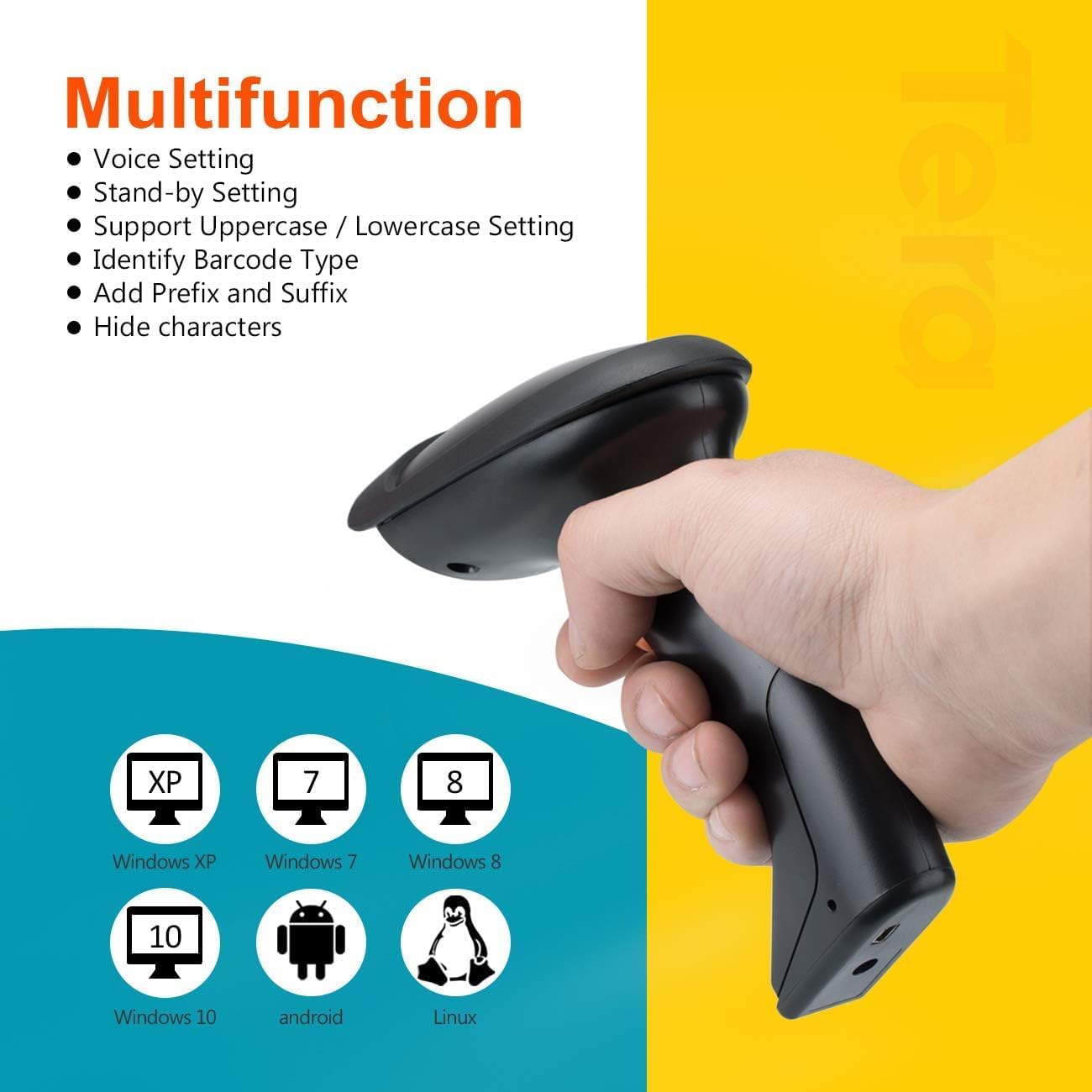
Image: The scanner demonstrating compatibility with multiple operating systems.
4. Tarayıcının Çalıştırılması
4.1. Tarama Modları
Tarayıcı iki temel tarama modunu destekler:
- Anahtar Tetikleme Modu: Press the trigger button to activate the laser and scan a barcode. Release the button to stop scanning.
- Sürekli Tarama Modu: The scanner continuously emits the laser, allowing for hands-free scanning when placed on the stand. This mode is ideal for high-volume scanning.
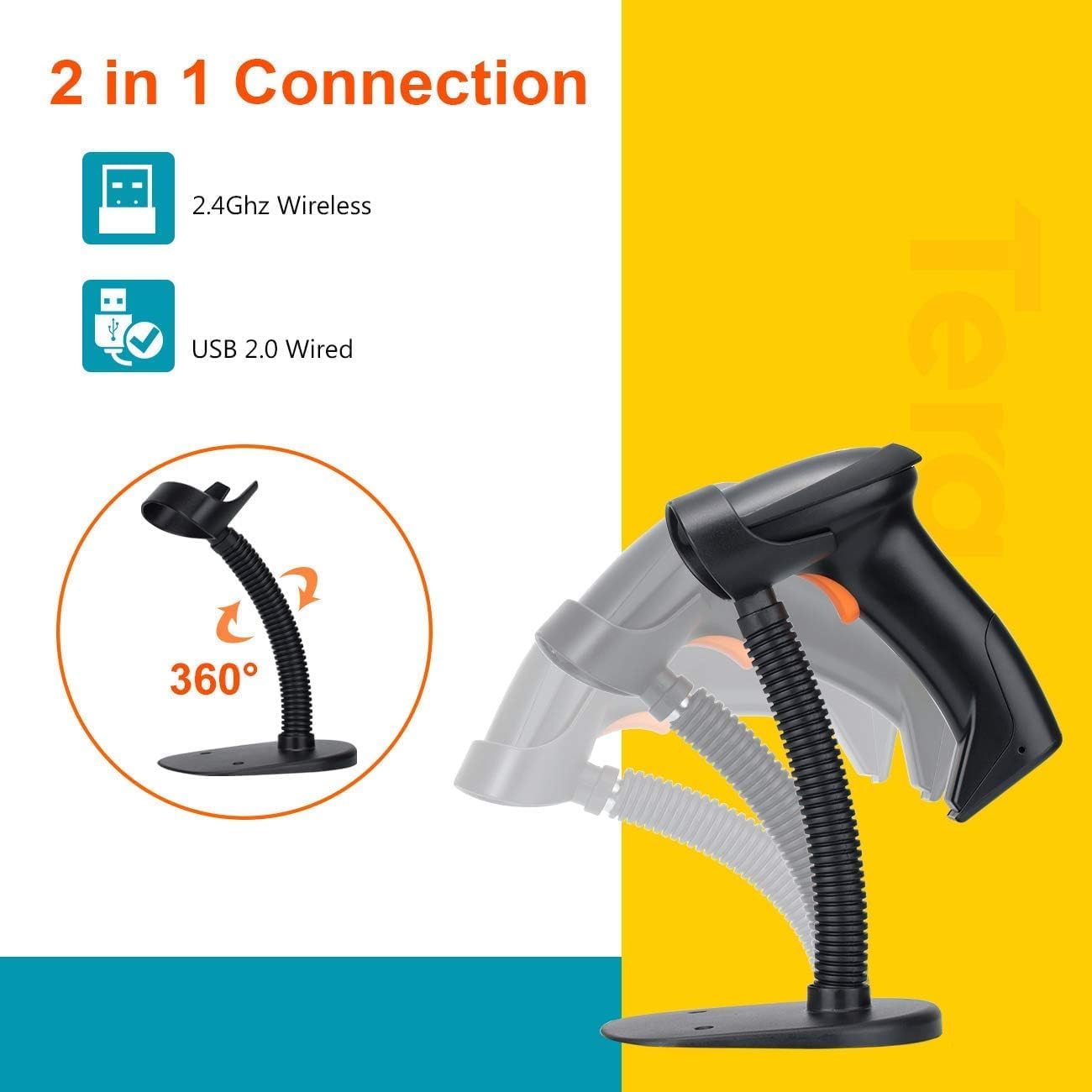
Image: The scanner on its adjustable stand, highlighting its 360-degree rotation and dual connection capabilities.
4.2. Veri Yükleme Modları
Tarayıcı, taranan verileri yüklemek için iki yöntem sunar:
- Anında Yükleme Modu: Barcodes are synchronously uploaded to your connected device immediately after scanning. This is the default mode for real-time data entry.
- Storage Upload Mode: Barcodes are stored in the scanner's built-in 16MB memory. This mode is useful for scanning outside the wireless signal range. Data can be uploaded to your device later when needed.
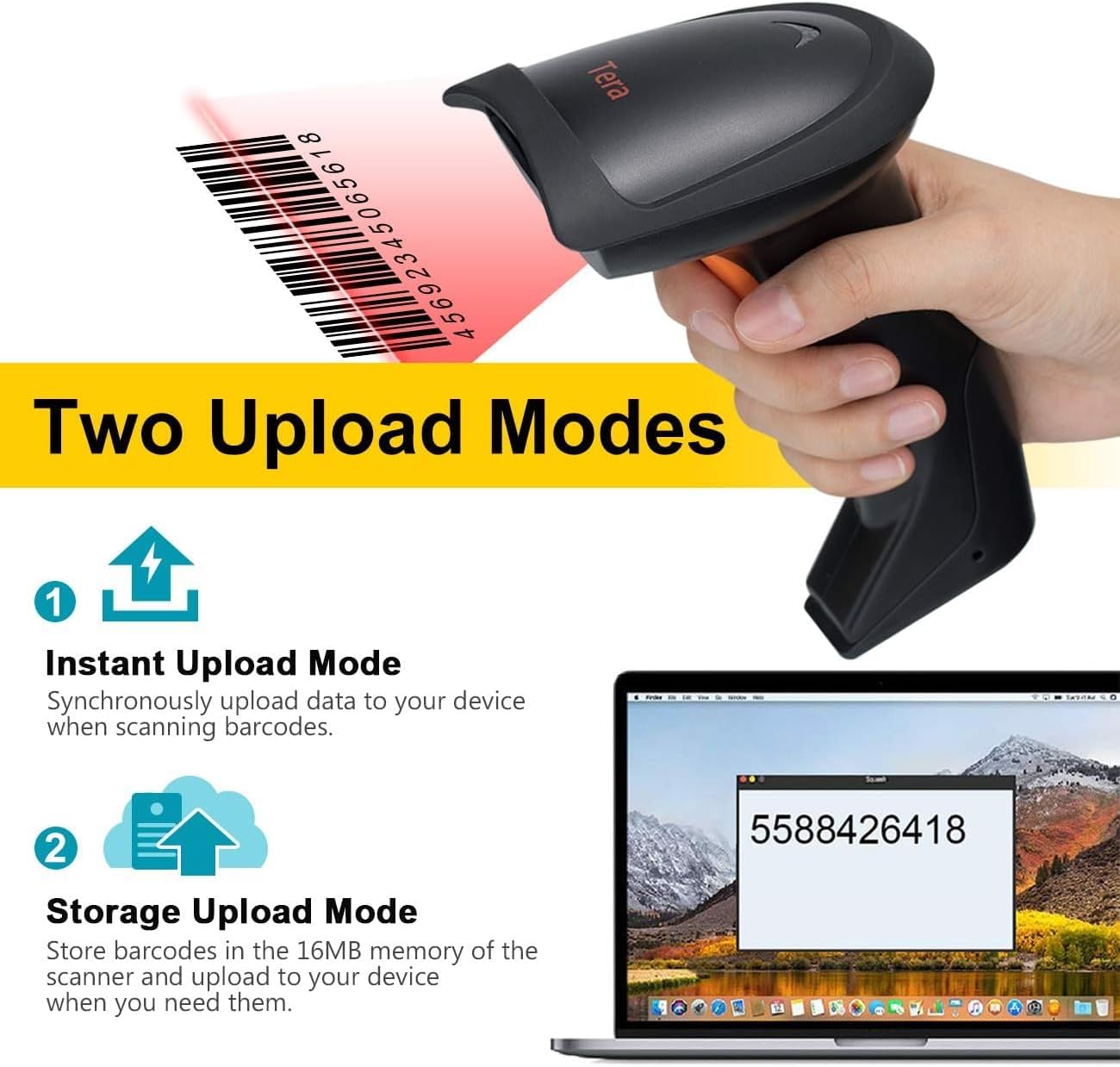
Image: A visual representation of the two data upload modes: Instant Upload and Storage Upload.
4.3. Supported Barcodes and Languages
The scanner supports a wide range of 1D printed barcodes and multiple languages for output:
- Desteklenen 1 boyutlu barkodlar: Code 39, UPC-A/UPC-E (Include Complement Code), EAN13, EAN8, Code 93, Code 128, Codabar, Industrial/Interleaved 2 of 5, MSI, Code11, ISBN/ISSN, Matrix 2 of 5.
- Unsupported Codes: 2D codes (e.g., QR, PDF417) and barcodes displayed on screens.
- Desteklenen Diller: English, Spanish, German, Japanese, French, Italian.

Image: The scanner highlighting its multi-language support and the types of 1D barcodes it can read.
4.4. Multifunction Settings
The scanner offers several configurable settings to enhance its functionality:
- Ses Ayarı
- Stand-by Setting
- Support Uppercase / Lowercase Setting
- Identify Barcode Type
- Add Prefix and Suffix to scanned data
- Karakterleri gizle
Refer to the detailed programming guide (usually a separate document or a section within a comprehensive manual) for instructions on how to configure these settings by scanning specific setup barcodes.
5. Bakım
Doğru bakım, barkod okuyucunuzun uzun ömürlü olmasını ve en iyi performansı göstermesini sağlar.
- Temizlik: Use a soft, dry, lint-free cloth to clean the scanner's exterior. For the scanning window, use a lens cleaning cloth and a mild, non-abrasive cleaning solution if necessary. Avoid harsh chemicals or abrasive materials.
- Depolamak: Tarayıcıyı serin, kuru ve doğrudan güneş ışığından ve aşırı sıcaklıklardan uzak bir yerde saklayın.
- Pil Bakım: As the scanner is battery-powered, ensure it is charged regularly. Avoid fully discharging the battery frequently to prolong its lifespan. If storing for an extended period, charge the battery to about 50% and store in a cool, dry place.
- İşleme: Tarayıcıyı düşürmekten veya şiddetli darbelere maruz bırakmaktan kaçının; bu durum iç bileşenlere zarar verebilir.
6. Sorun Giderme
If you encounter issues with your Tera HW0004 barcode scanner, refer to the following common troubleshooting steps:
| Sorun | Olası Neden | Çözüm |
|---|---|---|
| Tarayıcı açılmıyor. | Düşük pil veya güç sorunu. | Charge the scanner using the USB cable. Ensure the cable is properly connected to a power source. |
| Tarama sonrasında veri çıktısı yok. | Incorrect connection mode, scanner not paired, or application issue. |
|
| Tarayıcı bip sesi çıkarıyor ancak veri yok. | Barcode not recognized or corrupted. |
|
| Kablosuz bağlantı kararsız. | Parazitlenme veya mesafe sorunları. |
|
If the problem persists, please contact Tera customer support for further assistance.
7. Özellikler
| Özellik | Detay |
|---|---|
| Örnek | HW0004 |
| Marka | Tera |
| Bağlantı Teknolojisi | 2.4GHz Wireless, USB 2.0 Wired |
| Tarayıcı Türü | 1D Laser Handheld Linear Bar Code Reader |
| Desteklenen Barkodlar | Code 39, UPC-A/UPC-E, EAN13, EAN8, Code 93, Code 128, Codabar, Industrial/Interleaved 2 of 5, MSI, Code11, ISBN/ISSN, Matrix 2 of 5 |
| Unsupported Barcodes | 2D codes (QR, PDF417), barcodes from screens |
| Uyumlu Cihazlar | Masaüstü, Dizüstü |
| Uyumlu İşletim Sistemleri | Windows XP/7/8/10, Mac OS, Android, Linux |
| Güç Kaynağı | Pil ile çalışır |
| Ürün Ağırlığı | 8 ons (yaklaşık 227 gram) |
| Paket Boyutları | 7.9 x 3.9 x 3.2 inç (yaklaşık 20.1 x 9.9 x 8.1 cm) |
| Üretici | Tera |
| İlk Mevcut Tarih | 4 Eylül 2023 |
8. Garanti ve Destek
Specific warranty information for the Tera HW0004 Barcode Scanner is typically provided with the product packaging or available on the manufacturer's official webSite. Ayrıntılı garanti şartları ve koşulları için lütfen bu kaynaklara bakın.
For technical support, troubleshooting beyond this manual, or inquiries regarding product functionality, please visit the official Tera webÜrünle ilgili bilgi almak için genellikle ürün ambalajında veya üreticinin internet sitesindeki iletişim bilgilerini kullanabilir veya müşteri hizmetleri departmanıyla iletişime geçebilirsiniz. İletişim bilgileri genellikle ürün ambalajında veya üreticinin web sitesinde bulunabilir. webalan.
You can visit the Tera Store on Amazon for more information: Tera Store
9. Uygulama Senaryoları
The Tera HW0004 barcode scanner is suitable for a variety of applications, including but not limited to:
- Lojistik
- Depo Yönetimi
- Supermarkets and Convenient Stores
- Kütüphaneler
- Retail Industry
- Postal Industry
- Bankalar
- Medical Institutions

Resim: Eskiamples of environments where the barcode scanner can be effectively utilized.


