giriiş
Thank you for choosing the HAILIWEI Portable Karaoke Machine. This device is designed to provide an enjoyable audio experience with its portable speaker and two wireless microphones, perfect for various occasions. Please read this manual carefully to ensure proper use and maintenance of your new karaoke machine.
Kutuda Neler Var?
- 1 x HAILIWEI Portable Karaoke Machine Speaker
- 2 x Kablosuz Mikrofon
- 1 x USB Şarj Kablosu
- 1 x AUX Kablosu
- 1 x Kullanım Kılavuzu (bu belge)

Figure 1: HAILIWEI Portable Karaoke Machine package contents, including the speaker, two microphones, and the gift box.
Ürün Bittiview
Familiarize yourself with the main components and features of your HAILIWEI Portable Karaoke Machine.

Figure 2: The karaoke machine connected to a smartphone and laptop, showcasing its Bluetooth 5.3 compatibility and various sound effects.

Figure 3: A child using the wireless microphone, emphasizing the product's ease of use and portability for all ages.
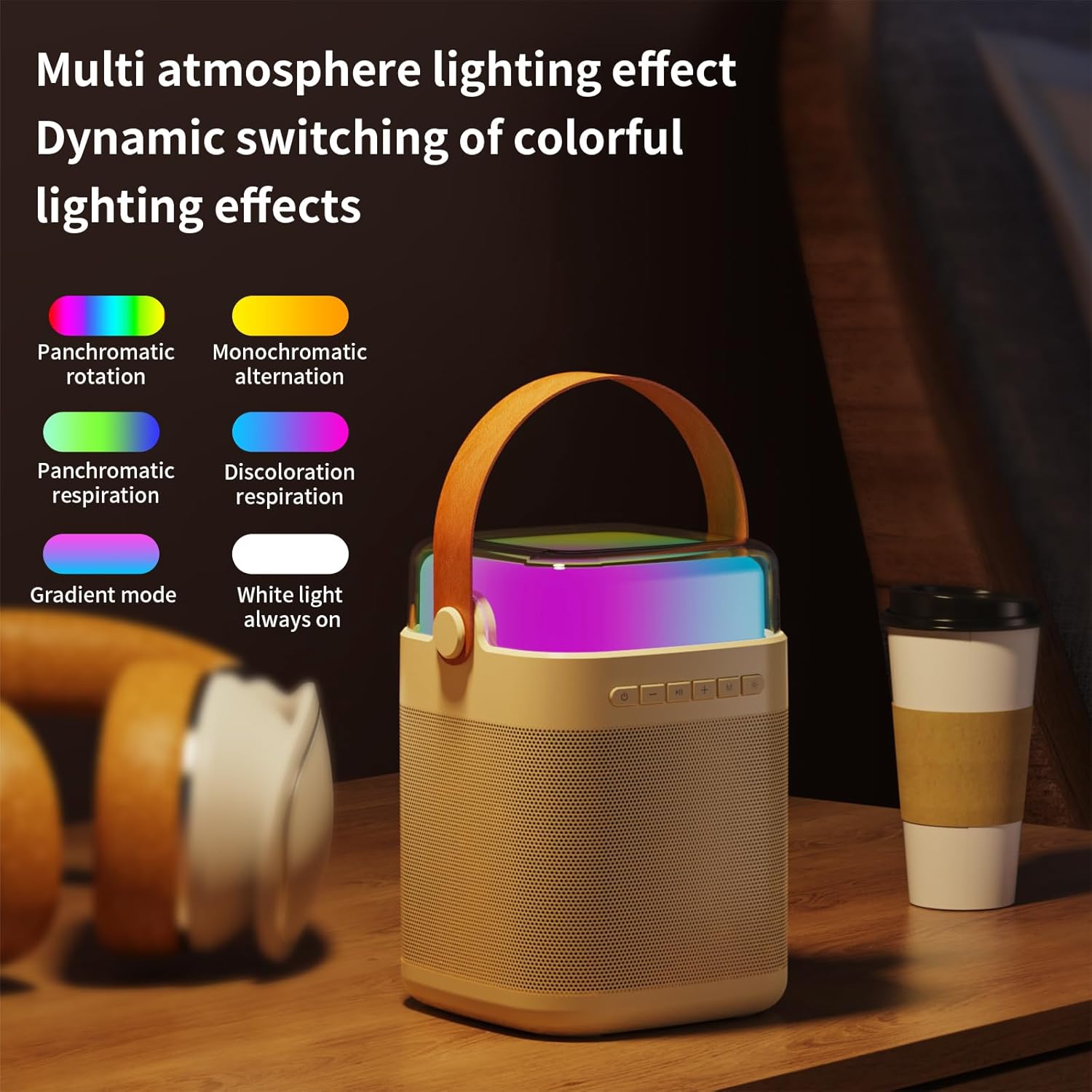
Şekil 4: Üzeriview of the machine's features including colorful lights, dual wireless microphones, USB-C charging, AUX-in, SD card slot, and USB-A port.
Kurulum Kılavuzu
1. Cihazın Şarj Edilmesi
Before first use, fully charge the karaoke machine speaker and both wireless microphones. Use the provided USB charging cable.
- Hoparlör Şarjı: Connect the USB-C cable to the charging port on the speaker and to a USB power adapter (not included). The charging indicator will show status.
- Microphone Charging: Connect the USB cable to the charging port on each microphone.
- Şarj Süresi: Speaker takes approximately 3 hours for a full charge. Microphones take approximately 2 hours.
2. Açma/Kapama
- Konuşmacı: Press and hold the power button on the speaker for 3 seconds to turn on or off.
- Mikrofonlar: Press and hold the power button on each microphone for 3 seconds to turn on or off.
3. Bluetooth Bağlantısı
The karaoke machine uses Bluetooth 5.3 for stable wireless connection to your devices.
- Turn on the karaoke machine speaker. It will automatically enter Bluetooth pairing mode.
- On your smartphone, tablet, or other Bluetooth-enabled device, go to Bluetooth settings and search for "HAILIWEI".
- Select "HAILIWEI" to pair. A voice prompt will confirm successful connection.
Once connected, you can play music from your device through the karaoke machine speaker.
4. Microphone Pairing
The two wireless microphones are pre-paired with the speaker. If they do not connect automatically:
- Ensure both the speaker and microphones are powered on.
- The microphones should automatically connect to the speaker. A blue indicator light on the microphone will confirm connection.
- If connection fails, turn off both the speaker and microphones, then turn them on again.
Kullanım Talimatları
1. Müzik Çalma
- Bluetooth: Play music from your paired device.
- AUX Girişi: Connect an external audio source using the 3.5mm AUX cable.
- USB/TF Kartı: Insert a USB flash drive or TF (Micro SD) card with MP3 files into the respective port. The speaker will automatically play music.
2. Hoparlör Kontrolleri
Hoparlörün üst panelinde kullanımı kolay ve sezgisel kontroller bulunmaktadır:
- Güç Düğmesi: Press and hold to power on/off. Short press to switch modes (Bluetooth/AUX/USB/TF).
- Oynat/Duraklat Düğmesi: Müziği çalmak veya duraklatmak için kısa basın.
- Previous/Volume Down (-): Önceki parçaya geçmek için kısa basın. Sesi kısmak için uzun basın.
- Next/Volume Up (+): Sonraki parçaya geçmek için kısa basın. Sesi açmak için uzun basın.
- Microphone Volume (M): Mikrofon sesini ayarlayın.
- Light Mode Button (*): Short press to cycle through different lighting effects.

Figure 5: The speaker's top panel showing control buttons and dynamic lighting effects.
3. Mikrofon Kullanımı
- Mikrofonların açık olduğundan ve hoparlöre bağlı olduğundan emin olun.
- Speak or sing into the microphone. Adjust the microphone volume using the 'M' button on the speaker.
- Ses efektleri: The system supports five sound change effects: Original Voice, Child, Monster, Male Voice, Female Voice. Refer to the speaker controls for activating these effects.
Bakım
Proper care will extend the life of your karaoke machine.
- Temizlik: Hoparlörün ve mikrofonların dış yüzeyini temizlemek için yumuşak, kuru bir bez kullanın. Aşındırıcı temizleyiciler veya çözücüler kullanmayın.
- Depolamak: Cihazı serin, kuru ve doğrudan güneş ışığından ve aşırı sıcaklıklardan uzak bir yerde saklayın.
- Pil Bakım: Pil ömrünü uzatmak için, sık kullanılmasa bile cihazı düzenli olarak şarj edin. Pilin uzun süre tamamen boşalmasından kaçının.
- Suya Maruz Kalma: Bu cihaz su geçirmez değildir. Suya veya yüksek neme maruz bırakmaktan kaçının.
Sorun giderme
Sorunlarla karşılaşırsanız, lütfen aşağıdaki yaygın sorunlar ve çözümlerine bakın:
| Sorun | Çözüm |
|---|---|
| Hoparlörden ses gelmiyor. |
|
| Mikrofonlar çalışmıyor. |
|
| Bluetooth bağlantı sorunları. |
|
| Kısa pil ömrü. |
|
Özellikler
| Özellik | Detay |
|---|---|
| Model Numarası | LYYX-M12 |
| Marka | HAILIWEI |
| Montaj Tipi | Masaüstü |
| Güç Kaynağı | Pil ile çalışır |
| Bağlayıcı Türü | Aux, USB |
| Malzeme | Metal |
| Çıkış Watttage | 13 Watt |
| Kanal Sayısı | 1 |
| Ses Girişi | Bluetooth, TF card, USB flash drive, AUX cable |
| Ürün Boyutları | 6.62 x 5.2 x 7 inç |
| Ürün Ağırlığı | 2.4 pound |
| Mikrofon Ağırlığı | 0.18 pound (yaklaşık) |
| Mikrofon Pil Kapasitesi | 500 mAh (yaklaşık) |
| Microphone Usage Time | Yaklaşık 15 saat |
| Hoparlör Pil Kapasitesi | 3000 mAh (yaklaşık) |
| Speaker Usage Time | 5-12 saat |
| Bağlantı Teknolojisi | AUX, Bluetooth, USB |
| Renk | Bej |
| Uyumlu Cihazlar | Akıllı telefon, Tablet |

Figure 6: Detailed dimensions and weight of the speaker and microphone.
Garanti ve Destek
HAILIWEI products are manufactured to high quality standards. For warranty information or technical support, please refer to the contact details provided with your purchase or visit the official HAILIWEI webalan.
Additional user guides in PDF format may be available for download from the product's Amazon listing or the manufacturer's webalan.


