1. Giriş
This manual provides essential information for the safe and efficient installation, setup, operation, and maintenance of your Steinel RS PRO R10 basic SC Sensor LED Indoor Light. Please read these instructions carefully before beginning installation or use, and retain them for future reference.
The Steinel RS PRO R10 basic SC is a smart sensor-controlled LED indoor light designed for versatile applications. It features Bluetooth connectivity for app-based configuration, a high-precision HF sensor for reliable motion detection, and multiple light functions including basic, dimmable main, and emergency lighting.
2. Güvenlik Talimatları
- Elektrik tesisatı: Installation must be performed by a qualified electrician in accordance with national wiring regulations and local electrical codes. Ensure the power supply is disconnected before any installation or maintenance work.
- Cilttage: Tedarik hacmini sağlayıntage, ürün etiketinde belirtilen gereksinimleri karşılamaktadır.
- Montaj: Mount the light fixture securely on a stable surface. Do not install on unstable or vibrating surfaces.
- Sıcaklık: Do not cover the light fixture with insulating material. Ensure adequate ventilation.
- Temizlik: Only clean the fixture with a soft, dry cloth. Do not use abrasive cleaners or solvents.
- Değişiklikler: Üründe hiçbir şekilde değişiklik yapmayın. Yetkisiz değişiklikler garantiyi geçersiz kılabilir ve güvenlik riskleri oluşturabilir.
3. Paket İçeriği
Please check that all components are present and undamaged. If any parts are missing or damaged, contact your supplier.
- Steinel RS PRO R10 basic SC Sensor LED Indoor Light
- Montaj donanımı (vidalar, dübeller)
- Kullanım kılavuzu
4. Ürün Bittiview ve Özellikler
The Steinel RS PRO R10 basic SC is a versatile LED indoor light with integrated sensor technology and smart control capabilities. It is designed for efficient and convenient lighting in various indoor environments.

Image: Multiple Steinel RS PRO R10 basic SC lights installed in a modern concrete hallway, demonstrating their application in a contemporary setting.
Temel Özellikler:
- Akıllı Bağlantı: Wireless configuration via Bluetooth and a dedicated smartphone app.
- High-Precision HF Sensor: Reliable motion detection with a range of up to 10 meters.
- Three Light Functions: Includes basic light, dimmable main light, and emergency light.
- Homojen Işık Dağılımı: Opal diffuser cover ensures even illumination.
- Enerji Verimliliği: 8.5 W power consumption with 1053 lumens output.
- Renk Sıcaklığı: 4000K (neutral white).
- Future-Proof: Modern Bluetooth technology with update and IoT capabilities.

Resim: Yakın çekim view showing both round and square variants of the Steinel RS PRO R-series light fixtures, highlighting their design versatility.
5. Özellikler
| Parametre | Değer |
|---|---|
| Örnek | RS PRO R10 basic SC (Model No. 311569) |
| Güç Tüketimi | 8.5 B |
| Işık Akısı | 1053 lm |
| Renk Sıcaklığı | 4000K (Nötr Beyaz) |
| Sensör Tipi | High-frequency (HF) |
| Sensör Aralığı | 10 m'ye kadar |
| Boyutlar (Çap x Yükseklik) | 300 mm x 55 mm |
| Bağlantı | Bluetooth |
| Işık Fonksiyonları | Basic light, Dimmable main light, Emergency light |

Image: Technical drawing illustrating the dimensions of the round Steinel RS PRO R10 basic SC light fixture, showing a diameter of 300mm and a height of 55mm.
6. Kurulum
Önemli: Installation must be carried out by a qualified electrician. Ensure the power supply is switched off at the main circuit breaker before commencing any work.
- Hazırlık: Choose a suitable mounting location on a wall or ceiling, ensuring it is free from obstructions and has access to the electrical supply.
- İşaretleme: Use the mounting plate (if separate) or the fixture itself as a template to mark the drilling points on the surface.
- Delme: İşaretli noktalara delikler açın ve uygun dübelleri takın.
- Kablolama: Connect the electrical wires (Live, Neutral, Earth) to the corresponding terminals on the light fixture. Ensure all connections are secure and correctly insulated.
- Montaj: Secure the light fixture to the wall or ceiling using the provided screws. Ensure it is firmly attached.
- Güç Açık: Restore power to the circuit. The light should briefly illuminate to indicate successful installation.

Image: A single round Steinel RS PRO R10 basic SC light fixture installed on a wall, demonstrating its illumination in an indoor setting.

Image: A person walking past a round Steinel RS PRO R10 basic SC light fixture in a hallway with stairs and an elevator, illustrating its use in a public or common area.
7. Setup and Configuration (App Control)
The Steinel RS PRO R10 basic SC light is configured wirelessly via Bluetooth using a dedicated smartphone app.
- Uygulamayı indirin: Download the Steinel Connect app from your smartphone's app store (iOS or Android).
- Bluetooth'u etkinleştir: Akıllı telefonunuzda Bluetooth'un etkinleştirildiğinden emin olun.
- Eşleştirme: Open the Steinel Connect app and follow the on-screen instructions to discover and pair with your RS PRO R10 basic SC light.
- Yapılandırma: Within the app, you can adjust various settings, including:
- Sensör Hassasiyeti: Adjust the detection range and sensitivity of the HF sensor.
- Zaman Ayarları: Set the duration the main light remains on after motion detection.
- Basic Light Level: Configure the brightness of the basic light function (continuous low-level illumination).
- Main Light Level: Adjust the brightness of the main light function (triggered by motion).
- Acil ışık: Configure emergency lighting settings, including connection to central battery systems if applicable.
- Neighboring Group Function: Set up groups of lights for synchronized operation.

Image: A hand holding a smartphone displaying the Steinel Connect app interface, showing various settings for light control and configuration.
8. Kullanım Talimatları
Once configured, the Steinel RS PRO R10 basic SC operates automatically based on its sensor settings.
- Hareket Algılama: The integrated HF sensor detects movement within its configured range.
- Basic Light: If enabled, the light will maintain a low-level illumination (basic light) during periods of no motion or low ambient light.
- Ana Işık: Upon detecting motion, the light will switch to the full brightness (main light) for the set duration. After the set time, it will return to basic light or switch off, depending on settings.
- Acil ışık: In case of a power failure, if an optional battery emergency light module is connected or if integrated with a central battery system, the light will provide emergency illumination.
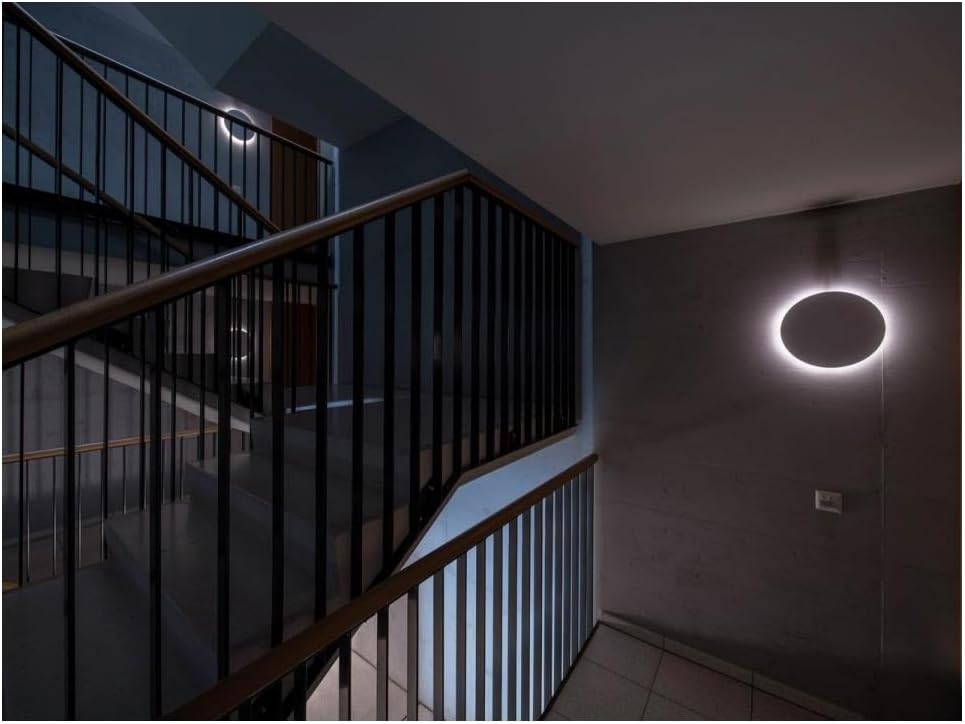
Image: A round Steinel RS PRO R10 basic SC light fixture installed on a wall next to a staircase, illuminated to provide lighting in a transitional area.
9. Bakım
- Temizlik: Regularly clean the light fixture with a soft, dry, lint-free cloth. Do not use abrasive cleaning agents, solvents, or harsh chemicals, as these can damage the surface.
- Denetleme: Periyodik olarak armatürü hasar, gevşek bağlantı veya aşınma belirtileri açısından kontrol edin. Herhangi bir sorun tespit edilirse, elektriği kesin ve yetkili bir elektrikçiye danışın.
- LED'ler: The LEDs in this fixture are not user-replaceable. Do not attempt to open the sealed LED compartment.
10. Sorun Giderme
| Sorun | Olası Neden | Çözüm |
|---|---|---|
| Işık açılmıyor. | No power supply, incorrect wiring, faulty fixture. | Check circuit breaker. Verify wiring connections. Contact a qualified electrician if issues persist. |
| Işık sürekli açık kalır. | Continuous motion detected, sensor sensitivity too high, incorrect app settings. | Check for constant movement in the detection area. Reduce sensor sensitivity via the app. Review app settings for time-on duration. |
| Işık hareketi algılamaz. | Sensor range too low, obstruction, incorrect app settings. | Increase sensor range/sensitivity via the app. Ensure no objects are blocking the sensor's field of view. |
| Bluetooth üzerinden bağlantı kurulamıyor. | Bluetooth off, app issue, light too far. | Ensure Bluetooth is enabled on your device. Restart the app and the light (by cycling power). Move closer to the light. |
11. Garanti ve Destek
Steinel products are manufactured to the highest quality standards and are subject to strict quality controls. For information regarding warranty terms and conditions, please refer to the warranty card included with your product or visit the official Steinel website. For technical support or service inquiries, please contact your local Steinel distributor or customer service.
12. Bertaraf
This product must not be disposed of with normal household waste. It contains electronic components that require special disposal. Please dispose of the product at designated collection points for electrical and electronic waste in accordance with local regulations. Proper disposal helps protect the environment and human health.


