1. Giriş
Satın aldığınız için teşekkür ederizasing the TOPTRO X2 Mini Portable Projector. This manual provides essential information for setting up, operating, and maintaining your projector. Please read it thoroughly before use to ensure optimal performance and safety.

Image 1.1: TOPTRO X2 Projector, carrying bag, and screen projection.

Image 1.2: Key features of the TOPTRO X2 Projector.
2. Güvenlik Talimatları
- Projektör lensine doğrudan bakmayın.amp Açık.
- Aşırı ısınmayı önlemek için projektörün çevresinde uygun havalandırma olduğundan emin olun.
- Projeksiyon cihazını sudan, nemden ve yanıcı maddelerden uzak tutun.
- Yalnızca projektörle birlikte verilen güç adaptörünü kullanın.
- Do not attempt to disassemble or repair the projector yourself. Contact professional support if needed.
- Çocukların erişemeyeceği yerde saklayınız.
3. Paket İçeriği
Lütfen paketi aşağıdaki öğeler açısından kontrol edin:
- TOPTRO X2 Mini Portable Projector
- Güç Adaptörü
- Uzaktan kumanda
- HDMI Kablosu
- AV Kablosu
- Kullanıcı Kılavuzu
- Taşıma Çantası
4. Ürün Bittiview
Projektörün bileşenlerini ve kontrollerini iyice öğrenin.

Image 4.1: Projector controls and ports.
4.1 Ön View
- Projeksiyon Merceği: Görüntüyü yayar.
- Odak Halkası: Görüntü netliğini ayarlar.
4.2 Üst View
- Kontrol Paneli: Power button, navigation buttons, OK button.
4.3 Rear/Side View
- Güç Girişi: Güç adaptörüne bağlanır.
- HDMI Bağlantı Noktaları: Connect to HDMI-enabled devices (laptops, game consoles).
- USB Bağlantı Noktaları: Medya oynatımı için USB sürücülerini bağlayın.
- AV Bağlantı Noktası: Connect to older devices using the AV cable.
- Ses Çıkışı (3.5 mm): Harici hoparlör veya kulaklık bağlayın.
- IR Alıcı: Uzaktan kumanda sinyalleri için.
5. Kurulum
5.1 Yerleştirme
Position the projector on a stable, flat surface or mount it. Ensure the projection path is clear.

Image 5.1: Multiple installation options.
5.2 Güç Bağlantısı
- Connect the power adapter to the projector's power input.
- Güç adaptörünü elektrik prizine takın.
5.3 Odak Ayarı
Projeksiyon merceğindeki odak halkasını, yansıtılan görüntü net ve keskin olana kadar çevirin.
5.4 Kilit Taşı Düzeltmesi
If the projected image appears trapezoidal, use the manual keystone correction feature to adjust the vertical angle. This projector supports ±15° vertical keystone correction.

Image 5.2: Manual keystone correction.
6. Operasyon
6.1 Güç Açma/Kapatma
Projeksiyon cihazını açmak veya kapatmak için projektör üzerindeki veya uzaktan kumandadaki güç düğmesine basın.
6.2 Giriş Kaynağı Seçimi
Use the 'Source' button on the remote or projector to select your desired input (HDMI1, HDMI2, USB, AV, Screen Mirroring).

Image 6.1: Projector ports and compatible devices.
6.3 Kablosuz Bağlantı (WiFi Ekran Yansıtma)
The TOPTRO X2 supports wireless screen mirroring for iOS, Android, Windows 10, and Mac devices. No additional adapters or cables are needed.
- Giriş kaynağı olarak 'Ekran Yansıtma'yı seçin.
- Follow the on-screen instructions to connect your device via WiFi.

Image 6.2: Wireless WiFi connection in use.
6.4 Bluetooth Bağlantısı
Connect external Bluetooth speakers or headphones for an enhanced audio experience.
- Projeksiyon cihazının menüsünden Bluetooth ayarlarına gidin.
- Bluetooth'u etkinleştirin ve mevcut cihazları arayın.
- Eşleştirmek istediğiniz Bluetooth hoparlörünüzü veya kulaklığınızı seçin.

Image 6.3: Bluetooth 5.0 connectivity.
6.5 Adjusting Projection Size (Zoom)
The projector features a zoom function to adjust the screen size from 75% to 100% without moving the projector.

Image 6.4: Zoom function (75%-100%).
6.6 Harici Cihazların Bağlanması
Connect various devices such as TV sticks, laptops, game consoles, or USB drives to the projector's HDMI or USB ports.
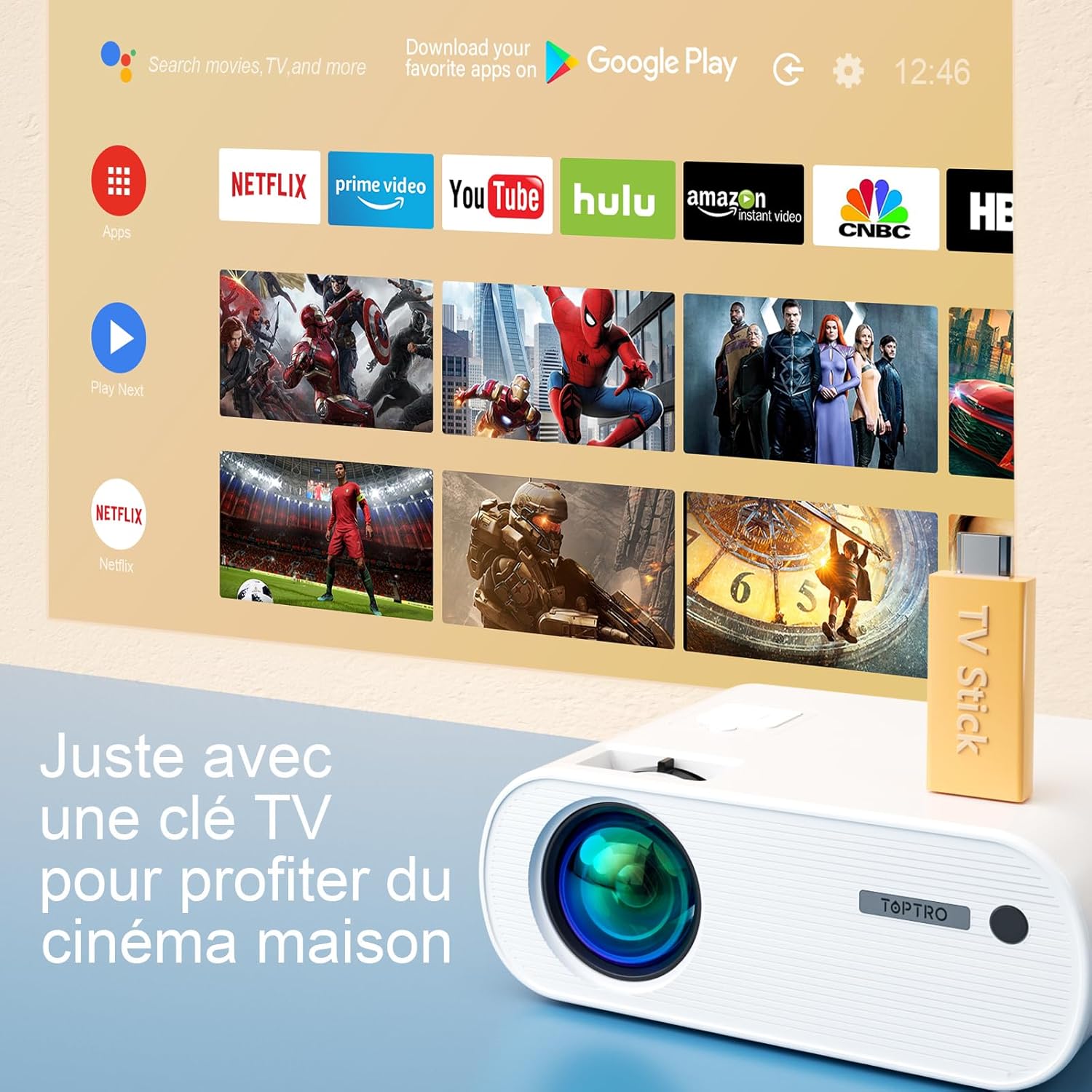
Image 6.5: Enjoying home cinema with a TV stick.
7. Bakım
7.1 Temizlik
- Projektörün dış yüzeyini temizlemek için yumuşak, kuru bir bez kullanın.
- For the lens, use a professional lens cleaning cloth and solution. Avoid harsh chemicals.
- Regularly clean the ventilation vents to prevent dust buildup.
7.2 Depolama
When not in use, store the projector in its carrying bag in a cool, dry place, away from direct sunlight and extreme temperatures.
7.3 Lamp Bakım
The projector features an LED lamp with an extended lifespan of up to 90,000 hours, ensuring long-term use without frequent lamp yenisiyle değiştirme.

Image 7.1: Projector features including 90,000 hours LED lamp hayat.
8. Sorun Giderme
- Güç Yok: Ensure the power adapter is securely connected to both the projector and the power outlet.
- Resim Yok: Check the input source selection. Ensure the connected device is powered on and sending a signal. Adjust focus.
- Bulanık Görüntü: Adjust the focus ring. Ensure the projection surface is flat.
- Ses Yok: Check the volume settings on both the projector and the connected device. Ensure external speakers are properly connected or paired via Bluetooth.
- Uzaktan Kumanda Çalışmıyor: Replace the batteries. Ensure there are no obstructions between the remote and the projector's IR receiver.
- WiFi Bağlantı Sorunları: Ensure your device and projector are within range of the WiFi network. Restart both devices.
9. Özellikler
Detailed technical specifications for the TOPTRO X2 Projector:

Image 9.1: Brightness and contrast comparison.
| Özellik | Şartname |
|---|---|
| Marka | TOPTRO |
| Model Serisi | X2 |
| Görüntü Türü | LCD |
| Yerel Çözünürlük | 1280 x 720 Piksel |
| Desteklenen Çözünürlük | Tam HD 1080P |
| Parlaklık | 12000 Lümen |
| Kontrast Oranı | 20000:1 |
| Bağlantı Teknolojisi | Wi-Fi, Bluetooth |
| Donanım Arayüzü | HDMI, USB, AV |
| Anahtar Ebatı Düzeltme | Manual ±15° (Vertical) |
| Yakınlaştırma İşlevi | %75 - %100 |
| Lamp Hayat | 90,000 saate kadar |
| Ürün Boyutları (U x G x Y) | 21.2x17.2x8 cm |
| Form Faktörü | Taşınabilir |
| Montaj Tipi | Masaüstü |
10. Garanti ve Destek
TOPTRO is committed to providing high-quality products and professional technical support. While specific warranty details may vary by region or retailer, TOPTRO ensures quality control before delivery.
If you encounter any issues or have questions regarding your TOPTRO X2 projector, please do not hesitate to contact TOPTRO customer support. Our team is available to assist you.
For support, please refer to the contact information provided with your purchase or visit the official TOPTRO webalan.


