giriiş
This manual provides essential instructions for setting up, operating, and maintaining your KALOC Fitness Tracker. Please read this guide thoroughly to ensure proper use and to maximize the device's features.
Kutuda Neler Var?
Paketi açtıktan sonra tüm eşyaların eksiksiz olduğundan emin olun:
- KALOC Fitness Tracker (main unit)
- Watch Band
- Şarj kablosu
- Kullanıcı Kılavuzu
Kurmak
1. Cihazın Şarj Edilmesi
Before first use, fully charge your fitness tracker. Connect the charging cable to the charging port on the back of the device and to a USB power source. The screen will indicate charging status.

Image: The KALOC Fitness Tracker displaying a '100% Fully charged' message while connected to its charging cable.
2. Uygulama Kurulumu ve Eşleştirme
To utilize all features and synchronize data, download the companion application to your smartphone. The app is compatible with Android 6.0 and iOS 12.0 or above, and requires Bluetooth 4.0.
- Scan the QR code in the quick guide or search for the app name (usually mentioned in the quick guide or packaging) in your phone's app store.
- Uygulamayı yükleyin.
- Open the app and follow the on-screen instructions to create an account and pair your fitness tracker via Bluetooth. Ensure Bluetooth is enabled on your phone.
- Allow necessary permissions for the app to function correctly (e.g., location, notifications).
Kullanım Talimatları
Ekran ve Gezinme
The KALOC Fitness Tracker features a 1.58-inch AMOLED touch display. Navigate through menus and functions by swiping up, down, left, or right, and tapping to select options.

Image: The 1.58-inch AMOLED screen of the KALOC Fitness Tracker, highlighting its resolution and brightness capabilities.
Temel Fonksiyonlar
- Saat ve Tarih: Automatically synchronizes with your paired smartphone.
- Yüzleri İzle: Customize your watch face through the companion app or directly on the device.

Resim: Eskiamples of personalized watch faces available for the KALOC Fitness Tracker.
Sağlık Takibi Özellikleri
The KALOC Fitness Tracker provides comprehensive health monitoring throughout the day.
- Nabız İzleme: Kalp atış hızınızı sürekli olarak takip eder. View real-time data on the device or detailed trends in the app.
- Kan Oksijen (SpO2) Ölçümü: Kanınızdaki oksijen satürasyon seviyelerini ölçer.
- Uyku İzleme: Derin uyku, hafif uyku ve uyanıklık zamanları dahil olmak üzere uyku düzeninizi analiz eder.
- Stress Level Tracking: Monitors your stress levels and provides insights into your mental well-being.
- Pedometer & Calorie Tracker: Records daily steps, distance covered, and estimated calories burned.

Image: The KALOC Fitness Tracker displaying 24-hour health tracking data, including heart rate, sleep, and stress.

Image: The KALOC Fitness Tracker tracking daily fitness data, including steps, distance, calories, and activity time.
Spor Modları
The fitness tracker supports over 100 sports modes to accurately track your workouts. Select the appropriate mode before starting an activity for precise data collection.
- Examples include outdoor walking, running, cycling, strength training, yoga, and various ball games.
- Access sports modes from the device menu and select your desired activity.
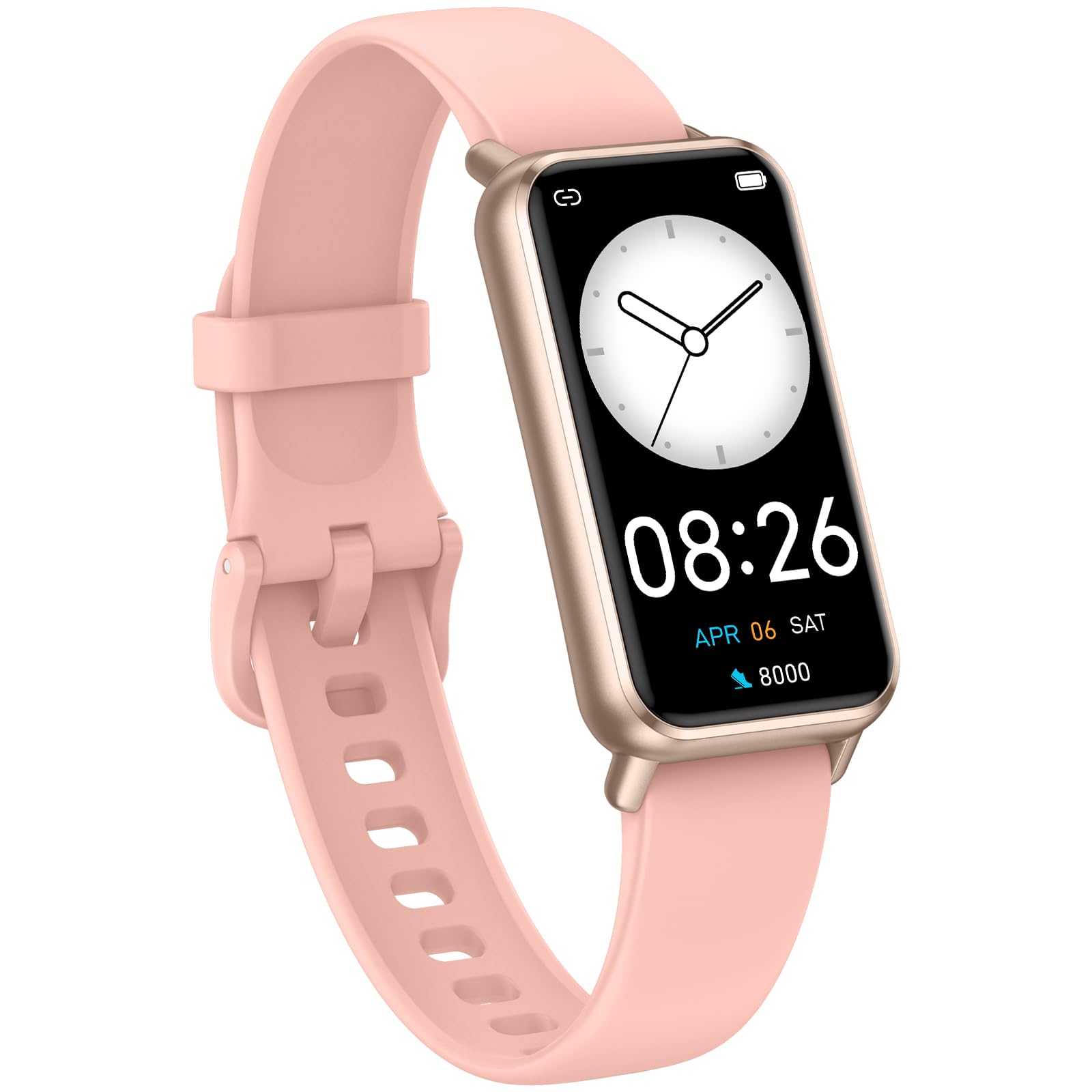
Image: The KALOC Fitness Tracker highlighting its support for over 100 sports modes.
Suya Dayanıklılık
The KALOC Fitness Tracker is 50-meter waterproof, making it suitable for various water activities.
- Suitable for washing hands, showering, swimming, and shallow water activities.
- Not recommended for diving, hot water activities, or high-pressure water exposure.

Image: The KALOC Fitness Tracker demonstrating its 50-meter waterproof feature during swimming.
Pil Ömrü
The device offers an extended battery life, providing up to 14 days of typical use or 30 days of standby time on a single charge.

Image: The KALOC Fitness Tracker highlighting its 14-day battery life.
Akıllı Bildirimler
Receive notifications for calls, messages, and app alerts directly on your wrist when paired with your smartphone.

Image: The KALOC Fitness Tracker receiving smart notifications from various applications.
Diğer Fonksiyonlar
The KALOC Fitness Tracker includes several additional useful features:
- Kamera Kontrolü: Telefonunuzun kamerasını uzaktan kontrol edin.
- Müzik Kontrolü: Manage music playback on your paired phone.
- Hava Durumu tahmini: View Güncel hava durumu koşulları ve tahminleri.
- İçme Hatırlatması: Su tüketimine dikkat etmek için hatırlatıcılar ayarlayın.
- Hareketsizliğe Dikkat: Uzun süre hareketsiz kaldıktan sonra hareket etmeniz konusunda sizi uyarır.
- Çalar Saat: Set alarms directly on your device.
- Nefes Eğitimi: Stresi yönetmeye yardımcı olacak rehberli nefes egzersizleri.

Image: The KALOC Fitness Tracker showcasing its multiple functions.
Bakım
To ensure the longevity and optimal performance of your KALOC Fitness Tracker, follow these maintenance guidelines:
- Temizlik: Regularly clean the device and strap with a soft, damp Kumaşı sert kimyasallardan veya aşındırıcı malzemelerden uzak tutun.
- Şarj: Yalnızca kutuda bulunan şarj kablosunu kullanın. Şarj temas noktalarını suya veya aşındırıcı sıvılara maruz bırakmayın.
- Depolamak: Cihazı kullanmadığınız zamanlarda serin ve kuru bir yerde saklayın. Aşırı sıcaklıklardan kaçının.
- Suya Maruz Kalma: While waterproof, it is advisable to dry the device thoroughly after exposure to water to prevent skin irritation and ensure proper sensor function.
Sorun giderme
If you encounter issues with your KALOC Fitness Tracker, refer to the following common solutions:
- Cihaz Açılmıyor: Cihazın tam şarjlı olduğundan emin olun. En az 30 dakika şarja takın.
- Telefonla Eşleşemiyor:
- Telefonunuzda Bluetooth'un etkin olduğundan emin olun.
- Make sure the tracker is within Bluetooth range of your phone.
- Restart both your phone and the fitness tracker.
- Check if the app has the necessary permissions.
- Hatalı Veri:
- Ensure the tracker is worn snugly on your wrist, about one finger's width from your wrist bone.
- Clean the sensors on the back of the device.
- Update the device firmware via the app if available.
- Alınmayan Bildirimler:
- Verify that notifications are enabled in both the tracker's app and your phone's settings.
- Uygulamanın arka planda çalıştığından emin olun.
If problems persist, consult the support section of the companion app or contact customer support.
Özellikler
| Model Numarası | 529d841c-3537-4f97-bf0f-2a0c001c6b1e |
| Ekran Boyutu | 1.58 inç AMOLED |
| Suya Dayanıklılık | 50 Metre |
| Pil Ömrü | En fazla 14 gün (tipik kullanım) |
| Bağlantı | Bluetooth 4.0 |
| Uyumluluk | Android 6.0+ / iOS 12.0+ |
| Ürün Ağırlığı | 2.82 ons |
| Ürün Boyutları | 6.4 x 3 x 0.7 inç |
Garanti ve Destek
For warranty information and customer support, please refer to the documentation included with your purchase or visit the official KALOC webSite. Satın alma fişinizi, garanti talepleriniz için satın alma belgeniz olarak saklayın.


