1. Giriş
This manual provides instructions for the assembly, operation, maintenance, and troubleshooting of your FLEXISPOT E6 Pro Electric Standing Desk. Please read this manual thoroughly before use to ensure proper function and safety.

Figure 1: FLEXISPOT E6 Pro Electric Standing Desk
2. Güvenlik Bilgileri
Önemli Güvenlik Önlemleri:
- Ensure the desk is properly anchored to the wall or floor when height is adjusted, especially if loading heavy items.
- Çalışma sırasında çocukları ve evcil hayvanları, hareketli parçalardan kaynaklanabilecek yaralanmaları önlemek için masadan uzak tutun.
- Do not place hands or other body parts near the lifting mechanism while the desk is in motion.
- Do not overload the desk. Refer to the specifications section for maximum weight capacity.
- Yalnızca verilen güç adaptörünü ve bileşenlerini kullanın.
- If any unusual sounds or movements occur, immediately stop operation and unplug the desk.
3. Montaj Talimatları
Assembly is required for this product. It is recommended to have two people for assembly due to the weight and size of the components. All necessary hardware and tools are typically included. Follow the steps below for a smooth assembly process.
3.1 Ambalajın Açılması ve Hazırlanması
- Ambalajı dikkatlice açın ve tüm bileşenleri çıkarın.
- Verify all parts are present against the included parts list.
- Çizilmeleri önlemek için tüm parçaları yumuşak ve temiz bir yüzeye yerleştirin.
3.2 Çerçeve Montajı
Attach the desk legs to the crossbar and feet. Ensure all screws are tightened securely.
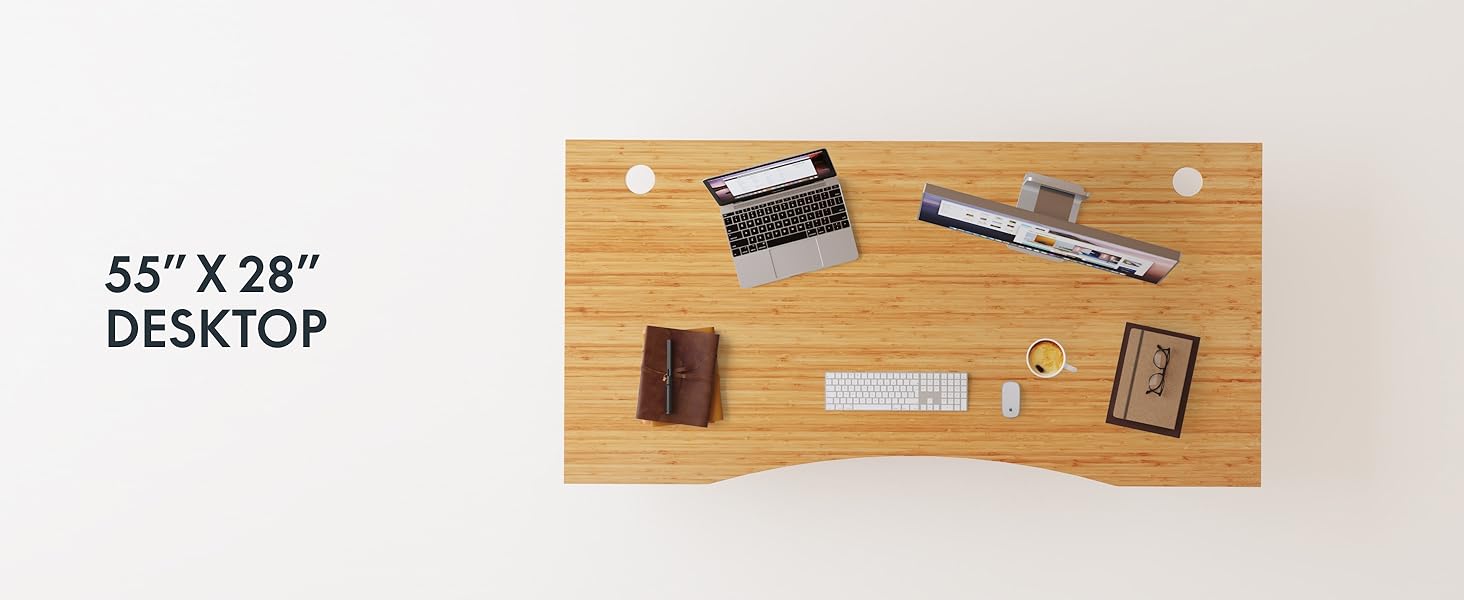
Figure 2: Desk Frame Assembly
3.3 Desktop Attachment
Carefully place the bamboo desktop onto the assembled frame. Align the pre-drilled holes and secure the desktop with the provided screws. The desktop features a curved design for ergonomic comfort.

Figure 3: Curved Bamboo Desktop
3.4 Control Panel and Cable Management
Mount the digital control panel to the underside of the desk. Connect all motor and power cables according to the diagram. Utilize the integrated cable management holes to organize wires and prevent clutter.

Figure 4: Control Panel and Cable Management

Figure 5: Cable Management Hole
4. Kullanım Talimatları
The FLEXISPOT E6 Pro desk features a user-friendly digital control panel for height adjustment and memory presets.

Şekil 6: Dijital Kontrol Paneli
4.1 Adjusting Desk Height
- Basın Yukarı Ok masayı kaldırmak için düğmeye basın.
- Basın Aşağı Ok masayı indirmek için düğmeye basın.
- Release the button at your desired height.
4.2 Hafıza Ön Ayarlarını Belirleme
The control panel allows you to save up to two preferred height settings.
- Masayı istediğiniz yüksekliğe ayarlayın.
- Basın "M" düğme. Ekran yanıp sönecektir.
- Ya da şu tuşlara basın: "1" or "2" Geçerli yüksekliği önceden ayarlanmış değere kaydetmek için 3 saniye içinde düğmeye basın.
- To recall a saved height, simply press the corresponding "1" or "2" button. The desk will automatically move to the saved position.
4.3 USB Şarj Portu
A USB port is integrated into the control panel for convenient charging of your devices.
4.4 Anti-Collision Function
The desk is equipped with an anti-collision system that automatically stops and slightly reverses movement if it encounters an obstruction during height adjustment. This feature helps prevent damage and injury.

Figure 7: Anti-Collision System in action
5. Bakım
Düzenli bakım, ayakta çalışma masanızın uzun ömürlü olmasını ve en iyi performansı göstermesini sağlar.
- Temizlik: The bamboo desktop has a smooth, waterproof surface, making it easy to clean. Use a soft, damp cloth with mild soap to wipe down the surface. Avoid abrasive cleaners or harsh chemicals.
- Denetleme: Tüm vidaları ve bağlantıları düzenli olarak kontrol ederek sıkı olduklarından emin olun. Gerekirse tekrar sıkın.
- Kablo yönetimi: Ensure cables are neatly organized and not pinched or tangled, which could affect desk operation.

Figure 8: Waterproof Bamboo Surface
6. Sorun Giderme
If you encounter issues with your FLEXISPOT E6 Pro desk, refer to the following common problems and solutions:
| Sorun | Olası Neden | Çözüm |
|---|---|---|
| Masa hareket etmiyor. | Power cable disconnected, control panel locked, or motor error. | Check power connections. Unlock control panel if applicable. Unplug for 10 seconds and plug back in to reset. |
| Eşit olmayan yükseklik ayarı. | Uneven load, loose connections, or motor synchronization issue. | Ensure weight is evenly distributed. Check all frame connections. Perform a reset procedure (refer to full manual if available). |
| Desk stops unexpectedly. | Anti-collision system activated, or overload. | Check for obstructions. Reduce weight on the desk if exceeding maximum capacity. |
| Çalışma sırasında gürültü. | Loose components or normal motor sound. | Tighten all screws. A low hum from the dual motors (less than 45 dB) is normal. |
If the problem persists, please contact FLEXISPOT customer support.
7. Özellikler
| Özellik | Detay |
|---|---|
| Marka | ESNEKLİK |
| Model Numarası | ET365 |
| Ürün Boyutları | 77.9"D x 29.5"G x 23.6"Y |
| Masaüstü Boyutu | 78"x30" Whole-piece |
| Renk | Black Frame + Curved Bamboo Top |
| Taban Malzemesi | Metal |
| Üst Malzeme Türü | Ahşap (Bambu) |
| Kaldırma Mekanizması | Electric Dual Motor |
| Minimum Yükseklik | 23.6 inç |
| Maksimum Yükseklik | 48.8 inç |
| Maksimum Ağırlık Önerisi | 352 Pound |
| Gürültü Seviyesi | 45 dB'den az |
| Gerekli Montaj | Evet |
8. Garanti ve Destek
8.1 Garanti Bilgileri
FLEXISPOT provides the following warranty coverage for your E6 Pro Electric Standing Desk:
- 10 Yıllık Kapsam: Desk frame and motor.
- 2 Yıllık Kapsam: Control panel and electronics.
Bu garanti, üretim hatalarını ve normal kullanım koşullarındaki arızaları kapsar. Garanti talepleri için lütfen satın alma belgenizi saklayın.
8.2 Müşteri Desteği
For any assistance, questions, or warranty claims, please contact FLEXISPOT customer support. You can find more information and contact details on the official FLEXISPOT websiteniz veya satın alma platformunuz aracılığıyla.
Visit the official FLEXISPOT Store: FLEXISPOT Mağazası Amazon'da


