1. Giriş
This manual provides detailed instructions for the UGREEN 4-Port USB 3.0 Hub, model CM219-50985B. Please read this manual thoroughly before using the device to ensure proper operation and to maximize its lifespan. Keep this manual for future reference.
2. Ürün Bittiview
The UGREEN 4-Port USB 3.0 Hub expands a single USB port into four USB 3.0 ports, allowing connection of multiple USB devices simultaneously. It features a compact, lightweight design for portability and includes a Micro USB port for optional external power when connecting power-hungry devices.

Image: The UGREEN 4-Port USB 3.0 Hub connected to various peripherals like a hard drive, printer, mouse, keyboard, and flash drive, illustrating its multi-port functionality.
3. Özellikler
- 4-Port USB 3.0 Expansion: Converts one USB port into four USB 3.0 ports, eliminating the issue of insufficient USB interfaces.
- Süper Hızlı Veri Aktarımı: Supports data transfer speeds up to 5 Gbps, which is 10 times faster than USB 2.0 (480 Mbps). This allows for rapid transfer of large files and high-definition media.
- Geriye Dönük Uyumluluk: USB 2.0 ve USB 1.1 cihazlarıyla tam uyumludur.
- Mikro USB Güç Girişi: Includes a Micro USB port for connecting an external power adapter (5V/2A recommended, not included) to provide additional power for high-power consumption devices like external hard drives and SSDs.
- Tak ve Çalıştır: No driver installation required. Simply connect the hub to your device, and it's ready to use.
- Geniş Uyumluluk: Works with Windows 10/8/8.1/7/Vista/XP, Mac OS X, Linux, and Chrome OS.
- Güvenlik Özellikleri: Dahili aşırı sestage and over-current protection systems safeguard your connected devices and data. Multi-layer shielding prevents interference with Bluetooth and Wi-Fi signals.
- Kompakt ve Taşınabilir Tasarım: Slim and lightweight with a 16 cm integrated cable, making it easy to carry and ideal for travel.
- LED Göstergesi: A soft white LED indicates the hub's operational status.
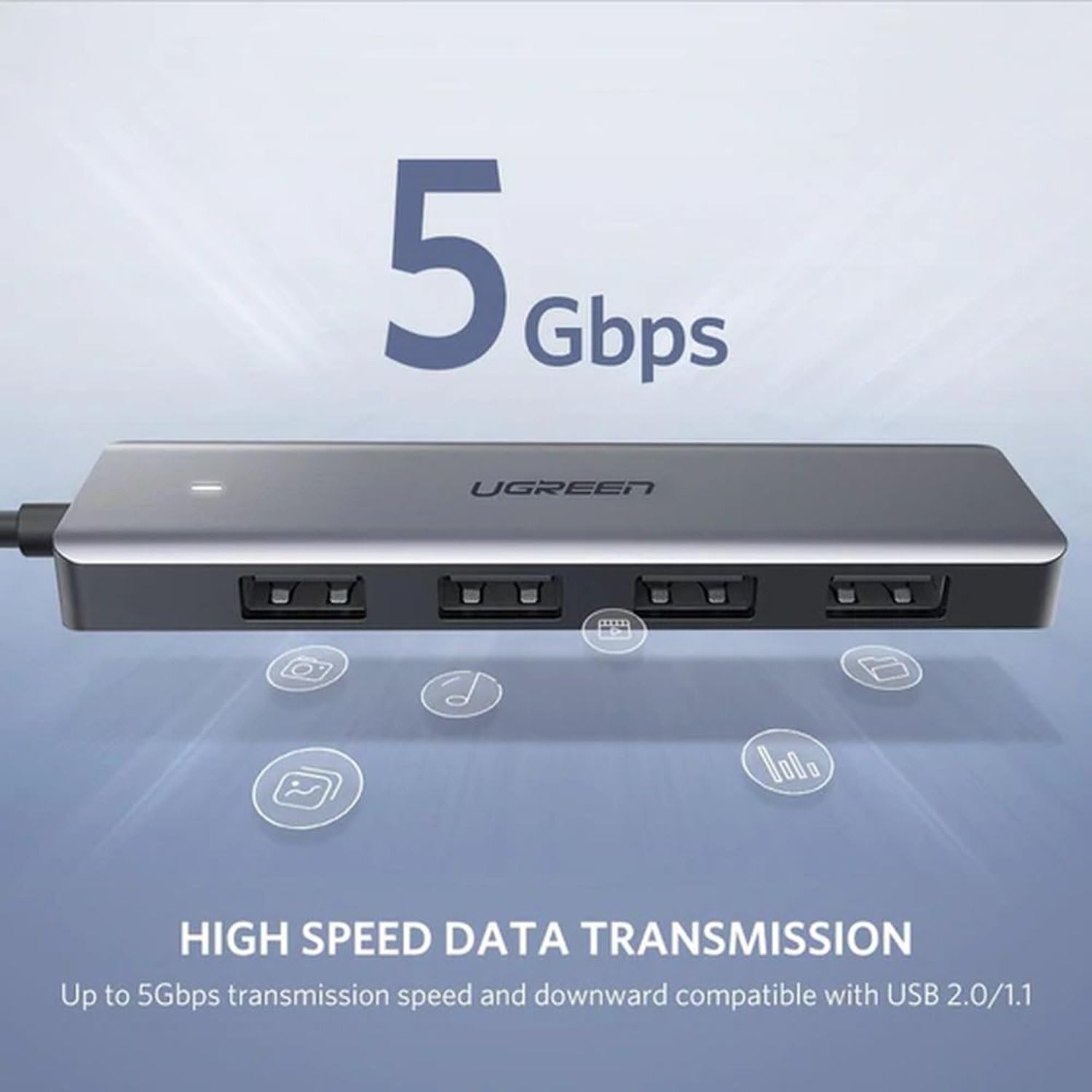
Image: The UGREEN USB 3.0 Hub highlighting its 5 Gbps high-speed data transmission capability, compatible with USB 2.0 and 1.1.
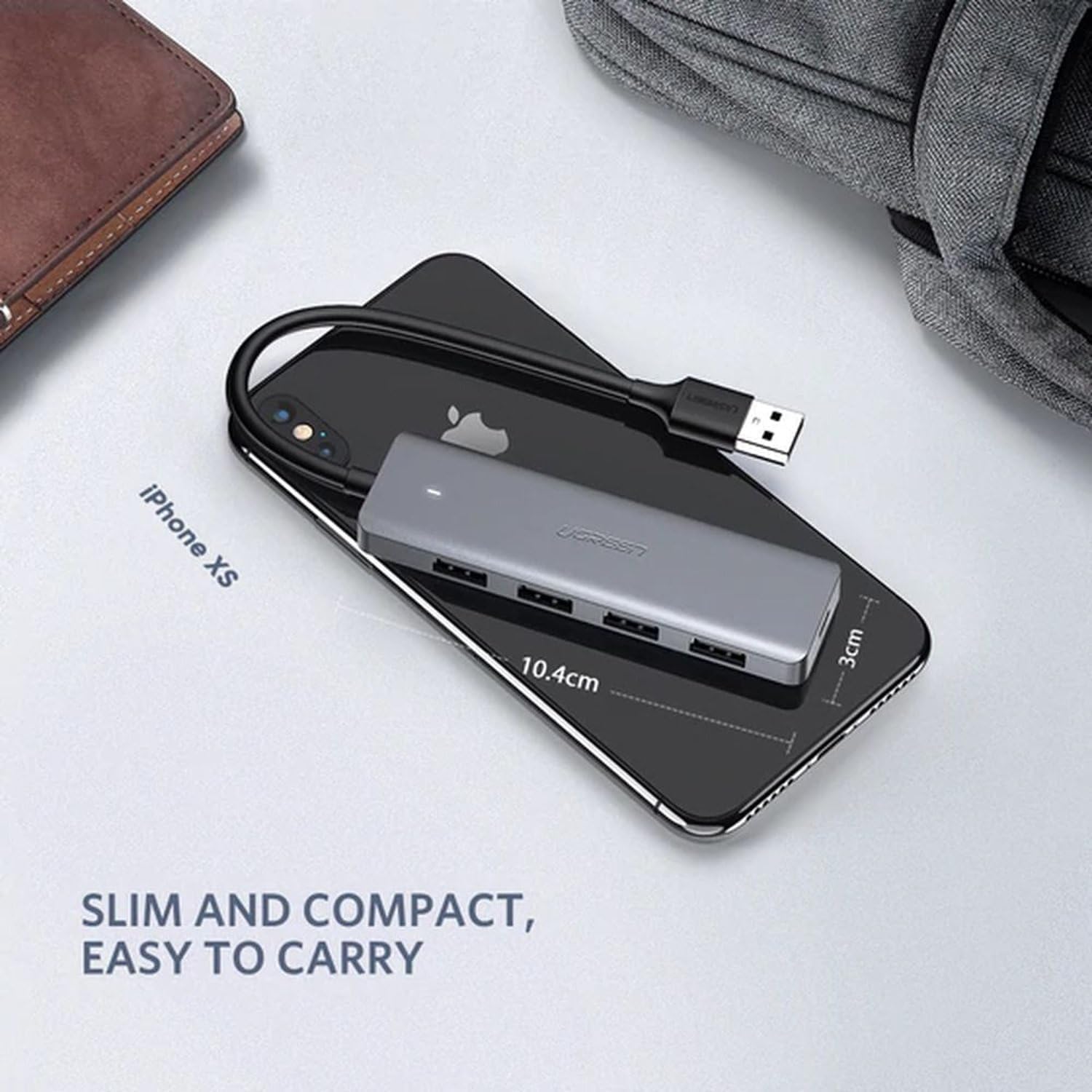
Image: The UGREEN USB 3.0 Hub placed on a smartphone, illustrating its slim and compact dimensions for easy portability.
4. Kurulum Talimatları
- Ana Bilgisayara Bağlan: Plug the USB-A connector of the UGREEN 4-Port USB 3.0 Hub into an available USB port on your computer, laptop, PS4, or other compatible host device.
- Güç Bağlantısı (Opsiyonel): If you are connecting power-hungry devices (e.g., external hard drives, SSDs) that require more power than your host device can provide, connect a Micro USB power adapter (5V/2A recommended, not included) to the Micro USB port on the hub. This ensures stable performance for all connected devices.
- Çevre Birimlerini Bağlayın: Plug your USB devices (e.g., flash drives, mouse, keyboard, printer, external hard drives) into the four available USB 3.0 ports on the hub.
- Doğrulama: The white LED indicator on the hub will illuminate when it is powered and connected correctly. Your operating system should automatically detect the hub and any connected devices.
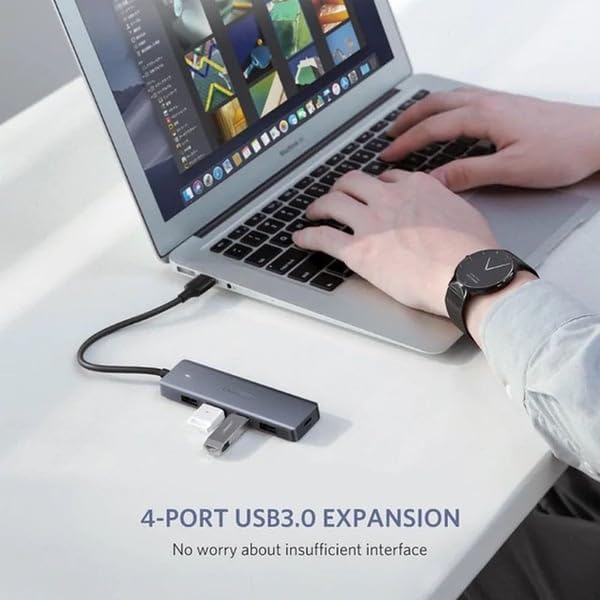
Image: The UGREEN 4-Port USB 3.0 Hub connected to a laptop, demonstrating its use for expanding USB ports for devices like a flash drive.
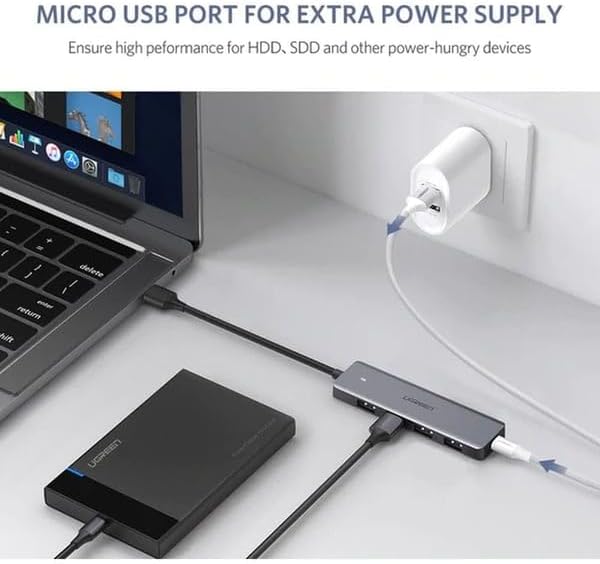
Image: The UGREEN USB 3.0 Hub connected to a laptop and an external hard drive, with its Micro USB port connected to a power adapter for additional power supply.
5. Kullanım Talimatları
The UGREEN 4-Port USB 3.0 Hub operates on a plug-and-play basis. Once connected, you can use your USB devices as you normally would. All four USB 3.0 ports can be used simultaneously.
- Veri Transferi: Insert your USB storage devices (e.g., flash drives, external hard drives) into any of the USB 3.0 ports for high-speed data transfer.
- Çevresel Bağlantı: Connect your mouse, keyboard, printer, or other USB peripherals to the hub. They will function immediately without additional setup.
- Önemli Not: This hub is designed for data transfer and connecting peripherals. It is not intended for charging devices. For optimal performance, avoid using it solely for charging.
6. Bakım
- Temizlik: Göbek kısmını temizlemek için yumuşak, kuru bir bez kullanın. Sıvı temizleyicilerden veya aşındırıcı malzemelerden kaçının.
- Depolamak: Hub'ı serin, kuru ve doğrudan güneş ışığından ve aşırı sıcaklıklardan uzak bir yerde saklayın.
- İşleme: Avoid dropping the device or subjecting it to strong impacts. Do not attempt to disassemble or modify the hub, as this will void the warranty and may cause damage.
- Kablo Bakımı: Do not bend the integrated cable excessively or pull it forcefully.
7. Sorun Giderme
| Sorun | Olası Neden | Çözüm |
|---|---|---|
| Hub not recognized by computer. | Loose connection, faulty USB port on host device, or incompatible operating system. |
|
| Connected devices are not working or disconnecting. | Insufficient power supply, faulty device, or excessive power draw. |
|
| Yavaş veri aktarım hızları. | Connected to a USB 2.0 port, or the connected device is USB 2.0. |
|
8. Özellikler
| Bağlanmak | Detay |
|---|---|
| Marka | UYU YEŞİL |
| Model Numarası | CM219-50985B |
| Renk | Gri |
| Toplam USB Bağlantı Noktaları | 4 (USB 3.0) |
| Donanım Arayüzü | USB 3.0, USB 2.0, USB 1.1 |
| Veri Aktarım Hızı | 5 Gbps'ye kadar |
| Özel Özellikler | Plug and Play, Over-voltage Protection, Over-current Protection |
| Uyumlu Cihazlar | Laptops, Desktops, PS4, External Hard Drives, SSDs, USB Flash Drives, Mouse, Keyboard, Printers, USB Headsets, Speakers, Card Readers, VR Devices |
| İşletim Sistemleri | Windows 10/8/8.1/7/Vista/XP, Mac OS X, Linux, Chrome OS |
| Malzeme | Plastik |
| Kablo Uzunluğu | 16 cm (integrated) |
| Boyutlar (Ürün) | Approx. 10.4 cm (length) x 3 cm (width) |
| Paket Boyutları | 17.4x9.8x5 cm |
| Ağırlık | 170 gram (paket ağırlığı) |
9. Garanti ve Destek
UGREEN products typically come with a standard manufacturer's warranty. For specific warranty details, registration, or technical support, please refer to the warranty card included with your product or visit the official UGREEN webalan.
If you encounter any issues not covered in the troubleshooting section, please contact UGREEN customer support for assistance.