Ürün Bittiview
The CHUWI GemiBook Plus is a 15.6-inch business laptop designed for efficient daily computing. It features an Intel N100 CPU, 8GB of LPDDR5 RAM, and a 256GB SSD, running on Windows 11. This laptop is built for portability and performance, suitable for both work and entertainment.

Resim: Ön view of the CHUWI GemiBook Plus laptop displaying the Windows 11 logo on its screen, highlighting its operating system.
Kutuda Neler Var?
- CHUWI GemiBook Plus Laptop
- 38Wh Li-ion Battery (integrated)
- Güç Adaptörü
- Dokümantasyon (Kullanım Kılavuzu, Garanti Kartı)
Kurulum Kılavuzu
1. İlk Şarj
Before first use, connect the power adapter to the laptop's charging port and a power outlet. Charge the laptop until the battery indicator shows a full charge. This ensures optimal battery performance.
2. Açma
Press the power button located on the keyboard to turn on the laptop. The power button is typically found in the top right corner of the keyboard area.

Resim: Yukarıdan aşağıya view of the CHUWI GemiBook Plus laptop, showing the full keyboard layout and touchpad, indicating the power button location.
3. Windows 11 Kurulumu
Follow the on-screen prompts to complete the Windows 11 initial setup. This includes selecting your region, language, connecting to a Wi-Fi network, and creating a user account. Ensure you have an active internet connection for this process.
Kullanım Talimatları
Klavye ve Dokunmatik Yüzey
Dizüstü bilgisayarda tam boyutlu bir klavye ve gezinme için duyarlı bir dokunmatik yüzey bulunur. Dokunmatik yüzey, gelişmiş kontrol için çoklu dokunmatik hareketleri destekler.

Image: A hand demonstrating the use of the touchpad on the CHUWI GemiBook Plus laptop, highlighting its multi-touch capabilities.
Çevre Birimlerini Bağlama
Dizüstü bilgisayar, harici cihazları bağlamak için çeşitli bağlantı noktalarına sahiptir:
- USB Bağlantı Noktaları: Connect USB devices such as mice, keyboards, or external storage drives. The laptop has 1 USB 2.0 port.
- HDMI Bağlantı Noktası: Daha büyük bir ekran için harici bir monitöre veya televizyona bağlayın.
- Ses jakı: Kulaklıkları veya harici hoparlörleri bağlayın.
Kablosuz Bağlantı
The CHUWI GemiBook Plus supports Wi-Fi 6 (802.11ax) for high-speed internet access and Bluetooth 5.2 for connecting wireless accessories like headphones or speakers.
WebKamera Gizlilik Anahtarı
For enhanced privacy, the laptop includes a physical switch to block the webcam lens. Slide the switch to cover or uncover the camera as needed.
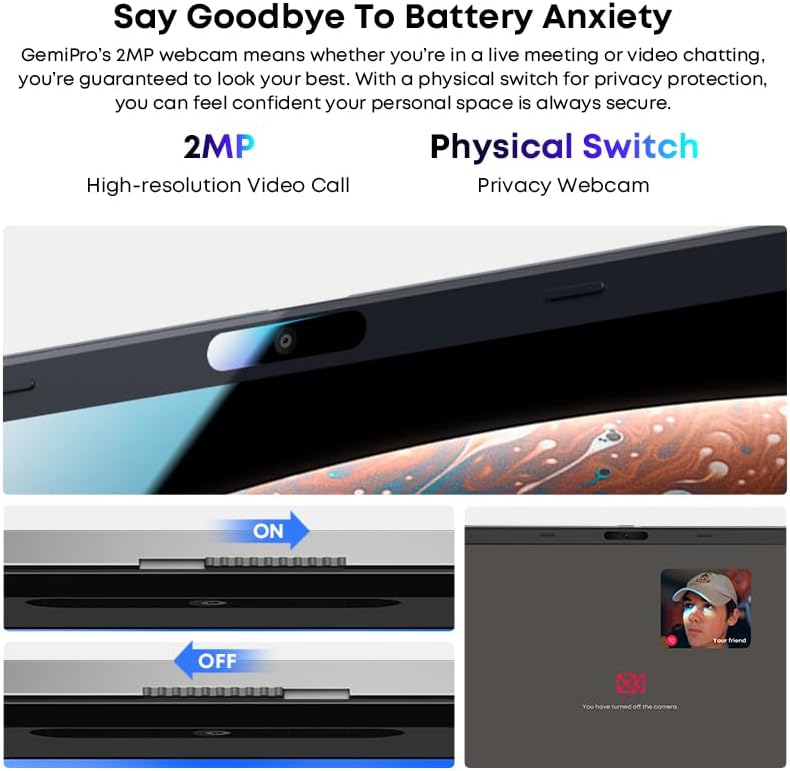
Resim: Yakın çekim view of the laptop's webcam, illustrating the physical privacy switch in both open and closed positions.
Bakım
Dizüstü Bilgisayarı Temizleme
Ekranı ve dış yüzeyleri temizlemek için yumuşak, tüy bırakmayan bir bez kullanın. İnatçı lekeler için hafifçe silin.ampBezi su veya ekran temizleme solüsyonuyla yıkayın. Sert kimyasallardan veya aşındırıcı malzemelerden kaçının.
Pil Bakımı
The laptop is equipped with a 38Wh Li-ion battery. To prolong battery life, avoid extreme temperatures and fully discharging the battery frequently. It takes approximately 3 hours for a full recharge.
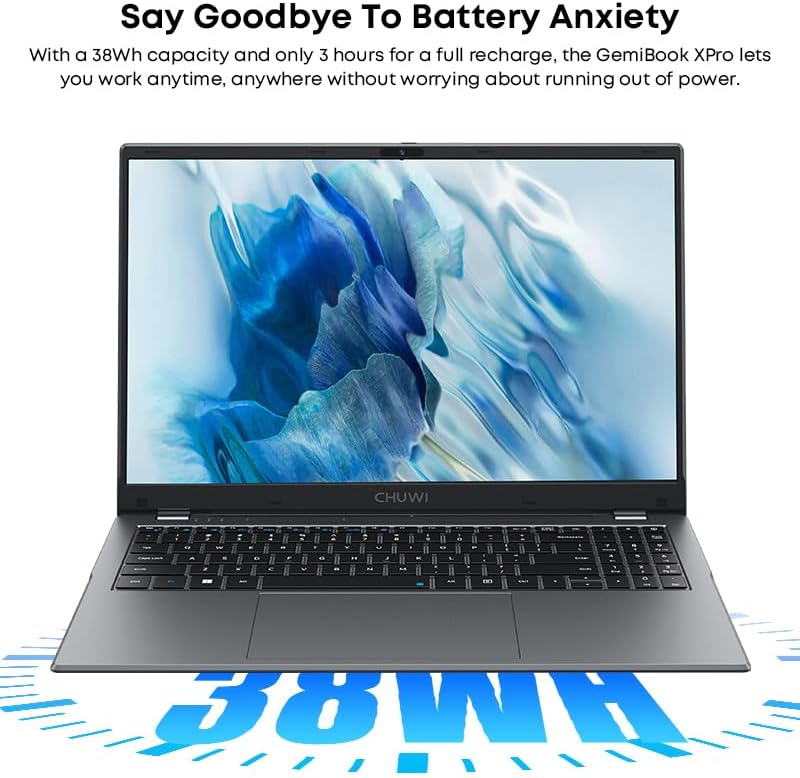
Image: The CHUWI GemiBook Plus laptop with an overlay indicating its 38Wh battery capacity, emphasizing its power endurance.
Yazılım Güncellemeleri
En iyi performansı ve güvenliği sağlamak için Windows güncelleştirmelerini ve sürücü güncelleştirmelerini düzenli olarak kontrol edin ve yükleyin.
Sorun giderme
Laptop Not Powering On
- Güç adaptörünün hem dizüstü bilgisayara hem de çalışan bir elektrik prizine güvenli bir şekilde bağlandığından emin olun.
- Başka bir cihaz takarak prizin çalışıp çalışmadığını kontrol edin.
- Pil tamamen boşalmışsa, dizüstü bilgisayarın açılması için birkaç dakika şarj edilmesi gerekebilir.
Wi-Fi Bağlantısı Yok
- Windows ayarlarında Wi-Fi'nin etkinleştirilmiş olduğundan emin olun.
- Wi-Fi yönlendiricinizi ve dizüstü bilgisayarınızı yeniden başlatın.
- Ensure you are within range of a Wi-Fi network and have entered the correct password.
Yavaş Performans
- Arka planda çalışan gereksiz uygulamaları kapatın.
- Bekleyen Windows güncelleştirmelerini kontrol edin ve yükleyin.
- (HDD için) Disk temizleme ve birleştirme işlemi yapın veya (SSD için) sürücüleri optimize edin.
- SSD'de yeterli boş alan olduğundan emin olun.
Özellikler
| Özellik | Detay |
|---|---|
| Marka | ÇUVİ |
| Model Adı | GemiBook Plus |
| Ekran Boyutu | 15.6 inç |
| Ekran Çözünürlüğü | 1920 x 1080 piksel (FHD) |
| İşlemci | Intel N100 CPU (up to 3.4GHz) |
| Veri deposu | 8 GB LPDDR5 |
| Sabit Sürücü | 256 GB SSD (M.2 2280 SSD expansion up to 1TB supported) |
| İşletim Sistemi | Windows 11 |
| Grafik Kartı | Integrated Intel UHD Graphics for 12th Gen Intel Processors |
| Kablosuz Tip | Kablosuz 6 (802.11ax) |
| Bluetooth | Bluetooth 5.2 |
| Limanlar | 1x USB 2.0, HDMI, Audio Jack |
| Ürün Ağırlığı | 3.85 pound (1.74 kg) |
| Ürün Boyutları | 14.1 x 9.5 x 0.78 inç (35.8 x 24.1 x 1.98 cm) |
| Pil | 38Wh Li-ion Pil |
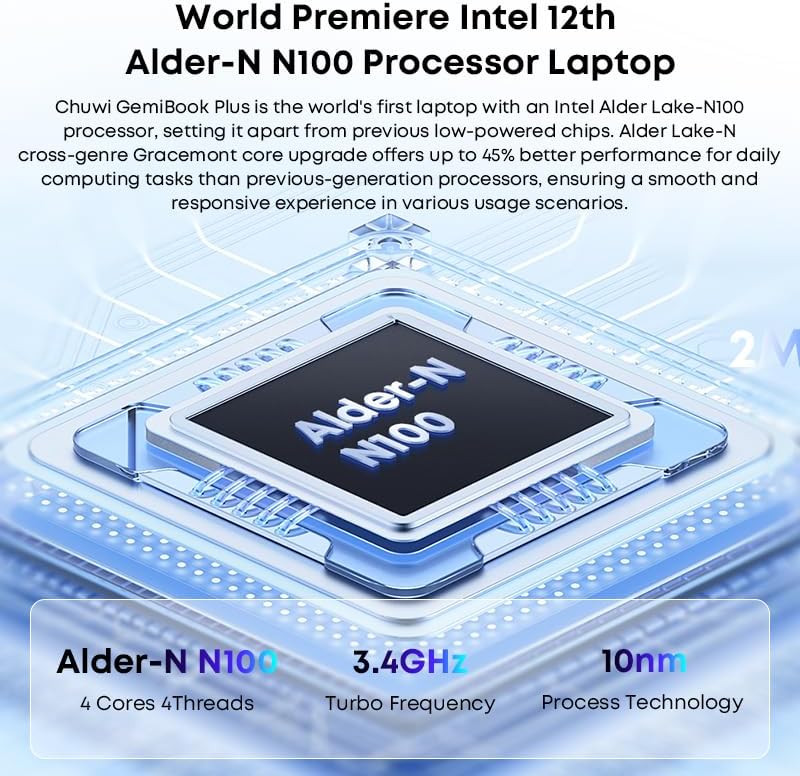
Image: Diagram illustrating the Intel Alder-N N100 processor with details on its 4 Cores 4 Threads, 3.4GHz Turbo Frequency, and 10nm Process Technology.
Garanti ve Destek
Garanti Bilgileri
The CHUWI GemiBook Plus laptop comes with a 1 Yıllık Garanti valid immediately after purchase. This warranty covers manufacturing defects and ensures product reliability.
Müşteri Desteği
CHUWI offers lifetime factory professional support and 24 hours of online support to assist with any issues or questions you may have. For support, please refer to the contact information provided in your product documentation or visit the official CHUWI webalan.
Ayrıca ziyaret edebilirsiniz CHUWI Store on Amazon Daha fazla bilgi ve kaynak için.


