giriiş
This manual provides detailed instructions for the setup, operation, maintenance, and troubleshooting of your AGPTEK W1S 16GB MP3 Player. Please read this manual thoroughly before using the device to ensure proper functionality and to maximize your user experience.
Güvenlik Bilgileri
- Cihazı aşırı sıcaklıklara, doğrudan güneş ışığına veya yüksek neme maruz bırakmayın.
- Cihazı düşürmekten veya güçlü darbelere maruz bırakmaktan kaçının.
- Cihazı kendiniz sökmeye veya onarmaya çalışmayın. Yardım için müşteri desteğine başvurun.
- Yalnızca ürünle birlikte verilen şarj kablosunu ve uyumlu bir güç adaptörünü kullanın.
- Cihazınızı su ve diğer sıvılardan uzak tutunuz.
Cihaz Bittiview
The AGPTEK W1S features a 3.5-inch high-resolution touchscreen and an intuitive interface for easy navigation.

Resim: Ön ve arka view of the AGPTEK W1S MP3 Player, showcasing its sleek design and physical buttons.
Temel Özellikler:
- 3.5 inç HD Dokunmatik Ekran: Provides a clear display and responsive touch control.
- Android 8.1 İşletim Sistemi: Ensures faster and smoother operation.
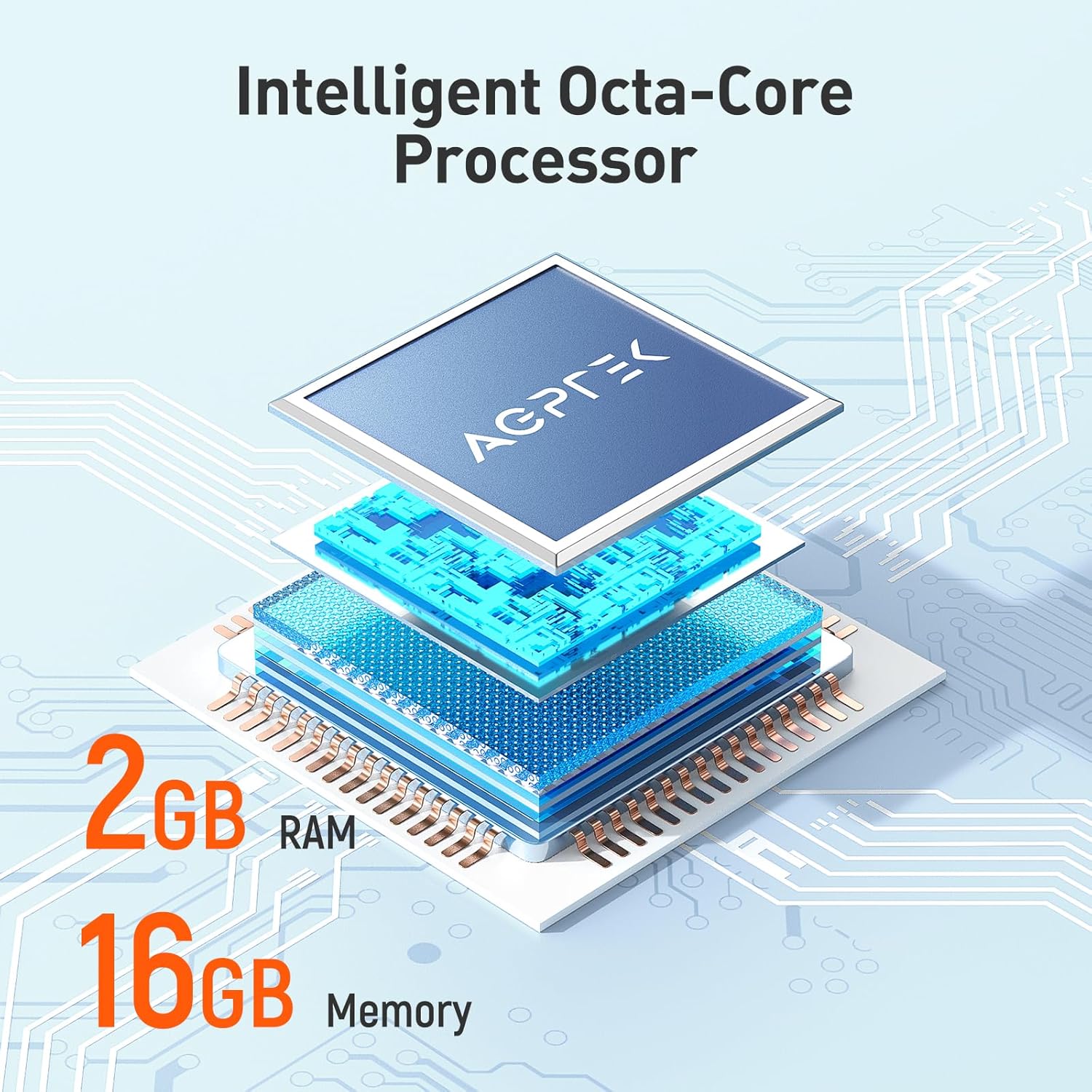
- 2GB RAM, 16GB ROM: Ample memory for system performance and internal storage.
- Genişletilebilir Depolama: 128 GB'a kadar microSD kartları destekler.
- Bluetooth 4.0: For wireless audio connections.
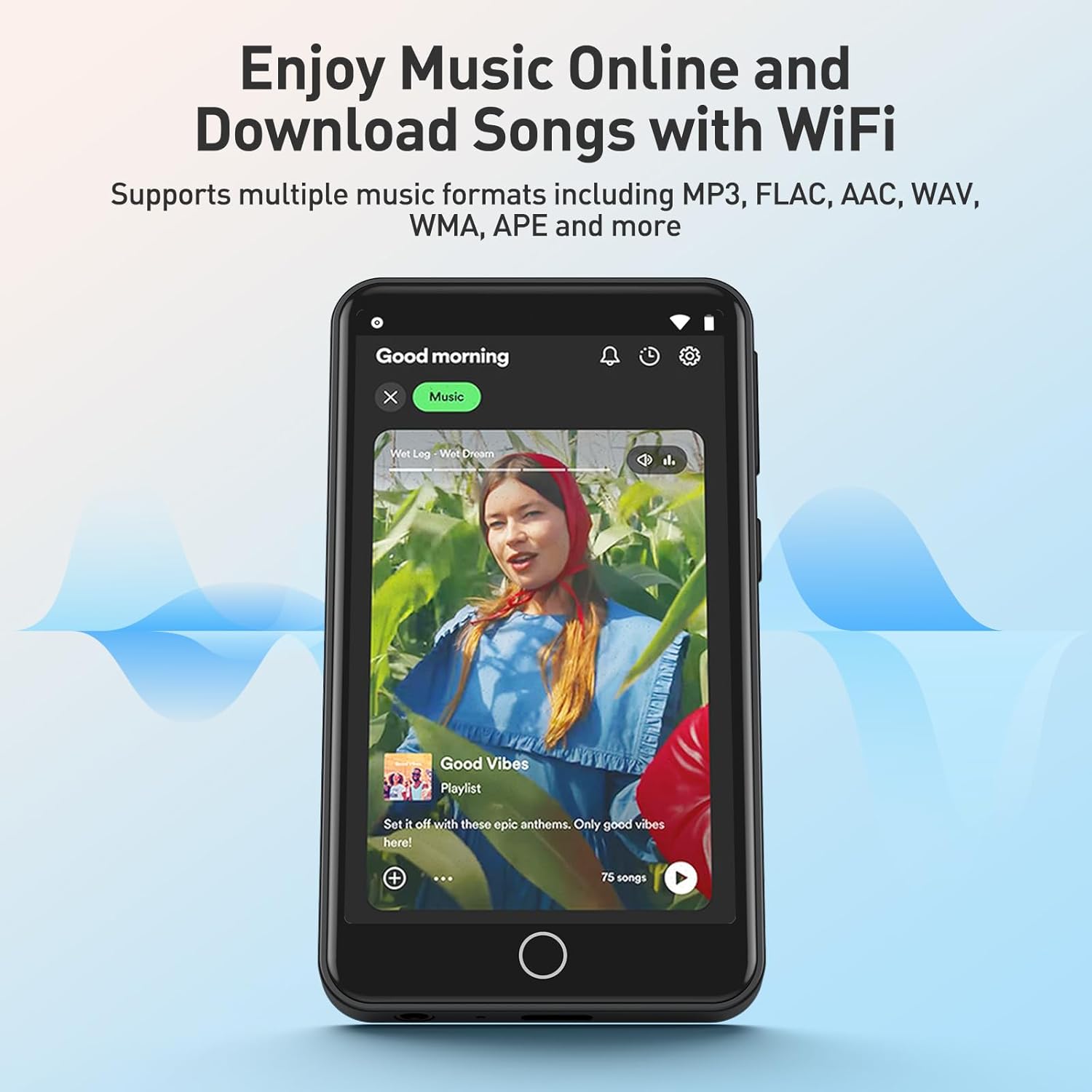
- Wi-Fi Bağlantısı: For online music streaming and browsing.
- Önceden Yüklenmiş Uygulamalar: Includes Spotify, Deezer, Amazon Music, Audible, YouTube, Pandora, TikTok, Google Chrome, and more.
- Ses Formatları: Supports MP3, WAV, WMA, OGG, APE, FLAC, ACC-LC, etc.
Kurmak
1. Cihazın Şarj Edilmesi
Before first use, fully charge your AGPTEK W1S MP3 player. Connect the device to a power source using the provided USB cable. A full charge typically takes 2 to 2.5 hours.

Resim: The AGPTEK W1S MP3 Player connected to a laptop via USB-C for charging, displaying a 90% battery level and indicating a 2-2.5 hour charging time.
2. Güç Açma/Kapatma
- Açmak İçin: Ekran aydınlanana kadar güç düğmesini basılı tutun.
- Kapatmak İçin: Press and hold the power button, then select "Power Off" from the options on the screen.
3. İlk Kurulum
Upon first power-on, follow the on-screen prompts to select your language, connect to a Wi-Fi network, and set up basic preferences.
4. MicroSD Kart Takma (İsteğe Bağlı)
The device supports microSD cards up to 128GB for expanded storage. Locate the microSD card slot on the side of the player. Gently insert the card until it clicks into place. To remove, push the card in slightly until it springs out.
5. Müzik Aktarımı ve Files
- MP3 çaları USB kablosu kullanarak bilgisayarınıza bağlayın.
- The device will appear as a removable storage drive.
- Drag and drop your music, video, or e-book files into the appropriate folders on the device or inserted microSD card.
- Kabloyu çıkarmadan önce cihazı bilgisayarınızdan güvenli bir şekilde çıkarın.
Kullanım Talimatları
1. Temel Gezinme
The AGPTEK W1S features a responsive touchscreen. Swipe left/right to navigate between screens, tap icons to open applications, and use the physical buttons for volume control and power.
2. Müzik Çalma
Access your music library through the pre-installed music player app. The device supports various audio formats including MP3, WAV, WMA, OGG, APE, FLAC, and ACC-LC.

Resim: The AGPTEK W1S MP3 Player displaying a music playback screen with album art and controls, held by a person dancing in a group, illustrating high-fidelity lossless sound quality.
3. Bluetooth Bağlantısı
To connect to Bluetooth headphones or speakers:
- Git Ayarlar > Bluetooth.
- Bluetooth'u açın On.
- Bluetooth cihazınızın eşleştirme modunda olduğundan emin olun.
- Eşleştirilecek kullanılabilir cihazlar listesinden cihazınızı seçin.
Resim: The AGPTEK W1S MP3 Player shown alongside a white Bluetooth speaker, black over-ear headphones, and white wireless earbuds, demonstrating its Bluetooth 4.0 connectivity for wireless audio enjoyment.
4. Wi-Fi and Pre-installed Applications
Connect to a Wi-Fi network via Ayarlar > Wifi to access online streaming services and browse the internet. The device comes with pre-installed apps like Spotify, Deezer, Amazon Music, Audible, YouTube, Pandora, TikTok, and Google Chrome.

Resim: The AGPTEK W1S MP3 Player screen displaying icons for various pre-installed mainstream music and media applications such as Spotify, Pandora, Amazon Music, Deezer, Audible, YouTube, FM Radio, Sound Recorder, Gallery, and Google Chrome.
Not: Wi-Fi is primarily for browsing websites, listening to music, and watching videos online. It is not suitable for downloading and installing other applications beyond those pre-installed.
Resim: The AGPTEK W1S MP3 Player screen showing a music streaming interface with album art and playback controls, demonstrating the ability to enjoy music online and download songs using Wi-Fi.
5. Audible and E-books
The pre-installed Audible app allows you to enjoy audiobooks. You can also transfer and read e-books on the device's 3.5-inch HD screen.
Resim: The AGPTEK W1S MP3 Player's 3.5-inch HD screen displaying a high-definition video scene, emphasizing its capability to play video without lag.
Bakım
- Temizlik: Cihazı temizlemek için yumuşak, kuru bir bez kullanın. Sıvı temizleyicilerden kaçının.
- Yazılım Güncellemeleri: Periodically check for software updates in the device settings to ensure optimal performance and access to new features.
- Depolama Yönetimi: Düzenli olarak yönetin files to free up storage space. Delete unnecessary files or transfer them to a computer.
Sorun giderme
| Sorun | Çözüm |
|---|---|
| Cihaz açılmıyor. | Ensure the device is fully charged. If the battery is depleted, connect it to a charger for at least 15 minutes before attempting to power on again. |
| Wi-Fi'ye bağlanılamıyor. | Check if Wi-Fi is enabled in settings. Ensure you are within range of a known Wi-Fi network and have entered the correct password. Try restarting the device and your Wi-Fi router. |
| Bluetooth cihazı eşleştirilemiyor. | Ensure Bluetooth is enabled on both the player and the accessory. Place devices close to each other and ensure the accessory is in pairing mode. Try restarting both devices. |
| MicroSD kart tanınmıyor. | Ensure the card is inserted correctly. Try reinserting it. Format the card on a computer if it's new or if issues persist (this will erase all data on the card). Ensure the card is not larger than 128GB. |
| Cihaz yavaş çalışıyor veya yanıt vermiyor. | Close unused applications. Clear cache if possible. Restart the device. If issues persist, consider a factory reset (backup your data first). |
Özellikler
| Özellik | Detay |
|---|---|
| Marka | AGPTEK |
| Model Adı | W1S |
| Model Numarası | APMPW1SB-CA |
| Renk | Siyah |
| Ekran Boyutu | 3.5 inç |
| İşletim Sistemi | Android 8.1 |
| Veri deposu | 2 GB |
| Dahili Depolama (ROM) | 16 GB |
| Genişletilebilir Depolama | Supports MicroSD up to 128GB |
| Bağlantı | Bluetooth 4.0, Wi-Fi |
| Pil Türü | Lityum-polimer |
| Compatible Audio Formats | MP3, WAV, WMA, OGG, APE, FLAC, ACC-LC |
| Uyumlu Cihazlar | Kulaklıklar |

Resim: An exploded diagram illustrating the internal components of the AGPTEK W1S, highlighting the intelligent octa-core processor, 2GB RAM, and 16GB internal memory for fast and smooth performance.
Garanti ve Destek
AGPTEK is committed to providing reliable products and excellent customer service.
- Garanti: 2 Yıllık Garanti
- Teknik Yardım: Ömür Boyu Teknik Destek
- Çevrimiçi Hizmet: 24/7 Çevrimiçi Destek
For further assistance, please refer to the official AGPTEK websiteye gidin veya doğrudan müşteri destekleriyle iletişime geçin.

Resim: An infographic detailing AGPTEK's customer service offerings, including a 2-year warranty, lifetime technical assistance, and 24/7 online service.