Önemli Güvenlik Bilgileri
Read all instructions before operating the TV. Keep this manual for future reference. Follow all warnings and instructions marked on the product.
- Havalandırma açıklıklarını kapatmayın.
- Isı kaynaklarının yakınına kurmayın.
- Güç kablosunun üzerine basılmasını veya sıkışmasını önleyin.
- Sadece üretici tarafından belirtilen aparatları/aksesuarları kullanın.
- Şimşekli fırtınalarda veya uzun süre kullanılmadığında fişini çekin.
- Tüm bakımları yetkili servis personeline yaptırın.
Ürün Bittiview
The THOMSON 24HA2S13C is a 24-inch HD Smart Android TV designed for versatile use, including camping with its 12V power supply. It features Google Assistant, Wi-Fi, Bluetooth, Dolby Digital audio, and a triple-tuner for various signal reception.

Resim: Ön view of the THOMSON 24HA2S13C 24-inch Smart Android TV, showing the screen displaying streaming service logos and a family enjoying the TV in a campayar.
Paket İçeriği
Paketin tüm öğeleri içerdiğinden emin olun:
- THOMSON 24HA2S13C Smart Android TV
- Uzaktan kumanda
- Power Adapter (12V compatible)
- TV Sehpaları (2)
- TV Sehpaları için Vidalar
- Kullanım Kılavuzu (bu belge)
- Hızlı Başlangıç Kılavuzu
Kurmak
1. TV Sehpalarının Takılması
- Ekran hasarını önlemek için televizyonu dikkatlice, yüzü aşağıya gelecek şekilde yumuşak ve düz bir yüzeye yerleştirin.
- Align the TV stands with the mounting holes on the bottom of the TV.
- Verilen vidaları kullanarak standları sabitleyin. Vidaların iyice sıkıldığından emin olun.

Image: The THOMSON 24HA2S13C TV showing two possible stand positions for different furniture widths. The image highlights the flexibility in stand placement.
2. Gücü Bağlama
Connect the 12V power adapter to the TV's power input and then to a suitable power source. For camping or mobile use, connect to a 12V DC power outlet.

Image: The THOMSON 24HA2S13C TV mounted in a caravan, with a 12V power adapter shown, illustrating its suitability for mobile use.
3. Harici Cihazları Bağlama
Televizyon, harici cihazları bağlamak için çeşitli bağlantı noktaları sunmaktadır:
- HDMI: For high-definition audio and video devices (e.g., game consoles, Blu-ray players).
- USB BAĞLANTI: USB depolama aygıtlarını bağlayarak medya oynatmak için kullanılır.
- LAN: Kablolu internet bağlantısı için.
- Anten/Uydu: Yayın sinyallerini almak için.
- AV GİRİŞİ: Eski analog cihazlar için.
- Optik Ses Çıkışı: Harici ses sistemlerine bağlanmak için.
- CI+: Şartlı erişim modülleri için.

Resim: Arka view of the THOMSON 24HA2S13C TV, detailing the various input and output ports available for connectivity.
TV'yi çalıştırma
1. İlk Kurulum Sihirbazı
Televizyon ilk açıldığında, sizi ilk kurulum sürecinden geçirecektir. Bu süreç şunları içerir:
- Dil seçimi.
- Ağ bağlantısı (Wi-Fi veya Ethernet).
- Google account sign-in (optional, but recommended for full Smart TV features).
- Channel scanning (for DVB-T2/C/S2).
2. Uzaktan Kumanda İşlevleri
The included remote control provides access to all TV functions. It features backlit buttons for use in low light and a dedicated "Favorite" button for quick access to your preferred app.

Image: The remote control for the THOMSON 24HA2S13C TV, highlighting its ergonomic design, backlit buttons, and voice control capabilities.
3. Akıllı TV Özellikleri (Android TV)
This TV runs on Android TV, providing access to a wide range of applications and services:
- Yayın Hizmetleri: Access Netflix, Prime Video, YouTube, Disney+, and more.
- Google Asistan: Use voice commands to search for content, control playback, and get information. Activate by pressing the Google Assistant button on the remote.
- Chromecast Yerleşik: Cast content from compatible smartphones, tablets, or computers directly to your TV.
- Google Play Mağazası: Ek uygulamalar ve oyunlar indirin.

Image: The THOMSON 24HA2S13C TV screen showing the Android TV home interface with popular streaming applications and content recommendations.
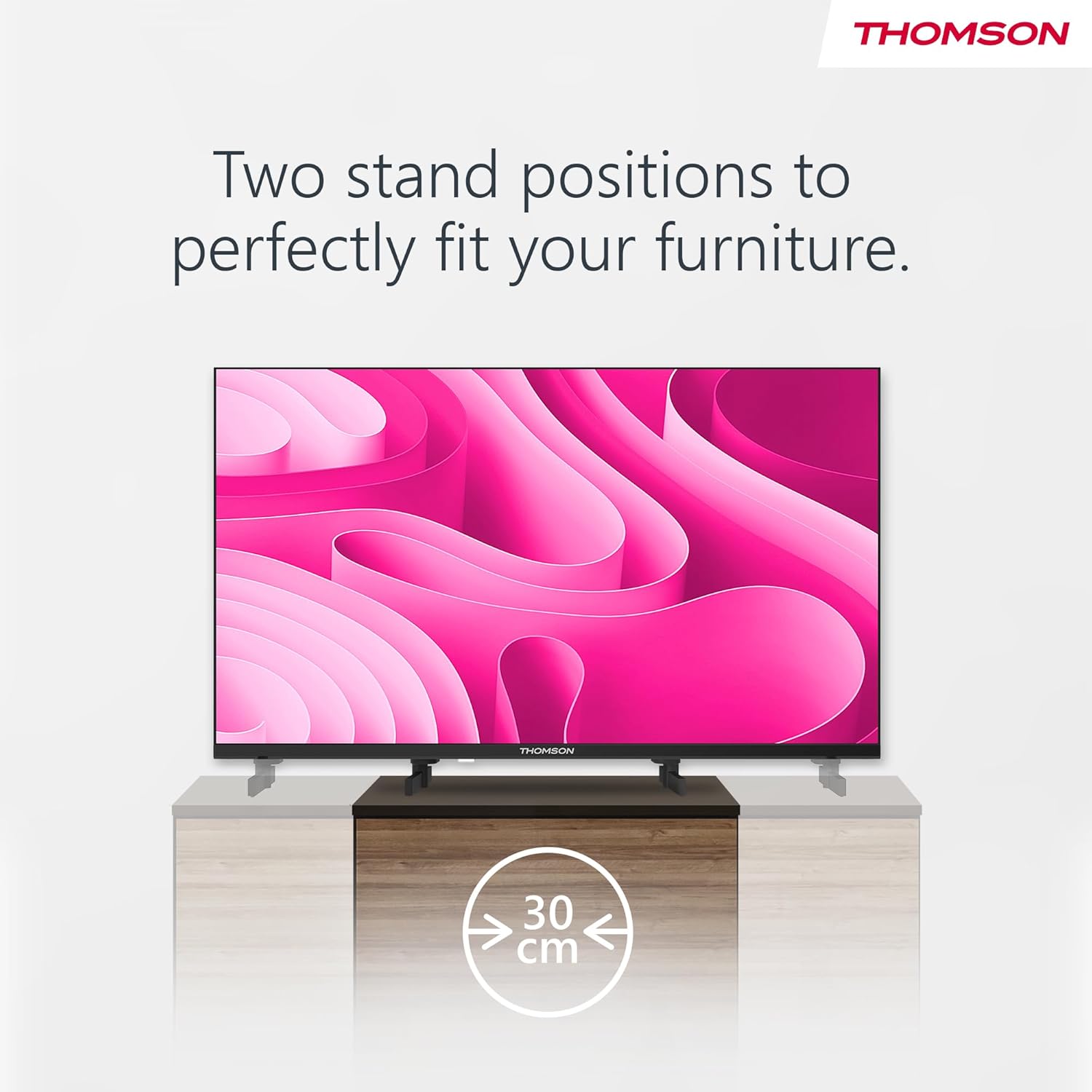
Image: A person using the voice control feature of the THOMSON TV remote, demonstrating interaction with Google Assistant.
Bakım
TV'yi temizleme
- Televizyonu temizlemeden önce mutlaka fişini çekin.
- Use a soft, dry cloth to wipe the screen and cabinet. Do not use liquid cleaners or aerosol sprays.
- İnatçı izler için hafifçe silinampen a microfiber cloth with water and gently wipe. Avoid excessive moisture.
Yazılım Güncellemeleri
Televizyonunuz, performansı artırmak ve yeni özellikler eklemek için yazılım güncellemeleri alabilir. Bu güncellemeleri alabilmek için televizyonunuzun internete bağlı olduğundan emin olun. Güncellemeleri genellikle televizyonun ayarlar menüsünden kontrol edebilirsiniz.
Sorun giderme
| Sorun | Olası Neden | Çözüm |
|---|---|---|
| Güç yok | Güç kablosu bağlı değil; elektrik prizi aktif değil. | Güç kablosunun bağlantısını kontrol edin. Prizde başka bir cihazla test edin. |
| Görüntü yok, ancak ses mevcut | Yanlış giriş kaynağı seçildi; arka ışık sorunu. | Press the "Input" button on the remote to select the correct source. Contact support if issue persists. |
| Ses yok ama görüntü var | Volume too low or muted; audio cables loose. | Increase volume. Check mute status. Ensure audio cables are securely connected. |
| Uzaktan kumanda çalışmıyor | Piller bitmiş; kumanda ile televizyon arasında engel var. | Pilleri değiştirin. Engelleri kaldırın. Kumandanın televizyonun kızılötesi sensörüne doğru tutulduğundan emin olun. |
| Wi-Fi'ye bağlanılamıyor | Yanlış şifre; yönlendirici sorunları; TV'nin yönlendiriciden çok uzakta olması. | Wi-Fi şifresini doğrulayın. Yönlendiriciyi yeniden başlatın. Televizyonu yönlendiriciye daha yakın bir yere taşıyın veya kablolu bağlantı kullanın. |
Özellikler
| Özellik | Detay |
|---|---|
| Marka | Thomson |
| Örnek | 24HA2S13C |
| Ekran Boyutu | 24 İnç (60 cm) |
| Ekran Teknolojisi | NEDEN OLMUŞ |
| Çözünürlük | 1366 x 768 (HD) |
| İşletim Sistemi | Android televizyon |
| Özel Özellikler | Google Assistant, Chromecast Built-in, 12V Power Supply, Dolby Audio, Triple Tuner (DVB-T2/C/S2) |
| Bağlantı | Wi-Fi, Bluetooth, HDMI (x3), USB (x2), LAN, Optical Audio Out, AV In, CI+ |
| Cilttage | 12 Volt (DC) |
| Ürün Boyutları (G x D x Y) | 53.5 x 15.1 x 35.3 cm (standlı) |
| Ağırlık | 3.5 kilo |
For detailed energy efficiency information, please refer to the EU EPREL database: https://eprel.ec.europa.eu/qr/1456673

Image: The EU Energy Label for the THOMSON 24HA2S13C TV, showing an energy efficiency rating of E and power consumption of 18 kWh/1000h.
Garanti ve Destek
This Thomson TV comes with a 3-year guarantee. For technical support, warranty claims, or service inquiries, please contact your local Thomson service provider or refer to the manufacturer's webalan.
Üretici: STREAMVIEW GMBH
Webalan: www.akışview.com
E-posta: iletişim@streamview.com
Resmi Ürün Videosu
Görsel bir açıklama için bu videoyu izleyinview of the Thomson 24-inch Easy TV.
Video: Kısa bir özetview of the Thomson 24-inch Easy TV, showcasing its design and features. This video is provided by the vendor Streamview GmbH.


